TL;DR:
- Good microphone placement and workflow are crucial to quality, not just the equipment.
- Proper preparation and documentation save time and improve consistent results.
- Effective microphone placement prevents common mistakes and optimizes recording quality.
You invest in a good microphone, set everything up and press record. But the result sounds flat, blurry or full of distracting reflections. Recognizable? The cause is rarely in the microphone itself. Poor placement and a missing workflow are the real culprits in most cases. Good microphone placement is just as decisive as the quality of your equipment. Those who standardize their workflow save time, avoid frustration and consistently get better results from every session. This guide takes you step-by-step through the preparation, execution and control of an efficient microphone workflow in your home studio.
Table of contents
- Supplies and preparation for microphone workflow
- Step-by-step microphone placement for optimal workflows
- Common microphone placement mistakes and how to avoid them
- Control and optimization of recorded sound
- Unique view: why workflow is more important than expensive equipment
- Discover more studio solutions at i4studio
- Frequently Asked Questions
Key Insights
| Item | Details |
|---|---|
| Good preparation | By planning your workflow and supplies in advance, you avoid technical problems and save time. |
| Step-by-step placement | A set step-by-step plan ensures consistent, professional recordings. |
| Avoiding common mistakes | Pay attention to typical misses to get the most out of your recording workflow. |
| Keep checking | By evaluating and adjusting regularly, you maximize the sound quality of your home studio. |
Supplies and preparation for microphone workflow
A good workflow starts long before you press record. Those who start a session unprepared run the risk of interfering noise, bad signal chains and endless re-recording. As the Complete Guide to Home Studio Recording points out: poor preparation leads to distracting noise and unnecessary re-recording. Prevention is always faster than fixing it afterwards.
What is the minimum you need for a repeatable recording workflow?
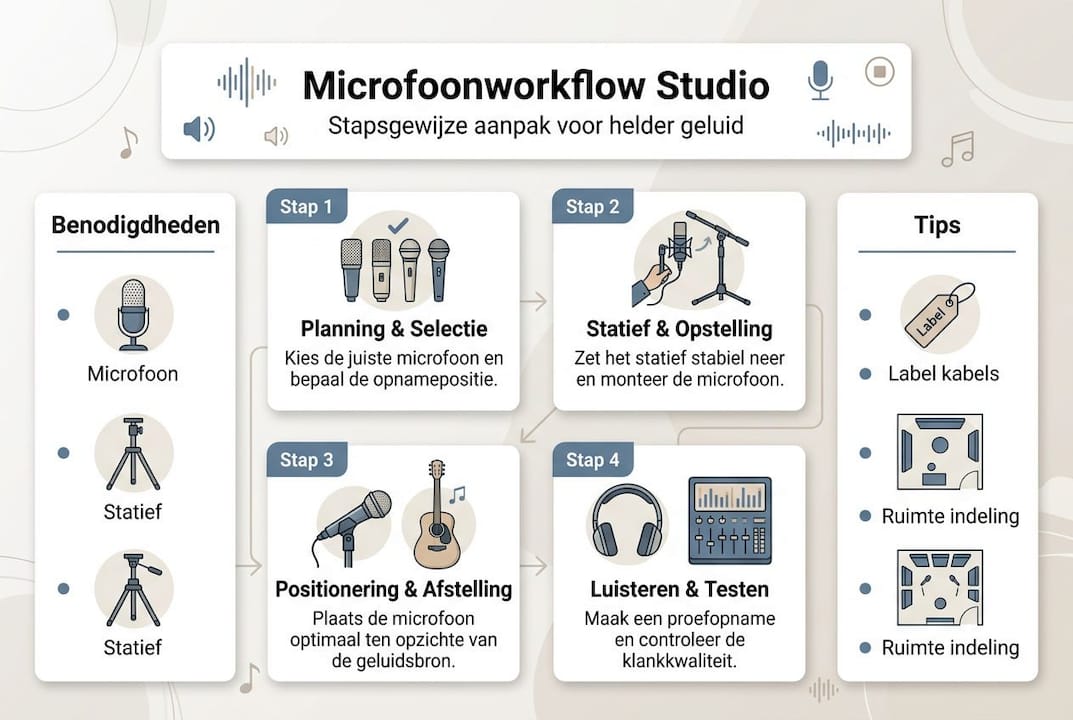
- Microphone stand with flexible arm or boom arm
- Pop filter for vocals and spoken audio
- Shockmount to isolate vibrations from the tripod
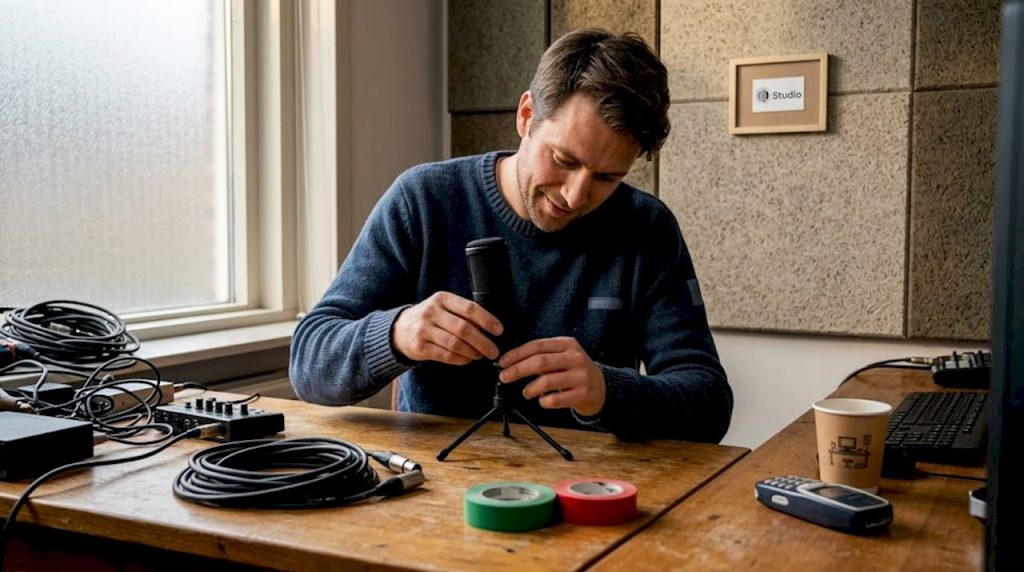
- XLR cables of sufficient length, labeled by use
- Audio interface with enough inputs for your setup
- Acoustic treatment such as panels or diffusers at critical positions
- Documentation folder or logbook with settings per session
Labeling sounds simple, but makes a big difference. Knowing which cable goes to which channel restores a setup in minutes instead of searching for half an hour.
Pro-tip: use color coding on your cables as well as a simple logbook in your DAW project folder. Write down per session: microphone type, tripod height, distance to sound source and any acoustic adjustments. This makes replication a lot easier.
| Section | Purpose | Attention |
|---|---|---|
| Tripod with boom arm | Flexible positioning | Stable fixing, no vibration |
| Pop Filter | Reduce plosives | Minimum 8 cm for capsule |
| Shockmount | Vibration isolation | Compatible with your microphone |
| XLR cable | Signal transmission | Shielded, keep short |
| Acoustic panel | Mute reflections | Place behind microphone |
In addition to physical tools, the space itself is an underrated part of your preparation. Check out studio design tips for practical ways to set up your space before you place even one microphone. A well-organized space requires less correction after the fact.
Also check your microphone choice home studio if you are unsure if your microphone fits the type of recording you want to make. The right microphone in the wrong place will still produce poor results.
Step-by-step microphone placement for optimal workflows
With your preparation in order, you can now work on placing the microphones yourself. Working systematically will prevent you from discovering halfway through a session that the placement is incorrect. As microphone setups in the home studio make clear: placement varies by sound source and intended effect.
Follow this roadmap for consistent results:
- Determine the purpose of the recording. Is it for vocals, instrument or ambience? This will determine which microphone type and setup you choose.
- Choose the right microphone for the application. See the comparison table below for the most commonly used types.
- Set the space. Make sure acoustic panels are in the right position and that no unnecessary noise sources are active.
- Position the tripod. Raise the microphone to eye level or to the level of the sound source, depending on the type of recording.
- Set the distance. Start at 20 to 30 cm for most applications and adjust based on listening results.
- Check the angle. A slight tilt of 15 to 30 degrees reduces plosives and pop sounds when singing.
- Record a test clip and listen critically through headphones. Check for noise, reflection and phase problems.
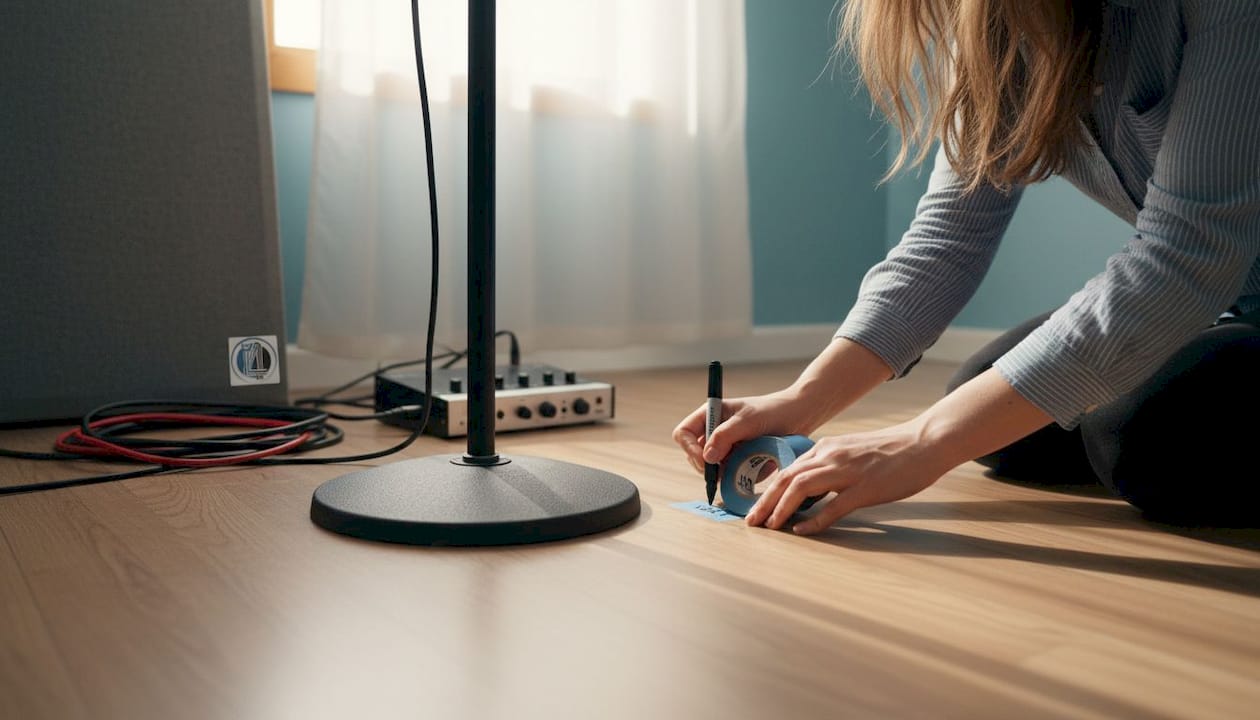
- Document the final position. Use tape or markers on the floor as reference points for subsequent sessions.
Pro-tip: Tape a piece of painter’s tape to the floor at the exact position of each tripod. Write the microphone code on it. This takes 30 seconds and saves 15 minutes of searching the next session.
| Microphone Type | Application | Optimal distance | Characteristic |
|---|---|---|---|
| Spot (cardioid condenser) | Vocals, acoustic guitar | 15 to 25 cm | Rich in detail, bright |
| Stereo (X/Y or ORTF) | Drum overhead, chorus | 50 to 100 cm | Wide, spacious |
| Room (omnidirectional) | Ambience | 1 to 3 meters | Natural, open |
For specific microphone setup advice by situation, or tips for recording as a content creator, i4studio provides targeted information by application.
Common mistakes in microphone placement and how to avoid them
A workflow is only effective if you know what not to do. Most quality problems in home studio recordings can be traced to a handful of recurring errors. Placement errors cause unwanted reflections and phase distortion, two problems that are nearly impossible to fix in the mix.
The five most common mistakes:
- Too close to the sound source. This amplifies low frequencies through the proximity effect and makes the sound thick and muddy.
- Too far from the sound source. The direct signal becomes weaker and spatial reflections dominate the recording.
- Setting the wrong angle. A microphone pointed straight at an instrument catches plosives and peak sounds that are distracting.
- Ignoring reflections. Hard walls or windows behind the sound source cause room tone that colors the signal.
- Multiple microphones without phase check. Two microphones at different distances from the same source can partially deaden each other’s signal.
“Most shots go wrong because of wrong distances. Adjusting a few inches can make the difference between a professional and an amateur result.”
Action list for immediate improvement:
- Always check the distance with a ruler or tape measure.
- Use the mono button in your DAW to detect phase problems with multiple microphones.
- Hang an acoustic panel behind and above the sound source to catch initial reflections.
- Listen to your test recording with your eyes closed and imagine hearing it in a busy mix.
Want to apply structural tips sound reflection in your studio? Then acoustic treatment is a logical first investment. If your microphone suddenly sounds different or fails, also check the troubleshooting microphone page for quick diagnosis.
Control and optimization of recorded sound
Once your microphones are in place, the most important step isn’t done yet: critical listening and adjustment. Regular checks significantly increase the consistency of studio productions. One listening session after placement is not enough. Only when you compare the results over several sessions will you see if your workflow is truly stable.
Use this evaluation protocol after each recording session:
- Listen back to the recording through reference headphones instead of monitor speakers. That way you can hear details that would otherwise be missed.
- Check the DAW meters for peak and average levels. Aim for a recording level around 18 dBFS RMS.
- Switch to mono and check that the sound remains full. If it sounds thinner, there is phase cancellation.
- Compare with a reference image from a previous session at the same position.
- Document deviations in your log and adjust the outline for the next session.
| Control criterion | Desired result | Deviation and cause |
|---|---|---|
| Noise floor | Below 60 dBFS | Poor grounding or poorly shielded cable |
| Peak values | Between 12 and 6 dBFS | Microphone too close to sound source |
| Mono compatibility | No volume loss | Phase problems with multiple microphones |
| Spaciousness | Controlled stereo | Cream microphone too far or too close |
Pro-tip: create a permanent folder in your projects structure called “session-log” and save a screenshot of your DAW mixer and a photo of the microphone setup for each recording. This takes two minutes and gives you a visual archive you’ll be grateful for later.
Also check out home studio recording tips for a broader overview, and consult DAW workflow tips if you want to optimize your digital working environment as well.
Unique view: why workflow is more important than expensive equipment
Many producers and videographers believe that a better microphone automatically produces better recordings. That’s an understandable assumption, but in practice it’s rarely true. We see it time and again: a producer with a mid-range microphone and a tight workflow outperforms someone with high-end equipment and no structure.
An efficient workflow gives you something gear can’t give you: repeatability. You can start each session under pretty much the same conditions, which means you’re quicker to recognize mistakes and make quicker adjustments. That consistency is golden in a home studio where conditions can vary.
In our experience, those who first get their audio PC and acoustics tips in order, and only then invest in more expensive microphones, achieve structurally better results. Invest in approach first, then gear.
Discover more studio solutions at i4studio
Want to instantly improve your home studio workflow with the right products and advice? At i4studio you’ll find everything you need, from acoustic panels to custom studio PCs that run without latency during your recording sessions.

Whether you’re just starting out or want to refine your existing setup, we’ll help. Check out our studio gear essentials for an overview of what you need. Want to address the acoustics of your space? Then explore our acoustics optimization solutions. For a complete overview of everything i4studio offers, visit our more studio solutions page.
Frequently Asked Questions
Which microphone types are best suited for workflow placement in a home studio?
Dynamic, condenser and skirt microphones are the most commonly used, each for specific applications. Combining different microphones gives more flexibility and possibilities within your workflow.
How far should workflow microphones be from the sound source?
Typically you work with 15 to 35 cm for vocals and instruments, depending on microphone type and space. Distance determines the ratio of direct to reflected sound in your recording.
How do I reduce noise and reflections in microphone workflow?
Place absorption material around the microphone and remove active sound sources from the room. Acoustic panels and diffusers effectively combat reflections without killing the sound.
Which is more important: the microphone or a good workflow?
A consistent workflow almost always produces better results than just investing in more expensive microphones. Workflow determines the final sound quality and efficiency of your productions.
Recommendation
- Microphone setups explanation: get the most out of your home studio
- Microphone For Home Studio: The Complete Guide To Choosing, Placing And Recording – https://i4studio.nl/
- Home Studio Sound Recording Tips: From Space to Mix – https://i4studio.nl/
- Microphone Not Working: Complete Troubleshooting Guide – https://i4studio.nl/