Good sound recording starts with a conscious choice of space and setup – so here are practical home studio sound recording tips that can be applied immediately. The article covers acoustics, equipment, workflow and computer-specific recommendations so that both the experienced producer and the novice musician can take steps toward better recorded material.
Why these tips are important
In a home situation, the biggest limitations are often acoustics and available equipment. With the right knowledge and targeted investments, however, those limitations can largely be circumvented. This guide helps one make smart choices – from microphone placement to choosing a powerful studio PC – and explains why each step affects the end result.
Space and acoustics: the basis of any recording
Choosing the right space
Not every room is suitable, but many rooms are usable. Ideally, the room should be linear, not too small and without too many parallel walls. Small rooms accentuate low frequencies and create standing waves, which can be problematic. Still, with clever treatment, one can achieve fine results even in a small attic room.
What are the main acoustic problems?
- Reflections: rapid rebound of sound that reduces clarity and intelligibility.
- Standing waves and bass build-up: exaggerated or exhausted bass in certain areas of the room.
- Reverb (reverb): long reverb time makes recording fuzzy and unfocused.
Practical acoustic measures
Focus first on the points that have the most impact:
- Absorbers at first reflection points: place foam or panels on the side walls and ceiling where sound bounces from the source to the listening position.
- Bassstraps in corners: low frequencies collect in corners – that’s where they have the hardest time escaping. Bassstraps significantly soften this accumulation.
- Diffusers: for larger rooms: provide controlled dispersion of high frequencies without making everything “dead.
- Mobile solutions: a reflection screen behind a microphone, thick blankets or the back of a couch can quickly give temporary improvements.
Measuring helps
With tools like Room EQ Wizard (REW) and a measurement microphone, one can quantify frequency response and reverberation time. This makes targeted treatment cheaper and more effective.
Essential equipment for home studio sound recording
Microphones: which types and when to use them
Choice of microphone is one of the biggest creative choices. Brief overview:
- Condenser microphone: sensitive and detailed – ideal for vocals, acoustic guitar and overheads. Note: often requires phantom power.
- Dynamic (dynamic) microphone: robust and less sensitive – good for louder sources such as guitar amps or live-style vocal recordings.
- Ribbon microphone: warm and natural, excellent transient response for voice and horns, but usually fragile and pricier.
Practical tip: start with one good condenser and one good dynamic microphone; then expand depending on genre and needs.
Audio interface and preamps
The audio interface is the bridge between microphone and computer. Key features:
- Number of inputs/outputs: how many microphones and instruments do you want to record at the same time?
- Converter quality: A/D and D/A converters determine the transparency of the signal.
- Latency and drivers: stable drivers (ASIO on Windows) and low latency are crucial during tracking.
For those who want more color: external preamps or channel strips can add character. But many modern interfaces have excellent built-in preamps for most applications.
Monitoring: speakers and headphones
Accurate monitoring is essential. Studio monitors should sound neutral; consumer-oriented speakers often emphasize certain frequencies.
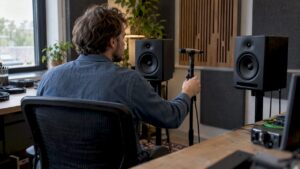
- Monitors: place them in an equilateral triangle with the listening position and aim the tweeters at the head.
- Headphones: use closed headphones during recording to minimize leakage to microphones; open models are nice for mix reference.
- Subwoofer: can help with bass acoustics, but requires good integration and acoustics.
Tripods, popshield and accessories
Small expenses often pay big dividends: sturdy mic stands, a pop filter for vocals, reasonable-quality cables and good microphone clamps ensure reliable setups and less frustration during sessions.
Computing, storage and performance: why it matters
Importance of a good studio computer
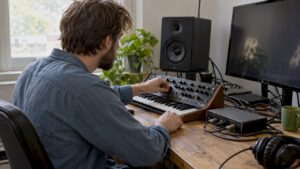
A stable, powerful computer is fundamental. For many producers, the computer is the central hub for recording, virtual instruments and mixing. I4studio provides high-performance audio, video and rendering computers specifically for these workflows and offers customized advice for those seeking maximum performance and reliability.
Recommended specifications
- CPU: fast single-core performance and multiple cores – modern DAWs benefit from both. Consider recent Intel or AMD CPUs with high clock speeds.
- RAM: at least 16 GB for simple projects; 32 GB or more for heavy sample-based work or many plugins.
- Storage: NVMe SSD for OS and DAW projects (fast load times), additional SSD/HDD for backups and sample libraries.
- Connectivity: Thunderbolt or USB-C for low latency and high bandwidth with external interfaces and storage.
I4studio can help put together systems with sufficient now and future-proof headroom, including cooling and reliable power.
Buffer size and latency
During recording, a low buffer (e.g., 64-128 samples) is desired to minimize monitoring delay. When mixing, increase the buffer (512-1024) to use more plugins simultaneously without interruptions.
Signal chain and gain staging: keep it clean
What is gain staging?
Gain staging is managing levels through the chain so that one has sufficient signal without clipping, but also does not build up noise unnecessarily. Good gain staging leads to more headroom and more natural sound.
Practical Steps
- Start at the source: microphone distance and direction determine the initial signal level.
- Preamps: set the gain to keep the peak below 0 dBFS with some margin (e.g. -6 dBFS for vocals). Use meters, not your ears alone.
- Interface and DAW: make sure levels in the DAW remain in healthy margins as well. Avoid digital clipping.
Microphone placement: techniques for different sources
singing
A good baseline: place the mic 10-20 cm from the mouth, use a pop filter 5-10 cm away from the mic, and experiment with angle and distance for less plosives or more clarity.
- For intimate, warm recordings: a little closer and possibly a reflector to capture more direct sound.
- For more air and sibilance: further away and a condenser mic with appropriate high-pass filter.
Acoustic guitar
Popular technique: combine a near-mic (12-25 cm at 12th fret) with a body-mic (at the soundhole or 30-50 cm) and blend for balance between attack and body.
Electric guitar (amp)
Place dynamic microphones (e.g., Shure SM57) close to the speaker cone for aggression; 2-10 cm from the cone or slightly off-axis for less harshness. A ribbon mic farther away can add warmth.
Drums
Drum recording requires multiple mics: kick, snare, toms, overheads and possibly room mics. Phase-checking is crucial: check the phase between close and overhead mics and rotate polarity if necessary.
Recording session workflow: from preparation to backup
Preparation
- Create templates in the DAW with predefined buses, metering and standard plugins.
- Tune instruments and check all cables and power supplies.
- Make a short soundcheck and test recordings to check levels, monitoring and latency.
Tracking strategy
Start with click-track or guide-track if needed. Record in passes: first the basics (drums/ bass/guitar) then overdubs and vocals. For vocals: take multiple takes and comp a perfect take later.
Backups and file management
Data loss is one of the biggest nightmares. Create immediately after a session:
- Local backup on a second SSD/HDD.
- Offsite backup or cloud backup (e.g. Backblaze, Google Drive) for important projects.
- Version control: naming conventions and changelogs help to quickly find what was done when.
Mixing and basic editing: better results quickly
Equalizing (EQ).
Eq is often the most effective tool for separating elements. Some guidelines:
- Cut below 20-40 Hz with a high-pass filter on non-bass instruments.
- Remove mud at 200-500 Hz where base and body collide.
- For more presence: boost subtly around 2-5 kHz.
compression
Compression controls dynamics. Use it to stabilize vocals and give drums punch, but overcompression makes it lifeless. Ratios of 2:1 to 4:1 are a good starting point for vocals.
Stereo image and panning
Use panning to give instruments space. Keep bass and kick centered; place rhythmic and harmonics scattered throughout the stereo field.
Reverb and delay
Space instruments and vocals to give depth, but be careful that reverb doesn’t “miss” the mix face. Pre-delay settings help distinguish reverb from the dry source.
Common problems and solutions
Unwanted background noise
Sources: appliances (air conditioner, hard drive), street noise, lighting. Solutions:
- Turn off or move devices.
- Use directional microphones and close-miking.
- Use gating, but sparingly; repair in audio is trickier than prevention.
Phase issues
Phase can make instruments thin or weak. Check percussion and multi-mic setups in mono to reveal phase problems and correct with time-shifting or polarity invert.
CPU overload during mix
Solutions:
- Put buffer up during mix.
- Freeze or bounce tracks with heavy instruments/plugins.
- Consider a more powerful workstation – I4studio builds systems for demanding sessions and can advise which upgrade is most impactful.
Specific tips by genre
Pop and singer-songwriter
Emphasize clear, appealing vocals. Use subtle automation (volume, reverb sends) to give emotional weight to passages.
Rock and metal
Powerful drums and layered guitars; think double-tracking of rhythm guitars and care for phase. For heavy guitar irregularity, parallel compression and amp reamping can help.
Electronic and hip-hop
Bass and low end are crucial; use sub-monitors or good reference speakers to assess low. Sidechain compression helps kick and bass work together without losing power.
Advanced techniques
Re-amping
Recordings of DI guitars can be replayed through an amp to have more flexibility in designing tone later in the process.
Mid-Side (M/S) recording and processing.
M/S is a stereo technique that gives control of mono and stereo content separately – useful for overheads or acoustic ensembles.
Layering and doubling
Multiple layers of vocals or guitar can give a big sound. Vary timing, EQ and panning to create width without introducing mud.
Practical session checklist
- Room: first reflections dealt with, bass traps in corners
- Equipment: cables tested, batteries replaced (if necessary)
- Computers: clean OS environment, sufficient free disk space, backup disks connected
- DAW: template loaded, buffer set for tracking
- Monitoring: volumes controlled, headphone mix ready
- Recording: levels checked, testtake recorded
- After session: immediate backup, notes on good takes
Why choose professional help and hardware from I4studio?
For many home studio owners, it’s hard to decide where to invest: better mic, new interface or a more powerful computer? I4studio combines expertise in audio hardware and acoustic solutions with customized workstations optimized for audio and video production. Their advice helps make investments targeted – for example, which CPU model is relevant for real-time plugins, or which Thunderbolt interface gives best compatibility with a chosen DAW and external hardware.
A few last-minute, often overlooked tips
- Calibrate monitors with a measurement microphone and room-correction software – this prevents misleading mixing decisions.
- Use reference tracks from commercial releases that people respect; compare mixes regularly on different systems (laptop speakers, car, phone).
- Ensure ergonomics: a comfortable chair and monitor height save energy and improve concentration during long sessions.
- Invest in good lighting and cable management – little things that support creative flow.
Conclusion
Better home studio recordings are more likely to come from thoughtful choices than from cheaper or more expensive gear alone. By starting with a suitable space and targeted acoustic treatment, followed by solid equipment and a reliable computer solution, professional results can be within reach. Practical home studio sound recording tips such as consistent gain-staging, smart mic placement, and an organized workflow make all the difference. If one wants help choosing hardware or putting together a custom studio PC, I4studio offers specialized solutions and advice to get from idea to finished product step by step.
Frequently Asked Questions
What sample rate and bit depth are best for home recording?
A sample rate of 44.1 kHz or 48 kHz with 24-bit resolution is sufficient and practical in most cases. Higher sample rates (96 kHz) can benefit heavy processing or specific high-frequency operations, but cost more disk space and CPU power.
How important is acoustic treatment compared to buying more expensive microphones?
Acoustic treatment usually provides more audible improvement than a more expensive mic in a bad room. A good mic in a bad room often sounds worse than a mid-range mic in a well-treated room. Priority: room first, then mic selection.
Should one invest in an external preamp or will the preamps of a good interface suffice?
For many projects, the built-in preamps of modern interfaces are sufficient. An external preamp provides character and color and can be useful in production environments where that specific sound is desired. It is often a later step in upgrade paths.
What is the best way to minimize latency during recording?
Use low buffer settings, reliable ASIO or Core Audio drivers, and an interface with good firmware. Monitoring via direct monitoring (interface) can provide a completely latency-free solution during tracking.
How does one best save projects for the long term?
Use a combination of local backups (SSD/HDD) and offsite/cloud backups. Keep versions and archive project folders including audio, plugins presets and session data. Store projects on multiple physical media for added security.