TL;DR:
- Acoustic treatment is essential before buying gear.
- Manager your workflow with accessories such as the Elgato Stream Deck XL and monitor controllers.
- Choose accessories based on your budget, space and specific needs for optimal results.
Hundreds of studio accessories, but which ones really deserve a place in your setup? For music producers and video editors, the right tool in the right place saves hours of work and instantly improves the end result. Not every purchase has the same effect. Some tools dramatically speed up your workflow, while others improve your monitoring or acoustics in ways you hear immediately. In this article, you’ll learn what criteria you select on, which five accessories professionals don’t want to lose, and how to make the best choice per budget and application.
Table of contents
- How to choose the right studio accessories?
- Top 5 useful accessories for music and video studios
- Comparison of the most popular tools
- Situational advice: accessories by application and budget
- Why the right accessories make more difference than extra gear
- Designing your studio smarter? Discover our solutions
- Frequently asked questions about useful studio accessories
Key Insights
| Item | Details |
|---|---|
| Choose based on workflow | Accessories that support your work process deliver immediate gains in time and results. |
| Acoustics always first | Investing in acoustic treatments instantly improves sound and monitoring, even more than new equipment. |
| Compare before you buy | Use a comparison chart for quick selection between several top products. |
| Application determines the accessory | Music, video, solo work or collaboration each require different tools. |
| Upgrading can be done step by step | Start with essential accessories and expand as your workflow or requirements grow. |
How to choose the right studio accessories?
Now that the importance is above water, let’s look at what you look for when putting together your gear. Most producers and editors start with gear, while the space itself is most often overlooked. That’s an expensive mistake.
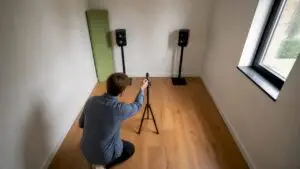
Proper selection starts with the acoustics of your room. Without proper treatment, even a high-end monitor will sound distorted, directly affecting your mixing decisions. Acoustic treatment is therefore the first step, before any other purchase: start with panels and bass traps, then interface, monitors and headphones.
Step two is to map out your workflow. Do you primarily make music or do you also edit video? Music producers benefit from quick access to DAW features and flexible monitoring options. Video editors benefit from hotkeys, scene-switching and sound control all in one place. Those two worlds increasingly overlap, but the priorities are different.
Also consider the distinction between tools that make you more efficient and tools that make you more creative. A monitor controller falls into the first category: you switch between listening positions faster. A properly acoustically treated room falls into the second: you hear more detail and make better choices. Both are valuable, but for different purposes.
Key selection criteria listed:
- Acoustics first: treat the space before buying new gear
- Workflow type: music, video or both determines which controllers are prioritized
- Expandability: choose tools that grow with your setup
- Connections: USB, MIDI and analog I/O must match existing equipment
- Budget: set your studio budget before comparing
Pro-tip: Write down three concrete bottlenecks in your current workflow before comparing accessories. Buy only when a product solves at least two of those bottlenecks. That way you avoid impulse buys that collect dust.
Want to start all over again? Then see how to set up a home studio step by step without wasting budget.
Top 5 useful accessories for music and video studios
With these criteria in mind, here the accessories professionals can’t live without.
1. Elgato Stream Deck XL
The Stream Deck XL has 32 configurable LCD keys that let you call up DAW functions, scenes and shortcuts at the touch of a button. Ideal for both music production and video editing. You program each button visually, eliminating the need to search through menus. Time savings per session: noticeable from day one.
2. Mackie Big Knob Studio
An active monitor controller with a 2×2 USB interface, two monitor pairs and three stereo sources, including talkback microphone and 24-bit/96kHz resolution. The Mackie is a true all-rounder for the mid-range studio. You switch effortlessly between reference speakers and nearfields, something every serious mixer does every day.
3. Audient Nero
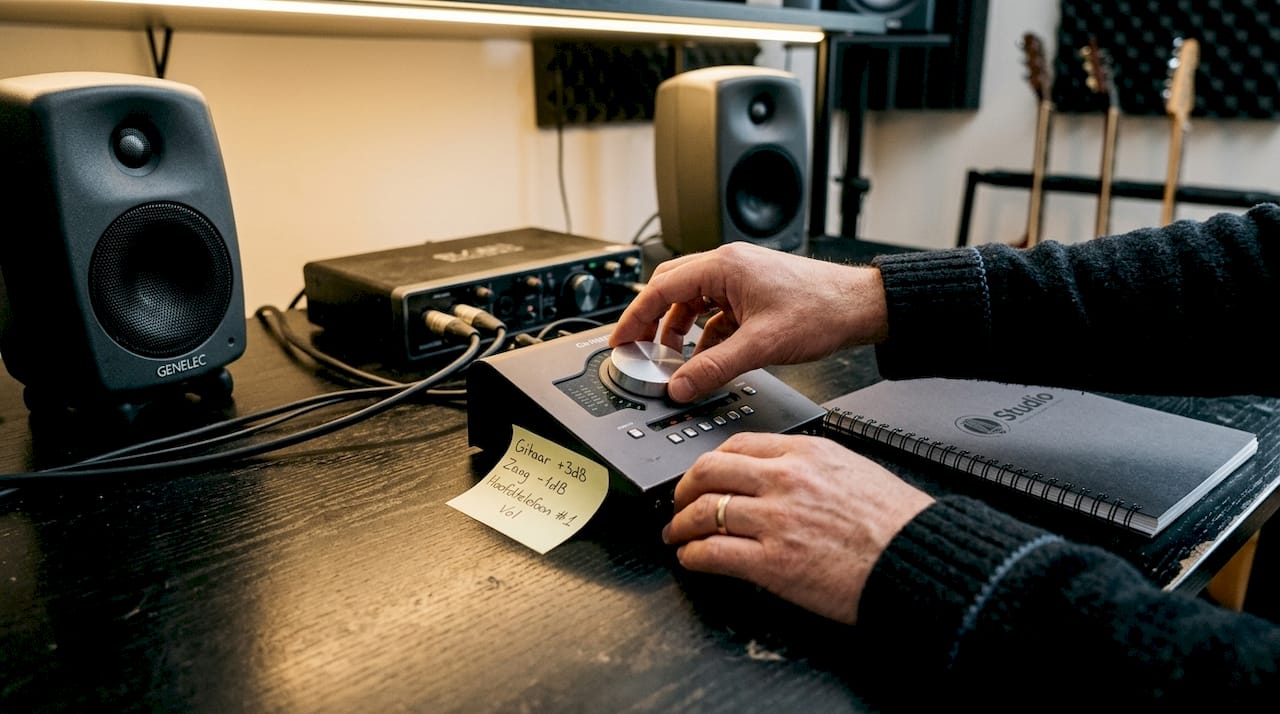
The Audient Nero offers four source inputs, three monitor outputs and four headphone outputs with dim, cut, mono and polarity reversal. Again, a talkback microphone is built in. This is the monitor controller for those who really want flexibility without compromise on sound quality.
4. SSL UF8 DAW controller
Professional producers choose the SSL UF8 for its eight touch-sensitive faders and expansion to 32 faders. It controls up to three DAWs simultaneously and has color displays per channel. An investment that pays off in speed and precision.
5. Acoustic panels and bass traps
Not hardware, but indispensable. Good DAW controller tips help, but without correct acoustics in your space, you can’t trust what you hear. Acoustic panels reduce early reflections, bassstraps address problematic low frequencies.
Pro-tip: Combine the Elgato Stream Deck XL with a monitor controller for maximum workflow gains. You control software with one hand and volume and source selection with the other, without ever touching your mouse.
Also check out ideas for setting up your home studio to see how other manufacturers are smartly positioning these tools.
Comparison of the most popular tools
To get the differences and best choice clear, below is a comparison of the most popular studio accessories.
| Accessory | Type | Connections | Target Group | Price Range |
|---|---|---|---|---|
| Elgato Stream Deck XL | DAW controller | USB-A | Music and video | Entry/Middle |
| Mackie Big Knob Studio | Monitor controller | USB, jack, XLR | Music, small studio | Middle |
| Audient Nero | Monitor controller | Jack, XLR, optical | Professional | Mid/high |
| SSL UF8 | DAW controller | USB, MIDI | Professional | High |
| Acoustic panels | Acoustics | N/A | Anyone | Entry to high |
The table makes some choices immediately clear. For music producers, monitor controllers such as the Mackie Big Knob and Audient Nero are priority for precise volume and source management. DAW controllers such as the Stream Deck and SSL UF8 speed up mixing itself.
Which tool do you choose?
- Beginners and small studios: Elgato Stream Deck XL and Mackie Big Knob Studio give the most value per euro
- Advanced users: Audient Nero for maximum flexibility in monitoring options
- Professional environments: SSL UF8 if you work daily with multiple DAWs and large projects
- Everyone: acoustic treatment is not an option but a basic requirement for the home studio
“For music producers, monitor and DAW controllers are the two pillars of an efficient studio. Talkback functionality is essential once you record with other musicians.”
Situational advice: accessories by application and budget
But which accessories fit your situation and budget? Below is practical advice for each scenario.
Scenario 1: Entry-level (up to €500)
- Start with acoustic panels and at least two bass traps. Acoustics are the first priority in any home studio, above any gear purchase.
- Then add an Elgato Stream Deck XL as a DAW controller.
- Use the built-in monitoring function of your audio interface for now.
Scenario 2: Middle class (€500 to €1500).
- Acoustics completely in order, including diffusers.
- Mackie Big Knob Studio for monitor control and talkback.
- Elgato Stream Deck XL for fast DAW operation.
- Consider expandable incremental studio design so that each new component connects logically.
Scenario 3: Professional (above €1500).
- Complete acoustic treatment of the room.
- Audient Nero as central monitor controller.
- SSL UF8 for full DAW control with touch-sensitive faders.
- Talkback integration for recording sessions with artists or voice-over work.
Pro-tip: video editors who also mix audio benefit tremendously from a monitor controller with multiple headphone outputs. That way you can quickly do reference checks on different listening environments without switching cables. Also check out studio accessory options for content creators if you publish regularly.
| Scenario | Must-have | Nice-to-have | Budget |
|---|---|---|---|
| Entry | Acoustics, Stream Deck XL | Monitor controller | Up to €500 |
| Middle | Mackie Big Knob, acoustics | SSL UF8 | €500 to €1500 |
| Professional | Audient Nero, SSL UF8 | Additional headphone amplifier | Above €1500 |
Improving your studio acoustics doesn’t have to be expensive. Even a limited budget will yield audible results if you put the right panels in the right places.
Why the right accessories make more difference than extra gear
After looking at all these options, you may be tempted to want to buy everything at once. But there’s an insight we like to share after much studio experience: a smart accessory sometimes solves a problem that ten new plug-ins don’t address.
A talkback mic in your monitor controller sounds unremarkable, until you realize how much time you spend communicating during recording sessions without that feature. A well-placed acoustic panel will improve your mixing decisions more than a more expensive pair of monitors.
The focus on smart studio optimizations over blind gear expansion is what sets professional studios apart from hobby setups. It’s not about how much you have, but how well everything works together. Accessories are the glue that ties hardware, software and space together. And that glue is cheaper than you think.
Designing your studio smarter? Discover our solutions
Fancy taking your studio straight to the next level? At i4studio you will find not only the accessories discussed in this article, but also specialist advice on the complete studio setup.

Whether you’re looking for high-quality acoustic diffusers for better spatial control, a custom-built studio computer for music production, or a powerful PC for music production that can handle your toughest projects, we’ll help you make the right choice. Not generic advice, but solutions that fit your workflow and space.
Frequently asked questions about useful studio accessories
What studio accessories do I really need as a beginner?
Start with acoustic treatment and an interface, then decent headphones and a simple DAW controller. That foundation gives more results than expensive plug-ins or extra hardware.
What is the difference between a DAW controller and a monitor controller?
A DAW controller directly controls software functions in your music program. A monitor controller controls switching between speakers, headphones and sources, such as the Mackie Big Knob Studio with its 2×2 USB interface and talkback function.
How important is acoustic treatment in my home studio?
Acoustics is the first priority in any home studio. Without proper treatment, even the best equipment will sound distorted and make incorrect mixing decisions.
Which accessory instantly improves my workflow?
The Elgato Stream Deck XL with 32 LCD keys is the fastest way to streamline DAW functions. You’ll notice the difference within the first session.