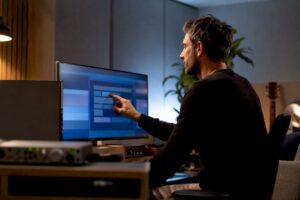
A realistic home studio budget starts with setting goals: what quality does one want to achieve, what work needs to run smoothly (recording, mixing, video editing) and how visible is the space acoustically? Choosing early on what to spend money on and where to save, avoids costly mistakes and incrementally builds a studio that really works for music producers, podcasters and content creators.
Why a conscious home studio budget is crucial
Many enthusiastic creators start with separate purchases: a microphone here, an interface there. That often leads to mismatches: an excellent microphone connected to cheap monitors or a fast computer with poor acoustics. A sensible home studio budget helps one set priorities, from practical things like latency and reliable storage to subjective things like listening quality and sound color.
The main reasons to budget in advance are:
- Targeted investment: surround mixing requires different equipment than singer-songwriter recordings.
- Cost control: prevents impulsive purchases and double spending.
- Upgrade path: enables a logical, achievable growth curve without large jumps.
- Technical compatibility: ensures that all components work together without performance issues.
Budget levels: what to expect by price range?
To make choices concrete, people often divide home studio into three broad categories. This division helps determine an appropriate budget for home studio and which items to prioritize.
1) Entry level: approximately €300 – €1,000
Target audience: hobbyists, podcasters, singer-songwriters who want to make simple, fun recordings.
- Microphone: budget condenser or dynamic (~€50-€150)
- Audio interface: 2-in/2-out, USB (~€80-€200)
- Headphones: closed monitoring (~€50-€150)
- DAW: free or affordable license (Reaper, free plugins)
- Computer: existing laptop or entry-level desktop; important is good SSD and sufficient RAM (~8-16GB)
- Basic acoustics: one or two absorption panels, reflection screen (~€50-€150)
2) Semi-professional: approximately €1,000 – €3,000
Target audience: independent producers, project studios, videographers with higher demands.
- Better microphone(s): large-diaphragm condensers or high-quality dynamics (~€200-€800)
- Audio interface: 4-8 inputs, better converters (~€300-€900)
- Monitors: good nearfields (~€300-€1,000 pair)
- Computer/workstation: powerful CPU, 16-32GB RAM, NVMe SSD (~€800-€2,000)
- Serious acoustics: treatment of early reflections and bass (~€200-€800)
- Backup/archiving: external SSD/HDD (~€100-€300)
3) Professional: from about €3,000 to €10,000+.
Target audience: commercial studios, audio professionals, broadcast and film editors with tight deadlines and high quality requirements.
- High-end microphones and preamps (~€1,000+ per channel)
- Top-end converters and audio interfaces (~€1,000+)
- Reference monitors and extensive acoustic treatment (~€2,000+)
- Powerful workstations for audio/video rendering (I4studio customization options are relevant here)
- Redundant storage, network storage (NAS), and reliable backup strategies
Detailed expense items: where does the money go?
A good home studio budget is not a sum on a beer mat. Below is a comprehensive look at each essential component with practical tips and price indications.
Microphone
Microphones determine much of the character of a recording. One usually chooses between:
- Dynamic (e.g. Shure SM57/SM7B): robust, suitable for loud sources and less sensitive to room noise. Price: €100-€400.
- Large-diaphragm condenser: more detailed, ideal for vocals and acoustic instruments, but captures more background noise. Price: €150-€2,000+.
- Special or vintage microphones: for specific sounds; often more expensive and sometimes require a good environment and preamps.
Tip: For podcasters, a dynamic microphone can offer great efficiency; for singer-songwriters, a condenser with a cardioid pattern.
Audio interface and preamps
The interface determines the quality of conversion and the number of input channels available. Key issues:
- Preamp quality: transparent and low-noise amplification.
- Converters: 24-bit / 96kHz is standard in semi-pro environments.
- Latency and driver stability: ASIO or Core Audio support is essential.
Price range: simple USB interfaces from €80; professional units €800+. For those who need a lot of inputs and outputs (tape recording), the number of mic preamps counts heavily.
Monitors and headphones
Good monitoring is crucial because even the best mix fails if one uses poor speakers.
- Nearfields vs. reference monitors: nearfields are suitable for smaller spaces; reference for critical work.
- Headphones: closed for recording (isolation), open for mixing (more natural sound).
- Calibration and placement: invest in stands and subwoofer only if one can handle the space properly.
Computer and workstation
For audio and video production, a reliable computer is sometimes the most important part of a home studio budget. Specifications to look out for:
- CPU: multi-core processors with high single-thread performance (AMD Ryzen or Intel Core i5/i7/i9/Threadripper depending on budget).
- RAM: 16GB is a minimum; 32-64GB for large projects or sampling-heavy workflows.
- Storage: NVMe SSD for OS/DAW/samples, additional SSD/HDD for project files and backup.
- Audio drivers & OS optimization: stable drivers and I/O settings minimize dropout and clicks.
I4studio provides custom-built audio, video and rendering computers optimized for low latency, many tracks and real-time processing. For professionals, customization can save a lot of time and offer higher reliability than a standard consumer PC.
DAW, plugins and virtual instruments
The software side is often affordable or even free (Reaper), but investments in plugins and sample libraries can add up quickly. One must weigh:
- Which DAW fits the workflow?
- Are stock plugins sufficient or are specific processors (EQs, compressors) desired?
- If large sample libraries are used (piano, orchestra), then storage and RAM is a big expense.
Acoustic treatment
For most home studios, acoustics are the best investment per dollar. Regardless of how much one spends on equipment, poor acoustics distort mixing decisions.
- Start by reducing early reflections at listening position and recording location.
- Add bass traps if the low sounds cluttered.
- Diffusers only in larger rooms and when recording/mix noise is not too dominant.
DIY panels with rock wool or glass wool often scare people, but is a cost-efficient and effective solution. I4studio also offers acoustic solutions and customized advice for various spaces.
Other costs: furniture, cables, backup
Little things stack up: sturdy tripods, pop filters, quality cables, ergonomic chair and furniture work. Don’t forget a backup strategy: external drives or a NAS are essential for professionals.
How does one practically divide a budget? Some rules of thumb
The following guidelines help one purposefully allocate one’s home studio budget. These are not hard-and-fast rules, but practical examples that work in practice.
- Computer + interface + storage: 30-40% – this combination determines workflow and stability.
- Monitors + headphones: 15-25% – good monitoring saves time and mistakes.
- Acoustics: 10-25% – sometimes a little hard to spend, but essential.
- Microphones + preamps: 10-20% – depending on music style, microphones can be decisive.
- Other (furniture, cables, accessories): 5-10%
Example: with a total budget of €3,000, one could count on about €900-€1,200 for computer/interface, €450-€750 for monitors, €300-€750 for acoustics, €300-€600 for microphones, and €150-€300 for other supplies.
Where can savings be made – and where not?
There are smart ways to save on without losing performance, and pitfalls on which it is better to invest.
Where to save money?
- Start with one good microphone instead of several mediocre ones.
- Use high-quality used equipment – much gear holds value and can still be technically excellent.
- For DAW and plugins: start with free or low-cost alternatives; invest only when workflow demands it.
- DIY acoustics work great for many small studios.
What not to cut back on?
- Monitoring and acoustics: bad speakers or an unconfirmed listening room ruin mixes.
- Stable computer/driver environment: time lost fixing crashes is more expensive than a reliable workstation.
- Reliable audio interface with good drivers: bad drivers lead to latency and drop-outs.
When is it wise to invest more?
People invest extra when specific bottlenecks occur. Some signs that spending more makes sense:
- Mixes sound inconsistent on different systems – invest in better monitors and acoustics.
- Projects crash or playback crashes – invest in a faster CPU or more RAM (I4studio can advise on this).
- Recordings lack detail or character – consider high-quality microphones or outboard preamps.
- Production is done commercially or one works for customers – reliability and workflow optimization weigh more heavily.
Practical sample setups with price indications
Here are concrete examples of setups around three common budget levels. Prices are indicative and may vary by region and offerings.
Boarding set – Total ~ €700
- USB microphone or inexpensive condenser with interface: €120
- Entry-level audio interface (2 in/2 out): €120
- Closed monitoring headphones: €80
- DAW license (Reaper or free DAW): €60
- Basic computer (existing laptop/upgrades): €200 (or used model)
- Basic acoustics and cables: €120
Rationale: One can record and edit directly. Subsequent upgrades to monitors or better mic are easy.
Semi-pro set – Total ~ €2,500
- Large-diaphragm condenser microphone + shockmount: €400
- Audio interface 4-in/4-out with good preamps: €600
- Monitor set (nearfields): €600
- Custom workstation (16-32GB RAM, NVMe SSD) or I4studio-customized PC: €900
- Acoustic treatment (bassstraps + reflection panels): €300
- Backup (external SSD): €100
Rationale: suitable for recording small bands and serious mixing work. I4studio can advise on optimal PC specs for DAW and sample-heavy workflows.
Professional set – Total ~ €8,000+
- Top-end microphones and preamps: €2,000+
- High-end converters and interface: €2,500+
- Reference monitors and subwoofer: €2,000+
- Custom workstation for audio/video rendering, professional RAID/NAS: €2,000+
- Full acoustic treatment and installation: €2,000+
- Redundant backup systems and licenses: €1,000+
Rationale: Profitable investment for commercial production and broadcasting. I4studio offers consulting and complete pre-sales advice for such projects.
A step-by-step plan to build in phases
A convenient approach is to build in phases so that one can work immediately while saving purposefully for the next upgrade.
- Essentials: reliable interface, one good microphone, headphones, DAW.
- Computer optimization: SSD, extra RAM, stable drivers.
- Monitoring and acoustics: good monitors and reflection treatment around listening position.
- Specializations: additional microphones, outboard gear, sample libraries.
- Redundancy and professionalization: NAS, backup, acoustic fine-tuning.
During this process, external advice helps: I4studio provides not only hardware but also customized advice so that phases remain logical and compatible.
Common mistakes (and how to avoid them)
- Buy a great microphone but record in a bad room – address acoustics first.
- Put all budget into controllers and clavier while the computer is the bottleneck – test performance before expanding.
- Insufficient attention to drivers and OS optimization – invest time in configuration or seek professional advice.
- No backup strategy: loss of data is more expensive than an extra disk.
Support and customization – when professional help pays off
For professionals and serious hobbyists, professional support saves a lot of time and reduces unnecessary expenses. Things that specialized consultants or suppliers can help with:
- Specification of a workstation adapted to DAW, plugins and sample libraries.
- Room audit and acoustic advice including placement of monitors and treatment.
- Integration of audio/video and rendering workflows for content creators and editors.
I4studio specializes in audio, video and rendering computers and offers both hardware solutions and consulting for studio setups. For those unsure about the right mix of components, requesting a consultation is often a very cost-effective step.
Maintenance, upgrades and longevity
A sustainable home studio budget takes into account maintenance and future upgrades. Some recommendations:
- Reserve a small percentage of the purchase cost annually for updates and replacement of cables, adapters and small accessories.
- Refresh storage media every 3-5 years or provide redundant backup solutions.
- Plan major upgrades (CPU, I/O) in cycles of 4-6 years, depending on workloads and technological developments.
Conclusion
A thoughtful home studio budget begins with clarity on goals: do you want to record demos at home, deliver commercial productions, or render video in 4K? By setting priorities – computer and interface for workflow stability first, then monitoring and acoustics – one builds an efficient studio that can grow with the times. Smart second-hand purchases, DIY acoustics and phased upgrades keep costs manageable.
For creators who want security and need a workstation that is reliable for intensive audion and video rendering, I4studio offers specialized computing and consulting. With custom solutions, performance is optimized allowing one to focus on creativity rather than technical problems.
Frequently Asked Questions
What is the minimum amount of money one should set aside for a good home studio?
It depends on the goal, but for serious basic recording and decent monitoring, a minimum of about €1,000 is realistic. This covers a reliable interface, one good microphone, headphones and basic computer upgrades. For professional work, this is quickly at €2,500 or more.
Is used equipment a good option for a home studio?
Yes, provided one tests equipment before purchase and buys from reliable sellers. Much audio equipment ages slowly and retains quality. Pay attention to warranty and possible wear and tear on moving parts.
Which is more important: better monitors or better microphones?
It depends on the work. For recording vocals/instruments, the microphone is critical. For mix decisions and final quality, monitors and acoustics often weigh more heavily. In many cases, investing in monitors and acoustics provides the most return on investment for overall sound.
How much RAM and what kind of storage does one need?
For most audio workflows, 16GB of RAM is a minimum; 32GB is recommended for large sample libraries and heavy projects. NVMe-SSD for OS and samples ensures fast load times, complemented by larger HDD/SSD or NAS for archiving and backups.
When is custom PC from a specialist such as I4studio recommended?
If one does a lot of tracks, virtual instruments, or video rendering and reliability and low latency are essential, customization pays off. A specialist can select and configure components so that drivers run stably and there are fewer technical problems during productions.