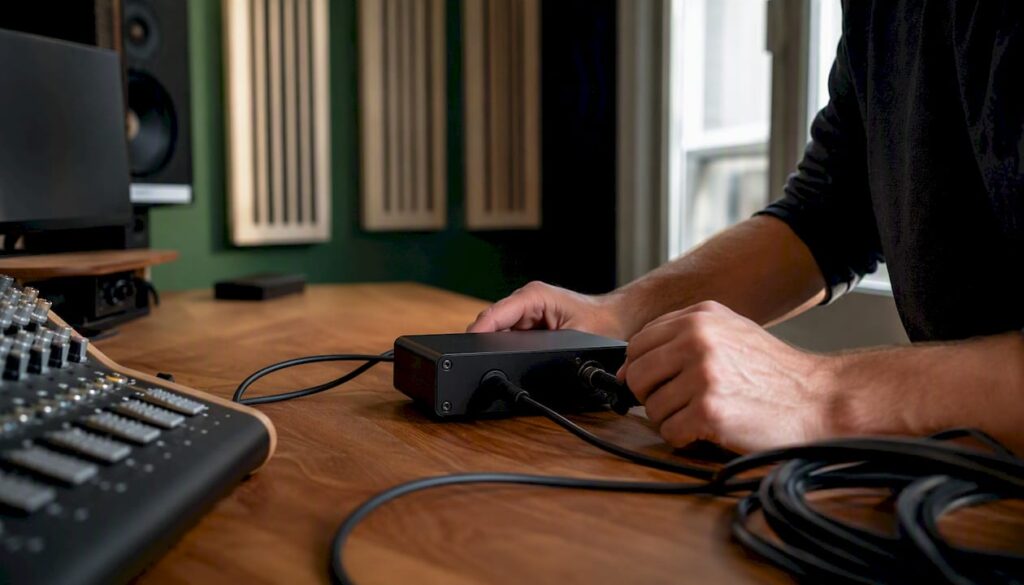
Place a hum eliminator or DI box with a ground lift between your instrument (or preamp) and the mixer, engage the ground lift, and listen to see if the 50/60 Hz hum disappears. That’s the key. The technique that makes this possible is called galvanic isolation: there is no longer any physical electrical connection between the two circuits, which prevents ground loops from occurring.
Follow this order of priority:
- Diagnosis: Confirm that it is a 50/60 Hz hum and not static noise or a digital artifact.
- Ground lift: Turn on the ground lift on your DI box or hum eliminator as a first, low-risk step.
- Isolation transformer: If the ground lift does not work, use a passive isolation transformer or an active hum eliminator.
- Electrician: If the humming noise persists and you suspect it’s related to the ground connection, contact a licensed electrician.
Safety Warning: Never remove the grounding prong from a power plug to fix it. This is dangerous and rarely solves the problem permanently.
Key insights
A hum eliminator works effectively only if you first identify the source of the hum and then apply the correct isolation method at the right point in the signal path.
| Item | Details |
|---|---|
| Diagnose First | Mute the channels one by one to isolate the source of the hum before connecting your equipment. |
| Ground Lift as the First Step | Turn on the ground lift on the DI box; this is the fastest, lowest-risk solution for ground loops. |
| Transformer Quality Matters | Inexpensive transformers can attenuate low frequencies; choose a model with a flat response down to 20 Hz. |
| Never remove the ground rod | Physically removing the ground rod is dangerous and rarely solves the problem. |
| I4studio for advice and delivery | I4studio supplies DI boxes, isolation solutions, and studio accessories along with personalized advice in the Netherlands. |
Table of contents
- How do you recognize a real hum, and what causes it?
- How do you connect a hum eliminator step by step?
- Which type of hum eliminator should you choose, and where can you buy one in the Netherlands?
- What should you do if the hum persists after installation?
- Safety and Sound Quality: What You Need to Know About Galvanic Isolation
- The most underrated step in fixing a humming noise
- I4studio provides the equipment you need
- Sources
- Frequently Asked Questions
How do you recognize a real hum, and what causes it?
Not every unwanted tone is a ground loop. Before you use a hum eliminator, you want to be sure you know what you’re hearing.
Listening Test:
- A 50 Hz hum sounds like a deep, continuous buzz, similar to a transformer in a wall. At 60 Hz (U.S. mains voltage), the tone is slightly higher.
- Harmonics at 50 Hz (100 Hz, 150 Hz) produce a richer, “electric” sound.
- Static noise sounds like noise or a hissing sound without pitch. Digital artifacts sound like clicks, pops, or aliasing squeaks.
Source insulation in three steps:
- Mute each channel individually. Does the hum disappear on a specific channel? If so, the problem lies with that instrument or that cable.
- Replace the cable with a short test lead. Is the hum still there? If so, the cable isn’t the cause.
- Connect the instrument to a different amplifier or channel. Does the hum follow? If so, the instrument or the power supply is the source.
Checklist before you continue:
- Passive or active instrument? Passive guitar pickups are more susceptible to inductive hum than active keyboards.
- Balanced or unbalanced connection? Unbalanced cables are more susceptible to ground loops, especially for runs longer than 5 meters. You can read more about this distinction in the explanation of balanced audio.
- Are there any external power supplies or USB hubs nearby? Switching power supplies and USB connections are common sources of ground loops in digital studios.
- Multiple devices plugged into different outlets? That increases the risk of potential differences and, consequently, humming.
How do you connect a hum eliminator step by step?
DI boxes break ground loops using an internal transformer and a ground lift switch, and convert unbalanced signals to balanced outputs for long runs. That makes them the most versatile first choice.
- Reset all equipment. Set amplifiers and mixers to the minimum volume before connecting the cables.
- Connect the instrument output to the input of the DI box or hum eliminator. Use a short, high-quality cable (jack or XLR, depending on the device).
- Connect the DI’s XLR output to the preamp or mixer. This is now a balanced connection.
- Use the “thru” or “link” output if you also want to send the signal to an amplifier on stage. This is a buffered or direct-thru connection and does not affect the DI output.
- Turn on the ground lift. The ground lift disconnects pin 1 of the XLR to prevent current from flowing through the shield. Leave the switch in the “lift” position unless grounding is required for proper operation.
- Check the phantom power. Do not send 48V phantom power to a passive DI or an instrument that cannot handle it. Active DIs require a power source (phantom power or batteries).
- Slowly turn up the volume and listen to see if the hum is gone.
By instrument type:
- Passive guitar/bass: Use a passive DI with a transformer. Impedance matching is just as important here as galvanic isolation.
- Active keyboard or synthesizer: An active DI or isolation transformer works better because of its lower output impedance and wider frequency response.
- Microphone via preamp: An inline isolation transformer on the XLR line is the recommended solution here. Engage the ground lift on the preamp or use a separate XLR isolator.
Pro-tip: Test the result on both studio monitors and headphones directly through the interface. Sometimes hum is audible on the monitors but not on the headphones, which indicates a ground loop in the monitor power supply rather than in the signal path.
Which type of hum eliminator should you choose, and where can you buy one in the Netherlands?
There are three main types, each with its own area of application.
Passive isolation transformer (hum eliminator): no power supply required; operates on the principle of magnetic coupling. Reliable and simple. The downside: inexpensive transformers have a limited transmission bandwidth, which can be noticeable with subwoofers or bass-heavy material. Choose a model with a frequency response of at least 20 Hz to 20 kHz and low insertion loss.
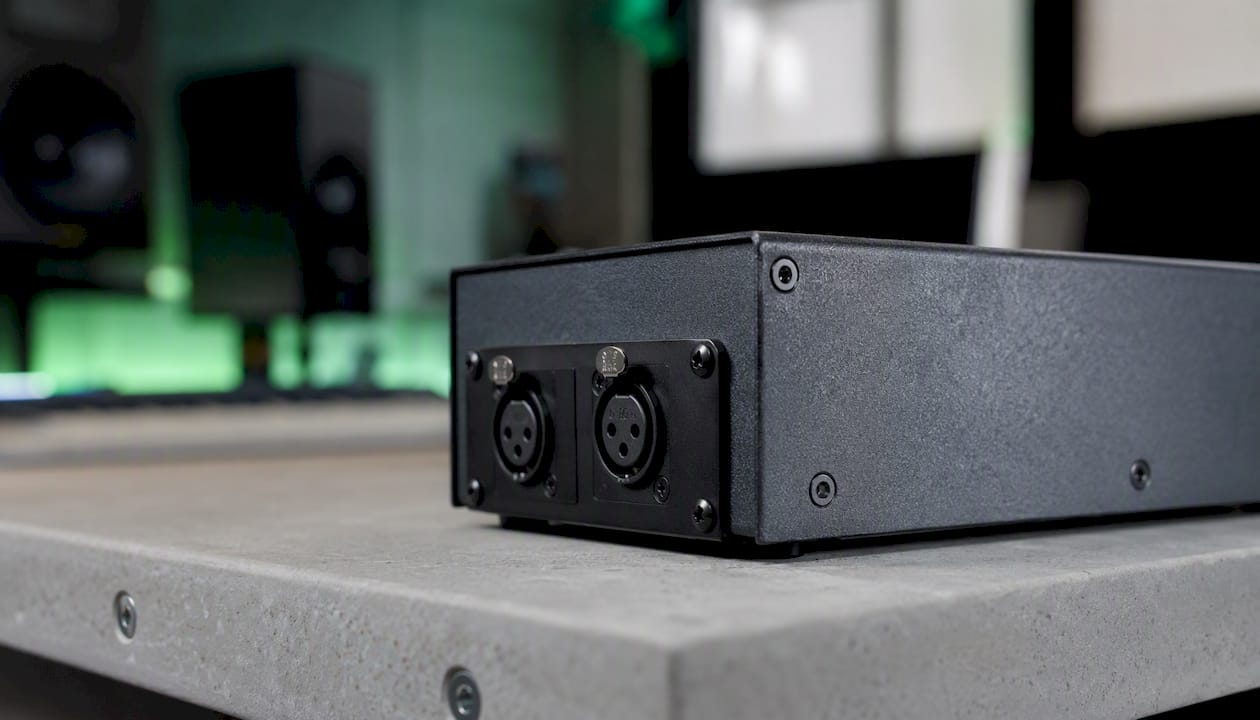
DI box with ground lift (passive or active): the most practical choice for guitarists, bassists, and keyboardists. Passive DI boxes use a transformer and are simple; active DI boxes offer wider bandwidth but require phantom power or a battery.
Active electronic hum eliminator: uses electronic circuitry instead of a transformer. Suitable for situations where transformer coloration is undesirable, such as mastering or high-end studio recordings. Requires a power supply and is generally more expensive.
Specification Checklist for Purchases:
- Frequency response: 20 Hz to 20 kHz, as flat as possible
- Impedance: matches the source (high for passive instruments, low for line level)
- Path/attenuation: present for hot line-level signals
- Phantom power compatibility: listed in the specifications
- Build Quality: Metal Housing for Shielding
For advice and delivery in the Netherlands, contact I4studio, which supplies studio equipment and accessories, including DI boxes and isolation solutions. View the full selection in the I4studio shop. Generally speaking, passive DI boxes and simple isolation transformers fall into an affordable price range; professional active DIs and high-quality hum eliminators are typically more expensive. You can handle a simple installation yourself in 15 to 30 minutes.
What should you do if the hum persists after installation?
If the hum does not go away after connecting a hum eliminator, follow this structured test procedure.
- Check all the cables again. A poor connection or a damaged cable can mimic or exacerbate humming.
- Try using a different hum eliminator or DI. A faulty or low-quality internal transformer could be the cause.
- Isolate the power supply. Disconnect all external power sources (pedalboards, USB hubs, laptop chargers) and reconnect them one by one. If a ground lift does not eliminate the hum, this often indicates that the power supply or multiple ground points are the cause.
- Check the audio interface’s power supply. USB-powered interfaces can introduce ground loops through the USB connection to the computer. Use a USB isolator or switch to an interface with its own power adapter.
- Test the computer connection. Disconnect the computer from the audio system and see if the hum goes away. Galvanic isolation via optical connections (Toslink) or USB isolators can help here, as described on the Wikipedia page about galvanic isolation.
- Consciously recreate the Earth’s loop. Temporarily connect an extra ground wire between two devices to see if the hum changes. This will help you pinpoint the exact location of the problem.
Escalate to an electrician when:
- The hum is present even when no audio equipment is connected (only the amplifier is on).
- You suspect a faulty ground connection or a TN-C system without a separate ground conductor.
- Switching on devices in other rooms affects the humming noise.
For technical background on ground loops and noise in the studio, see also the I4studio guide on minimizing noise.
Safety and Sound Quality: What You Need to Know About Galvanic Isolation
Galvanic isolation means that no current can flow from one circuit to another; transformers and optocouplers are the most commonly used methods in audio. This is the core technology behind every hum eliminator.
Quality tip: A low-cost isolation transformer eliminates hum but can attenuate low frequencies. Always check the frequency response in the specifications before purchasing.
Audio Quality Trade-offs:
- Inexpensive transformers have a limited core size, which can reduce the transmission of low frequencies below 80–100 Hz.
- This is noticeable on the bass guitar, kick drum, and subwoofer feeds, but hardly at all on the guitar or vocals.
- High-quality transformers (such as those found in professional DI boxes) have a flat frequency response down to 20 Hz.
Safety Warnings:
- Never remove the grounding prong from a power plug. Doing so eliminates the protective grounding and increases the risk of electric shock.
- Do not use a “cheater plug” (ground adapter) as a permanent solution.
- If you have any doubts about the ground connection, consult a licensed electrician. You can read more about safe decoupling in the studio in the I4studio guide on decoupling.
The most underrated step in fixing a humming noise
Musicians and sound engineers are too quick to reach for the hum eliminator as a universal solution, when diagnosis is half the battle. A ground lift resolves a ground loop. An isolation transformer resolves a potential difference. But if the source is a switching power supply that injects noise into the line voltage, neither of these fully resolves the problem.
What I see in practice: the ground lift is engaged, the hum gets a little quieter but doesn’t go away, and the conclusion is that “the DI isn’t working.” The real conclusion is that there are multiple ground points or a power supply issue at play. Systematically isolating the problem, step by step, yields faster results than simply stacking equipment.
A second underestimated factor is the quality of the transformer. A cheap isolation transformer costs €30 and eliminates the hum, but at the same time strips the body out of your bass guitar. That’s acceptable for live use. For studio recordings, however, it’s not. Invest in a high-quality DI or hum eliminator if you want to preserve the low frequencies.

I4studio provides the equipment you need
After reading this guide, do you still have questions about which device is right for your setup? I4studio supplies DI boxes, isolation transformers, and studio accessories for musicians and audio professionals in the Netherlands, along with personalized advice to help you make the right choice.

Whether you’re looking for a passive DI for your guitar pedalboard, an active solution for your keyboard rig, or advice on setting up your entire studio, I4studio is here to help. Check out the full selection in the I4studio shop or contact us directly for a consultation. For those also considering the acoustic aspects of the studio, acoustic diffusers are a logical next step alongside solutions for electrical hum.
Sources
Below are the sources used in this article, for those who would like to read more:
- Exalon Delft — Electrolytic Separation
- Galvanic isolation
- Hifi-online
- A Direct Box Can Be Indispensable
Do you still have questions about your specific situation after reading this? Contact I4studio for hands-on advice. You can also consult professionals in the audiovisual sector or a licensed electrician for installation assistance with more complex grounding issues.
Frequently Asked Questions
Where in the signal path should you place a hum eliminator?
Between the instrument output (or preamp) and the mixer or audio interface. This breaks the ground loop before the signal reaches the recording system.
What is the difference between a ground lift and an isolation transformer?
A ground lift disconnects pin 1 of the XLR connector to prevent ground currents; an isolation transformer provides complete galvanic isolation between the circuits. The ground lift is the first step; the transformer is a more comprehensive but more expensive solution.
Can a hum eliminator affect sound quality?
Yes. Inexpensive transformers can attenuate low frequencies, which is audible in bass and subwoofer sounds. For professional applications, choose a model with a frequency response of 20 Hz to 20 kHz.
When should you call an electrician if there’s a humming noise?
If the hum is present without any audio equipment connected, if you suspect a faulty ground connection, or if turning devices on or off in other rooms affects the hum. Never remove the grounding prong from a power plug yourself.
Where can you buy a hum eliminator in the Netherlands?
I4studio supplies DI boxes, isolation transformers, and studio accessories for musicians and audio professionals. Browse the product lineup in the I4studio shop.