Steinberg officially released Cubase 16 on November 4, 2026. The biggest new feature is Instrument Stacks: you can place multiple instruments in a single playable track. In addition, Stem Separation now splits tracks into six parts, the Key Editor includes new MIDI tools, the settings window has been completely redesigned, and there are new plug-ins such as Omnivocal Basic, DrumChain, and VocalTouch. Below, you’ll find details on what each feature means for your workflow, which version is right for you, how much Cubase 16 costs, and the system requirements.
In a nutshell
- Available since November 4, 2026, in three versions: Pro, Artist, and Elements.
- New: Instrument Stacks, Voice Separation in six categories, Strum and Stretch in the Key Editor, Spectral AudioWarp, a searchable Settings window, and Ableton Link.
- Suggested retail prices in the Netherlands: €599 (Pro), €299 (Artist), and €99.99 (Elements), including VAT.
- No USB eLicenser required. You can activate a single license on up to three computers, and after activation, you can work offline without restrictions.
- Please note when switching: VST2 plug-ins are not officially supported. They do not load at all on Native Apple Silicon.
Table of Contents
- What’s new in Cubase 16?
- Cubase Pro, Artist, or Elements: Which version is right for you?
- Upgrading from Cubase 15 or earlier
- System Requirements for Cubase 16
- Cubase 16 on a studio PC built specifically for that purpose
- Our Take on Cubase 16
- Frequently Asked Questions About Cubase 16
- Sources
What’s new in Cubase 16?
According to Steinberg’s release notes, this version focuses on Instrument Stacks, improved voice separation, new MIDI tools, a redesigned Settings window, and a much faster workflow for tempo detection. New instruments, effects, and sounds are also being added. We’ve listed the most important features for you.
Instrument Stacks: layered sounds in a single track
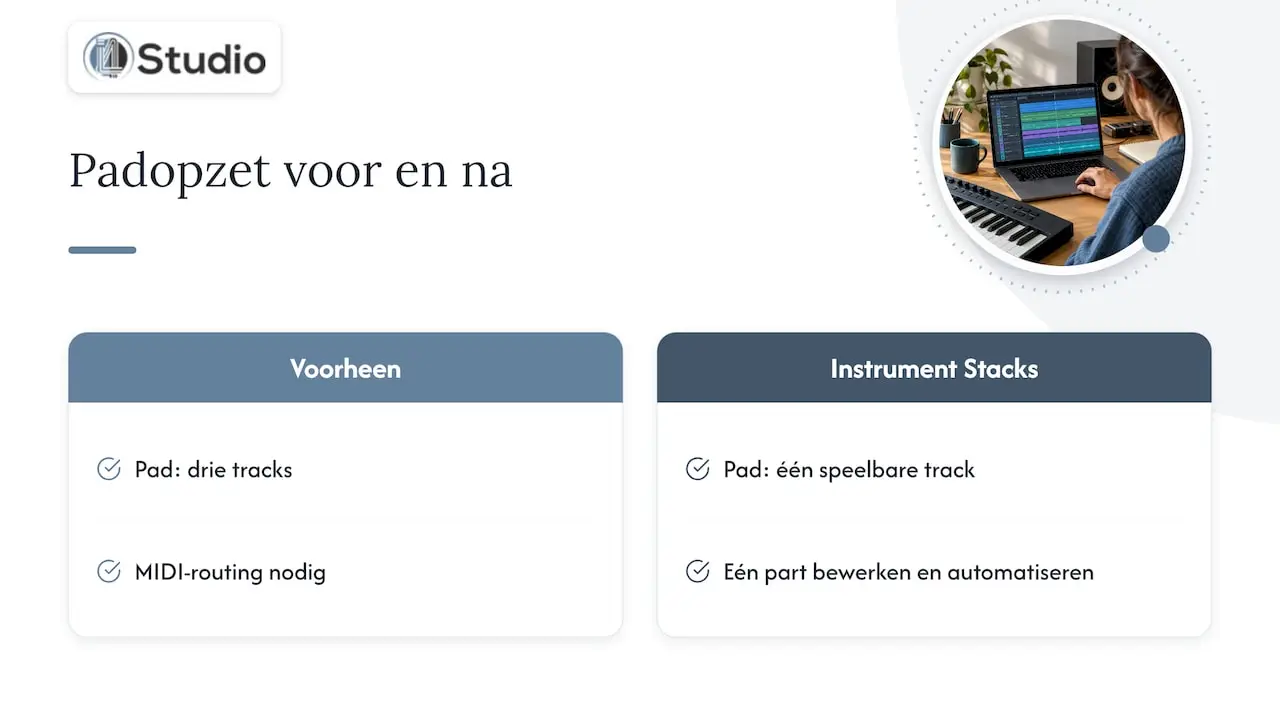
With Instrument Stacks, you can combine multiple VST instruments, Sampler Tracks, and Drum Tracks into a single playable track. You control each layer separately. On the overview page featuring new features, Steinberg highlights per-layer filtering and a single central control panel.
In practice, this saves a lot of work. For a part consisting of a synth, a string patch, and a sample, you used to need three tracks and MIDI routing. Sonus Magazine highlights exactly this time savings. You now edit, quantize, and automate a single part, and your project remains organized.
Voice Separation in Six Categories
Voice Separation has been upgraded. You can now split audio into vocals, drums, bass, piano, guitar, and other instruments. Piano and guitar each get their own track. This is useful for remixing, sampling, transcription, or practicing with a backing track that doesn’t include your instrument. This feature is available only in Cubase Pro 16.
New MIDI Tools in the Key Editor
The Key Editor includes two tools that you’ll quickly start using if you do a lot of programming:
- Strum: Gives programmed chords a more natural timing, similar to a strummed guitar or piano chord.
- Stretch Selection: stretches or compresses a MIDI passage without requiring you to move each note manually.
Sound On Sound describes both tools as part of a broader overhaul of MIDI editing. In addition, support for MIDI 2.0 has been further expanded.
Spectral AudioWarp and Faster Tempo Detection
For time-stretching, there are new Spectral AudioWarp algorithms that deliver clean results even at extreme settings. Tempo Detection features a new algorithm and a streamlined workflow, suitable for both tightly played tracks and freely recorded performances. If you work a lot with live-recorded material without a click track, you’ll notice this right away.
New instruments and effects
- Omnivocal Basic: a vocal synthesis instrument based on Yamaha’s NX technology. You can use it to create realistic vocal lines. It comes with two voice banks and works in conjunction with the new Lyrics feature in the Key Editor. Ideal for demos and topline sketches.
- DrumChain: a multi-effect for drums with 42 presets, available in Pro and Artist.
- VocalTouch: 30 presets for 15 vocal styles, for quickly finishing vocals, and included in all three versions.
- Module FM Library: new HALion Sonic presets for modern FM sounds.
- Waves Illugen: an integration in the Right Zone that lets you generate your own samples and import them directly into your project.
Workflow: Settings, Sends, and Ableton Link
You’ll likely notice the less obvious improvements most often. The Settings window has been completely redesigned and is now searchable, and each channel now has 16 sends. Cubase 16 also supports Ableton Link, allowing you to synchronize the tempo with other apps and devices on your network. Dragging plug-ins to another channel is smoother, and the Audio Pool has been revamped. Users on Dutch forums particularly highlight this efficiency: fewer clicks, faster results.
Cubase Pro, Artist, or Elements: which version is right for you?
Cubase 16 is available in three versions. They differ in features and price, and you can always upgrade to a higher version later. The suggested retail prices in the Netherlands are €599, €299, and €99.99, including VAT.
| Cubase Pro 16 | Cubase Artist 16 | Cubase Elements 16 | |
|---|---|---|---|
| Suggested retail price (including VAT) | €599 | €299 | €99.99 |
| Voice Separation (6 voices) | Yes | No | No |
| DrumChain | Yes | Yes | No |
| VocalTouch | Yes | Yes | Yes |
| For whom | Producers, mix engineers, composers, and studios | Musicians and producers who do a lot of recording and programming | Beginners and songwriters with a small setup |
Here’s how to choose:
- Choose Pro if you mix and master, work with stems, compose for film or media, or host clients in your studio. You’ll have access to all the new features, including Voice Separation. Check out Steinberg Cubase Pro 16.
- Choose Artist if you mainly record and produce your own music and don’t need the advanced mixing and vocal tools as much. Check out Steinberg Cubase Artist 16.
- Are you a student or a teacher? Then there’s Cubase Pro 16 Education, the full Pro version for educational use.
- Just getting started? Then Cubase Elements 15 is an affordable entry point, after which you can move on to Artist or Pro.
You can find all DAWs and plug-ins in our music production software category.
Upgrading from Cubase 15 or earlier
If you’re already using Cubase, you usually don’t need to buy the full version. Steinberg offers upgrades from an older version to the latest version, and from a lower version to a higher version. The current upgrade prices are listed on Steinberg’s upgrade page.
Did you activate Cubase 15 shortly before its release? If so, you may be eligible for a free update. For Cubase 16, the grace period began on October 7, 2026. Licenses starting with Cubase 6 are eligible. On that page, you can check exactly which license you have and what you’re entitled to.
Here are a few practical points about the upgrade, from Steinberg’s Cubase FAQ:
- Opening old projects works. Cubase 16 opens projects from earlier versions.
- Your license also covers older versions. With a Cubase 16 license, you can also launch Cubase 12 through 15. This is handy if you want to finish a project you’ve been working on in your preferred version.
- No more dongles. A USB eLicenser is not required.
- Three computers. You can activate a single-user license on up to three computers, such as your studio PC and your laptop. It is intended for one person and not for simultaneous use on multiple machines.
- Work offline. You’ll need an internet connection just once for activation. After that, you can use Cubase offline without any restrictions.
VST2 Plug-Ins: Check This Before You Switch
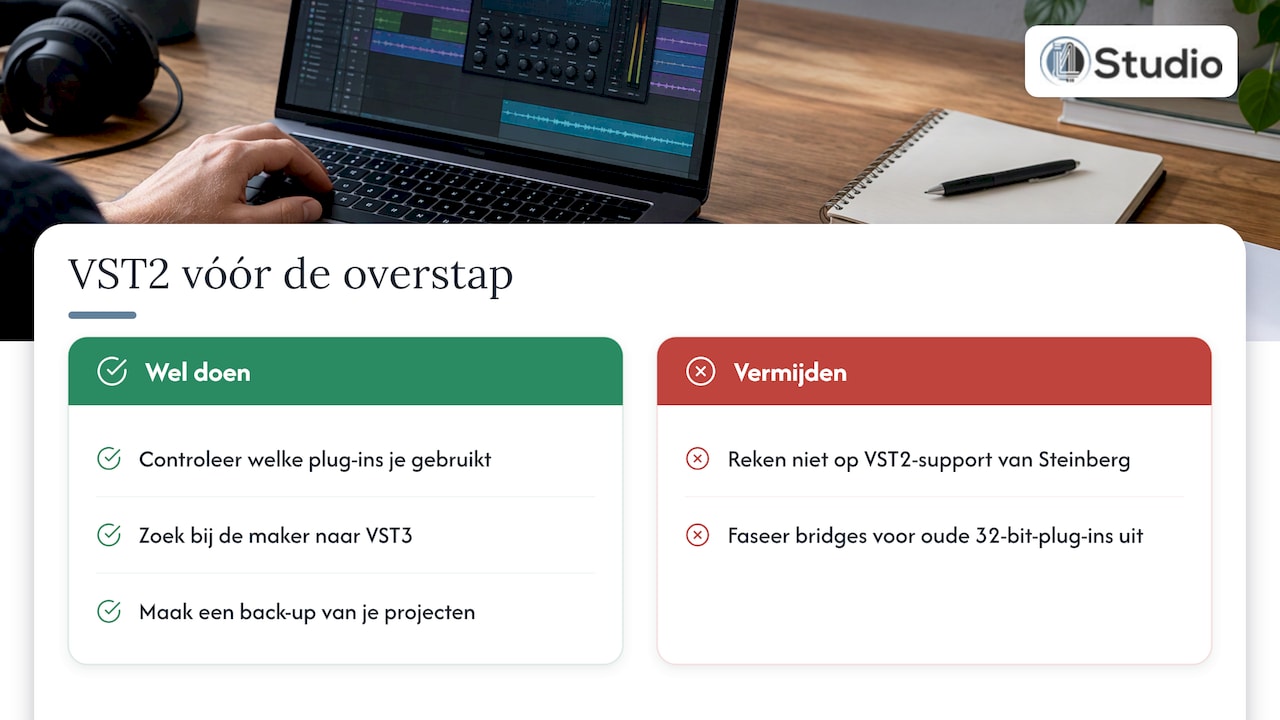
VST2 plug-ins are not officially supported in Cubase 16. You can load them if you enable the VST2 scanner, except on Native Apple Silicon. Steinberg does not provide support for VST2 issues. If you’re making the switch, first make a list of the plug-ins you actually use, and check with the manufacturer to see if a VST3 version is available. It’s best to phase out workarounds for older 32-bit plug-ins: on an international forum, a user reported that Cubase crashed when he enabled the VST2 scan with such plug-ins. Also, be sure to back up your projects before you start working with the new version. A project saved in a newer version may not always open in an older one.
System Requirements for Cubase 16
Here are the minimum system requirements:
| Part | Minimum |
|---|---|
| RAM | 16 GB RAM |
| Processor (Windows) | 8th-generation Intel Core i5, AMD Ryzen 3000 series, or Windows on Arm, 4 or more cores |
| Processor (Mac) | Intel Core i5 from late 2018 or newer, or Apple Silicon (native and via Rosetta 2) |
| Operating System | Windows 10 (22H2 or later) or Windows 11 (25H2 or later), 64-bit; macOS 15 Sequoia, macOS 26 Tahoe, or macOS 27 Golden Gate |
| Disk Space | 89 GB free, of which 1.5 GB is required for the core installation |
| Screen | 1440 x 900 at 100% UI scaling |
Cubase 16 also supports processors with a hybrid architecture on Windows and macOS. This allows you to take better advantage of the latest Intel and Apple chips.
These are the minimum requirements. If you work with large orchestral templates, lots of Instrument Stacks, heavy sample libraries, or voice separation, you’ll want more resources: more RAM, fast NVMe storage for your samples, and a processor that remains stable at low buffer sizes. That’s where a well-built studio PC really makes a difference.
Cubase 16 on a studio PC built for the task
New features like Instrument Stacks and Voice Separation place greater demands on your system. At i4studio, we build custom studio PCs for audio and video. We configure them for stability and low latency, so you can record and mix without glitches or dropouts. Our studio PCs start at €1,099. You’ll receive personalized advice from professionals who work with DAWs themselves.
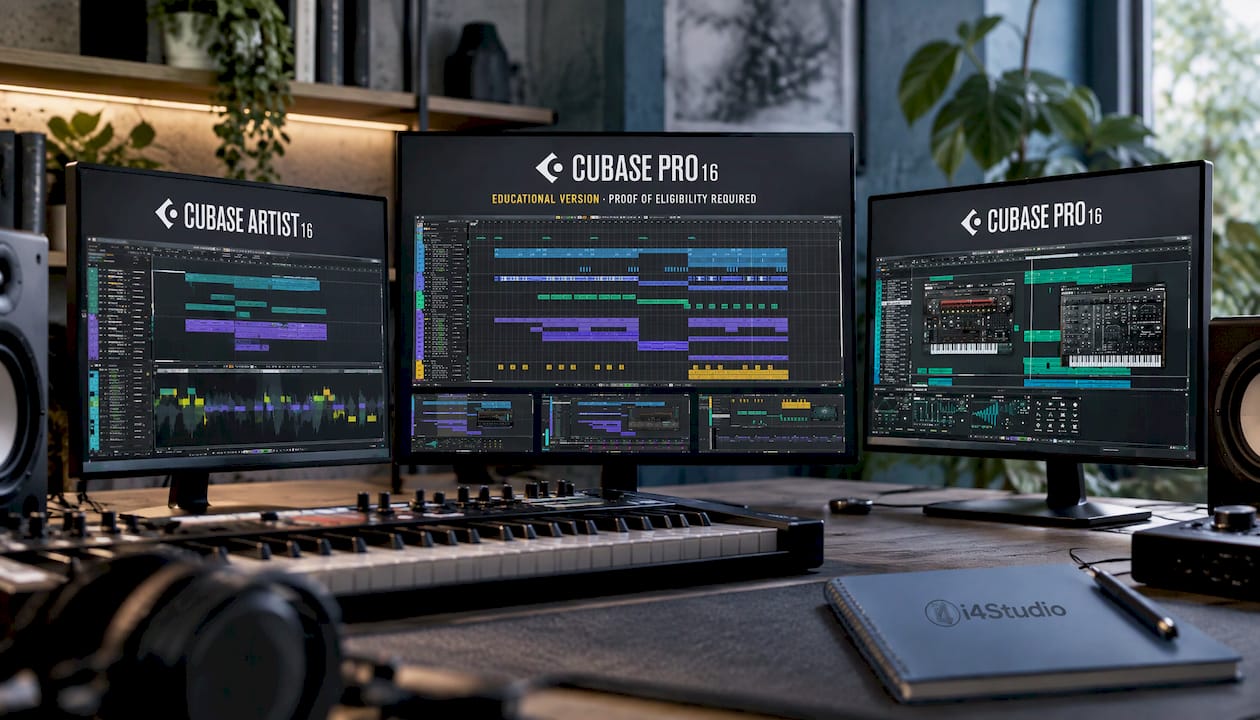
Build your own PC using our studio PCs, or order your Cubase license right away. Complete your setup with an audio interface, high-quality studio monitors, and a microphone for vocals and instruments. You can find more hardware in our studio equipment section.
Our Take on Cubase 16
Cubase 16 is an update that working producers will enjoy using every day. Instrument Stacks, the new Key Editor tools, and the searchable Settings window eliminate tedious clicking from your session. The six-part Voice Separation feature in Pro opens up new creative possibilities for remixes and sampling.
What we see in practice: the more your DAW can do, the more important the underlying system becomes. Layered instruments, spectral time-stretching, and vocal separation require processing power, and you want that power without having to increase your buffer size. That’s why we tailor our studio PCs for audio: the right processor, plenty of memory, fast storage, and a configuration that runs stably at low latency.
Two tips for making the switch. Get rid of your old VST2 plug-ins and opt for VST3 whenever possible. And don’t forget about your room: what your monitors play back depends just as much on your room acoustics. With acoustic panels and personalized advice, you’ll finally hear what Cubase 16 really does for your mix.
Harold
Frequently Asked Questions About Cubase 16
When was Cubase 16 released?
Cubase 16 was released on November 4, 2026, in the Pro, Artist, and Elements editions. You can use it right away on Windows and macOS.
Will Cubase 16 work with my old projects?
Yes. Cubase 16 opens projects you created in earlier versions. With your Cubase 16 license, you can also use Cubase 12 through 15. A project you save in Cubase 16 may not always open in an older version, so be sure to save a copy.
Do I still need a USB eLicenser?
No. Cubase 16 works without a dongle. You activate the license once online, on up to three computers, and then you can work offline without restrictions.
Which version includes Stem Separation?
The improved Voice Separation feature, with six categories, is available only in Cubase Pro 16. If you want to separate voices for remixes or sampling, choose Pro or the educational Pro version.
How much RAM do I need for Cubase 16?
At least 16 GB. If you’re working with large sample libraries, many Instrument Stacks, or long sessions with lots of tracks, 32 GB or more will give you significantly more headroom. If you’re unsure about your needs, we’d be happy to advise you on choosing a studio PC.
Sources
Cubase 16 Release Notes, Steinberg
New in Cubase 16, Steinberg
Cubase FAQ, Steinberg
What is a Cubase upgrade?, Steinberg
Eligibility for a Free Update (Grace Period), Steinberg Help Center
Steinberg Cubase 16 Released with Instrument Stacks, Sonus Magazine
Steinberg Cubase 16 Adds Instrument Stacks and Production Expert
Steinberg Unveils Cubase 16, Sound On Sound
Cubase 16 Adds Instrument Layering and Synthtopia
Steinberg Cubase 16, MusicTech
Steinberg Cubase 16: New Instruments, Stems, and MIDI Tools, Noizefield
Cubase 16 Is Out, Noise Harmony
Cubase System Requirements, Home Studio Grooves