



TL;DR:
- Proper monitor position and acoustic treatment are essential for accurate sound reproduction.
- Structure and roadmap prevent frustration and optimize the work environment.
- Small adjustments and critical listening tests pay off more than expensive, comprehensive investments.
You’ve purchased an audio interface, set up monitors and have a microphone ready. Yet your recordings sound muddy, the mix doesn’t translate to other speakers and every session ends in frustration. Recognizable? The problem is rarely in the equipment itself. A poorly set-up room sabotages even the most expensive gear. The good news: with a thoughtful approach and the right sequence of steps, you can turn any room into a working studio. This article tells you exactly what you need, how to set it up and what mistakes to avoid for optimal sound.
Table of contents
- What do you need for a basic music studio?
- Decorating a studio: follow these steps
- Optimizing acoustics: panels, placement and pitfalls
- Tailoring to your space: flexible solutions and common mistakes
- Our vision: why small steps deliver more
- Tools and extensions for your ideal studio
- Frequently asked questions about setting up a music studio
Key Insights
| Item | Details |
|---|---|
| Starting smart is more important than spending a lot | With the right placement and acoustics, you’ll get more out of your setup than with expensive equipment alone. |
| Monitor price without setup is a waste of money | You get the best sound with proper placement in an acoustically balanced room. |
| Let your space define the plan | Every room requires modification – measure, listen and optimize in steps for best results. |
What do you need for a basic music studio?
Before you start setting up, it’s smart to make a complete list of what you need. Many musicians buy equipment at random and then run into problems. Structured preparation saves time, money and frustration.
Here are the absolute basic necessities for a functional studio:
- Computer or laptop: the core of your studio. Choose plenty of RAM (at least 16 GB) and a fast SSD for smooth work with your DAW.
- Audio interface: converts analog sound to digital. Choose a model with at least two inputs for flexibility.
- Studio monitors: active monitors give a fair, flat soundstage. Passive monitors require an external amplifier.
- Studio headphones: essential for reference and for situations where you can’t play loud.
- Microphone: a condenser microphone for vocals and acoustic instruments, a dynamic microphone for drums and guitar amps.
- Monitor stands or isolation pads: prevents desktop vibrations from disturbing your listening experience.
- Cables and patchbay: plan in advance, as messy cables lead to signal loss and interference.
| Component | Minimum investment | Recommended for starters |
|---|---|---|
| Computer | Own laptop | Dedicated studio PC |
| Audio Interface | 1 input | 2 inputs |
| Monitors | Bookshelf Model | 5 to 8 inch woofer |
| Microphone | Dynamic | Condenser + dynamic |
| Acoustics | No | Basic package panels |
When choosing equipment, buy what you need now, not what you might want to use later. More studio setup tips will help you prioritize without going over your budget.
A crucial point that many beginners miss: the position of your monitors. Monitors at ear level, in an equilateral triangle with your listening position and at least 30 cm from the wall, is not an optional step. It is the basis for a fair soundstage. Also check out home studio ideas for inspiration in planning your space.
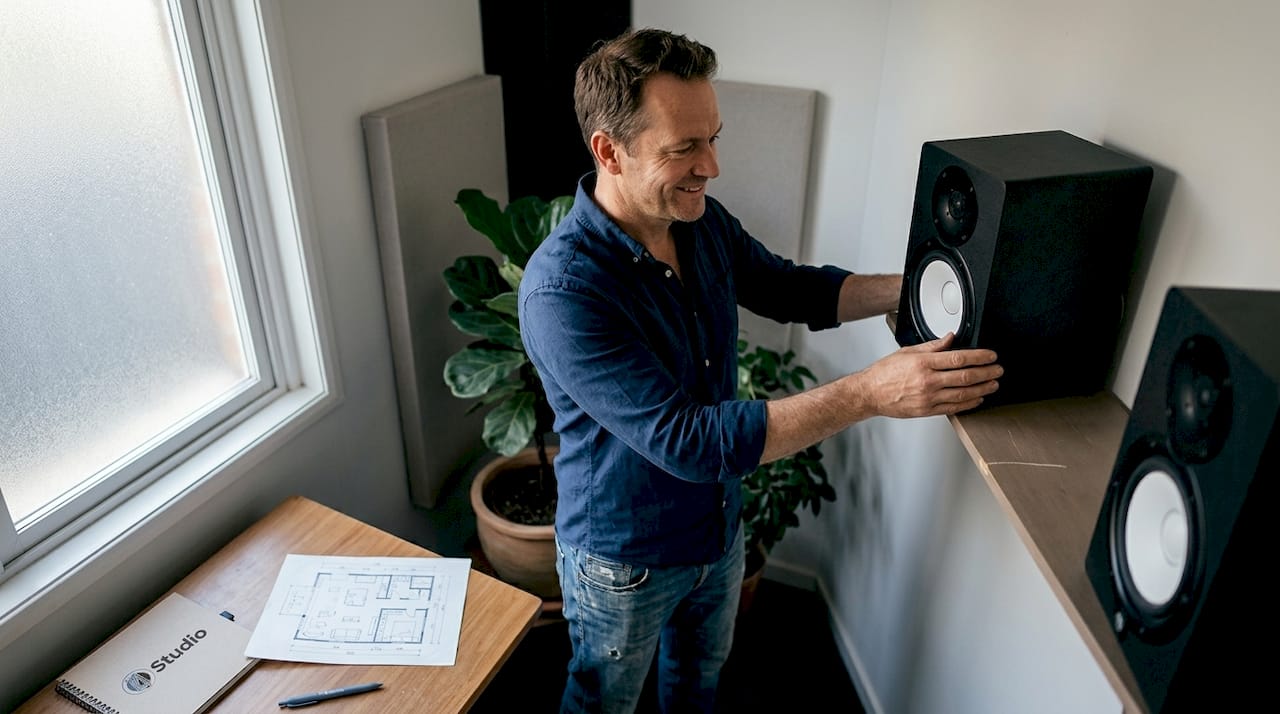
Pro-tip: Draw your room to scale on paper before you move anything. Note windows, doors and electrical outlets. This will prevent you from having to move everything again later.
Decorating a studio: follow these steps
Now that you have or selected the supplies, it’s time to actually start decorating. An empty room is the best starting point. That way you can see the space without distractions and make conscious choices.
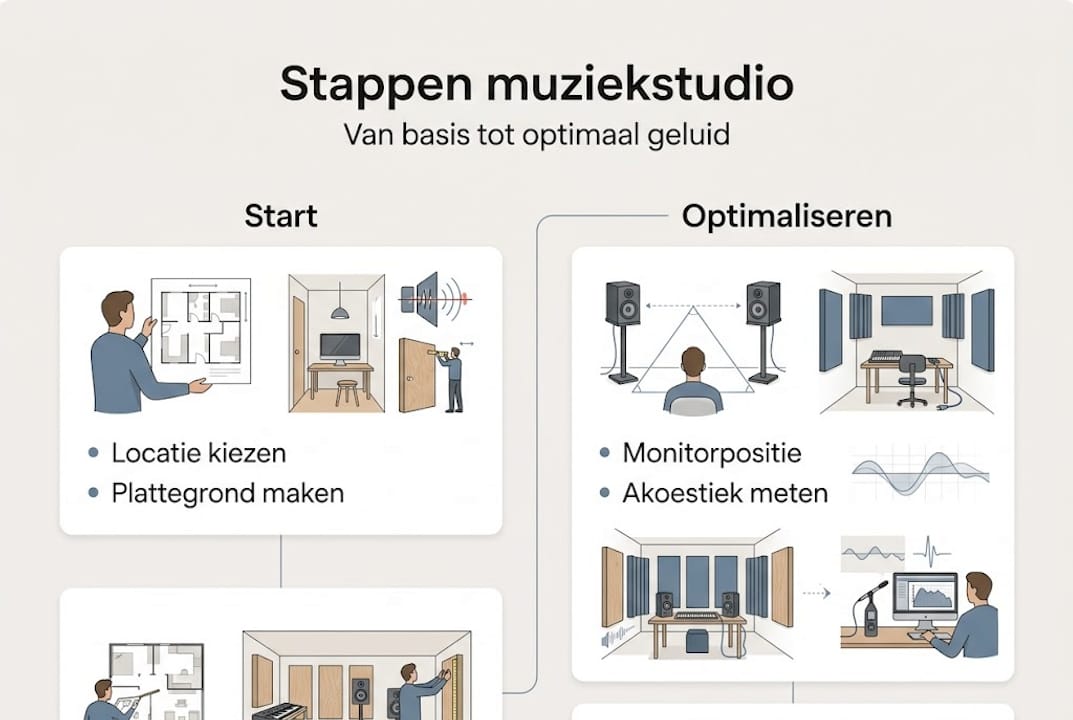
- Choose the shortest wall as the front wall: place your desk and monitors against the shortest wall. This minimizes low-frequency problems that arise in long rooms.
- Position your desk centrally: make sure your listening position is exactly in the middle of the width. Asymmetry gives a false stereo image.
- Set the monitor triangle: monitors in an equilateral triangle with your head as the third point, at ear level, gives the most accurate display. Tilt the monitors slightly toward your ears.
- Place absorbent panels at first reflection points: these are the side walls to the left and right of your listening position, the ceiling above your head, and the back wall. Use a mirror to find reflection points: where you see the monitor in the mirror, hang a panel.
- Add bass trap in corners: low frequencies accumulate in corners. A bass trap at least 15 cm thick absorbs them effectively.
- Organize your cables: use cable trays or velcro strips. Clutter leads not only to malfunctions but also to unfocused work.
- Test and listen critically: play reference music you know well and listen for accuracy. Compare with headphones.
| Approach | Advantage | Disadvantage |
|---|---|---|
| Monitors on long wall | More space behind you | More low frequency problems |
| Monitors on short wall | Less standing waves | Less depth behind listening position |
| Freestanding setup | Flexible to move | Less stable sound image |
For more details on the optimal monitor setup, find comprehensive comparisons by room type.
Pro-tip: Use a free app like Room EQ Wizard (REW) to measure your room acoustically. That way you can see exactly what frequencies are causing problems before you buy panels.
Optimizing acoustics: panels, placement and pitfalls
With the basic structure in place, now turn your attention to what really makes the difference: acoustics. Many musicians think they have an acoustical problem, but actually have a placement problem. Both are solvable, but require a different approach.
Poor acoustics can be recognized by:
- Flutter echo: rapidly repeating echo effect between two parallel walls
- Booming bass: certain notes sound much louder than others
- Long reverberation: sound slowly dies out, making recordings sound blurry
- Comb-filter effect: certain frequencies drop out due to reflections that counteract the direct sound
To measure improvement, use a measurement before and after installing panels with REW or a similar tool. That way you can be sure your investment is working.
Thin foam panels exacerbate acoustic imbalance in small rooms. They absorb mostly high frequencies, making the room sound dull and unnatural. Rockwool over 15 cm works significantly better for balanced results.
What materials really work:
- Rockwool or glass wool (10 to 15 cm thick): broad spectrum absorption, effective for mid and low frequencies
- Acoustic foam (5 cm or thicker): suitable as a supplement, not the only solution
- Diffusers: diffuse sound rather than absorb it, ideal for back wall
- Heavy curtains and carpet: inexpensive first step, but insufficient as sole measure
Common mistakes that sabotage results:
- Only treat the back wall and forget about side walls
- Placing too little absorption material which results in minimal effect
- Panels hung too high or too low so they miss reflection points
- Thinking that a fully absorbed room sounds better (too dry is also bad)
For a comprehensive acoustics improvement guide with material comparisons and placement diagrams, read on. More specific information on acoustic panel tips and how to tackle sound reflection minimization will help you step by step.
Tailoring to your space: flexible solutions and common mistakes
Now that the basics and acoustics are covered, it’s time to tailor your studio to the unique space or any problems. No two rooms are the same. A square room has different challenges than an elongated space, and an attic studio requires different solutions than a basement.
The shape and size of your room determine your approach:
- Square rooms: have the most low frequency problems due to standing waves in all directions. Use extra bass drop in all four corners.
- Elongated rooms: placement on the short wall works best. The long distance behind you gives more room for diffusion.
- Low ceilings: increase the likelihood of flutter echo. Treat the ceiling above the listening position as a priority.
- Irregular shapes: sloping walls and dormers can be beneficial precisely because they break up parallel surfaces.
Pro-tip: Set your listening position at 38% of the room length from the front wall. This is a proven starting point that minimizes standing waves at the listening position.
For small or awkward rooms, there are alternatives that work well. Headphones for mixing are a serious option if the room is too small or irregular for accurate monitor reproduction. Avoid thin foam and open spaces without treatment, as they give a false sense of reference.
Common mistakes in awkward spaces:
- Placing monitors directly against the wall without insulation
- Doing mixing in a room with lots of glass and hard surfaces
- Forgetting that furniture also has an acoustic effect
- Adding subwoofer without measuring the room first
For specific advice on your situation, studio optimal tuning offers practical tools by room type. If you want to start planning from scratch, studio design tips provide a solid foundation for any room shape.
Our vision: why small steps deliver more
We see it time and time again: a musician invests thousands of dollars in panels, gear and treatment all at once, and then is disappointed with the results. The problem is not the budget. It’s the order.
Listening critically and making incremental adjustments will pay off more than blindly tackling everything at once. Experiment first with the position of your monitors and desk. Then listen again. Then add one layer of absorption and measure the effect. That’s how you build insight into how your particular room responds.
The debate in the studio world is real: some experts recommend headphones for small spaces, others swear by a well-treated room with monitors. Both are right, depending on the situation. There is no universal answer.
Our advice: start with the acoustic basics, listen critically and build from there. Patience and observation are your best tools.
Tools and extensions for your ideal studio
Would you like to further optimize your studio after these steps? At i4studio you will find products that directly support the approach described.

With a complete studio bundle, you immediately have the essential recording equipment without having to combine individual components. For acoustic treatment, the acoustic room kit offers a complete set of panels that can be applied directly to the reflection points you’ve learned about in this article. And for the processing power that modern productions demand, our music production computers are custom built for audio. Take a look and find what suits your studio.
Frequently asked questions about setting up a music studio
What equipment is really necessary for a start-up studio?
For a basic music studio, you need a laptop or PC, audio interface, studio monitors, studio headphones and at least one microphone. Start with these five and then build on them.
Why is monitor setup so important?
Proper setup prevents reflections and ensures a fair soundstage during recording and mixing. Monitors in an equilateral triangle on the short wall give the best results.
Does thin foam only work for high frequencies?
Yes, thin foam panels absorb mostly high frequencies and can even cause acoustic imbalance. Rockwool works more widely and is more effective in small spaces.
What if my room is not symmetrical?
Measure out multiple listening positions and consider headphones at asymmetry as a complement or alternative to monitor playback.
Should I buy expensive acoustic panels right away?
No. Start with basic absorption at the first reflection points, listen critically, and build out incrementally based on what you hear and measure.



