TL;DR:
- The layout and acoustics of your studio greatly influence sound quality and workflow.
- Use bass traps in corners and absorption panels at reflection points for optimal acoustics.
- Flexible and practical layout is more important than perfectly symmetrical studios for better working results.
The layout of your home studio determines more than you think. Not only the atmosphere, but also your workflow, your concentration, and above all, the quality of your mixes and edits. Many music producers and video editors struggle with the same questions: where to put your monitors, how to handle the acoustics of a small room, and how to make sure everything works ergonomically and efficiently. The combination of space constraints, budget choices and technical requirements makes it complex. In this article you will get concrete layout examples, an honest comparison of acoustic solutions and practical tools to take your studio to the next level.
Table of contents
- What should you consider when laying out your studio?
- Case study 1: The compact producer studio
- Case study 2: Video editing and multi-purpose studios
- Comparison: DIY versus professional acoustic solutions
- Personal view: why practical layouts are more important than perfect symmetry
- Optimizing your studio? These are the best tools
- Frequently asked questions about studio layout
Key Insights
| Item | Details |
|---|---|
| Acoustics first | A good studio layout always begins with acoustic treatment, especially bass traps and absorption panels. |
| Ergonomics defines workflow | A practical layout increases efficiency and creativity through smart placement of desk, monitors and equipment. |
| DIY is fine, pro is better | Homemade panels work as an entry-level option, but professional mineral wool panels provide more control and better results. |
| Flexibility pays off | Workstations that are multi-purpose and flexible suit modern studios for music and video. |
What should you consider when laying out your studio?
Now that you know why layout is so important, let’s start with the most important criteria for any studio. Every decision you make, from the position of your desk to the placement of absorption panels, directly affects the end result of your work.
Space and dimensions
The shape and size of your room determine how sound behaves. Square rooms are notorious for standing waves, where certain frequencies amplify or cancel each other out. Rectangular rooms work better, but there are acoustical challenges there, too. Ceiling height comes into play: the lower the ceiling, the sooner you’ll suffer from reflections overhead.
Acoustic treatment
Acoustics is the foundation of any good studio. Prioritize bass traps in all corners and absorption panels at first reflection points. Bass traps (low-frequency absorbers) catch your low tones that otherwise accumulate in the corners. Absorption panels at first reflection points, the places on the side walls where sound from your monitors bounces back first, reduce coloring reflections. Want to know how to do this? Read more about bass traps placement and ceiling cloud benefits for your workspace.
Ergonomics and desk setup
You work for hours at your desk. Make sure your monitor is at eye level, your keyboard and mouse are comfortably accessible, and your studio PC or laptop doesn’t blow heat to your face. A good chair and proper desk height will prevent back pain in the long run.
In your classification, pay attention to these points:
- Place your desk centrally and symmetrically across the width of the room
- Keep walking space clear on both sides for access to equipment
- Use cable trays or cable management to keep the workspace organized
- Provide adequate ventilation around your studio PC
Workflow and routing
Think in advance about how you work. What hardware do you use on a daily basis? Your MIDI keyboard, audio interface and controllers should be directly accessible without having to get up. Software routing through your DAW works best if your hardware is logically arranged.
Pro-tip: Draw your ideal layout on paper first or use a free tool like RoomSketcher before moving furniture and appliances. This will save you a lot of time and frustration.
Case study 1: The compact producer studio
With the criteria clear, illustrate with a compact studio example. A space of 8 to 12 square meters is the reality for many home producers. Yet you can turn this into a serious workspace, provided you arrange it smartly.
The basic setup
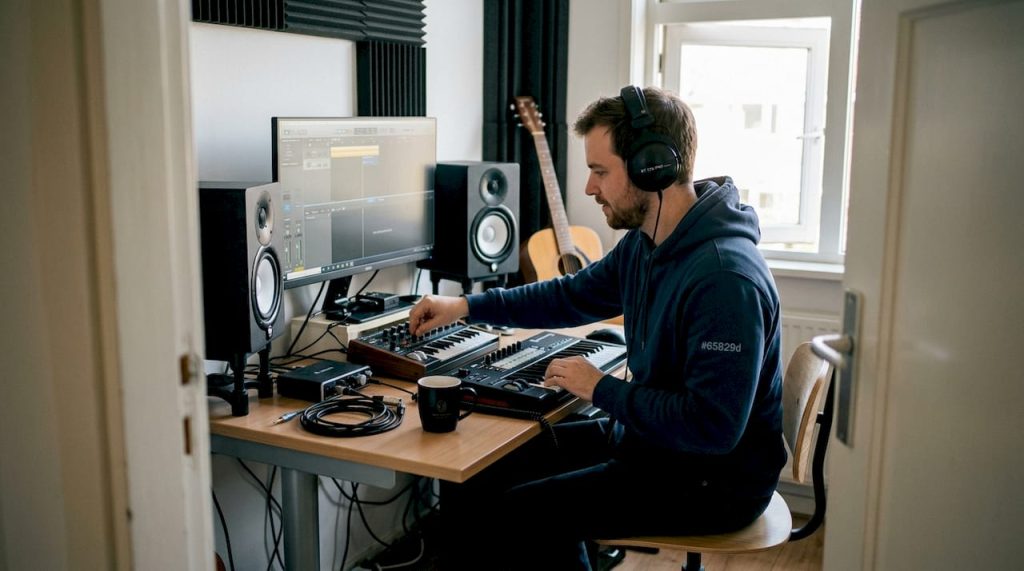
Place your desk against the shortest wall, centrally and symmetrically. Your monitors will be to the left and right of your screen, equidistant from the side walls. The listening position, together with the two monitors, forms an equilateral triangle, ensuring an accurate stereo image. Place the tweeters at ear level.
Acoustic approach
Bass traps in four corners, absorption panels at reflection points and a ceiling cloud minimize distortion. In a small space, this is especially important because reflections are more likely to come back and color your mix. Read how to place acoustic panels for a step-by-step approach, and check out the bass traps approach for proper placement in small spaces.
An effective acoustic approach for a compact studio looks like this:
- Four corners: bass traps from floor to ceiling, minimum 10 cm thick
- Side walls: absorption panels at the first reflection points (use the mirror method)
- Rear wall: combination of absorption and diffusion for a livelier feel
- Ceiling: a ceiling cloud directly above the listening position
Ergonomics in small spaces
In a compact studio, every inch is precious. Use wall mounts for your monitors instead of tripods on your desk. This gives you more work space and reduces vibration conduction through the desk surface. Mount your audio interface and patchbay in a small rack next to or under your desk.
Pro-tip: Use a monitor stand with integrated isolation pads. This decouples your monitors from the desk and reduces resonance, which significantly clears your low-mid frequencies.
Case study 2: Video editing and multi-purpose studios
Not every studio is exclusively for audio: this is how you combine multi-purpose functions. Video editors have different requirements than pure music producers. You need multiple screens, a powerful PC, and a workstation that optimally supports both visual and auditory feedback.
Multiple screens and routing
A typical video editing setup uses two or three monitors. Place the primary monitor directly in front of you, the secondary screens at a slight angle on either side. Make sure your audio interface and studio monitors stay at the same height as your ears, even if you take more screen position.
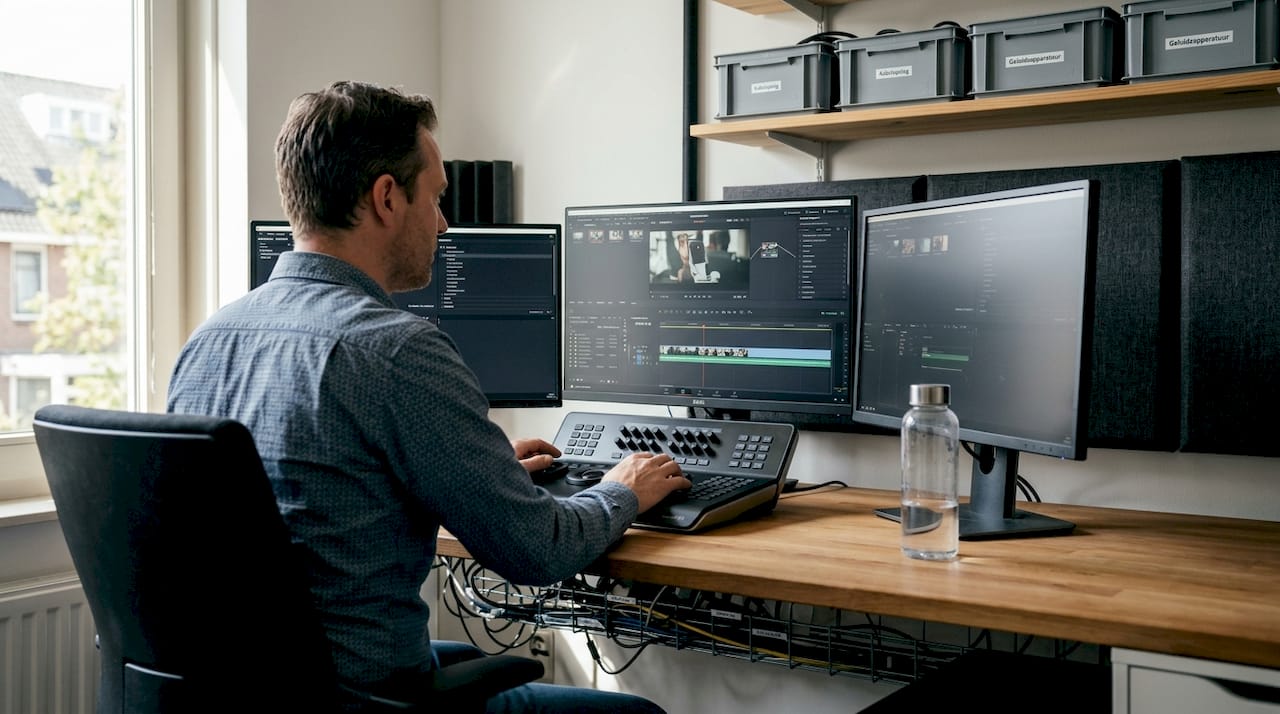
The mirror method for absorption panels also works well here, but keep in mind the extra width of your setup. For inspiration, check out the studio acoustics layout and acoustic products suitable for multi-purpose rooms.
Flexible acoustics
A multi-purpose studio requires flexibility. Sliding or pivoting absorption panels give you the option of adjusting the acoustics to the task at hand. During music production you want more absorption, during video editing you can leave a little more life in the space.
A convenient approach for your multi-purpose layout:
- Determine the fixed position of your primary workstation and monitors
- Install fixed bass traps in all corners
- Add movable absorption panels on stands
- Organize your cable management through a central patchbay
- Integrate storage (hard drives, accessories) into the desk or an adjacent rack
Cable management and storage
A cluttered studio is slowing you down. Use cable trays under your desk, label all cables and work with a structured patch system. Integrate storage smartly into your design: a floating shelf above your desk for hard drives and controllers keeps the floor clear.
Pro-tip: Invest in a good power conditioner for your video editing setup. This reduces electrical noise on your audio and protects your expensive equipment from power spikes.
Comparison: DIY versus professional acoustic solutions
To compare effectiveness, we look at material and approach choices. Many startups start with self-built panels, but is that smart in the long run?
DIY panels are okay for starters, but professionals recommend mineral wool for wider frequency treatment. Mineral wool (such as Rockwool or Knauf) absorbs a wider frequency spectrum than acoustic foam, and is more durable.
| Feature | DIY panels | Professional panels |
|---|---|---|
| Cost | Low (€20-60 per panel) | Higher (€60-200 per panel) |
| Material | Foam or cheap wool | Mineral wool, glass wool |
| Frequency Range | Limited (mid/high) | Wide (low to high) |
| Finishing | Self-definable | Professional |
| Assembly | Simple | Easy to medium |
| Lifespan | 3-7 years | 10+ years |
DIY: advantages and limitations
Self-built panels are a great starting point. You learn how acoustics work and you can experiment with positions without a big investment. The downside is that cheap foam barely absorbs low frequencies, which is precisely the biggest problem in small rooms.
Professional panels and diffusers
Professional effective acoustic panels with mineral wool treat a much wider frequency spectrum. Diffusers, both DIY and off-the-shelf, diffuse sound instead of absorbing it. This gives your space a livelier feel without harsh reflections. Also see acoustic panel tips for a targeted approach by room type.
When making your choice, note:
- Budget: professional panels cost more, but perform significantly better at low frequencies
- Room size: small rooms benefit most from mineral wool bass traps
- Aesthetics: professional panels have a tighter finish and fit better in a presentable studio
Pro-tip: Always combine absorption AND diffusion. A fully absorbed room sounds dead and unnatural, which distorts your reference for mixes.
Personal view: why practical layouts are more important than perfect symmetry
After concrete examples, we share our vision and lessons learned. Many producers and editors chase the perfect, symmetrical studio they see on YouTube. But in practice, it rarely works that way.
Space constraints, odd angles and irregular ceilings are the norm, not the exception. What we see time and time again: a studio that works for you delivers better results than a studio that looks perfect but hinders your workflow. Flexibility is key here. A movable panel, an adjustable desk or a different monitor choice can make more difference than weeks of tinkering with the perfect symmetry.
The smartest step is to start with acoustics and then optimize ergonomics. Not the other way around. Read our studio acoustics tips for a practical approach that works even in awkward spaces. Even with a limited budget and an irregular room, you’ll get far with the right priorities.
Optimizing your studio? These are the best tools
Want to apply the techniques discussed? Discover these tools and products. At i4studio you will find everything you need to improve your home studio step by step, from acoustic treatment to the right workstation.
Start with the diffuser panels for balanced acoustics in your space. Combine this with an ergonomic producer desk designed specifically for long work sessions. Do you also work on video editing? Then a powerful custom video editing PC is the logical next step. Our specialists are happy to work with you on the best configuration for your specific workflow and space.
Frequently asked questions about studio layout
How do I determine the best place for my monitors?
Place your monitors symmetrically relative to the room, with the tweeters at ear height and oriented in an equilateral triangle relative to your listening position. This will give you the most accurate stereo image.
Are DIY acoustics sufficient for a home studio?
DIY panels work well as a starting point, but professional mineral wool panels significantly improve the frequency range and give a lower RT60, which directly benefits your mixing.
How many acoustic panels do I need?
Place bass traps in all four corners and minimal absorption panels at the first reflection points for optimal results in most home studios.
What is the advantage of a ceiling cloud?
A ceiling cloud reduces direct reflections from the ceiling above your listening position and improves the clarity of your stereo image and overall sound quality in your studio.
Recommendation
- Practical Home Studio Setup Ideas For Musicians And Producers – https://i4studio.nl/
- Home Studio Setup Tips: Complete Guide To A Professional Studio At Home – https://i4studio.nl/
- Recording Equipment For Home: Complete Guide For The Home Studio – https://i4studio.nl/
- Home Studio for Content Creators: From Space to Professional Recording – https://i4studio.nl/