



Briefly:
- Ergonomics in the studio promotes good posture, reduces discomfort, and increases productivity. It combines physical adjustments, such as adjustable furniture, with cognitive measures, such as cable management and a well-organized workspace. Investing in ergonomics prevents absenteeism due to illness and ensures a sustainable, healthy workplace.
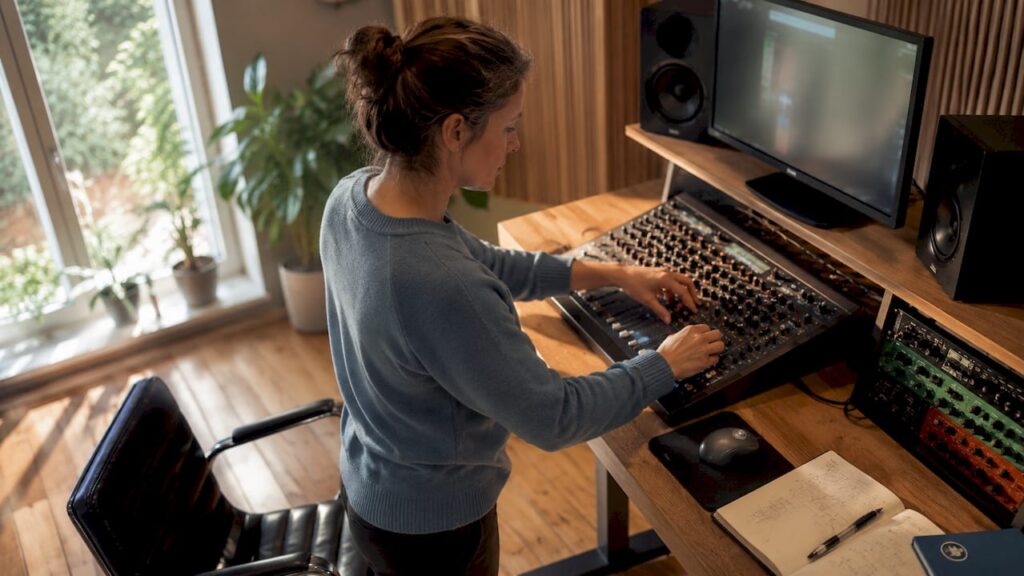
Ergonomics in the studio is the science of adapting the workspace, equipment, and movement to the human body, so you can work longer, more comfortably, and more effectively. For studio owners and creative professionals, the role of ergonomics in the studio is immediately apparent: poor posture, cluttered cable management, and improperly positioned monitors lead to physical discomfort and mental fatigue. Think of a producer who works eight hours a day behind a DAW, or a videographer who spends hours editing footage at a poorly adjusted desk. Adjustable desks, sit-stand solutions, and well-thought-out monitor setups aren’t luxuries. They’re the foundation of a functional studio.
What is the role of ergonomics in a studio?
Ergonomics is more than just buying a good chair. The term encompasses two main areas, both of which are directly relevant to studio work: physical ergonomics and cognitive ergonomics. Physical ergonomics focuses on posture, work height, and movement. Cognitive ergonomics focuses on how you process information, maintain an overview, and prevent mental fatigue.
In a studio, these two areas come together. You work with complex software such as Ableton Live, Adobe Premiere Pro, or Pro Tools, while at the same time performing physical tasks with controllers, mixers, and peripheral equipment. That combination makes ergonomics in the studio particularly challenging.
Ergonomics is a cornerstone of sustainable growth, with direct benefits for job satisfaction and business results. This applies to offices, but certainly also to creative studio environments where long sessions are the norm.
What physical and cognitive aspects are important?
Physical Ergonomics in the Studio
The three key aspects of physical ergonomics are posture, work height, and furniture. Poor sitting posture for several hours a day can lead to neck and shoulder pain, RSI, and back problems. Nearly 40% of Dutch workers perform physically demanding work that involves risky postures and repetitive movements. For studio professionals who repeat mouse movements daily or work with a controller, this risk is very real.
Specific areas of focus for physical ergonomics:
- Desk working height: elbows at table height, forearms horizontal
- Screen distance: 50–70 cm from the eyes, with the top of the screen at eye level
- Chair: adjustable backrest with lumbar support, feet flat on the floor
- Wrist Position: Wrist Rests for Keyboards and Mice Help Prevent RSI
- Movement: Get up at least once an hour, even during long mixing sessions
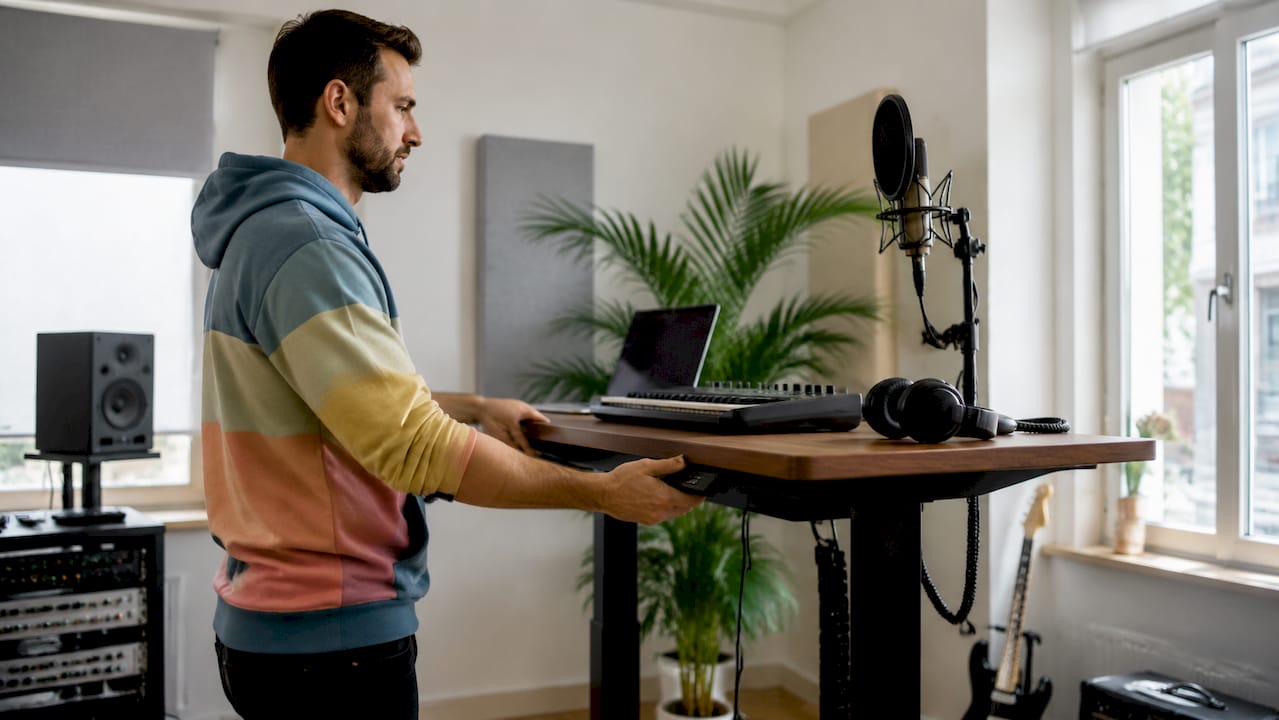
Pro-tip: Use a sit-stand desk with memory settings, such as models from Flexispot or Ergotopia. Set two fixed heights: one for sitting and one for standing. This way, you can switch between them effortlessly without having to readjust the desk every time.
Cognitive Ergonomics: An Overview in a Busy Studio
Cognitive ergonomics reduces mental strain caused by complex software and data in creative professions. A cluttered screen, a messy cable setup, and poorly organized software increase mental strain without you immediately noticing it. The result is fatigue, more mistakes, and less creativity.
60% of operators in control rooms experience high cognitive load from switching between systems. This finding applies directly to studio work: a producer who constantly switches between a DAW, plugin windows, and external hardware experiences the same mental strain. A well-thought-out screen layout and designated work zones significantly reduce that load.
How does ergonomics reduce work-related complaints?
23% of all work-related sick days in the Netherlands are caused by musculoskeletal disorders, particularly shoulder, wrist, and back conditions. That’s nearly one in four sick days. For independent studio professionals, absenteeism isn’t just an abstract HR problem. If you’re out, your studio comes to a standstill.
“Health is the most essential tool for creative professionals—just as important as their technical equipment.” — Glassgossip
Adjustable workstations and user involvement in workplace design have been shown to lead to lower absenteeism and higher job satisfaction. In practical terms, this means: don’t just buy any desk—customize it to fit your body and work style.
The Pomodoro Technique is a proven method for incorporating movement into long work sessions. You work with full concentration for 25 minutes, followed by a 5-minute break. After four blocks, take a longer break of 15–30 minutes. A good chair and an ergonomic desk reduce the risk of chronic pain, but movement remains essential in addition to good furniture.
Investing in ergonomics boosts productivity by making your work environment more comfortable, both physically and mentally. Employees with an ergonomic workspace experience less stress and higher motivation. For creative professionals, this directly translates into better results and longer creative sessions without burnout.
Which ergonomic solutions work best in a studio?
Below is a comparison of the most commonly used ergonomic aids for studio environments, along with their benefits and practical applications.
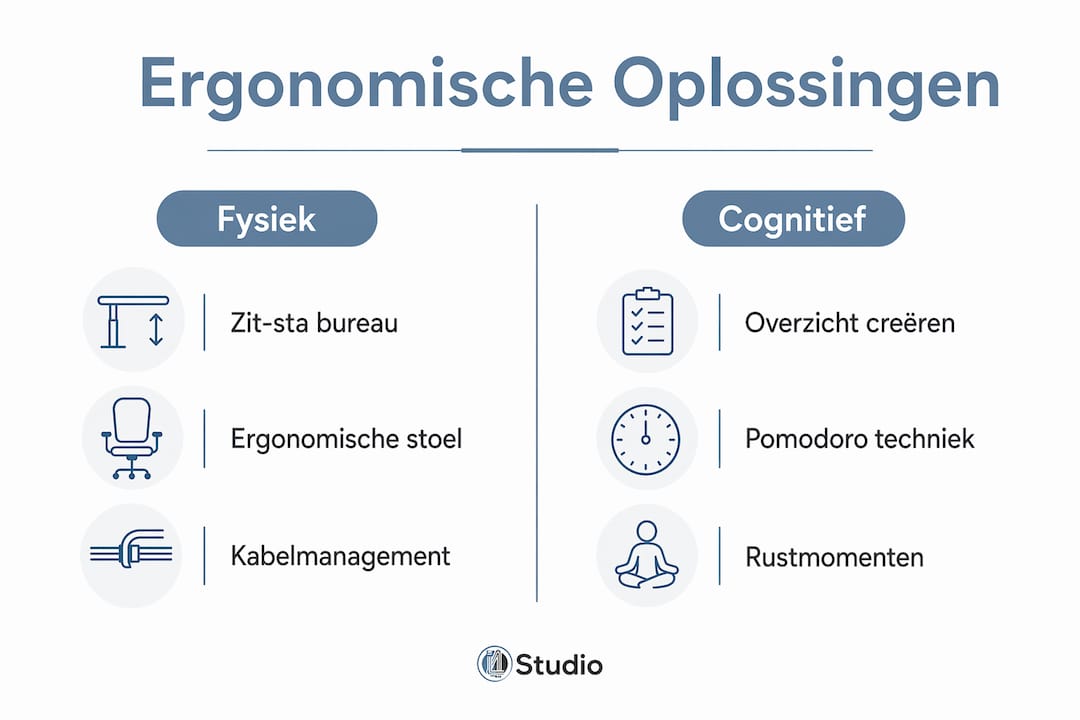
| Tool | Advantage | Studio use |
|---|---|---|
| Sit-Stand Desk | Reduces back pain, boosts energy | Alternate between sitting and standing every 45–60 minutes |
| Ergonomic chair | Lumbar supports reduce back pain | Adjust the backrest and seat height daily |
| Wrist Rests | Prevents RSI when using a mouse | Use with a keyboard and mouse during editing sessions |
| Cable Management | Improves mental clarity, reduces the risk of tripping | Cable channels and Velcro strips along the edge of the desk and the floor |
| Dual-screen setup | Reduces cognitive load during multitasking | DAW on the primary screen, reference or communication on the secondary screen |
| Monitor Arm | Proper eye level without neck strain | Adjust to a distance of 50–70 cm, with the top of the screen at eye level |
Systematic cable management improves mental clarity and reduces the risk of tripping in studios. Cable trays and Velcro are effective and inexpensive ergonomic solutions. A studio with visible cables on the floor is not only unsafe but also mentally taxing. Your brain registers clutter as noise, even if you’re not consciously paying attention to it.
Pro-tip: Use colored Velcro or cable markers to distinguish between audio cables, power cables, and USB cables. This saves time when adjusting your setup and reduces frustration during sessions.
In addition to furniture and cable management, studio layout—which affects sound quality and workflow —also plays a role in ergonomics. A well-designed studio ensures that everything is within easy reach, without requiring you to adopt unnatural postures to access equipment.
Practical Tips for Improving Studio Ergonomics
Improving ergonomics doesn’t have to be expensive or time-consuming. The following steps can be implemented right away, regardless of the size of your studio.
Create functional zones. Divide your studio into a recording zone, an editing zone, and a relaxation zone. Each zone has its own ergonomic requirements. The editing zone requires the most carefully planned layout, with adjustable furniture and proper monitor positioning.
Check your screen height. The top of your monitor should be at eye level or no more than 5 cm below it. Use a monitor arm or a sturdy riser if your screen is too low. A screen that is too low is the most common cause of neck pain in studios.
Organize your cables systematically. Secure all cables along the edge of the desk using cable trays or Velcro. Cables on the floor pose a tripping hazard and are a source of mental clutter. Cable management should be done systematically to promote both physical and mental ergonomics without disrupting the work process.
Adjust your lights. Use indirect lighting behind your screens to reduce eye strain. Avoid direct light sources that reflect off your monitor. Daylight lamps with a color temperature of 5,000–6,500 Kelvin are suitable for editing work.
Make time for exercise. Use the Pomodoro Technique or set a timer for every 45 minutes. Stand up, stretch your neck and shoulders, and walk around for a bit. This isn’t a waste of time. It boosts your concentration for the next work session.
Use multifunctional furniture. Space is limited in smaller studios. Choose furniture that serves multiple purposes, such as a desk with built-in cable management slots or a chair with adjustable armrests that also double as wrist rests.
Pro-tip: Do a five-minute weekly ergonomics check. Walk through your studio and check: Are all the screens at the right height? Are there any loose cables on the floor? Is your chair adjusted correctly? Small adjustments can prevent major problems.
Well-designed workstations with proper viewing angles and screen layouts reduce errors and work-related stress during intensive computer use. The NEN-EN-ISO 11064 standard provides guidelines for ergonomic design in complex workstations. These principles are directly applicable to professional studio environments.
For more inspiration on how to design a studio in a practical and ergonomic way, the guide to smart studio layouts offers concrete, real-world examples.
Key insights
Ergonomics in the studio requires both physical adjustments to furniture and posture, as well as cognitive measures such as cable management and screen layout, to systematically improve health and productivity.
| Item | Details |
|---|---|
| Physical Ergonomics | Adjust your desk, chair, and monitor to fit your body to prevent RSI and back pain. |
| Cognitive Ergonomics | Reduce mental strain with well-organized screen layouts and systematic cable management. |
| Schedule Time for Exercise | Use the Pomodoro Technique to get some exercise every hour and prevent chronic pain. |
| Investment Pays Off | Ergonomic workstations have been shown to reduce absenteeism and increase productivity and job satisfaction. |
| Zones and Layout | Functional work zones in your studio reduce unnecessary movement and improve workflow. |
Ergonomics in the Studio: What I’ve Learned After Years of Studio Work
After years in the studio world—both working with clients and on my own projects—one thing always strikes me: most studio owners invest thousands of euros in equipment but neglect their own bodies. A Neumann U87 is on the list, but a good chair isn’t.
That’s a mistake you’ll feel the effects of sooner or later. I’ve seen producers who, after two years of intensive work, had to stop because of RSI symptoms that could have been completely avoided. An adjustable desk and a wrist rest would have made all the difference.
Another thing I notice: cognitive ergonomics is almost never taken seriously. People think a cluttered studio is “creative.” But a desk full of loose cables, three windows overlapping each other, and no set work layout drain your energy every day. That energy isn’t going into your music or your videos.
My advice is simple: start small. Buy a monitor arm. Organize your cables. Adjust your chair properly. It’ll take you one afternoon, and you’ll notice the difference as early as the next day. After that, you can think about getting a sit-stand desk or a second monitor.
Ergonomics isn’t a one-time investment. It’s a habit. The best studio professionals I know check their workspaces just as regularly as they check their equipment. That’s no coincidence.
– harold
Ergonomic studio equipment at I4studio
I4studio not only supplies studio equipment, but also works with you to determine how your workspace contributes to your performance. A comfortable and well-equipped studio starts with the right foundation.

Check out the essential studio gear for beginners as a starting point for an ergonomically and functionally designed workspace. From cable management accessories to monitor arms and studio furniture: I4studio helps you make the right choices. Want to know which technical equipment best suits your studio setup? The guide to studio PC configurations in 2026 provides concrete recommendations for a setup that’s both ergonomic and technically robust.
Frequently Asked Questions
What exactly is ergonomics in a studio?
Ergonomics in a studio involves adapting the workspace, furniture, and equipment to the human body in order to prevent physical discomfort and mental fatigue. It encompasses both physical aspects, such as posture and work height, and cognitive aspects, such as screen layout and cable management.
What health issues does good studio ergonomics help prevent?
Good ergonomics helps prevent RSI, neck and shoulder pain, back problems, and eye strain. 23% of all work-related sick days in the Netherlands are caused by musculoskeletal disorders, which are largely preventable with the right workplace design.
How do I apply the Pomodoro Technique in my studio?
Work with full concentration for 25 minutes, then take a 5-minute break and get up to move around. After four blocks, take a longer break of 15–30 minutes. This method encourages movement and boosts your concentration during long studio sessions.
Is a sit-stand desk worth it for a studio?
Yes. Adjustable workstations have been shown to reduce absenteeism and increase job satisfaction. For studio professionals who work long sessions every day, a sit-stand desk is one of the most effective investments in health and productivity.
What is cognitive ergonomics, and why is it relevant to studio work?
Cognitive ergonomics focuses on reducing mental strain by creating a well-organized work environment. In a studio, this means: organized screen layouts, systematic cable management, and designated work zones. A well-designed ergonomic setup helps reduce mental clutter and stimulates creativity.
Recommendation
- Home Studio Setup Tips: Complete Guide To A Professional Studio At Home – https://i4studio.nl/
- Studio Design Tips: Practical Guide For Audio and Video Studios – https://i4studio.nl/
- Studio setup explanation: this is how to build a professional home studio
- Smart studio layouts: practical examples home studio



