Briefly:
- A reliable power supply with an online UPS and proper grounding protects your studio from power outages and damage.
- Use a UPS with a capacity of 1,500 to 2,000 VA and a 20 percent margin, designed for critical equipment such as computers and audio interfaces.
- Do not connect any peripheral devices to the UPS, and ensure that you have a certified installation terminal with proper ventilation and up-to-date firmware.
A reliable power supply for your studio is essential for uninterrupted recording and protects your equipment from power outages and voltage spikes. Without the right power supply, you risk losing recordings, damaging hardware, and incurring costly downtime. This guide to studio power supply explains step by step what equipment you need, how to set it up correctly, and what mistakes you must absolutely avoid. Whether you run a home studio or manage a professional recording space, the principles are the same.
What equipment and capacity do you need for power in your studio?
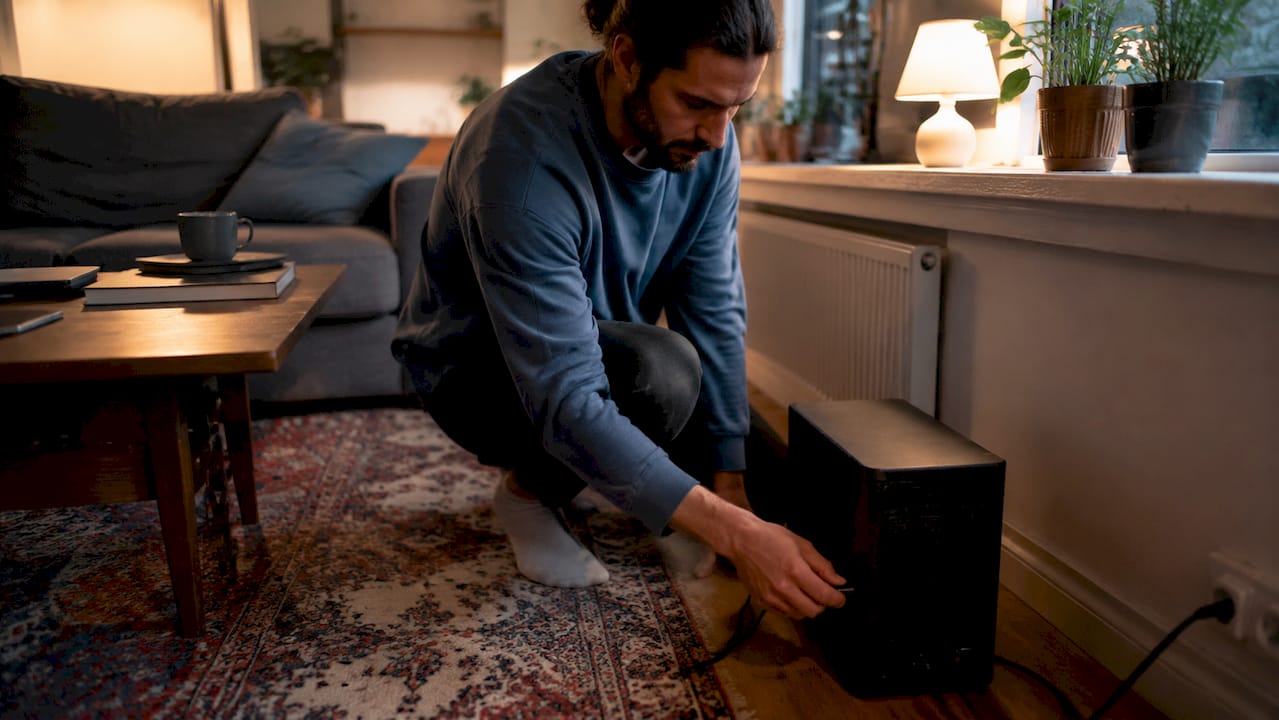
A UPS, or uninterruptible power supply, is the heart of any reliable studio power system. A UPS supplies power from an internal battery the moment the mains power fails. This prevents a recording from stopping abruptly and protects sensitive equipment from damage caused by power surges or outages.
What types of UPS are there?
There are three common types: standby, line-interactive, and online. An online UPS continuously supplies clean power and protects against noise and surges. This type is ideal for sensitive multicam studio equipment, such as an audio interface, DAW computer, and studio monitors. Models such as the APC Smart-UPS SMT1500C and the CyberPower OL1500RT fall into the online UPS category and cost around 600–900 euros.
How much capacity do you need?
A typical podcast or recording studio equipment setup requires a UPS with a capacity of 1500–2000 VA to provide 10–15 minutes of backup power. That amount of time is enough to neatly finish a recording and shut down all equipment safely. Calculate your own power consumption by adding up the wattages of all your core units: your DAW computer, audio interface, studio monitors, patchbay, and recorder.
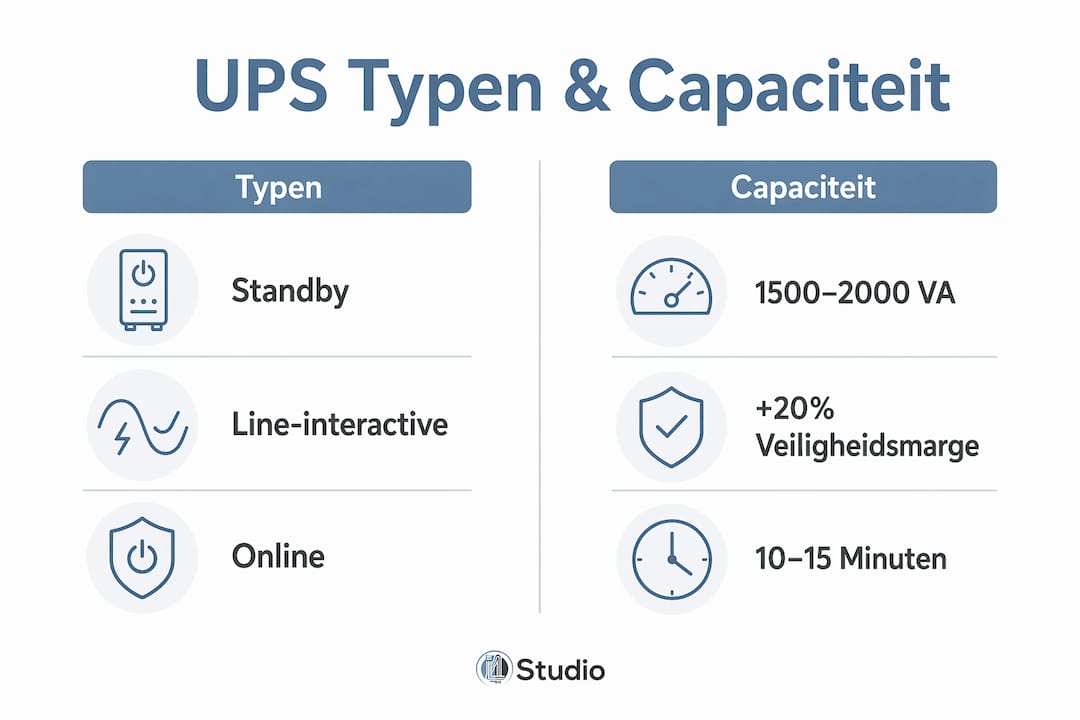
Next, apply a safety margin of at least 20% above the calculated total power consumption. This protects your UPS during peak loads and ensures a safe shutdown. A studio with a total power consumption of 800 watts therefore needs a UPS with a capacity of at least 960 watts, which corresponds to a model rated at 1200 VA or higher.
Pro-tip: Not all equipment needs to be connected to the UPS. Connect only your core units: the DAW computer, audio interface, monitors, and recorder. Peripheral equipment, such as external hard drives and lighting, can be plugged into a standard grounded outlet. This keeps costs down and minimizes the load on the UPS.
Modular battery systems as a future-proof choice
Modular battery storage systems allow you to scale up as your power needs grow and prevent overinvestment at the outset. You start with a basic module and add extra capacity later as your studio expands. This is the most sensible approach for producers who are building their studios in phases.
Safety standards require certified power supplies with a minimum IP44 rating in damp or high-risk environments, such as studios with wet areas or basement locations. Always verify that your UPS and distribution panels meet this standard before installing them.
| Device | Typical power consumption | Via UPS? |
|---|---|---|
| DAW computer | 150–400 W | Yes |
| Audio interface | 10–30 W | Yes |
| Studio monitors (pair) | 40–100 W | Yes |
| Digital recorder | 20–50 W | Yes |
| Lighting | 50–200 W | No |
| External hard drive | 5–15 W | No |
How do you safely set up the power supply in your studio?
A proper installation starts with the basics: grounded outlets, proper wiring, and surge protection. Don’t skip these steps, because a poor installation can cause malfunctions that you’ll only discover at the worst possible moment—namely, in the middle of a recording.
Step-by-Step Installation
Check the ground connection. Every outlet in your studio must be grounded. A grounded outlet protects your equipment from ground faults and prevents interference in your audio signal. If you have any doubts, have a licensed electrician check the grounding.
Install a surge protector. Use a certified surge protector between the outlet and your equipment. A standalone power strip with surge protection is a basic precaution. A better option is a built-in surge protector in the utility panel.
Install an RCD. An RCD, also known as a ground fault circuit interrupter, automatically cuts off the power in the event of a ground fault. Install an RCD on the circuit that powers your studio equipment. This is required in new installations and strongly recommended in existing ones.
Choose the right cables. Use wiring with the correct gauge for the expected power consumption. For a standard studio setup, a 2.5 mm² cable on a 16A circuit is sufficient. Never use extension cords as a permanent solution.
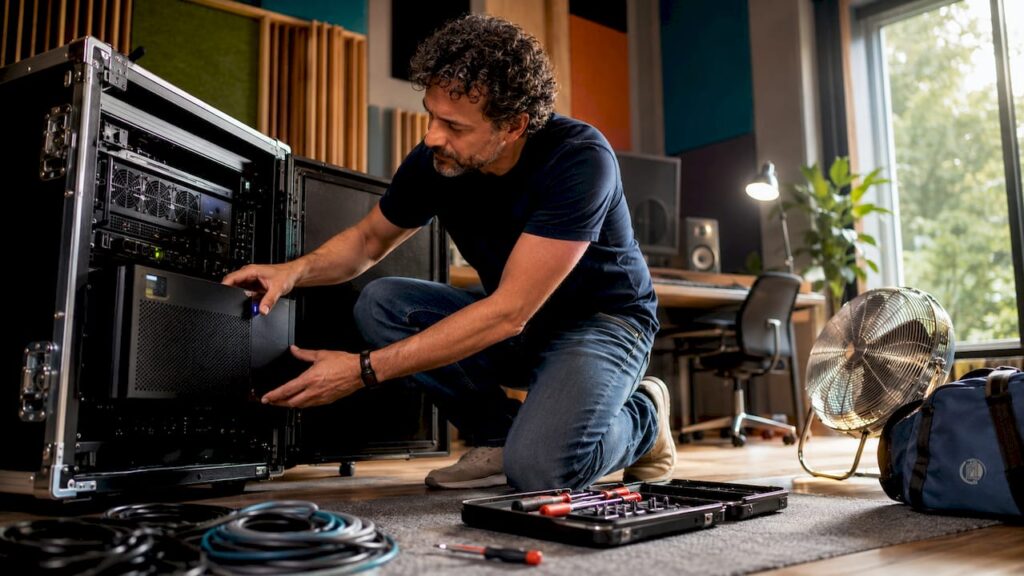
Place the UPS in a well-ventilated location. A UPS generates heat, especially while the battery is charging. Make sure there is at least 10 centimeters of space around the unit, and avoid placing it in an enclosed cabinet without ventilation.
Keep your firmware up to date. Many modern UPS models, including the APC Smart-UPS series, have a network card or USB interface for firmware updates. Outdated firmware can lead to inaccurate battery readings and unexpected shutdowns.
Pro-tip: Use a separate circuit in the electrical panel exclusively for your studio equipment. This will prevent an overloaded circuit elsewhere in the house from interrupting your recording. Having your own circuit also makes it easier to measure your studio’s power consumption.
A clean and stable power supply directly contributes to the sound quality of your recordings. Hum in your audio signal is often the first sign of a grounding issue or poor power quality. Fix this at the source, not with a plug-in.
What are some common mistakes in studio power supply setups?
Most problems in studio power systems arise from cutting corners during installation. Temporary solutions become permanent, certifications are overlooked, and the UPS is overloaded. Recognize these mistakes before they cost you a recording session.
Temporary power supplies without grounding. Construction power panels and extension cords without certified IP44 components can cause RCD trips and create unsafe conditions. Never use a construction power panel as a permanent power source for your studio.
Overloading the UPS. Connecting too many devices to a single UPS shortens battery life and increases the risk of failure. Calculate the total power consumption in advance and allow for a 20% margin.
Poor grounding. A missing or faulty ground connection causes humming in audio equipment and increases the risk of electric shock. Always have the ground connection checked by a licensed electrician.
No maintenance required for the UPS battery. UPS batteries have a service life of 3–5 years. A battery that is not replaced in time will no longer provide reliable emergency power. Check the battery status annually using your UPS’s management software.
Incorrect installation of the UPS. A UPS in an enclosed cabinet or near heat sources will overheat more quickly. Overheating shortens battery life and can lead to a failure at the worst possible moment.
Please note: Electrical safety is non-negotiable. Temporary installations without the proper certifications can cause malfunctions and pose a hazard. A one-time investment in a proper installation will save you much more in the long run than the cost of a failed recording or damaged equipment.
How do you identify and resolve malfunctions?
An unexpected outage often starts with small warning signs: a flashing indicator on the UPS, an irregular humming noise from your monitors, or an RCD that trips frequently. Respond to these signs immediately. First, check the UPS load via the display or management software. Then, check the grounding of all outlets. If the RCD continues to trip, there is likely a ground fault in the electrical system. In that case, turn off the power and have an electrician inspect the system.
What modern power solutions are relevant for studios?
Power supply for studios is evolving rapidly. Modular systems, solar energy, and smart management software make it possible to build a studio that is self-sufficient and resilient in the event of a power outage.
Smart energy management with Home Assistant enables real-time monitoring of your studio’s energy usage and helps prevent peak loads. You can connect your UPS, smart plugs, and any solar panels to a single dashboard. This way, you can see exactly how much power each device is using and automatically switch off devices during peak loads.
Pro-tip: Connect Home Assistant to a smart energy meter in your utility panel. You’ll then get a complete overview of power consumption by circuit and receive a notification when a circuit approaches its maximum load.
Comparison of Modern Power Solutions
| Solution | Advantage | Disadvantage |
|---|---|---|
| Online UPS (e.g., APC Smart-UPS) | Continuous clean power, protects against noise | Higher purchase price |
| Modular battery system | Scalable, grows with the studio | Higher initial complexity |
| Solar Energy with Battery Storage | Self-sufficient, lower energy costs | Depending on roof area and investment |
| Home Assistant Monitoring | Real-time insight, automation | Requires technical knowledge for setup |
Integrating energy management with solar power allows studios to become self-sufficient in the event of a power outage. A studio isn’t just a collection of separate pieces of equipment, but an integrated energy ecosystem designed to support flexibility. When purchasing your power solution, always keep in mind the future expansion of your setup.
Backup systems that switch over immediately and without interruption in the event of a power outage have become the standard in professional studios. The difference between a standby UPS and an online UPS is precisely this: an online UPS never switches over, because it always supplies power from the battery. A standby UPS has a switchover time of a few milliseconds, which can cause audible clicks in sensitive audio equipment.
Key insights
A reliable studio power supply requires an online UPS with sufficient capacity, proper grounding, surge protection, and regular battery maintenance.
| Item | Details |
|---|---|
| Choose the Right UPS Capacity | Use a UPS with a capacity of 1500–2000 VA, with a 20% margin above your total power consumption. |
| Connect only essential equipment to the UPS | Limit the UPS load to the DAW computer, audio interface, monitors, and recorder. |
| Make sure your outlets are grounded | Proper grounding prevents hum in your audio signal and protects your equipment. |
| Avoid temporary installations | Use only certified components with at least IP44 protection. |
| Actively monitor your energy usage | Use software such as Home Assistant for real-time insights and peak load management. |
Why I’ll Never Skimp on Power Supply in a Studio Again
After years of working with studio setups of various sizes, I’ve learned one lesson that I want to share with every producer: the power supply is the last thing you should skimp on.
I’ve seen a studio lose power right in the middle of a recording session because of an overloaded circuit without an RCD. The recording was lost, the session had to be rescheduled, and the client was not happy. The cost of that single power outage far exceeded the price of a good UPS and a proper installation.
What also strikes me is that many producers invest in expensive microphones and preamps, but then use a cheap power strip as their only power protection. That’s putting the cart before the horse. Poor power quality introduces noise and hum that you can never completely mix out. Good power quality is the quiet foundation on which everything rests.
My recommendation is always: start with an online UPS rated at at least 1500 VA, a dedicated grounded circuit in the meter box, and an RCD. Then, add a modular battery system as your studio grows. And use Home Assistant or similar software to monitor your power consumption. This gives you insight and control—and that’s exactly what you need for a studio that’s always ready to record.
– harold
I4studio can help you with your studio setup

A reliable power supply is the foundation, but the rest of your studio equipment deserves just as much attention. I4studio specializes in studio equipment, custom-built studio PCs, and acoustic solutions for producers and studio owners. Whether you’re just starting out or looking to expand your existing setup, at I4studio you’ll find the equipment you need for a reliable and professional studio environment.
Check out the overview of essential studio equipment as a starting point for your setup. Want to know which studio PC best suits your power consumption and production needs? Then take a look at the best studio PC configurations available right now. I4studio would be happy to advise you on the choice that best fits your situation.
Frequently Asked Questions
What is a UPS, and why do I need one in my studio?
A UPS is an uninterruptible power supply that immediately switches to battery power in the event of a power outage. This protects your recordings and equipment from damage caused by a power outage.
How much VA does a studio UPS need?
A typical studio setup requires a 1500–2000 VA UPS to provide 10–15 minutes of backup power. Add up the wattage of your core units and add a 20% margin.
What equipment should I connect to the UPS?
Connect only your core equipment: the DAW computer, audio interface, studio monitors, and recorder. Peripheral equipment, such as lighting, does not need to be connected to the UPS.
How can I prevent hum in my audio signal caused by power quality issues?
A humming noise is often caused by poor grounding or a circuit shared with other appliances. In most cases, this can be resolved by using a grounded outlet on a separate circuit.
Can I use solar power to supply electricity to my studio?
Yes, integrating solar power with a modular battery system makes a studio partially or fully self-sufficient. Combine this with an online UPS for maximum reliability in the event of a power outage.