Briefly:
- Monitoring headphones reproduce sound neutrally, which is essential for accurate mixing and mastering.
- They are characterized by a flat frequency response, low distortion, and appropriate impedance matching when paired with the right equipment.
Monitor headphones are headphones that reproduce sound in a neutral and uncolored way, so you hear every frequency exactly as it was recorded. The term “monitoring headphones” thus contrasts with consumer headphones, which deliberately make sound more pleasant by boosting bass or softening high frequencies. For sound engineers and audio enthusiasts, that neutrality isn’t a luxury—it’s a necessity. Without a flat frequency response, you’re mixing based on a distorted picture, and that will be evident in the final result when played back on other systems.
What are the technical specifications of monitoring headphones?
Monitoring headphones are distinguished by measurable specifications that directly affect sound accuracy. The three most important are frequency response, Total Harmonic Distortion (T.H.D.), and impedance.
Flat frequency response and low distortion
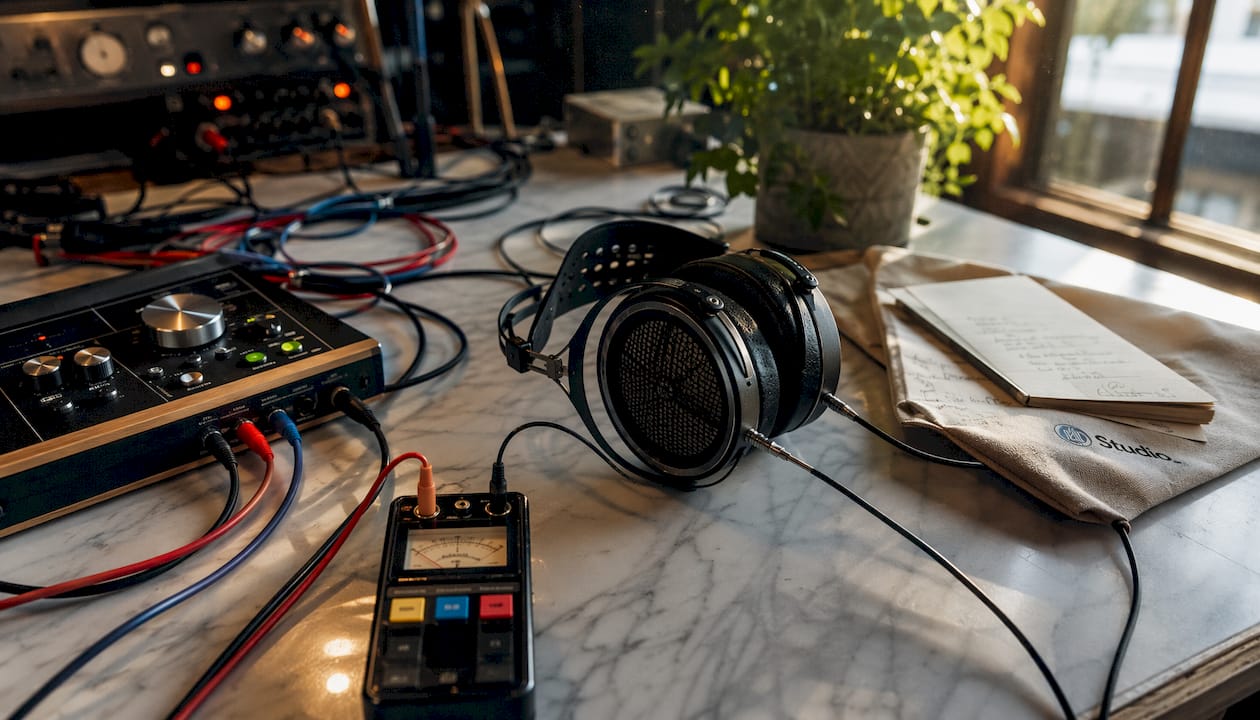
Ideally, the frequency response of studio headphones is flat from 20 Hz to 20 kHz, without any peaks or dips that color the sound. Professional models achieve THD values below 0.04% at 1 kHz. That is an extremely low level of distortion. By comparison, consumer headphones often have THD levels above 1%, which is audible as a slight “color” or “warmth” in the sound.
Closed-loop versus open-loop design
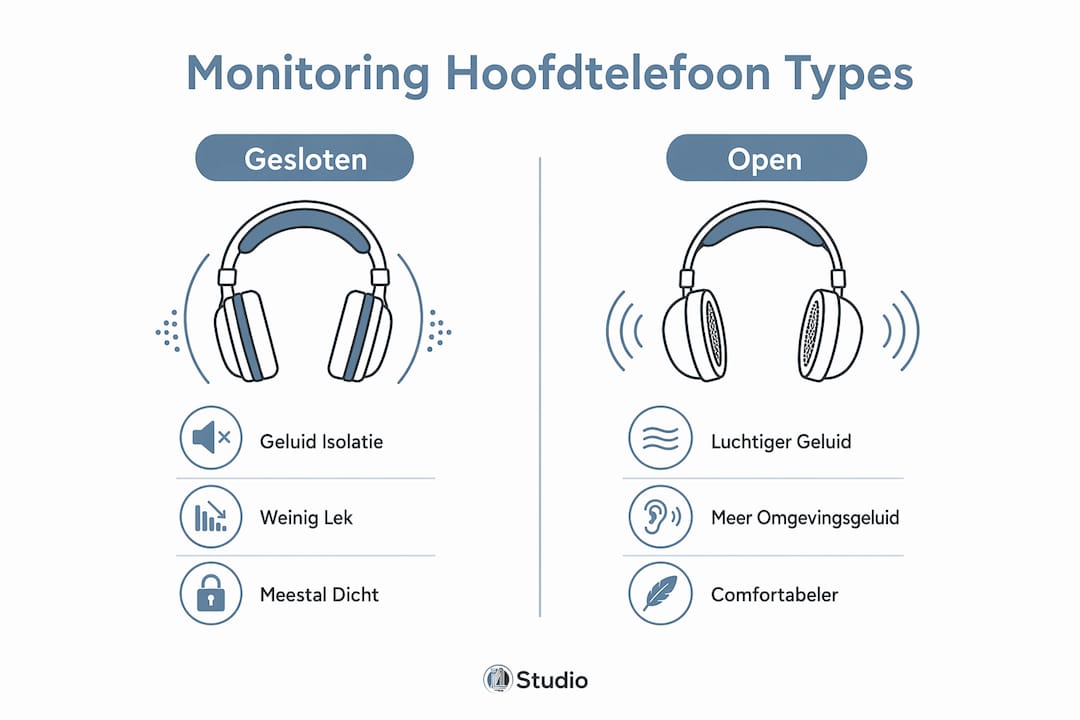
Closed-back headphones completely seal off the ear and block out ambient noise. Closed-back studio models are therefore the standard choice for recording sessions, because microphones do not pick up sound from the headphones. Open-back models allow air to flow through the ear cups, resulting in a more spacious soundstage. This openness makes them suitable for critical listening and mastering, but unsuitable for use in a recording studio with active microphones.
Impedance and Coupling with Amplifiers
Professional studio headphones have a nominal impedance between 48Ω and 250Ω. A 250Ω model requires more power than a 48Ω model. This means you should always connect the headphones to an audio interface or headphone amplifier that provides sufficient power.
| Characteristic | Typical value for studio headphones | Typical value for consumer headphones |
|---|---|---|
| THD at 1 kHz | Less than 0.1% | 0.5% to 2% |
| Impedance | 48Ω to 250Ω | 16Ω to 32Ω |
| Frequency range | 5 Hz to 35 kHz | 20 Hz to 20 kHz |
| Sound insulation (sealed) | 18–35 dBA | 10–20 dBA |
| Frequency Response | Flat | Colored (more bass/treble) |
Pro-tip: Always check the output impedance of your audio interface before connecting headphones. An interface with high output impedance combined with low headphone impedance results in an inaccurate frequency response, even if it sounds fine at first listen.
How do monitoring headphones work?
Monitoring headphones work most effectively when used in conjunction with direct monitoring hardware. This is the principle whereby the input signal from a microphone or instrument is sent directly to the headphone output, without passing through the DAW software.
How it works, step by step:
- Signal input. Your microphone or instrument sends an analog signal to the audio interface.
- Analog-to-digital conversion. The interface converts the signal to digital for the DAW, but at the same time sends an analog copy directly to the headphone output.
- Direct monitoring. Hardware monitoring completely eliminates latency because the signal bypasses the DAW. You hear yourself in real time.
- Software-based monitoring. When you set up monitoring through the DAW, the software processes the signal first. This always causes some latency, even on a fast computer.
- Headphone playback. The monitoring headphones reproduce the signal neutrally, so you can hear exactly what’s being recorded.
DAW software monitoring always has some latency. That latency—even if it’s only 10–20 milliseconds—is enough to throw a singer or instrumentalist off their rhythm. Hardware monitoring completely eliminates this issue.
The audio interface plays a crucial role in this process. A good interface offers a separate monitoring mix that allows you to balance the direct signal and the DAW signal. You can read more about choosing the right interface in the guide to audio interfaces.
Pro-tip: Always set the monitoring mix on your interface so that the direct signal is dominant during recordings. This way, you can hear yourself without any delay, and the DAW mix remains available in the background for reference.
What is the difference between regular headphones and monitoring headphones?
The key difference lies in the purpose of the design. Consumer headphones are designed to make music sound pleasant. Monitoring headphones are designed to reproduce sound accurately.
Consumer headphones typically boost the low frequencies to create a “powerful” sound and sometimes roll off the mid-high frequencies to reduce fatigue during long listening sessions. That sounds nice when listening to a playlist, but it completely misleads you when mixing. If you’re mixing on headphones with too much bass, you’ll unconsciously compensate by cutting the bass in your mix. The result will then sound thin on neutral playback systems.
Monitoring headphones give you the unvarnished truth. That can be confronting at times, but it’s the only way to create a mix that sounds good on any system.
The benefits of monitoring headphones at a glance:
- Neutral display. No artificial coloring of bass or treble.
- Low distortion. Total Harmonic Distortion (THD) below 0.2% ensures a clean signal.
- Sound insulation. Closed-back models block out 18–35 dBA of ambient noise, which protects recordings.
- Wide frequency range. You can hear details in the lowest and highest frequencies that consumer headphones miss.
- A reliable reference. Every mixing decision is based on what’s actually in the signal.
- Sustainable construction. Studio headphones are built for intensive daily use.
When should you use which headphones? Use monitoring headphones for recording, mixing, and mastering. Use consumer headphones only if you want to check how your mix sounds on a “regular” playback system. The latter is a useful reference check, but not a basis for mixing decisions. You can read more about the importance of good studio headphones for your home studio in I4studio’s detailed guide.
Practical Applications of Headphone Monitoring
Monitor headphones serve a different purpose in every studio setting. The choice between a closed-back or open-back model depends on the specific application.
Studio Monitoring, Mixing, and Mastering
When mixing, you use monitoring headphones to complement your studio monitors. Monitors provide a spatial sense of stereo width, but headphones reveal details in the mid-high frequencies that sometimes get lost on monitors. Mastering requires the most neutral reproduction possible. Open-back headphones are popular here because of their more spacious sound character, but only in a quiet environment.
Gain staging on your audio interface is just as important for mixing and mastering as the headphones themselves. Setting the headphone output volume too high causes distortion in the signal path, not in the headphones. Keep your interface’s output level at a point where you can listen comfortably without overloading the amplifier.
Live Recordings and FOH Monitoring
During live recordings, the artist wears an in-ear monitor or closed-back studio headphones. The sound engineer at the FOH (Front of House) uses monitoring headphones to check specific channels in a noisy environment. High sound isolation is not a luxury here, but a necessity. A model with 35 dBA isolation allows you to monitor a bass guitar signal while the drum set is playing at full volume.
Pro-tip: When using headphones in a live setting, always check to see if they have a detachable cable. A fixed cable is more likely to break during intensive use on location.
Prolonged listening at high volumes can damage your hearing. User manuals for professional monitor headphones explicitly warn of hearing damage if the volume is set too high. Keep the listening level below 85 dB SPL for sessions lasting longer than one hour.
| Scenario | Recommended Type | Reason |
|---|---|---|
| Studio Recording Session | Closed-back model | Prevents microphone leakage |
| Mixing in a Home Studio | Closed-back or open-back model | Depending on ambient noise |
| Mastering in a Quiet Space | Open Model | More spacious sound character |
| Live FOH Monitoring | Closed-back design with high isolation | Works in noisy environments |
| Podcasting and Voice-Over | Closed-back model | Blocks out ambient noise |
If you also use near-field monitors in addition to your headphones, be sure to read I4studio’s guide to near-field monitors for music producers. This combination provides you with the most comprehensive reference when mixing.
For sound engineers who are also active in the performing arts and music as a profession: ” Working in the Performing Arts and Music ” provides a good overview of the sector and the opportunities it offers.
Key insights
Monitoring headphones will only provide reliable results if the frequency response is flat, the impedance matches that of the amplifier, and the hardware eliminates direct monitoring latency.
| Item | Details |
|---|---|
| Flat Frequency Response | Neutral, uncolored reproduction is the foundation for reliable mixing decisions. |
| Low THD | Professional models achieve THD values below 0.04%, which virtually eliminates distortion. |
| Impedance Matching | Always connect headphones with the correct impedance to an interface with sufficient power. |
| Direct hardware monitoring | Hardware monitoring completely eliminates latency; software-based monitoring always causes delays. |
| Closed vs. Open Design | Use closed-back headphones for recording, and open-back headphones for mastering in a quiet environment. |
Impedance is the most underestimated problem in monitoring
I see it time and time again with audio enthusiasts who are just starting out: they buy a good pair of studio headphones, plug them into the headphone jack on their laptop or a cheap audio interface, and conclude that the sound is “disappointing.” The problem is rarely with the headphones themselves. Impedance mismatch causes subtle distortion that you don’t immediately recognize as distortion. You notice it as a vague sense of fatigue after an hour of listening, or as a feeling that the mix never “sounds right.”
A 250Ω pair of headphones connected to an interface with a weak headphone amplifier will sound soft and thin. You turn up the volume, the amplifier starts to clip, and you end up working with a distorted signal for the entire session. That’s exactly the opposite of what monitoring headphones are supposed to do.
My advice: Put just as much thought into your headphone amplifier or audio interface as you do into the headphones themselves. A good audio interface for your studio with a powerful headphone output isn’t just a minor detail—it’s half the chain.
As for latency: hardware monitoring is a must if you’re singing or playing during a recording session. I’ve been in sessions where singers completely lost their rhythm due to a delay of just 15 milliseconds caused by software monitoring. Enable hardware monitoring on your interface, and the problem goes away immediately.
In conclusion: listening comfort is severely underestimated. You won’t use headphones that start to hurt after 30 minutes long enough to make good decisions. When buying headphones, always check the weight, the pressure on your ears, and the material of the ear cushions. Hearing loss isn’t a badge of honor. It’s an occupational hazard that you can avoid.
– harold
Studio monitoring equipment at I4studio
I4studio provides studio gear for sound engineers and audio enthusiasts who are serious about monitoring. Whether you’re setting up your first home studio or looking to upgrade an existing setup, a good pair of monitoring headphones is part of a bigger picture.
Check out the overview of studio gear for beginners as a starting point for your setup. There, you’ll find advice on what equipment you really need, including monitoring headphones, audio interfaces, and peripherals. I4studio helps you make the right choices based on your situation and budget, without any unnecessary detours.
Frequently Asked Questions
What is the definition of a monitoring headphone?
Monitor headphones are headphones with a flat frequency response and low distortion, designed to provide neutral sound reproduction during recording, mixing, and mastering.
What is the difference between monitoring headphones and regular headphones?
Consumer headphones color the sound to provide a more enjoyable listening experience. Monitoring headphones reproduce sound neutrally, ensuring that mixing decisions are reliable on any playback system.
What is the impedance of a pair of monitoring headphones?
Professional monitoring headphones have an impedance between 48Ω and 250Ω. Always connect a model with higher impedance to an audio interface or headphone amplifier with sufficient power.
Why is hardware-based monitoring better than software-based monitoring?
Hardware direct monitoring sends the signal directly to the headphones without going through the DAW, completely eliminating latency. Software monitoring always causes some delay, which throws performers off their rhythm.
Are closed-back or open-back monitoring headphones better?
Closed-back models are better for recording due to their sound isolation of 18–35 dBA. Open-back models offer a more spacious sound and are suitable for mastering in a quiet environment.