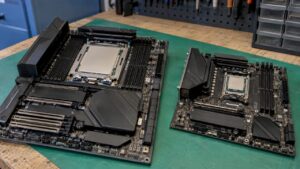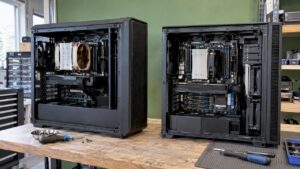
The difference between an AMD Threadripper and a standard desktop processor isn’t just the number of cores. A Threadripper runs on a larger platform with many more PCIe lanes, more memory channels, and room for much more RAM. For a producer with a single graphics card, two NVMe drives, and a USB or Thunderbolt interface, a fast standard CPU is usually the best choice. Do you work with heavy 8K timelines, multiple GPUs, local AI, or a studio full of PCIe cards? Then a Threadripper will pay for itself. The right choice therefore depends on what you’re connecting and what you’re rendering. That’s exactly why we build custom studio PCs.
In a nutshell
- Standard CPU (Ryzen 9, Core Ultra 9): high clock speed per core and about 24 to 28 usable PCIe lanes. Ideal for most DAW and video editing work.
- Threadripper 9000: up to 64 cores and 128 threads, and on the TRX50 platform, 88 usable PCIe lanes with four memory channels.
- Threadripper PRO on WRX90: up to 128 PCIe 5.0 lanes and eight memory channels for up to 2 TB of RAM.
- PCIe lanes determine how many GPUs, NVMe drives, and expansion cards can operate at full speed simultaneously.
- Rule of thumb: if you’re limited by lanes, RAM, or render times, choose Threadripper. If low latency in your DAW is a priority, a fast standard CPU often wins out.
Table of contents
- What exactly is an AMD Threadripper?
- Threadripper vs. a standard CPU in one table
- What are PCIe lanes, and why do they matter?
- Cores, memory, and latency: how do they affect performance?
- When should you choose a Threadripper?
- When is a standard CPU the better choice?
- What should you look for when choosing a motherboard, cooling system, and expansion options?
- A studio PC that fits your workload
- Our take on Threadripper in the studio
- Frequently Asked Questions
- Sources
What exactly is an AMD Threadripper?
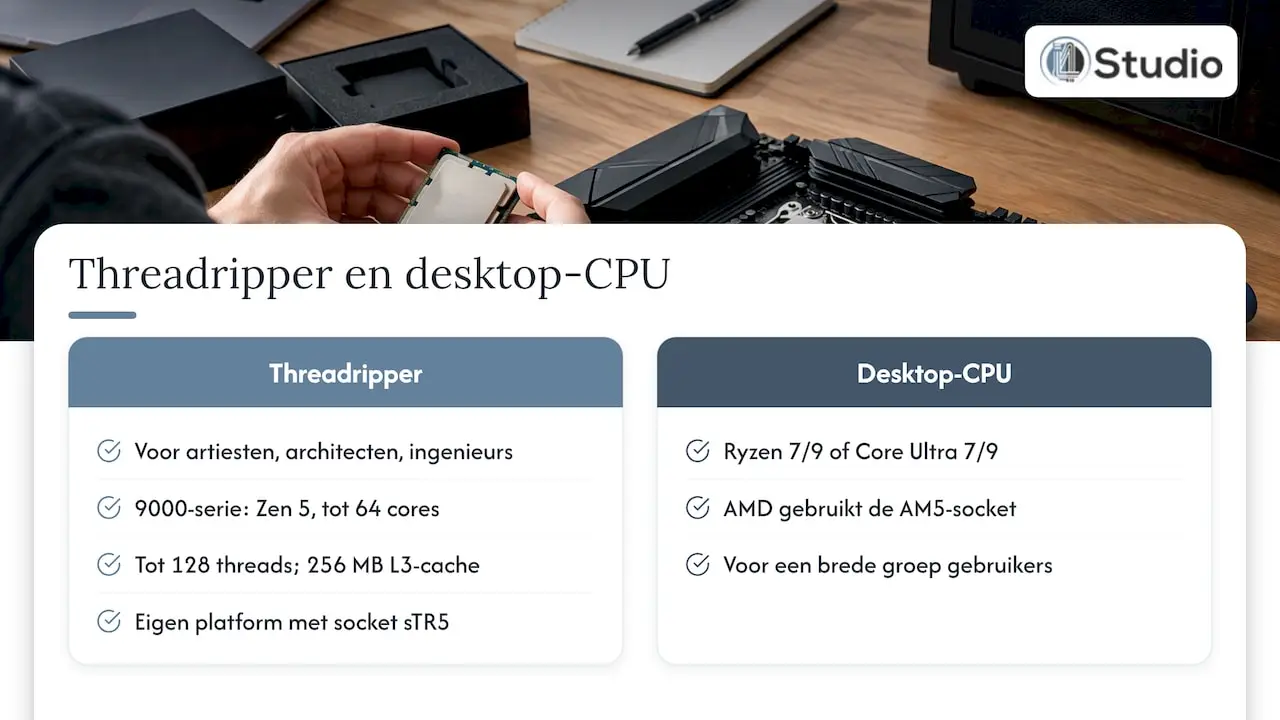
Threadripper is AMD’s workstation lineup. AMD describes these processors as the workstation processors for artists, architects, and engineers. The Ryzen Threadripper 9000 series is built on the Zen 5 architecture and features up to 64 cores, 128 threads, and 256 MB of L3 cache.
A standard desktop processor is a chip such as the AMD Ryzen 7 or Ryzen 9, or the Intel Core Ultra 7 or 9. It is mounted on a standard motherboard (with the AM5 socket for AMD) and is designed for a wide range of users, from gamers to content creators.
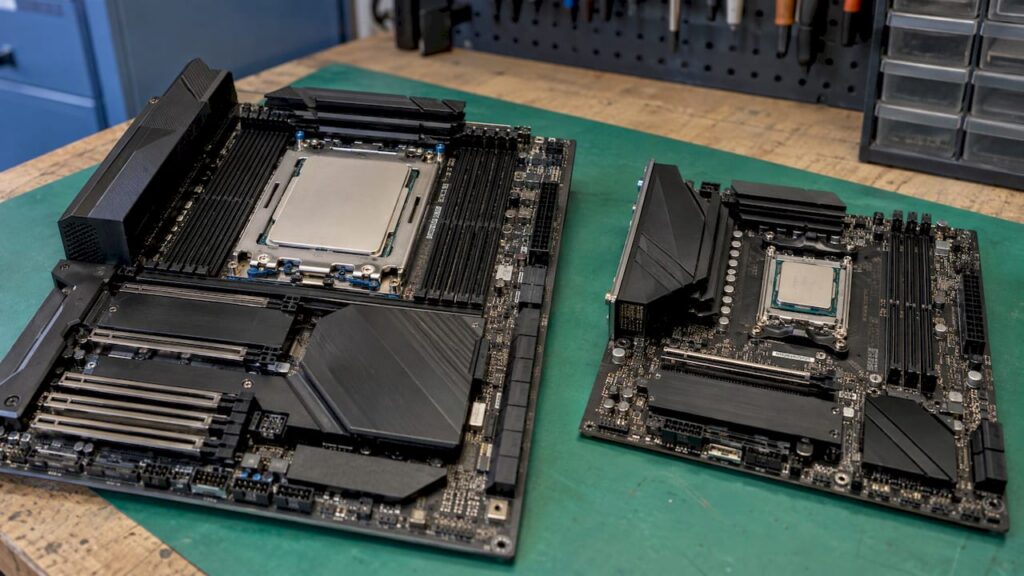
The biggest difference is literally visible on the outside. A high-end processor like the Threadripper is significantly larger than a Ryzen or Core i CPU, because it requires connectors for numerous memory channels and PCI Express lanes. That was already the case with the first generation: in the 2017 Tweakers review, the heat spreader was more than twice as large as that of a Core i9. So a Threadripper isn’t just a faster Ryzen, but a different platform with its own socket (sTR5), its own motherboards, and its own requirements for cooling and power.
Threadripper vs. Regular CPU in a Single Table
| Feature | Standard desktop CPU (AM5 / Intel desktop) | Threadripper 9000 (TRX50) | Threadripper PRO 9000 WX (WRX90) |
|---|---|---|---|
| Cores / threads | Fewer cores, high clock speed per core | Up to 64 cores / 128 threads | More cores, designed for high-performance workstations |
| Available PCIe lanes | Approximately 24 to 28 | 88 (up to 80 PCIe 5.0) | 144 (up to 128 PCIe 5.0) |
| Memory Channels | Fewer than Threadripper | Four | Eight |
| Maximum RAM | Depending on the motherboard, much lower | Up to 1 TB | Up to 2 TB |
| ECC memory | Depends on the platform | Yes | Yes, plus PRO management and security |
| Strengths in | Low latency, high clock speed, DAW work, editing | Rendering, multicam, VFX, on-device AI | Multiple GPUs, large datasets, professional workstations |
The platform figures for the TRX50 and WRX90 come from AMD’s platform comparison. The number of lanes in a standard CPU comes from TechRadar’s explanation of PCIe lanes. According to that explanation, modern processors have 24 to 28 usable lanes.
What are PCIe lanes, and why do they matter?
PCIe lanes are the data channels between your processor and the components on your motherboard. These include your graphics card, your NVMe SSDs, a PCIe audio interface, a Thunderbolt card, or a 10-gigabit network card. Each of these components is assigned a certain number of lanes: x1, x4, x8, or x16. The more lanes, the more bandwidth.
Good to know: The number of lanes is determined by the processor, not by the number of slots on your motherboard. A motherboard can have four long slots. If the CPU doesn’t provide enough lanes, the slots are shared or route through the chipset with reduced bandwidth.
Bandwidth per generation and slot
Each generation of PCIe roughly doubles the speed per lane. With PCIe 5.0, this results in:
- an x16 slot at 64 GB/s;
- an x8 slot at 32 GB/s;
- an x4 slot at 16 GB/s.
A graphics card typically uses x16, while an NVMe SSD uses x4. An audio interface requires much less bandwidth, but does benefit from a stable, direct connection without shared lanes.
Calculation example: 24 lanes fill up this quickly
Suppose you’re building a workstation with a standard desktop CPU that has 24 usable lanes:
- Graphics card: 16 lanes
- NVMe drive for the system and software: 4 lanes
- NVMe drive for projects and cache: 4 lanes
Total: 24 lanes. You’ve run out of budget. Do you want a third NVMe drive for samples or footage, a PCIe audio interface, or a second GPU? If so, one of the following will happen:
- The additional device is connected via the chipset and shares bandwidth with USB, SATA, and the network;
- the motherboard downgrades the graphics card to x8;
- Certain slots or M.2 slots disable as soon as you use another slot.
For a producer with a Thunderbolt interface, that’s not a problem. But for a post-production studio with four NVMe drives, a capture card, a PCIe audio card, and two GPUs, it is. On a TRX50 platform with 88 usable lanes, you have room for all those cards at once, each running at full speed.
Cores, Memory, and Latency: How Do They Affect You?
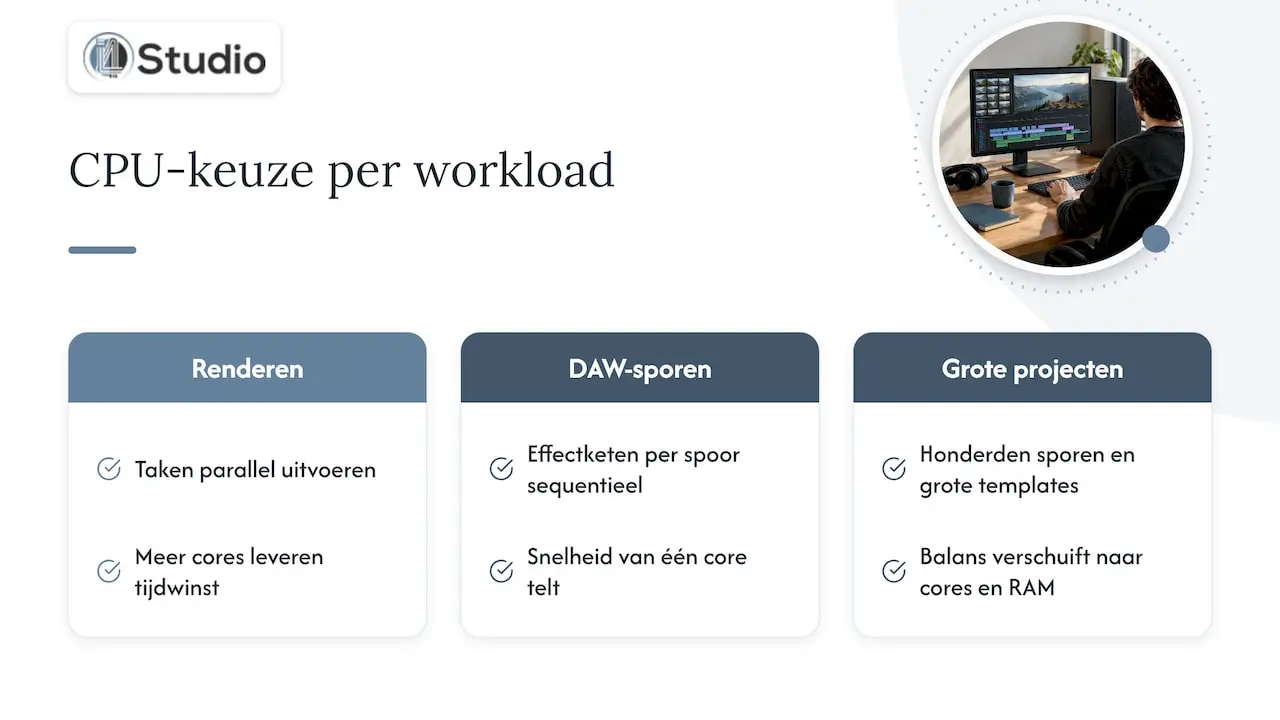
More cores are especially helpful for rendering
A Threadripper really shines when software can perform many tasks in parallel. Think of video exporting, rendering effects, 3D work, and compiling code. According to Root-nation, Threadripper is particularly well-suited for tasks like video rendering, where more cores directly result in time savings.
In a DAW, things work differently. An effects chain on a single track is processed sequentially, so for each track, it’s primarily the speed of a single core that matters. That’s why, for many music productions, a fast, standard CPU with a high clock speed is the logical choice. In our comparison of Intel vs. AMD for the audio PC in 2026, you can see which desktop chips perform best in this context. Do you work with hundreds of tracks, large orchestral templates, and many virtual instruments at the same time? Then the balance shifts toward more cores and more RAM.
Memory Channels and RAM Capacity
A standard desktop processor has fewer memory channels than a high-end chip. On the TRX50 platform, there are four, with support for up to 1 TB of RAM. According to AMD’s platform overview, the WRX90 will have eight channels and support up to 2 TB.
What does that mean in practice?
- Sample libraries: Orchestral libraries that load entirely into RAM benefit directly from a large memory capacity.
- Video: 8K footage, long timelines, and heavy VFX require a lot of memory and memory bandwidth.
- Local AI: Large language models run faster when they fit entirely in memory. You can read more about this in the section on which specifications are essential for an AI computer.
ECC memory for stability
Threadripper platforms support ECC memory. ECC stands for Error Correcting Code: this memory detects and corrects memory errors, allowing a workstation to run more stably. For those who spend days rendering or delivering client projects with tight deadlines, this provides peace of mind. According to AMD, the Threadripper PRO on the WRX90 platform adds PRO management and additional security features to the mix.
When should you choose a Threadripper?
Use this checklist. Do two or more of these points apply to you? If so, a Threadripper system is a wise investment.
- You do a lot of rendering, and it takes a long time. Exports, color grading, noise reduction, and VFX now take you hours each week.
- You need more than two NVMe drives running at full speed—for example, for the system, projects, cache, and footage.
- You use multiple GPUs, either for rendering or for local AI models.
- Your studio runs on PCIe cards—such as a capture card, a high-speed network card, and a PCIe audio interface—all at the same time.
- You need more RAM than a standard motherboard can handle, for massive sample libraries, large datasets, or heavy simulations.
- Stability is paramount, and you want ECC memory in your workstation.
For videographers, we’ve explored this topic further in “Threadripper for Video: When Does the Investment Pay Off?” There, you can find out where the break-even point lies for each type of production.
When is a standard CPU the better choice?
A fast desktop processor offers most producers, musicians, and editors the best value for the money. This is especially true if:
- you mainly work with a DAW and value low latency with small buffers;
- you use a single graphics card and two NVMe drives are sufficient;
- you connect your audio interface via USB or Thunderbolt;
- your editing work goes up to 4K and you don’t spend hours a day rendering;
- you want a quiet system in a home studio, with simpler cooling.
Are you torn between Intel and AMD in this class? In ” Intel Core Ultra 9 vs. AMD Ryzen 9 for Music Production,” we compare the two side by side. If you choose Intel, our overview of the best Intel processors for an audio PC will help you make your decision.
What should you look for when choosing a motherboard, cooling system, and expansion options?
When you choose a processor, you’re choosing an entire platform. These factors matter for every configuration.
Motherboard and chipset
A Threadripper 9000 fits into the sTR5 socket with a TRX50 or WRX90 motherboard. The Threadripper PRO 9000 WX works with both chipsets, but it only takes full advantage of all eight memory channels and the full 128 PCIe 5.0 lanes on a WRX90 board. With a standard CPU, the motherboard determines how the limited lanes are distributed across slots and M.2 slots. So don’t just look at the number of slots; also check the lane distribution in the manual.
Cooling and power supply
More cores mean more heat. A Threadripper workstation requires a powerful cooler that fits the large socket and a case with good airflow for sustained heavy use. You’ll also need a power supply with ample headroom, especially if you’re using multiple GPUs. In a studio, noise is also a factor: if a workstation becomes audible under load, you’ll notice it immediately in your recordings and mixes.
Audio Interface and Expansion Cards
Do you use a PCIe audio interface? If so, reserve a slot with direct CPU lanes so the card doesn’t have to share bandwidth with other devices. On a standard platform, this could mean that the graphics card is limited to x8. On a Threadripper platform, you don’t have to make that trade-off. Prefer an external interface? In our audio interfaces category, you’ll find USB and Thunderbolt models that work on any platform.
Which specifications should you compare?
For the two platforms you’re considering, compare these values side by side:
| Specifications | Why It Matters |
|---|---|
| Number of cores and threads | Rendering and export speed |
| Clock speed per core | Performance in your DAW with low buffer sizes |
| Number of usable PCIe lanes and generation | How many GPUs, NVMe drives, and cards are running at full speed |
| Memory Channels and Maximum RAM | Large sample libraries, video, and AI |
| ECC Support | Stability during long renders |
| Socket and Chipset | Upgrade options and motherboard selection |
A studio PC that fits your workload
A Threadripper or a standard CPU is only the right choice if the rest of the system is compatible: the lane configuration, memory, cooling, noise levels, and drivers. That’s why we build custom studio PCs, with a focus on stability, low latency, and personalized support from industry experts. Our studio PCs start at €1,099.
Are you looking for a powerful system on a standard desktop platform with Thunderbolt? Then check out the Thunderbolt Turbo Studio DAW PC. If your focus is on local AI and heavy computational tasks, the AM Diamond ART AI computer is the place to start. If you mainly work on the go, there’s the DAW studio laptop with AMD Ryzen 9.
Our Take on Threadripper in the Studio
A Threadripper is a fantastic platform, but the processor alone doesn’t make for a good studio PC. The difference lies in the configuration: which graphics card gets which lanes, how do you set up your storage, and will the system remain quiet and stable when you’re rendering for three hours straight?
That’s why we first look at what you do and what you’re connecting. A producer with a Thunderbolt interface and a large sample library has different needs than an editor with a capture card, four NVMe drives, and two GPUs. For one, a fast desktop processor is the best choice; for the other, a Threadripper pays for itself over time.
Since we supply both the computers and the studio equipment, we tailor everything to work together seamlessly: the processor, interface, storage, and the rest of your setup. That way, you get a system that does what it’s supposed to do from day one.
Harold
Frequently Asked Questions
Do I need a Threadripper for music production?
Not for most producers. A DAW relies heavily on speed per core, and that’s where fast desktop processors excel. A Threadripper becomes a viable option for very large templates, hundreds of tracks, massive sample libraries, or a studio with many PCIe cards.
What is the difference between the TRX50 and the WRX90?
Both chipsets use the sTR5 socket. According to AMD, the TRX50 offers 88 usable PCIe lanes and four memory channels supporting up to 1 TB. The WRX90 offers 144 usable lanes, eight memory channels supporting up to 2 TB, and additional PRO management and security features.
How many PCIe lanes do I need?
Count your devices: a graphics card uses 16 lanes, and an NVMe SSD uses 4. With one GPU and two NVMe drives, you’ll use 24 lanes—the same as a standard desktop CPU. If you need more drives, a second GPU, or PCIe cards, a Threadripper platform offers the flexibility.
Is Threadripper suitable for on-premises AI?
Yes. With plenty of cores, plenty of memory, and enough PCIe lanes for multiple GPUs, a Threadripper platform is well-suited for local language models and other AI tasks. Read more in our guide to building the perfect AI computer.
Sources
- AMD Ryzen Threadripper Processors for Desktop Workstations, AMD
- PCIe Lanes Explained: Bandwidths, Slots, and Uses, TechRadar
- CPU Guide Part 1: Desktop Processors from AMD and Intel, c’t
- Threadripper 1950X, 1920X, and X399 Review, Tweakers
- How to Build a Workstation Based on AMD Ryzen Threadripper, Root-nation