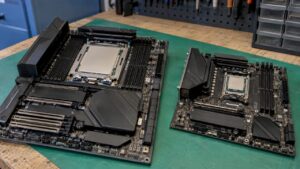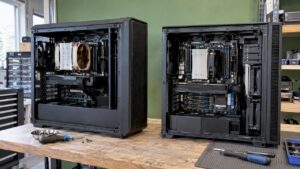
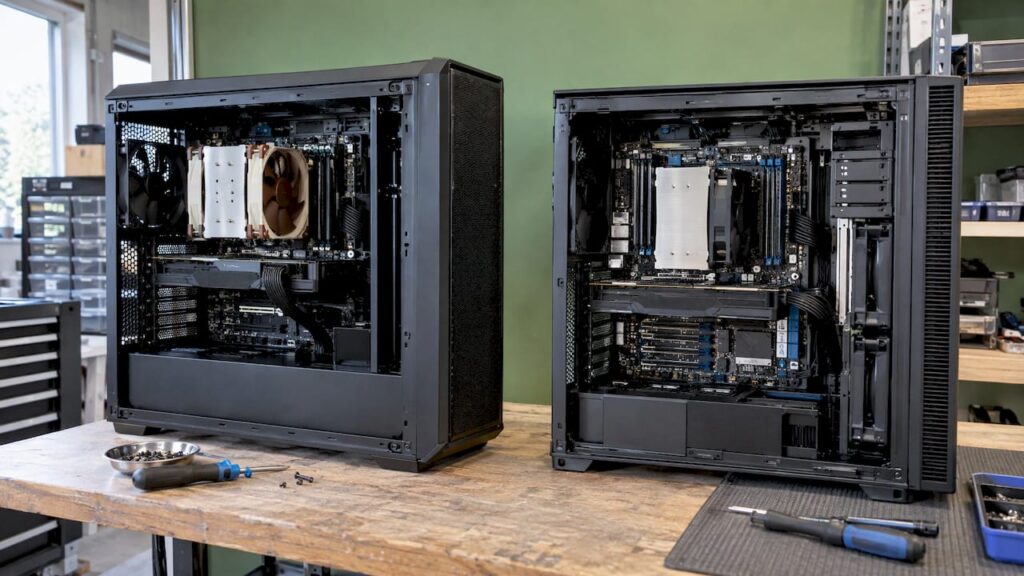
Do you work on demanding 6K or 8K projects, use multicam setups, or run multiple graphics cards, and need more than a standard desktop processor? If so, AMD Threadripper is the most logical choice for most video editors. You get plenty of cores and ample space for graphics cards and fast storage, all on a widely supported platform. Intel Xeon W is a better fit if you need massive amounts of error-correcting memory and prioritize stability in a managed production environment. Still, the processor alone doesn’t make the difference. Whether a workstation pays for itself depends on your codecs, your software, and how the entire system is tuned. That’s why we at I4studio build custom studio PCs, starting at €1,099, tailored to the way you edit.
In a nutshell
- Threadripper is the best workstation choice for most demanding video workflows: plenty of cores, plenty of PCIe lanes, and room for multiple GPUs.
- Xeon W excels in memory. The W-3500 series supports up to 4 TB of DDR5 memory and 112 PCIe 5.0 lanes.
- If you’re mainly editing 4K footage from a camera or phone, a fast desktop processor with a powerful graphics card is often a smarter choice than a workstation.
- Cooling, power supply, memory, and noise level are just as important in determining how smoothly your timeline runs. That’s where things often go wrong with a custom-built PC.
- A studio PC that’s fully optimized for your workflow gets more out of both platforms than individual components.
Table of contents
- What exactly are Threadripper and Xeon?
- What exactly does the processor do during video editing?
- Threadripper and Xeon Side by Side
- Which processor is right for your workflow?
- Here’s how to choose, step by step
- Where things go wrong in practice
- Our perspective
- A custom studio PC for your video editing
- Frequently Asked Questions
- Sources
What exactly are Threadripper and Xeon?Threadripper and Xeon W are workstation processors. They’re a step above well-known desktop chips like the Intel Core Ultra 9 and the AMD Ryzen 9. The difference isn’t just in the number of cores. A workstation platform also has more memory channels and many more PCIe lanes.
Three terms you’ll come across time and again when making this choice:
- Cores and threads: the processor’s computational units. More cores are especially helpful for tasks that lend themselves well to parallel processing, such as exporting and rendering effects.
- Memory channels: the “lanes” between the processor and RAM. More channels mean more bandwidth, which is noticeable at high resolutions and with heavy effects.
- PCIe lanes: the connections for graphics cards, NVMe SSDs, and capture or network cards. If you want two or more graphics cards and a fast storage array, you’ll need plenty of them.
AMD Threadripper
AMD
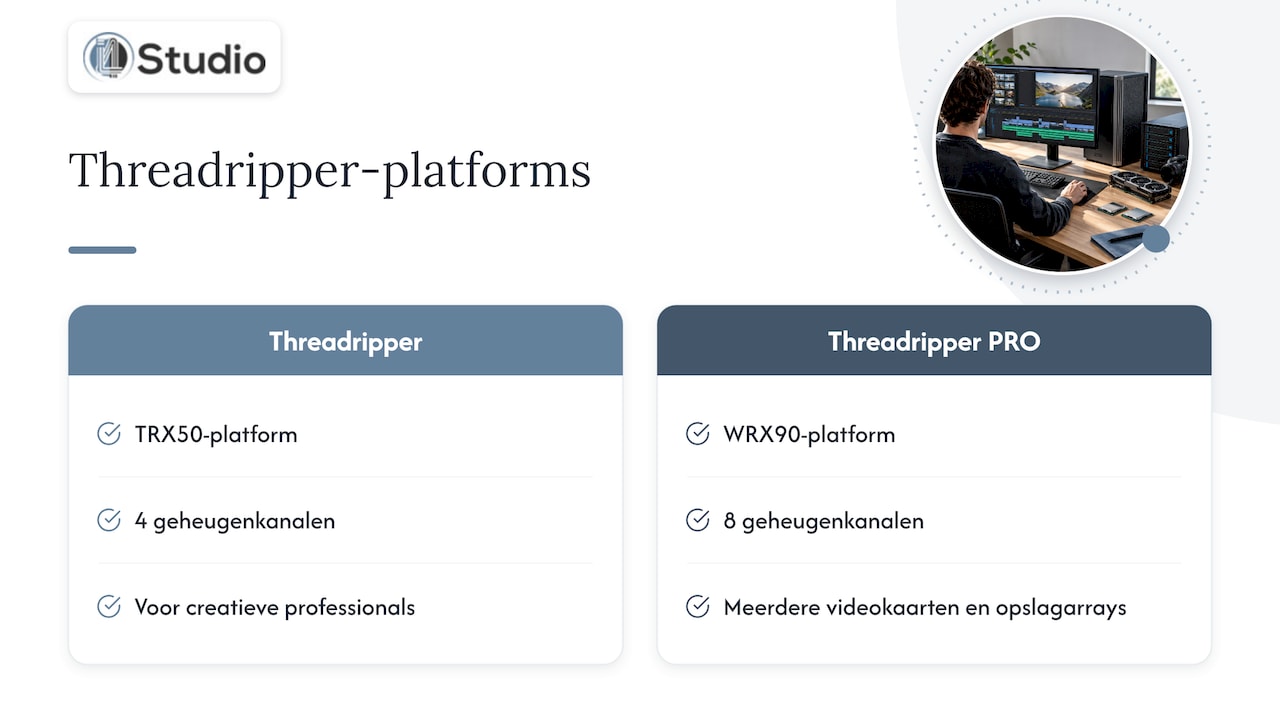
offers Threadripper in two variants. The standard Threadripper runs on the TRX50 platform with four memory channels and is designed for creative professionals who want plenty of computing power without the most high-end platform. Threadripper PRO runs on the WRX90 platform, featuring eight memory channels and the most PCIe lanes. This version is designed for systems with multiple graphics cards and large storage arrays.
Threadripper excels at video editing because it combines a large number of cores with high clock speeds. This helps with exports and heavy effects, while the timeline remains responsive.
Intel Xeon W
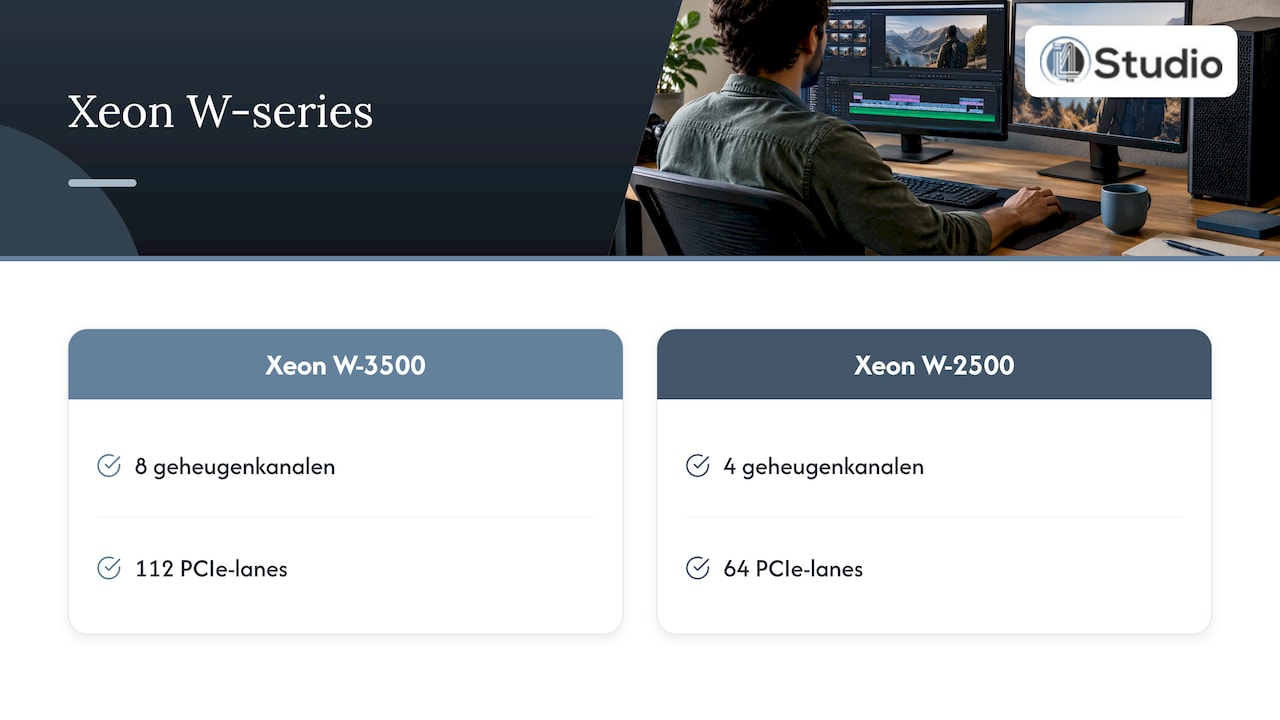
Intel is also splitting its workstation lineup into two segments. According to Intel, the W790 platform with the Xeon W-3500 supports up to 112 PCIe 5.0 lanes directly on the processor and up to 4 TB of DDR5 RDIMM memory. RDIMM is registered server memory with error correction (ECC): it catches minor memory errors before they cause a crash or a corrupted file.
The difference between the two series is clear. The W-3500 has eight memory channels and 112 lanes, while the W-2500 has four channels and 64 lanes. The W-2500 has fewer cores but achieves higher clock speeds. The top-of-the-line model, the Xeon W9-3595X, has 60 cores, 120 threads, and a TDP of up to 385 W, with a launch price of $5,889. When it was introduced in 2024, the series started at $609 for the entry-level model.
What exactly does the processor do during video editing?
Before you make your choice, it helps to know where the processor in your system makes the biggest difference. Video editing is divided between the processor and the graphics card, and that division varies depending on the program and the codec.
- Playback and scrubbing: Compact camera files in H.264 or H.265 require a lot of processing power to play back. Hardware decoding on the graphics card handles a large portion of that load. RAW formats and intermediate codecs such as ProRes or DNxHR rely more on raw processing power and storage speed.
- Effects and color correction: In DaVinci Resolve, much of the processing happens on the graphics card. In Premiere Pro and After Effects, the processor handles a larger portion of the work.
- Exporting and rendering: this is where having many cores makes the biggest difference. An export that takes a long time on a desktop processor is noticeably faster on a workstation with many cores.
- Multitasking: editing while proxies are being created or a render is running in the background. With additional cores, the system remains usable.
The conclusion is practical: a workstation processor pays for itself primarily when dealing with heavy codecs, long exports, and systems with multiple graphics cards. In our article on when a Threadripper system pays for itself, we take a closer look at that tipping point.
Threadripper and Xeon Side by Side
| Criterion | AMD Threadripper / Threadripper PRO | Intel Xeon W-2500 / W-3500 |
|---|---|---|
| Platform | TRX50 (Threadripper), WRX90 (PRO) | W790 for both series |
| Memory channels | 4 (Threadripper) or 8 (PRO) | 4 (W-2500) or 8 (W-3500) |
| Maximum memory | Plenty, especially on the PRO | Up to 4 TB DDR5 RDIMM (W-3500) |
| PCIe 5.0 lanes | Many, most on PRO | 64 (W-2500) or 112 (W-3500) |
| ECC memory | Supported | Standard, RDIMM required |
| Specializing in | Exports, effects, multicam, multi-GPU systems | Very large memory pools, managed environments, stability |
| Suitable for | Freelance editors, small studios, colorists, VFX | Post-production houses with IT management, extremely large projects |
Both platforms are excellent. The difference lies in what your workflow relies on. For most producers and video editors switching from a desktop, Threadripper is a better fit: plenty of processing power and ample room for expansion, without necessarily requiring the most powerful memory configuration.
Which processor is right for your workflow?
A comparison on paper doesn’t mean much without considering your own projects. Below are the situations we encounter most often.
4K from a camera or phone, solo editor
Do you mainly edit 4K footage in H.264 or H.265 for YouTube, social media, or corporate videos? If so, you usually don’t need a workstation. A fast desktop processor with a powerful graphics card and fast NVMe storage will give you a smooth timeline for less money. You can find the specific requirements in our guide on system requirements for 4K video editing. If you’re torn between two Intel generations, check out our comparison of the Intel 14900K vs. Ultra 9.
6K and 8K RAW, multicam, and heavy effects
This is where Threadripper comes into its own. RAW footage, multiple camera angles simultaneously, and heavy layers in After Effects or Fusion demand a lot of cores and memory bandwidth. A Threadripper system with ample memory and a fast graphics card keeps the timeline responsive and speeds up your exports.
Color Correction with Multiple Graphics Cards
If you’re working in DaVinci Resolve with multiple
graphics cards
, noise reduction, and large node structures, the number of PCIe lanes is especially important. Threadripper PRO or Xeon W-3500 provides full bandwidth to every graphics card and every NVMe SSD. For most colorists, Threadripper PRO is the more flexible choice.
Very large projects in a managed environment
Does your studio run on a network with centralized storage, remote IT management, and projects that require hundreds of gigabytes of RAM? If so, the Xeon W-3500 is the best choice, thanks to eight memory channels and a maximum of 4 TB of RDIMM.
Video and Music Production on a Single System
Many of our customers mix their own soundtracks or combine video with music production. In those cases, low latency in your DAW is also important. Not every workstation is designed for that. In our guide, “Intel or AMD for the Audio PC,” we explain what to look for when it comes to audio.
Here’s how to choose, step by step
- Take stock of your source material. Make a note of the cameras, codecs, and resolutions you’re working with. Where people go wrong: choosing a system based on the number of cores when your bottleneck is actually H.265 decoding. We always start our advice with your material, not with a list of components.
- Determine your primary software. Premiere Pro, After Effects, and DaVinci Resolve distribute the workload differently between the processor and the graphics card. Where things go wrong: an expensive processor paired with an underpowered graphics card in Resolve, or vice versa in After Effects.
- Calculate your memory needs. For 4K, 64 GB is often enough. For 8K, multicam, or heavy compositing, you may need more. Where things go wrong: workstation platforms require registered memory (RDIMM), and the wrong type of memory simply won’t work.
- Plan your upgrades. Add up your graphics cards, NVMe SSDs, capture cards, and network cards. Where things go wrong: a motherboard that shares lanes, causing your second graphics card or SSD to run slower than expected. With our custom-built studio PCs, we coordinate the processor, motherboard, and expansion components to work together seamlessly.
- Think about cooling, power supply, and noise. A processor that draws up to 385 W requires serious cooling and a high-capacity power supply. Where things go wrong: a system that throttles under full load, or makes so much noise that you can no longer mix in the same room. Stability is exactly what our configurations are designed for.
- Test it with your own workflow. A configuration proves its worth with your projects, plugins, and export settings. That’s why we stay in touch after delivery through personalized support from industry experts.
Where Things Go Wrong in Practice
Most problems with workstations aren’t caused by the processor, but by the components around it. These are the pitfalls you see most often:
- Mismatch between the processor and graphics card. A top-of-the-line processor paired with a mediocre GPU—or vice versa—results in subpar performance.
- Storage that’s too slow. RAW footage and multicam work require fast NVMe SSDs. A slow cache location will slow down even the fastest workstation.
- Incorrect BIOS and power settings. Default settings aren’t always optimal for long renders or low-latency audio.
- Cooling not designed for sustained load. A one-hour export is quite different from a short benchmark.
- Sound in the studio. For musicians and producers recording in the same space, a quiet system isn’t a luxury. The acoustics of your space also play a role in evaluating your mix. With acoustic panels and good studio monitors, you can hear what you’re editing and mixing.
Our Perspective
At I4studio, we don’t view the choice between Threadripper and Xeon as a battle between two brands. The question is which platform best suits the work you do. Both are excellent processors. The difference lies in the configuration: which motherboard, which memory, which graphics card, which cooling system, and which settings.
Our focus is on the high-end segment of audio and video technology, with stability and low latency as our guiding principles. A studio PC shouldn’t just score well in benchmarks—it should also remain stable after hours of rendering, be quiet enough for your studio, and work seamlessly with your software and plugins.
That’s why we provide recommendations on a per-workflow basis. For many video editors, a powerful desktop is the best choice. For demanding RAW and multi-camera projects, we usually recommend Threadripper, and for massive memory pools, Xeon W. In all cases, we fine-tune the entire system, and after delivery, you’ll continue to have access to experts who are familiar with your setup.
Harold
A custom studio PC for your editing
Don’t want to figure out whether to choose Threadripper, Xeon, or a fast desktop on your own? Our custom studio PCs for audio and video start at €1,099. We build each configuration based on your software, your source material, and your plans for the coming years.
Check out, for example, the AMD Threadripper workstation or the AM Diamond DAW computer. If you’re combining video with AI applications, be sure to check out the AM Diamond ART AI computer as well. Round out your studio with an audio interface, microphones, software, or other studio equipment. Want to compare the options side by side first? Then read our list of the top 3 most powerful desktops for video editing.
Frequently Asked Questions
Is Threadripper better than Xeon for Premiere Pro?
For most Premiere Pro users who need a workstation, Threadripper is the more practical choice, especially for RAW, multicam, and long exports. Xeon W is a better option if you need a massive amount of memory with error correction. If you mainly edit 4K in H.264 or H.265, a fast desktop processor paired with a good graphics card is often the better investment.
Do I need a workstation processor for 4K video editing?
Usually not. For 4K footage from a camera or phone, a modern desktop processor with a powerful graphics card, 64 GB of RAM, and fast NVMe storage is sufficient. A workstation becomes a good option for 6K and 8K, RAW footage, multiple graphics cards, or heavy compositing.
What is the difference between the Xeon W-2500 and W-3500?
The W-3500 has eight memory channels, 112 PCIe 5.0 lanes, and up to 60 cores. The W-2500 has four channels, 64 lanes, and fewer cores, but higher clock speeds. For most editors, the W-2500 is sufficient, while the W-3500 is intended for systems with multiple GPUs and very large projects.
Can I use a single workstation to both edit video and produce music?
Yes, if the system is configured for that. Video requires processing power and a powerful graphics card, while audio requires low and stable latency. We configure studio PCs with both of these requirements in mind, so that your editing and DAW run smoothly on a single system.
Sources
- Intel: Xeon W-3500 and W-2500 Product Brief
- TechPowerUp: Intel Launches Xeon W-3500 and W-2500 Series
- Wccftech: Intel Xeon W-3500 & W-2500 Sapphire Rapids Refresh
- heise: Intel’s Xeon W-3500 and W-2500 Workstation Processors