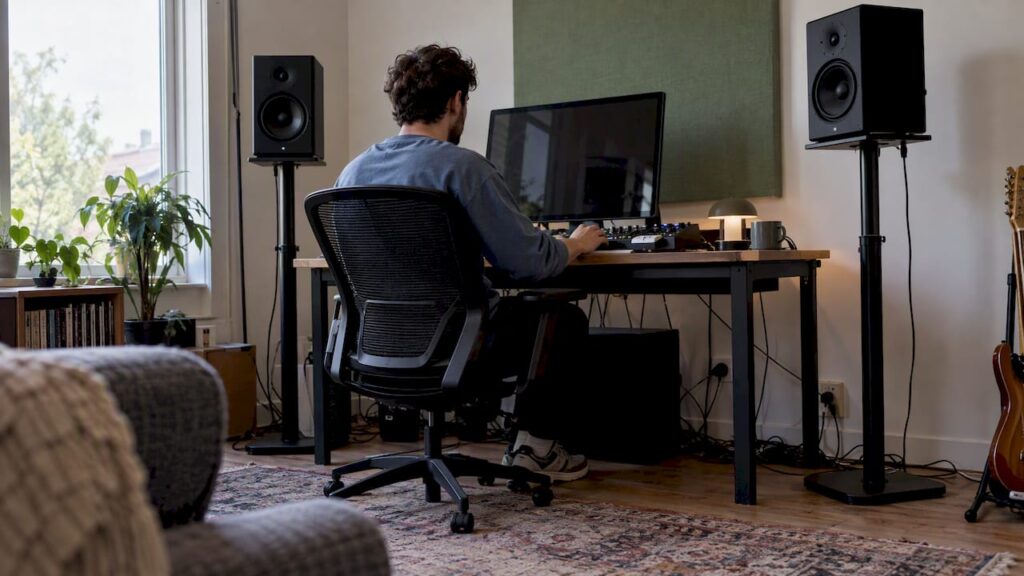
Good monitor stands position the tweeters of your studio monitors at ear level, keep them steady, and ensure that the left and right channels are perfectly aligned. That’s why you should choose your stand based on your listening position, not on its appearance: first, height; then, weight capacity and shelf size; and finally, decoupling and stability. In this guide, you’ll learn, step by step, what to look for, which type of stand suits which studio, and how to avoid a bad purchase—whether you’re mixing at a desk or setting up a dedicated control room.
TL;DR
- Height first: the acoustic axis of your monitors should be at ear level—according to Genelec, this is usually 1.2 to 1.4 m above the floor. Measure your own seating position before placing an order.
- Load capacity and base size: Consider the weight and footprint of your own monitor, not just the woofer’s size in inches.
- Decoupling: On a lightweight or resonant desk, isolation stands make an audible difference in bass and stereo imaging.
- Placement remains key: an expensive display stand won’t save an asymmetrical setup. An equilateral triangle, equal distances from the walls, and equal heights.
- Desktop or floor: desktop stands for small near-field monitors, floor stands for larger monitors, or if you want to keep your desk clear.
Table of contents
- Why a stand does more than just hold up your speakers
- What types of monitor stands are there?
- Height: Start at your ears, not at the stand
- Load capacity and plate size: consider your own monitor
- Decoupling: When It Really Matters
- Stability and build quality: the checklist
- Placement: the stand should form a triangle
- And what about your monitors? Monitor arm or stand
- Step-by-Step Guide: Six Steps to the Right Position
- Our take on monitor stands
- Help with your entire setup
- Frequently Asked Questions
- Sources
Why a stand does more than just hold up your speakers
Many producers initially place their monitors flat on their desks. That works, but you lose three things by doing so.
- The right height. If the tweeters are at chest height, you’ll be listening to the lower part of the dispersion pattern. The high frequencies will sound duller than they actually are, and you’ll end up mixing them too brightly.
- A quiet desktop. The desktop vibrates along with the woofer. According to IsoAcoustics, vibrations in the desktop cause resonances that reduce the precision of the stereo image. The bass then sounds fuller or muddier than it does in your mix.
- Reproducibility. A setup defines the position. If you put the monitors back in place after vacuuming, they’ll be in exactly the same spot, and your mix will sound the same tomorrow as it does today.
Genelec emphasizes that what you hear is determined not only by the monitor itself, but also by the room and its placement. A stand is therefore a placement tool, not an upgrade to the speaker itself. You can read more about this in our article on why monitor placement makes or breaks your studio.
What types of monitor stands are there?
Broadly speaking, you can choose from three types. Each type solves a different problem.
| Type | Suitable for | Strengths | Please note |
|---|---|---|---|
| Desktop Isolation Stand | Small to medium-sized near-field monitors on a desk | Decoupled from the desk surface, often tiltable, compact | Limited load capacity and plate size; desk must be deep enough |
| Floor Stand | For larger monitors, or if you want to keep your desk clear | No contact with the desk, height can be adjusted freely, stable if well-built | Takes up floor space; height must match your sitting posture |
| Furniture Integration (Studio Desk with Monitor Bridge) | Fixed workstations with studio furniture | Seamlessly integrated, everything custom-made | The bridge is part of the unit; disconnection is often still necessary |
Desktop Isolation Stands
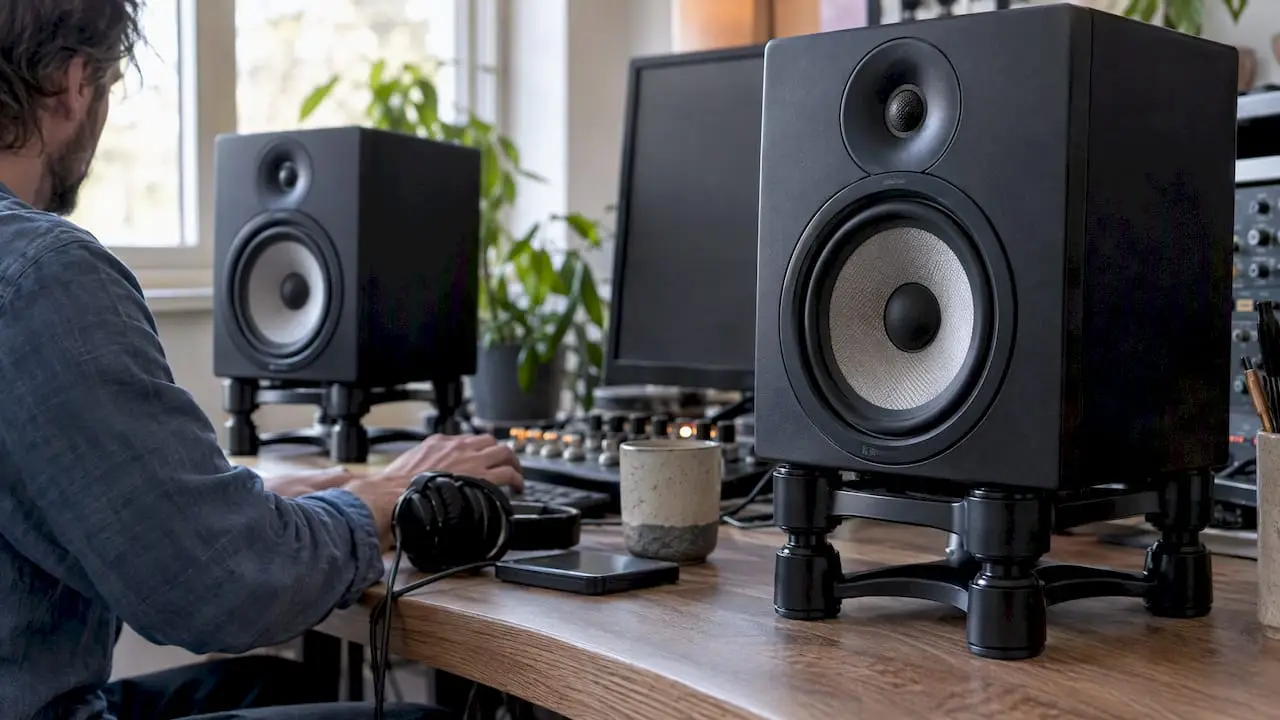
This is the most popular solution in home studios. A desktop stand raises the monitor a few centimeters, tilts it slightly, and dampens vibration transfer to the desk. The IsoAcoustics ISO-155 is a well-known example: according to the manufacturer, it is 155 mm wide, 190 mm deep, supports up to 40 lb (approximately 18 kg), and offers 14 combinations of height and tilt. The manufacturer designed it for a typical DAW workstation where you sit about 3 to 4 ft (approximately 0.9 to 1.2 m) away from the monitors.
Floor Stands
A floor stand—often simply called a speaker stand—completely separates the monitor from the desk. This is the logical choice if your monitors are larger, if your desk isn’t deep enough, or if you want to place the monitors slightly behind the desk to widen the stereo image. When choosing floor stands, look for adjustable feet or spikes: a MusicRadar review specifically praises interchangeable feet as useful for uneven floors.
Monitor bridge on a studio cabinet
If you work at a fixed studio desk, it often includes a raised shelf or bridge for the monitors. That height is fixed, so check beforehand to make sure the tweeters will be at ear level. Desktop isolation stands placed on that bridge complete the setup.
Height: Start at your ears, not at the stand
The most important dimension of any stand is its height. According to Genelec, the acoustic axis should be at ear level—for a typical two-way monitor, this is usually 1.2 to 1.4 m above the floor. If you need to place the monitors higher, tilt them toward your ears, but according to Genelec, no more than about 15°.
Here’s how to calculate it
Measure it in your own studio, using your own chair. Here’s a sample calculation:
- In your normal mixing position, your ears are 118 cm above the floor.
- Your desk surface is 74 cm high.
- The tweeter on your monitor is 22 cm above the bottom of the cabinet (check the manual, or measure it).
- Required clearance under the monitor: 118 − 74 − 22 = 22 cm.
In this example, you’ll need a 22-cm elevation. A low desktop stand that’s just a few centimeters tall won’t be enough; a taller desktop stand, a monitor bridge, or a floor stand would be a better option. With a floor stand, you measure from the floor: 118 − 22 = 96 cm stand height.
Vertical or horizontal?
Place two-way monitors upright. According to Genelec, vertical placement is usually the best choice: if the monitor is laid on its side, the distance from the tweeter and woofer to your ears changes as soon as you move sideways, resulting in a dip around the crossover point. So choose a stand whose base fits the monitor when it is in an upright position.
Weight capacity and panel size: check your own monitor
The woofer’s size in inches doesn’t tell you much about its weight or dimensions. Two speakers with an 8-inch woofer can vary significantly in depth and weight. So be sure to check three things:
- Weight per monitor, including any accessories.
- Footprint: width and depth of the base. The monitor should not protrude too far beyond the base, especially not toward the front.
- Safety margin: Choose a stand with a load capacity significantly greater than the weight of your monitor, so that it remains stable even if it tilts.
For comparison: IsoAcoustics specifies a plate measuring 200 × 255 mm and a weight capacity of up to 60 lb (approximately 27 kg) for the larger ISO-200. This is a guideline, not a universal recommendation. The specifications of your own monitor determine which size you need.
Still unsure which monitor is right for your space? Start by reading about how to choose monitor speakers for your home studio or check out which types of studio monitor speakers are best suited for your studio. You should wait to choose a stand until you’ve decided on the monitor.
Decoupling: When It Really Matters
Decoupling means that vibrations from the monitor cabinet aren’t transmitted to the desk or the floor. An insulated desktop stand isn’t a substitute for acoustic treatment, but it does prevent the desk from resonating.
You’ll hear the difference most clearly in these situations:
- A lightweight or hollow desk, such as one made of particleboard or a desk with an empty drawer beneath the monitors.
- Monitors with a lot of bass, or a setup without a subwoofer where the woofers are working hard.
- Wooden floating floors with floor stands: spikes or isolation feet help here.
On a heavy, solid piece of studio furniture, the effect is smaller, but rarely zero. If you want to delve deeper into the basics of how reflections and reverberation occur in a workspace, this overview of acoustics in office spaces and how to address them provides a useful introduction to the same principles. In a studio, the same physics apply, but the requirements are more stringent.
Stability and build quality: the checklist
A wobbly stand is worse than no stand at all. Check these points before you order:
- Wide, heavy base: the higher the position, the more important a sturdy base becomes.
- Fillable column: Some floor stands can be filled with sand or granules. This lowers the center of gravity and dampens resonance in the tube.
- Adjustable feet or spikes: to compensate for unevenness in the floor.
- Height adjustment that stays locked in place: a clamping mechanism that slowly loosens after a week will ruin your symmetry.
- Non-slip top plate: rubber or felt to prevent the monitor from sliding at high volumes.
- Cable management: handy for neatly routing power and signal cables, especially with floor stands.
Placement: The stand should form a triangle
The best setup only works if the placement is correct. Genelec recommends left-right symmetry, equal distances from nearby walls, and the same height for both monitors. For production, Genelec recommends a 60° angle between the monitors, as viewed from your listening position: an equilateral triangle. In addition, Genelec recommends a listening position at least 1 m away from the walls.
This has direct implications for your choice:
- Always buy two identical stands. A stack of books under one monitor and a stand under the other will result in uneven heights and a skewed stereo image.
- Does the triangle not fit on your desk? Floor stands placed behind or next to the desk are often the solution.
- Asymmetrical room? First, place the desk in the center of a wall, and only then choose the stand.
Useful reference: our list of studio monitor setups for optimal sound and the complete guide to your workflow and monitor setup. Once everything is in place, calibrating your studio monitors is the final step.
And your monitors? Monitor arm or stand
When you say “monitor stands,” you might also be referring to monitor stands. In a studio, these two go hand in hand: the monitor is often positioned right between your speakers, and a large monitor can cause reflections or block the line of sight between the tweeter and your ear.
The choice at a glance:
- Fixed stand or riser: simple, stable, affordable. Great if your monitor stays in one place.
- Monitor arm: According to Tom’s Guide, this is especially useful if you want flexibility in positioning and want to free up desk space. In a studio, that means space for your MIDI controller, audio interface, or mixing console.
If you choose a dual-arm mount, check both the weight per monitor and the total load capacity, the VESA size of your monitors, and whether your desk has a suitable edge or cable pass-through for clamp or pass-through mounting. Position the screen slightly lower than the tweeters and don’t place it so far forward that it gets in the way between your ears and the monitors. To learn why two screens speed up your workflow, read “Why Dual-Monitor Setups Improve Every Studio.”
Step-by-Step Guide: Six Steps to the Right Setup
- Determine your listening position. Set up your chair, sit in your mixing position, and measure the height of your ears.
- Find the tweeter height of your monitor, measured from the bottom of the cabinet.
- Calculate the required height adjustment, either from the desktop or from the floor (floor stand).
- Check the weight and footprint of your monitor and choose a stand with plenty of room to spare.
- Assess your surface: a light desk or a floating floor? If so, decoupling is a must.
- Mark out the triangle with tape on the desk or floor, and check whether the stands fit in those positions.
Our Take on Monitor Stands
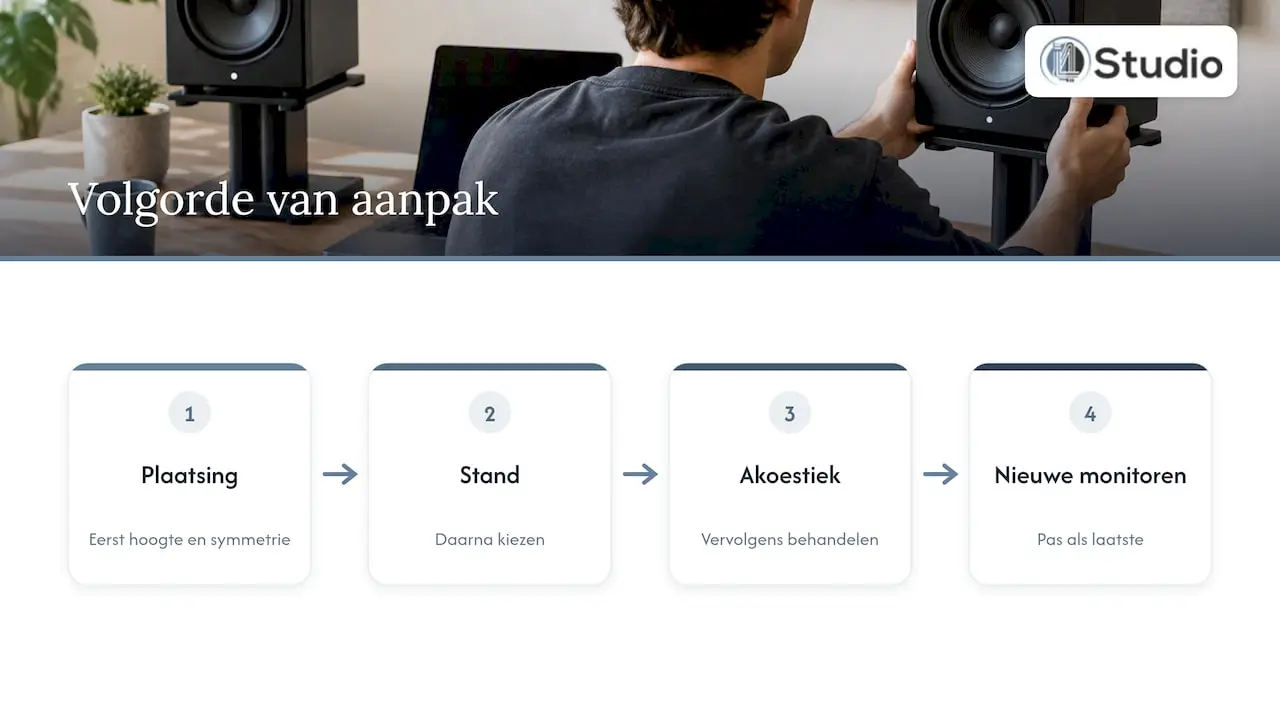
In practice, we often see the same pattern. Someone invests in good studio monitors, places them on a desk that’s too low, and then goes looking for an expensive solution to a problem that would largely disappear with the right height and symmetry. That’s why we always recommend this order: first, placement; then, the stand; then, acoustic treatment; and only lastly, new monitors.
We prefer decoupled stands, even when placed on a sturdy piece of furniture. A stable foundation makes decisions about kick and bass more reliable, and you’ll notice that right away in how your mixes translate to other systems. For small near-field monitors, a tiltable desktop isolation stand is usually sufficient. With larger monitors or a shallow desk, we prefer floor stands so you can create the triangle that the room requires rather than the triangle that the desk allows.
And look beyond just the stand. A stand positions your monitor correctly, but the primary reflections from the side walls and ceiling will still be there. Only when the height, symmetry, and acoustics all come together will you truly hear what your monitors are capable of.
– harold
Help with your entire setup
At I4studio, we provide advice on the entire listening environment: from studio monitors and studio equipment to acoustic panels and acoustic wall panels for controlling early reflections next to your monitors. Are you setting up your workspace from scratch? We also offer custom-built studio PCs, configured for stability and low latency, starting at €1,099. Feel free to ask for our advice on acoustics, so that your stands, monitors, and room work together to deliver the best results.
Frequently Asked Questions
How tall should speaker stands be in a studio?
High enough so that the tweeter is at ear level when you’re sitting in your normal position. For a typical two-way setup, Genelec recommends placing the acoustic axis 1.2 to 1.4 m above the floor. Subtract the tweeter height of your monitor from that to determine the stand height, and always measure using your own chair.
Are desktop stands enough, or do I need floor stands?
For small to medium-sized nearfields on a sturdy, deep desk, desktop isolation stands are usually sufficient. Choose floor stands if your monitors are large or heavy, if your desk isn’t deep enough to form a proper triangle, or if you want to completely decouple the desktop.
Can I tilt my monitors instead of raising them?
You can, but in moderation. Genelec recommends a maximum tilt of about 15° when monitors are raised. If tilting the monitor still doesn’t align the tweeter properly with your ears, raising the stand is the better solution.
Does an expensive stand make my monitors sound better?
No, a stand improves the placement, not the speaker itself. If your setup is asymmetrical or too close to the wall, a more expensive stand won’t make much of a difference. First, address height, symmetry, and distance from the wall, and then choose a stand that’s sturdy and provides good decoupling.
Sources
- Genelec: Monitor Placement
- Genelec: Monitor Placement (EN)
- Genelec: Calibration and Acoustics
- IsoAcoustics
- MusicRadar: Best Studio Monitor Stands
- Tom’s Guide: Monitor Stand vs. Monitor Arm
- Acoustics of Private Offices