TL;DR:
- The choice between a MacBook Pro M4 and a Windows laptop for Ableton Live 12 depends on your workflow, hardware needs and preferences. MacBooks offer better battery life and silence, while Windows laptops offer more upgrade capabilities and configuration options. The right choice ultimately depends on your specific production and mobility needs.
The question of whether a MacBook Pro M4 vs. Windows laptop for Ableton Live 12 is the better choice resonates with many producers. There is a persistent assumption that Macs are simply better for music production. The reality is more nuanced. Ableton Live 12 runs on both platforms, but the way you work, what plugins you use and what your studio looks like will determine which system gives you the most benefit. In this article, we lay out the facts and help you make a choice that truly fits your workflow.
Table of contents
- Compatibility and software support for Ableton Live 12
- Hardware requirements and performance comparison for MacBook Pro M4 and Windows laptops
- Practical pros and cons of MacBook Pro M4 and Windows laptops in the music studio
- Comparison chart MacBook Pro M4 versus Windows laptops for Ableton Live 12
- How do you choose between MacBook Pro M4 and Windows laptop for your Ableton workflow?
- Unique perspective: why there is no universal winner in the MacBook Pro M4 vs. Windows laptop battle
- Studio essentials and hardware recommendations for your Ableton setup
- Frequently asked questions about MacBook Pro M4 and Windows laptops for Ableton Live 12
Key Insights
| Item | Details |
|---|---|
| Compatibility | Ableton Live 12 works well on both MacBook Pro M4 and Windows laptops, depending on software updates. |
| Hardware Requirements | At least 16GB of RAM and NVMe SSD are essential, with 32GB recommended for heavy projects. |
| Mac advantages | MacBooks are quieter, more efficient and have longer battery life, which is ideal for recording work. |
| Windows advantages | Windows laptops offer more freedom of choice and powerful specifications for customizable workflows. |
| Personal choice | The best laptop depends on your workflow, plugin ecosystem and preference for OS stability. |
Compatibility and software support for Ableton Live 12
Ableton Live 12 works on both macOS and Windows. That sounds simple, but there are differences in how the two platforms support the software. Ableton Live runs on macOS (Intel or Apple Silicon) and on Windows 10 or higher, with specific optimizations for Apple Silicon introduced as of Live 11.1. That means the M4 chip in the MacBook Pro enjoys native support, with no emulation via Rosetta 2.
For Windows, a different story applies. The platform offers wide hardware variety, but the software environment varies widely among manufacturers. Audio drivers, such as ASIO drivers, on Windows are an extra layer you have to configure yourself. On macOS, Core Audio handles this more transparently in the background.
Relevant points for your platform choice:
- Apple Silicon Optimization: Live 11.1 and above run native on M chips, yielding faster load times and lower latency.
- Windows ASIO drivers: Necessary for low latency on Windows. Quality varies by audio interface and driver version.
- Plugin compatibility: Some VST2 plugins are not optimized for Apple Silicon and require Rosetta 2. Always check your plugin library before a switch.
- System stability: macOS is known for a more consistent kernel environment for audio. Windows offers more flexibility but requires more technical attention in setup.
- Updates and support: Ableton releases simultaneous updates for both platforms. There is no significant delay in functionality between Mac and Windows.
A good survey of Mac or Windows for DAW workflow shows that the choice of platform more often comes down to stability needs and personal workflow than pure performance.
Now that we know that Ableton Live runs on both Mac and Windows, let’s look at what hardware specifications are essential for optimal performance.
Hardware requirements and performance comparison for MacBook Pro M4 and Windows laptops
Good music production hinges on the right hardware. There are concrete minimum requirements for Ableton Live 12, but practice quickly demands more. Recent guides for 2026 recommend at least 16GB of RAM and 32GB for larger projects with heavy sample sets and many plugins. A fast NVMe SSD is not a luxury: for loading large sample libraries and streaming audio directly from disk, disk speed is key.
The MacBook Pro M4 brings a special asset here. The unified memory system combines RAM and GPU memory in one pool, meaning memory is used more efficiently than in traditional architectures. A MacBook Pro M4 with 24GB of unified memory performs similarly to a Windows laptop with 32GB of DDR5 for many audio tasks.
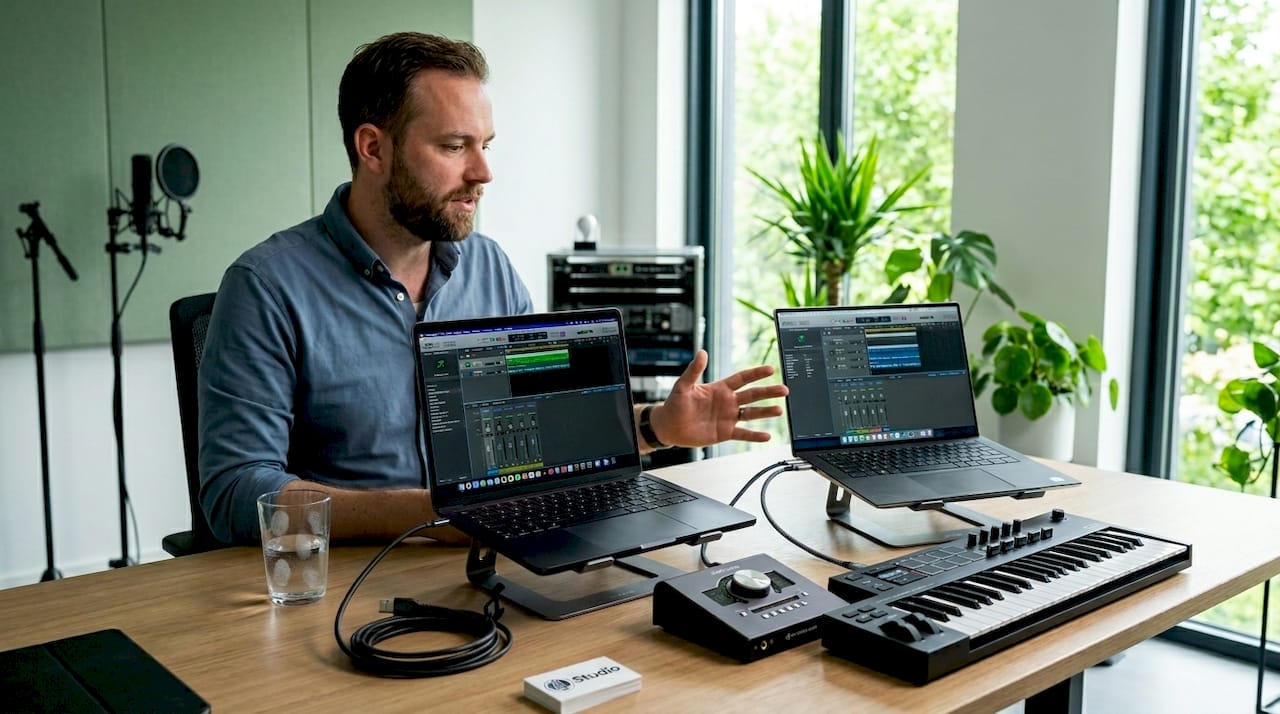
Windows laptops like the I4 DAW / Studio 16 offer more flexibility in configuration. You can often expand RAM and storage afterwards, which is not possible with the MacBook Pro. That makes Windows more interesting if you’re getting in with a more limited budget now but want to grow later.
| Specification | MacBook Pro M4 | I4studio 16 (Windows) |
|---|---|---|
| Processor | Apple M4 Pro (12-core CPU) | Intel Core Ultra 7 255H |
| RAM | 24GB unified memory | 32GB DDR5 |
| Storage | 512GB NVMe SSD | 1TB NVMe SSD |
| GPU | 20-core GPU (shared) | Intel Arc + Nvidia RTX 4070 |
| Upgradeable | No | 2TB NVMe SSD |
| Price (2026) | From about €2,639 | From about €2,189 |
Important hardware considerations for Ableton Live 12:
- RAM: 16GB is the minimum, 32GB the practical optimum for heavy sessions.
- SSD speed: Minimum 3,000 MB/s read speed for smooth sample streaming.
- CPU cores: More cores help with real-time processing of many plugins. The M4 Pro has a high single-core speed that is beneficial for audio processing.
- Thermal management: How the system handles heat affects direct performance under pressure.
Pro-tip: Check out our comparison of desktop PC or laptop for music production if you’re unsure whether a laptop is the right choice for your setup. For fixed studios, a desktop often offers more value per dollar and better upgrade options.
For a deeper dive into which specifications are decisive, also read our comprehensive guide on the best computer for Ableton Live.
Now that we understand hardware requirements, we compare the practical advantages and disadvantages of both platforms in studio conditions.
Practical pros and cons of MacBook Pro M4 and Windows laptops in the music studio
Specifications on paper don’t tell the whole story. In a real studio environment, factors such as noise level, battery life and thermal behavior play at least as big a role.
Apple Silicon MacBooks tend to be quieter and more efficient, with better battery life and less thermal throttling than comparable Windows creator laptops. That throttling is an important point: when a Windows laptop overheats, the processor automatically lowers its clock speed to cool down. In the middle of a recording session or a live performance, that’s disastrous.
Advantages MacBook Pro M4 for the studio:
- Almost silent in use, even with complex Ableton projects.
- Up to 20 hours of battery life, reducing your reliance on an outlet during tracking or live sets.
- Native Apple Silicon support ensures smooth integration with macOS audio stack (Core Audio).
- Compact and lightweight for transport between studio and stage.
Advantages Windows laptops for the studio:
- Wide choice of hardware and price segments.
- More powerful discrete GPU options, useful if you also combine video production or intensive visual tasks.
- Compatibility with Windows-exclusive software and some hardware-specific tools.
- Ability to upgrade RAM and storage after purchase.
- Much better price /Performance
Disadvantages to consider:
- Windows laptops with powerful CPUs (such as the Intel Core Ultra 7) require active cooling, which is noticeable during long sessions.
- MacBook Pro won’t let you upgrade: what you buy, it stays. Precious
- Windows requires more manual configuration for audio drivers and power management.
“A quiet laptop is not an afterthought in the studio. Cooling fans that come on during a recording run can become audible in the recording in rooms with condenser microphones.
”
Pro tip: On Windows laptops, always set the power management mode to Maximum performance during Ableton sessions. The default power-saving settings can scale back processor performance by 20 to 40 percent.
Check out our selection of top laptops for music production if you want to see the options side by side.
With the practical differences clear, we put the systems side by side in a convenient comparison chart for easy viewing.
Comparison chart MacBook Pro M4 versus Windows laptops for Ableton Live 12
An overview sometimes says more than a comprehensive analysis. Below are the most relevant points of comparison for Ableton Live 12 use.
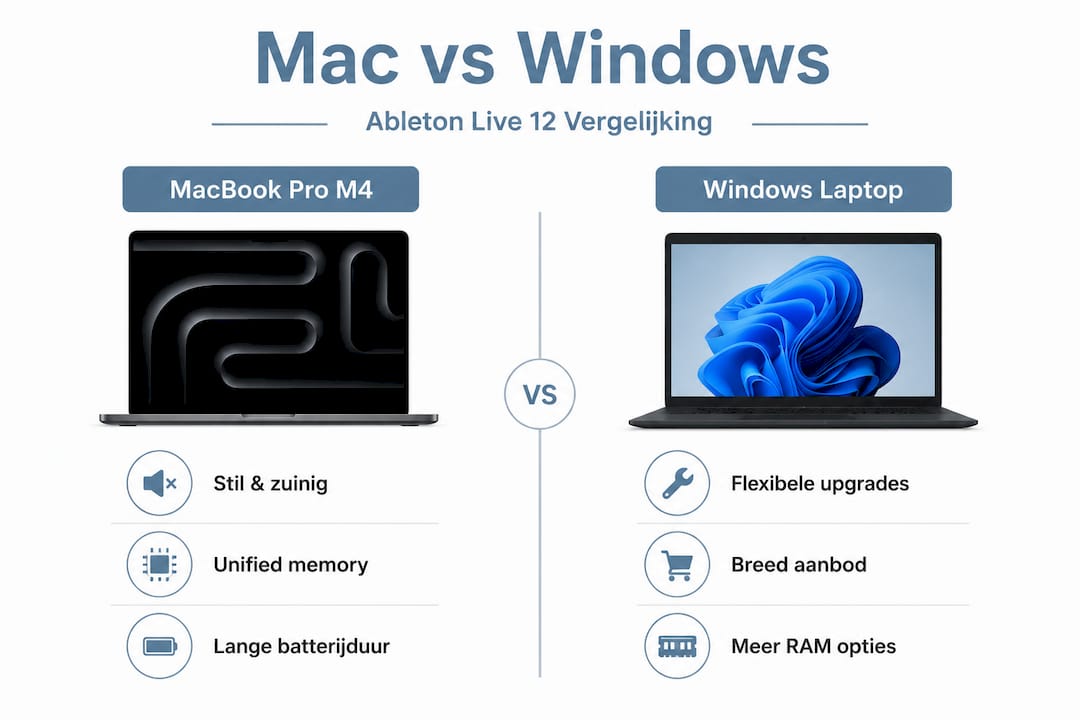
The Dell XPS 16 with Intel Core Ultra 7, 32GB of RAM and 1TB SSD is one of the strongest Windows alternatives to the MacBook Pro M4 in 2026. Both systems are in a similar price segment and target demanding users.
| Criterion | MacBook Pro M4 Pro | I4 DAW / Studio 16 |
|---|---|---|
| CPU performance (single-core) | Excellent | Good |
| CPU performance (multi-core) | Excellent | excellent |
| RAM capacity | 24GB unified (48GB optional) | 32GB DDR5 (64GB optional) |
| Storage | 512GB to 8TB NVMe | 1TB to 4TB NVMe |
| Battery life | 18 to 22 hours | 6 to 10 hours |
| Noise level under load | Virtually silent | Noticeable (active cooling) |
| Thermal throttling | Minimal | Present at heavy load |
| Plugin compatibility | Check Apple Silicon support | Wide, but ASIO driver setting required |
| Price (entry-level 2026) | Approx. €2,699 | Approx. €2,149 |
| Upgradeable | No | Partial (SSD) (Mem) |
| Ableton Live 12 support | Native Apple Silicon | Full via ASIO |
What stands out. The MacBook Pro M4 clearly wins on battery life and silence. The I4 studio 16 offers more RAM for the same money and is partially upgradeable. For most solo producers who do a lot of mobile work or regularly perform live, the MacBook Pro M4 gives the quieter, more reliable experience. For producers who have a fixed setup at home and run heavy hybrid workflows, the I4 studio 16 may be the better investment.
Also check out our comprehensive list of top laptops for music production for more models in this segment.
Now that we’ve put both platforms side by side, we’ll discuss how to make a conscious choice based on this that fits your personal workflow.
How do you choose between MacBook Pro M4 and Windows laptop for your Ableton workflow?
Comparing specs is one thing. Making the right choice requires self-reflection on how you work. Good hardware tuning to plugins and workflow pays off more than simply buying the fastest or most expensive model.
Go through these steps to determine your choice:
- Map your plugin usage. Do you use heavy CPU-loading synthesizers like Omnisphere or Serum in high numbers? Then multi-core performance counts heavily. Do you primarily use sampler-based workflows with large libraries? Then RAM and SSD speed is decisive.
- Determine your priority: mobility or strength. Do you work a lot on the road, at live sets or in studios without a steady power supply? The MacBook Pro M4’s battery life is unbeaten here. Do you always work at home at a fixed desk? Then that battery life weighs less.
- Test your audio interface and drivers. What audio interface are you using? Some interfaces have excellent macOS drivers but mediocre Windows support, or vice versa. Check this before making a system choice.
- Assess your software ecosystem. Do you use Logic Pro as a secondary DAW? Then you’re bound to macOS. Do you use Windows-exclusive tools or hardware-bound software? Then Windows makes more sense.
- Look at future-proofing. The MacBook Pro M4 is powerful but not upgradeable. If you expect to need more RAM in two years, consider buying the higher memory model right away, or choose a Windows laptop that is expandable.
- Set buffer size and latency settings. Regardless of platform: a lower buffer size (64 or 128 samples) gives less latency but requires more of the CPU. Test this during your typical project size to know if your hardware can handle it.
- Consider the overall ecosystem. iPhone integration, AirDrop, Handoff and other Apple features work seamlessly together if you’re already in the Apple ecosystem. There are similar tools for Windows users, but the integration is usually less obvious.
Pro-tip: Download a free trial version of Ableton Live 12 and test a representative project on the hardware you’re considering. Run the project for at least 30 minutes while having multiple tracks, plugins and sends active. That way you’ll discover thermal behavior and CPU spikes under real conditions.
Our computer choice guide for music production will also help you match hardware to specific production styles.
Unique perspective: why there is no universal winner in the MacBook Pro M4 vs. Windows laptop battle
After years of experience supplying studio hardware to producers of varying levels, one thing consistently strikes us: most buying decisions are made based on what others recommend, not on what a person themselves need.
The MacBook Pro M4 is technically impressive. Quiet, energy efficient, and with excellent native support for Ableton Live 12. But “impressive” is no guarantee of “right for you.” A producer who works exclusively with Windows-exclusive hardware samplers or specific VST2 plug-ins that never get an Apple Silicon update is buying, with a MacBook Pro, a system that has limitations on day one.
Windows laptops vary widely in performance due to cooling and power management, making it hard to determine an absolute winner. Two Windows laptops with the same processor spec can perform completely differently with Ableton Live, depending on thermal design, BIOS settings and driver configuration. That doesn’t make Windows worse, but it requires more attention during initial setup.
What we also see: producers regularly overestimate the impact of CPU and RAM and underestimate the role of audio interface quality, buffer settings and cable management. A MacBook Pro M4 with a cheap, poorly supported audio interface performs worse in practice than a decent Windows laptop with a stably configured interface.
So the question is not “Mac or Windows?” but “Which system fits my particular work environment, my tools, and my way of working?” That requires honest self-examination, not brand orientation.
Also consider whether a laptop is the right choice at all. Read our comparison of desktop PC or laptop for music production to see when a fixed desktop pays more than a laptop, regardless of brand.
Studio essentials and hardware recommendations for your Ableton setup
Whether you choose a MacBook Pro M4 or a Windows laptop, the right studio hardware around it makes the difference between a working setup and an optimal setup. At i4studio, we help producers put together complete workstations.

Looking for a fixed studio solution without the limitations of a laptop? Check out our studio PC configurations for music production for custom-built systems tuned for Ableton Live, with the right balance of CPU power, RAM and SSD capacity. Just starting out with your home studio? In our studio gear guide for beginners, you’ll find a clear overview of what you really need. Want to extend your Ableton workflow with physical controls? Then check out our SSL UF8 studio controller for professional DAW integration.
Frequently asked questions about MacBook Pro M4 and Windows laptops for Ableton Live 12
Does Ableton Live 12 run smoothly on both MacBook Pro M4 and Windows laptops?
Yes, Ableton Live runs on macOS (Intel or Apple Silicon) and Windows 10 or higher. Both platforms are actively supported, provided the hardware meets the minimum requirements.
What minimum RAM capacity is recommended for heavy Ableton projects?
At least 16GB of RAM is required for comfortable operation, but 32GB is the recommended minimum for sessions with many plugins, heavy sample libraries and multiple audio tracks.
Are MacBooks quieter and more efficient than Windows laptops for music production?
Overall, yes. Apple Silicon MacBooks are quieter and more economical than comparable Windows creator laptops, with longer battery life and less thermal throttling during longer sessions.
How important is the right audio interface and buffer setting for performance?
Crucial. Poor driver settings or the wrong buffer size can cause performance problems, even on powerful hardware. Set the buffer to 128 or 256 samples in production work, and always test with your specific audio interface before a final setup.
Is there one laptop that is best for all Ableton users?
No. The best choice depends entirely on your workflow, the plugins you use, your mobility needs and your preference for macOS or Windows. There is no universal answer, only the one that suits you.