
Why professional Ableton producers choose i4studio
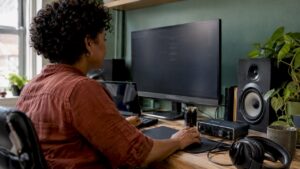
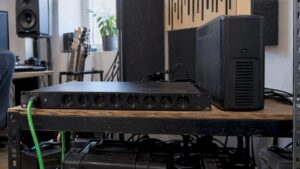
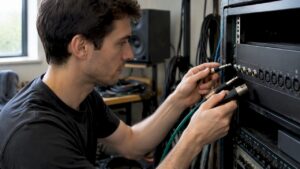
In the studio a crash is annoying, but on stage it is fatal. Ableton Live requires an extremely stable configuration where latency is kept to the absolute minimum. i4studio is the specialist in configuring computers that remain ice cold and stable even under the heaviest load.
We know exactly what CPU balance and RAM configuration is needed to keep Ableton running flawlessly, from the first beat to the last track of your mastering chain.
Choose the security of the specialist. 📧 Request an immediate no-obligation consultation: Info@i4studio.nl
Key Points computer for ableton
- The system requirements for Ableton Live
- Crucial components for optimal performance
- Top computers for Ableton Live
- The role of i4studio in putting together DAW-optimized computers
- Optimization for music production with Ableton
The Latest System Requirements for Ableton Live
For Ableton Live to work properly, you need to meet the latest requirements. Ableton Live is a powerful tool for music production. It requires strong hardware.
With Ableton Live, the requirements for your computer have changed. It is important to know what your computer needs.
Official Minimum Requirements
The minimum requirements for Ableton Live are clear. You need at least an Intel Core i5 processor or AMD equivalent. You also need at least 8GB of RAM and a 256GB SSD. These provide the basics, but more is better for a good experience.
Recommended System Specifications PC for Ableton
For the best experience with Ableton Live, our experts recommend choosing:
Processor and RAM Recommendations
An Intel Core i7 processor or preferably a 14Th Gen i9
Yes, Ableton Live can use multiple cores – especially with lots of tracks and plug-ins. Depending on your specific workload, we recommend 24-32 cores if you don’t want to short anything .
Memory, or RAM, is a very important system specification for performance in DAWs, such as ableton. Every track and plug-in you add requires additional memory space, and that adds up quickly. Our minimum recommendation is 32 GB, but many users may require 128 GB or even 256 GB.
Storage and Graphics Requirements
A 512GB SSD or more is recommended for storage. This makes loading projects and samples fast. A graphics card is not essential, but improves the experience with plug-ins and visuals.
“Good hardware is essential for music production,” says an expert from i4studio. “The right computer makes a big difference.”
Why the Right Computer is Crucial to Music Production
The performance of your computer is very important to your workflow and creativity in Ableton Live. A bad computer can cause a lot of frustration.
Impact on Workflow and Creativity
A powerful computer for music production lets you work without interruptions. This makes your workflow much better. You can then spend more time creating music.
With a good computer, plugins and effects work smoothly. This is very important for making top-notch music.
Stability and Reliability
Besides affecting your work, a good computer is also important for stability and reliability. A computer that breaks down frequently can do a lot of damage. This significantly reduces your productivity.
i4studio has a lot of experience in making computers for music. They are the perfect choice for musicians looking for a reliable computer for music production.
Mac vs PC: The Best Choice for Ableton Live in 2026
The choice between Mac and PC is important for music production with Ableton Live. At i4studio, we have years of experience. We know what makes a difference.
Advantages of Mac for Ableton
Mac computers are loved by musicians. They are stable and work well with other Apple products. This makes them perfect for Ableton Live.
- Reliable performance
- Seamless integration with other Apple devices
- Image of Apple
Advantages of PC for Ableton
PCs are flexible and adaptable. They are made specifically for music production. You can easily upgrade them.
- High customizability and upgrade options
- Often more price competitive than Macs
- Wide range of hardware options from different manufacturers
- Silent
- Expandable
- Faster service
<
The Best Computer for Ableton: Crucial Components
When choosing the best computer for Ableton Live, there are important components. A good computer for Ableton Live requires carefully choosing essential hardware. This ensures a smooth workflow and high performance.
Processor (CPU) Considerations
The processor is the heart of your computer. It plays a major role in the performance of Ableton Live. A faster processor makes complex projects easier and provides a faster workflow.
RAM Requirements
RAM is essential for running multiple tasks simultaneously in Ableton Live. At least 16 GB of RAM is recommended. But 32 GB or more is ideal for complex projects.
Storage Options: SSD vs. HDD
Storage is critical. SSDs are much faster than traditional HDDs. They provide faster access to your projects and samples. A combination of an SSD for the operating system and HDD for storage is smart.
“A good SSD can significantly reduce the load time of your Ableton Live projects.”
Audio Cards and Interfaces
Audio cards and interfaces are essential to the quality of your audio. A good audio card offers low latency and high quality audio. Popular options include the Focusrite Scarlett series and the PreSonus AudioBox series.
Top 5 Desktop Computers for Ableton Live in 2026
Choosing the right desktop computer is very important for making music with Ableton Live in 2026. The software demands more and more from your computer. You must have a powerful computer for Ableton Live to work properly.
We picked the top 5 desktop computers for Ableton Live in 2025. They were chosen based on their performance, reliability and compatibility with Ableton Live.
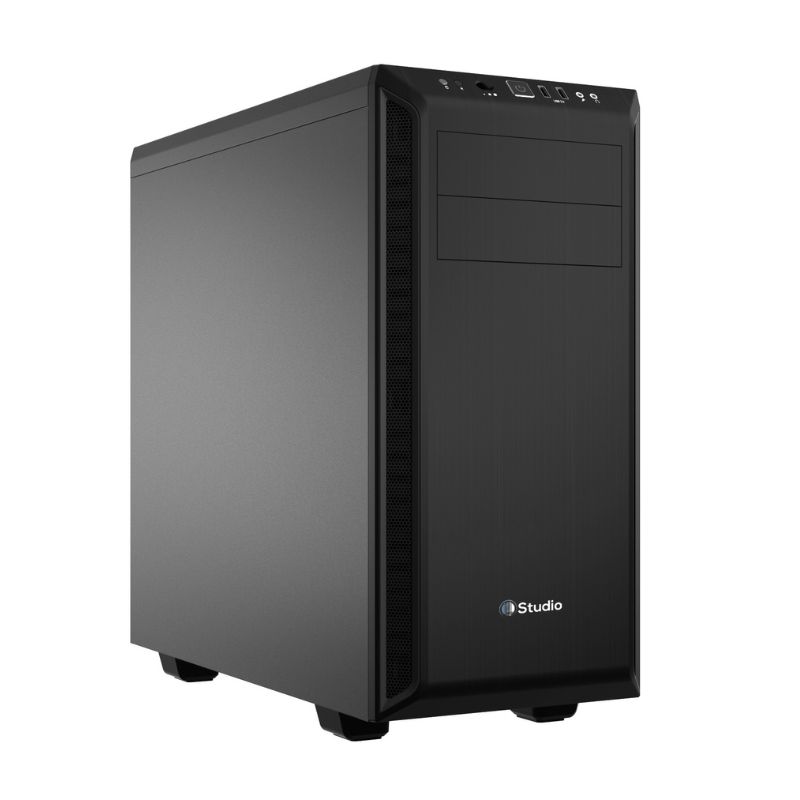
i4studio Custom DAW PC
The i4studio Custom DAW PC is a custom-built computer for music production. With optimized components and i4studio’s expertise, it offers excellent performance for Ableton Live.
- Customized components for optimal performance
- Expertise from i4studio
- Excellent customer service
- Quick
- Silent
- Reliable
Apple Mac Studio
The Apple Mac Studio is a powerful desktop computer for creative people. It has an M1 Max chip and up to 64GB of RAM. This makes it perfect for heavy music production.
- Fast performance thanks to the M1 Max chip
- Compatible with Ableton Live
- Stylish design
Dell XPS Desktop
The Dell XPS Desktop is also a top choice for Ableton Live users. It has an Intel Core i9 processor and up to 128GB of RAM. This provides the necessary power for music-making.
- Excellent performance with Intel Core i9 processor
- Large storage capacity
- Reliable quality
- – Not quiet
- – Not Expandable
- – No support experience with DAW solutions
HP Z4 Workstation
The HP Z4 Workstation is a powerful computer for heavy-duty tasks. It has an Intel Xeon processor and up to 256GB of RAM. Ideal for music production.
- – Not quiet
- – Not Expandable
- – No support experience with DAW solutions
MSI Creator P100X
The MSI Creator P100X is a powerful computer for creative professionals. It has an Intel Core i9 processor and up to 128GB of RAM. Perfect for music production.
- Excellent performance with Intel Core i9 processor
- Large storage capacity
- Reliable quality
- – Not quiet
- – Not Expandable
- – No support experience with DAW solutions
i4studio’s Expertise in DAW Optimized Computers
i4studio is an expert in creating DAW-optimized computers. We have a lot of experience with Ableton-specific builds. We know exactly what Ableton Live needs and build computers that deliver top performance.
Our Years of Experience with Ableton Specific Builds
We have years of experience in making music production computers. We know exactly what Ableton users need. Our computers not only meet the requirements, but go beyond them.
Customer Cases and Success Stories
Our customers benefit from our knowledge. They have improved their workflow and productivity with our computers. This is because of our DAW-optimized computers.
Our Optimization Process for DAW Computers
Our process includes hardware selection and testing and software configuration and fine-tuning. We make sure each computer is a perfect match for Ableton Live.
Hardware Selection and Testing
We choose the best components and test them thoroughly. That way we know they meet the high standards of Ableton Live.
Software Configuration and Fine Tuning
We optimize the software alongside the hardware. This is how we guarantee the best performance. This ensures a smooth and efficient system.
i4studio’s Custom Computer Service for Ableton Users
i4studio offers a customized computer service for Ableton users. With years of experience in putting together computers for DAW and Ableton, we offer the perfect solution for every user.
Personalized Advice and Configuration
Every Ableton user has unique needs. That’s why we provide personalized advice for the best computer configuration. Our experts help you choose the right components, such as processor, RAM, and storage. That way, your computer will work smoothly with Ableton.
Support after Purchase
After the purchase, our relationship continues. We provide comprehensive support to keep your computer performing. Whether you need help with software installation or hardware problems, we’re ready.
Upgrade Opportunities
Technology is changing rapidly. We help you keep your computer up-to-date. Our computers are designed with upgrade capabilities in mind. This keeps your investment safe for the future.
| Service | Description | Advantages |
|---|---|---|
| Personalized Advice | Customized configuration for Ableton | Optimal performance, efficient workflow |
| Post-Purchase Support | Installation and troubleshooting assistance | Reduces downtime, increases productivity |
| Upgrade Capabilities | Flexibility to upgrade components | Future-proof, extends the life of your computer |
Optimization Tips for Better Ableton Performance
i4studio has years of experience making computers for DAW and Ableton. They share their knowledge on how to get better performance in Ableton. It is important to properly optimize both hardware and software.
BIOS and System Settings
Adjusting the BIOS and system settings is a first step. Disabling unnecessary background processes and setting the right power options significantly improve performance.
Also check the BIOS settings for options such as “Hyper-Threading” and “Turbo Boost.” These improve the performance of CPU-intensive tasks.
| Setting | Description | Impact on Ableton |
|---|---|---|
| Hyper-Threading | Improves multithreading performance | Improves playback of complex projects |
| Turbo Boost | Temporarily increases CPU clock speed | Faster rendering and effects processing |
| Power Options | Set to “High Performance” | Prevents performance problems by saving energy |
Ableton Configuration for Maximum Efficiency
In addition to optimizing the computer, there are settings in Ableton Live that you can adjust. Adjusting the buffer size and disabling unnecessary plug-ins improve performance.
Also, regularly remove unnecessary clips and devices from your projects.
Background Processes Manage
Background processes can significantly affect the performance of Ableton Live. Closing unnecessary applications and disabling system processes frees up system resources for Ableton.
By following these tips, you will improve your workflow and get better performance in Ableton Live.
Future-proofing: What to Consider in Purchasing
A computer for Ableton Live shouldn’t just be good now. It must also last into the future. At i4studio, we know how important that is.
Upgrade options
The ability to upgrade your computer later is crucial. This extends its lifespan and ensures that your computer continues to meet the requirements of Ableton Live.
- Choose a computer with a motherboard that supports future upgrades.
- Make sure the enclosure makes it easy to replace or add components.
- Consider investing in a computer with a good processor and enough RAM so you can upgrade it later.
Expected Lifespan
How long a computer lasts is also important. A well-built computer can last for years, even as technology changes.
With a computer built with high-quality components and upgrade capabilities, your investment will remain valuable for a long time.
Residual value considerations
Also consider the resale value of your computer. A computer that is easy to upgrade or sell retains its value better.
i4studio has years of experience in putting together computers for DAW and Ableton. We will help you make a good choice.
Conclusion: The Ideal Computer for Ableton Live
The ideal computer for Ableton Live in 2025 is very powerful. It is specially made for music making. i4studio has years of experience in making computers for music software.
They know that a fast processor, lots of RAM and good storage are important. This ensures smooth operation.
Ableton Live 2025 requires a computer with a new processor. It must have at least 16 GB of RAM and SSD storage. A good audio card and interface is also important for top quality audio.
i4studio’s Custom Computer Service gives personal advice and makes the computer specifically for Ableton users. They also help after purchase and offer upgrade options.
With i4studio, you can find the perfect computer for Ableton Live in 2025. They help you choose a computer that fits your needs and budget. Whether you want a desktop or laptop, we advise you.
FAQ
What are the system requirements for Ableton Live?
Is a Mac or PC better for Ableton Live?
How much RAM do I need for Ableton Live?
What is the importance of an SSD for Ableton Live?
Can I buy a used computer for Ableton Live?
How can I optimize my computer for Ableton Live?
What are the benefits of i4studio’s custom computer service?
How future-proof is my computer for Ableton Live?