

Choose the perfect Avid ProTools
computer
Choosing the right computer for Avid ProTools is essential for professional audio applications.
A good DAW(Digital Audio Workstation) requires a computer that guarantees smooth performance and reliability.
The most important factors in selecting a suitable computer for audio production include processor power, memory and storage capacity.
Key Points
- A good Pro tools computer is essential for professional audio applications.
- Processor power, memory and storage capacity are important factors.
- A reliable computer guarantees smooth performance.
- Avid ProTools requires a powerful computer.
- The choice of computer depends on the specific needs of the user.
The role of a powerful computer in modern audio production
Modern audio production requires a reliable and fast computer. In today’s digital audio workstations (DAWs) such as Avid ProTools, hardware plays a crucial role in determining overall performance.
A powerful computer is essential for processing complex audio projects. With the increasing demand for high-quality audio production, it is important to have a computer that can meet the demands of professional audio engineers.
Why hardware is critical to DAW performance
The hardware of a computer has a direct impact on the performance of a DAW. A fast and reliable computer system ensures that audio files are loaded and processed quickly. This is especially important when working with large projects and complex audio effects.
One of the most important components of a computer is the processor. A powerful processor ensures that audio operations are performed quickly. In addition, it is important to have enough RAM to process multiple audio tracks simultaneously.
| Hardware Component | Importance to DAW Performance |
| Processor | Provides fast audio processing |
| RAM | Allows multiple audio tracks to be processed simultaneously |
| Storage | Determines the speed at which audio files are loaded |
The impact of computing power on complex projects
Complex audio projects require a powerful computer to run smoothly. A Windows system can be a good choice for professional audio production, thanks to its flexibility and wide range of hardware options.
With a powerful computer, audio engineers can handle complex projects without experiencing delays or crashes. This results in higher productivity and better audio quality.
System requirements for Avid ProTools computer in 2026
The system requirements for Avid ProTools in 2026 are crucial for both hobbyists and professionals in audio production. Proper operation of Avid ProTools requires a computer that meets the minimum and recommended system requirements.
Minimum system requirements for basic use
For basic use of Avid ProTools, the minimum system requirements are as follows:
- Operating system: Windows 11 or macOS (latest version)
- Processor: Multi-core Intel processor (preferably i5 or higher)
- RAM: 16 GB (32 GB recommended)
- Storage: SSD (Solid State Drive) with 256 GB of free space
Recommended system requirements for professional studios
For professional studios, the recommended system requirements are higher:
| Component | Recommended specification |
| Operating system | Windows 11 or macOS (latest version) |
| Processor | Multi-core Intel i7 or AMD Ryzen 9 |
| RAM | 32 GB or more |
| Storage | 1 TB SSD or more, plus additional storage for projects |
It is essential to invest in a good computer to work smoothly with Avid ProTools. i4studio can help configure ProTools systems to meet your specific needs.
Mac vs. Windows: The optimal platform for ProTools users
The choice between Mac and Windows for ProTools users is a crucial aspect in today’s audio production. Both platforms have their own strengths and weaknesses, which can affect the workflow and productivity of audio professionals.
One of the most important considerations when choosing a platform is compatibility with the software and hardware used in audio production. In this regard, several factors come into play.
Benefits of Mac systems for audio production
Mac systems have a reputation for stability and reliability, which is essential for professional audio applications. In addition, Macs are often preferred by professionals because of their robust performance and intuitive interface.
- Stable and reliable performance
- Compatibility with commonly used audio software
- Integrated support for audio hardware
Windows benefits for ProTools users
Windows systems, on the other hand, offer a wide range of hardware options, allowing users to choose a configuration that best suits their specific needs and budget. In addition, Windows computers are often more affordable than their Mac counterparts.
- Wide range of hardware options
- Often more affordable than Mac systems
- Compatibility with a wide range of software
Compatibility with plugins and external hardware
Compatibility is a crucial aspect when choosing a platform for ProTools. Fortunately, most audio plug-ins and external hardware are compatible with both Mac and Windows.
When deciding between Mac and Windows for ProTools, it is essential to consider the specific needs of your project and workflow. By understanding the advantages and disadvantages of each platform, you can make an informed decision that best suits your audio production needs.
Best computer for Avid ProTools: Powerful desktop solutions
Discover the best desktop solutions for Avid ProTools users. A powerful computer is essential for professional audio production.
High-end workstations for professional studios
For professional studios, high-end workstations are indispensable. These systems provide the necessary power and performance for complex audio projects.
Intel-based configurations
Intel-based configurations are popular among Avid ProTools users because of their reliability and performance. Intel Core i9 processors are ideal for heavy-duty audio applications.
- Intel Core i9 processor
- 32GB or more RAM
- Fast SSD storage
AMD-based configurations
AMD-based configurations offer an attractive alternative to Intel systems. AMD Ryzen 9 processors deliver excellent performance for audio production.
- AMD Ryzen 9 processor
- 32GB or more RAM
- Fast NVMe SSDs

desktop workstation
Budget-friendly desktop systems with good performance
Not everyone has a big budget for a high-end workstation. Fortunately, there are also budget-friendly options that deliver good performance.
| Component | Budget option | High-end option |
| Processor | AMD Ryzen 5 | Intel Core i9 |
| RAM | 16GB DDR4 | 64GB DDR5 |
| Storage | 512GB SSD | 2TB NVMe SSD |
By choosing the right components, one can build a powerful desktop suitable for Avid ProTools, even on a limited budget.
Laptop options for mobile ProTools production
A good laptop is the key to successful mobile ProTools production. Professionals in the audio industry need a laptop that is fast, powerful and reliable.
Professional laptops for studio and location recording
Professional studio and location recording requires high-performance laptops. These laptops must be able to run complex ProTools projects without delay.
- Dell XPS 15: This laptop offers an excellent balance of performance and portability.
- Apple MacBook Pro 16: This laptop is popular among audio producers because of its powerful processors and long battery life.
- HP ZBook 15: Designed for heavy professional applications, this laptop offers outstanding performance.
- I4studio Notebooks, good results and double m2 of storage, completely
optimized
Compact but powerful laptops on the go
For audio producers working on the go, compact but powerful laptops are essential. These laptops should be light and small, but still provide adequate performance.
| Laptop | Processor | RAM | Storage |
| Apple MacBook Air | Apple M1 | 8GB | 256GB SSD |
| Dell XPS 13 | Intel Core i7 | 16GB | 512GB SSD |
| I4studio | Intel Ultra | 32GB | 1TBSSD |
These laptops offer an excellent combination of performance and portability, making them ideal for mobile ProTools production.
The ideal processor for fast and smooth ProTools workflow
The processor is the heart of your ProTools system. A good processor ensures an efficient workflow and smooth audio production.
To get the best performance, it is essential to choose the right processor. In this section, we compare Intel and AMD processors for audio production and discuss the optimal core configuration and clock speed.
Intel vs AMD processors for audio production
Both Intel and AMD offer excellent processors for audio production. Intel Core i9 and AMD Ryzen 9 series are popular choices among ProTools users.
- Intel processors are known for their high single-thread performance, which is essential for many audio applications.
- AMD processors often offer more cores and threads at a lower price, which can be advantageous for complex projects.
Optimal core configuration and clock speed
The core configuration and clock speed of a processor are critical to performance in ProTools.
- A higher clock speed (measured in GHz) allows for faster execution of individual tasks.
- More cores and threads allow multiple tasks to run simultaneously, improving overall performance.
For ProTools, a balance between clock speed and number of cores is essential. A processor with a good balance between these two factors will provide the best performance.
RAM and storage: Essential components for smooth ProTools sessions
For a smooth ProTools experience, RAM and storage are crucial. These components ensure that your system works efficiently and can handle complex projects.
The amount of RAM and the speed of your storage directly affect the performance of ProTools. Proper configuration can significantly improve workflow.
RAM configuration for different project sizes
For small projects, 16 GB of RAM may be sufficient, but for larger projects with many tracks and plug-ins, 32 GB or more is recommended.
It is essential to have enough RAM to run all active projects and plug-ins without slowing down the system.
SSD technology for fast audio processing
SSDs (Solid State Drives) are much faster than traditional hard drives and offer significant improvement in project loading time and audio playback.
Using SSDs for your system disk and project storage can significantly improve the overall performance of ProTools.
Multi-drive setups for optimal workflow
Using multiple drives can further improve performance by distributing the load.
For example, you can put your operating system on one SSD, your projects on a second SSD, and your samples and media on a third storage medium.
By choosing the right combination of RAM and storage, you can optimize your ProTools experience and increase your productivity.
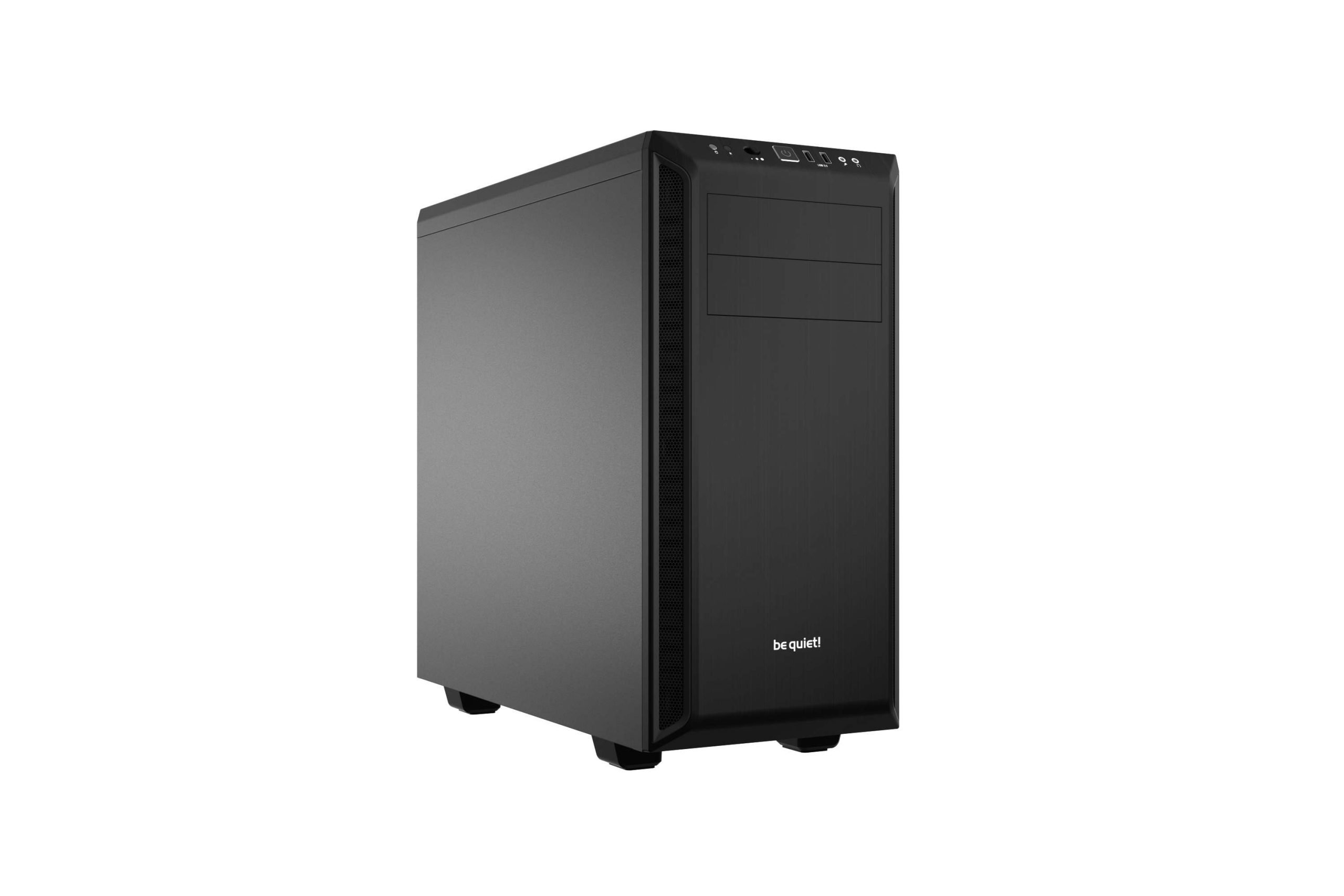
Silent computers for professional studio production
For professional studio production, a quiet computer is essential to minimize unwanted noise. A quiet computer ensures that the focus remains on the audio production and is not distracted by background noise.
To achieve this, there are two important aspects to look at: advanced cooling solutions and enclosures with superior sound insulation.
Advanced cooling solutions for low-noise systems
A good cooling solution is crucial for minimizing noise. Traditional fans can make a lot of noise, but advanced options are now available that are much quieter.
- Water cooling systems are an excellent option for cooling components without much noise.
- High-quality fans specifically designed to be quiet.
- Passive cooling methods that do not use moving parts.
Enclosures with superior sound insulation
The computer casing also plays an important role in reducing noise. An enclosure with good soundproofing can help dampen the noise the computer makes.
| Housing Brand | Model | Sound Dampening |
| Fractal Design | Meshify C | Yes |
| be quiet! | Silent Base 801 | Yes |
| Phanteks | Eclipse P400A | Yes |
By investing in a quiet computer with advanced cooling solutions and an enclosure with good sound insulation, professional studios can improve the quality of their audio production.
silent computer
Audio interfaces and optimal ProTools configuration
A good audio interface is essential for optimal ProTools performance. The audio interface acts as the bridge between your analog audio equipment and your computer, allowing you to create and edit high-quality audio recordings.
Choosing an appropriate audio interface depends on several factors, including the type of projects you are working on, the number of inputs and outputs you need, and the quality of audio you want to achieve.
Recommended audio interfaces for different applications
Several audio interfaces are available on the market, ranging from simple USB interfaces to complex interfaces with multiple inputs and outputs.
- For beginners and smaller projects: Focusrite Scarlett Series
- For professional studios: Universal Audio Apollo Series
- For live touring and large productions: RME UFX+ or Antelope Audio Orion
It is important to choose an audio interface that is compatible with your existing equipment and meets ProTools’ system requirements.
Installation and configuration for maximum performance
After choosing the right audio interface, it is important to install and configure it correctly.
- Install the necessary drivers and software for your audio interface.
- Configure the audio interface in ProTools through the “Setup” menu.
- Set the buffer size and sample rate according to your project requirements.
By following these steps, you can ensure that your audio interface works optimally with ProTools, allowing you to achieve high-quality audio results.
| Audio Interface | Application | Features |
| Focusrite Scarlett | Beginners and smaller projects | USB connection, high quality audio |
| Universal Audio Apollo | Professional studios | Thunderbolt connection, UAD plugins |
| RME UFX+ | Live touring and large productions | Multiple inputs and outputs, DSP processing |
“A good audio interface is the key to high-quality audio production.”
By choosing the right audio interface and configuring it correctly, you can maximize ProTools performance and achieve professional results.
Reliability and stability: i4studio’s expertise in ProTools systems
At i4studio, we understand the crucial role of reliability and stability in ProTools systems. A stable system is essential for professional audio production, where every second counts.
With years of experience configuring ProTools systems, we have developed a deep understanding of what is needed to ensure optimal performance. Our specialists work closely with customers to provide tailor-made solutions to meet their specific needs.
Professional configurations by i4studio specialists
Our specialists have extensive knowledge of ProTools configurations and work to the highest standards. They ensure that each system is optimized for maximum reliability and efficiency.
- Comprehensive system analysis
- Configuration of hardware and software
- Testing and optimizing system performance
Maintenance tips for long-term system stability
To extend the life of your ProTools system and maintain optimal performance, regular maintenance checks are essential. Here are some maintenance tips:
| Maintenance action | Frequency | Purpose |
| Perform system updates | Monthly | Ensuring the latest features and security patches are in place |
| Performing hardware checks | Quarterly | Ensure hardware is functioning properly |
| Making system backups | Weekly | Protecting data from loss |
By following these tips, you can significantly improve the stability and reliability of your ProTools system.
With i4studio’s expertise and your commitment to regular maintenance, you can guarantee that your ProTools system is always performing at top level.
Conclusion
Choosing the best computer for Avid ProTools is crucial for professional audio production. A reliable system is essential for achieving high-quality results.
The most important factors in selecting a computer for ProTools are processor performance, RAM configuration and storage technology. A powerful processor, sufficient RAM and fast storage guarantee a smooth workflow.
i4studio’s expertise in ProTools systems provides professional configurations tailored to the specific needs of audio production. Their knowledge ensures reliability and stability in complex projects.
By investing in a computer optimized for Avid ProTools, audio industry professionals can increase productivity and achieve high-quality results. A reliable system is the foundation for successful audio production.