TL;DR:
- An audio interface improves recording quality, provides low latency and offers many connection options.
- Correctly setting gain and sample rate is crucial for professional sound quality.
- Interface quality depends on preamps and conversion, not just price or specifications.
An audio interface is much more than an external sound card. Many producers and musicians see the device as a simple technical interface, but that picture is not accurate. An audio interface largely determines how good your recordings sound, how low your latency is and how reliably your monitoring works. Whether you’re recording vocals, playing guitar or creating a full production in your home studio, the interface is the linchpin of your entire signal path. In this article, we explain step by step what an audio interface does, how to set it up optimally, and why it directly affects the quality of your music.
Table of contents
- What exactly is an audio interface?
- How does an audio interface work in your studio?
- Why settings like sample rate and buffer matter
- The impact of an audio interface in your workflow
- The hidden truth about audio interfaces that no one tells you
- Getting more out of your studio? Discover our solutions
- Frequently Asked Questions
Key Insights
| Item | Details |
|---|---|
| Crucial link | An audio interface translates analog signals into digital data and vice versa for optimal sound control. |
| Quality through settings | Correctly set sample rate, buffer and gain give stable recordings and smooth monitoring. |
| Not just for pros | Even in the home studio, an audio interface makes the difference between “just recording” and sounding professional. |
What exactly is an audio interface?
An audio interface is the device that stands between your microphone or instrument and your computer. The core function of an interface is to convert analog signals to digital data and vice versa. Without that conversion, your computer simply cannot do anything with the sound from your microphone or guitar.
The hardware switch between microphone and computer converts analog to digital when recording and digital to analog when playing back through monitor or headphones. This sounds technical, but in practice it simply means: what you sing or play is converted so your DAW can work with it, and what your DAW plays back is converted so you hear it through your speakers or headphones.
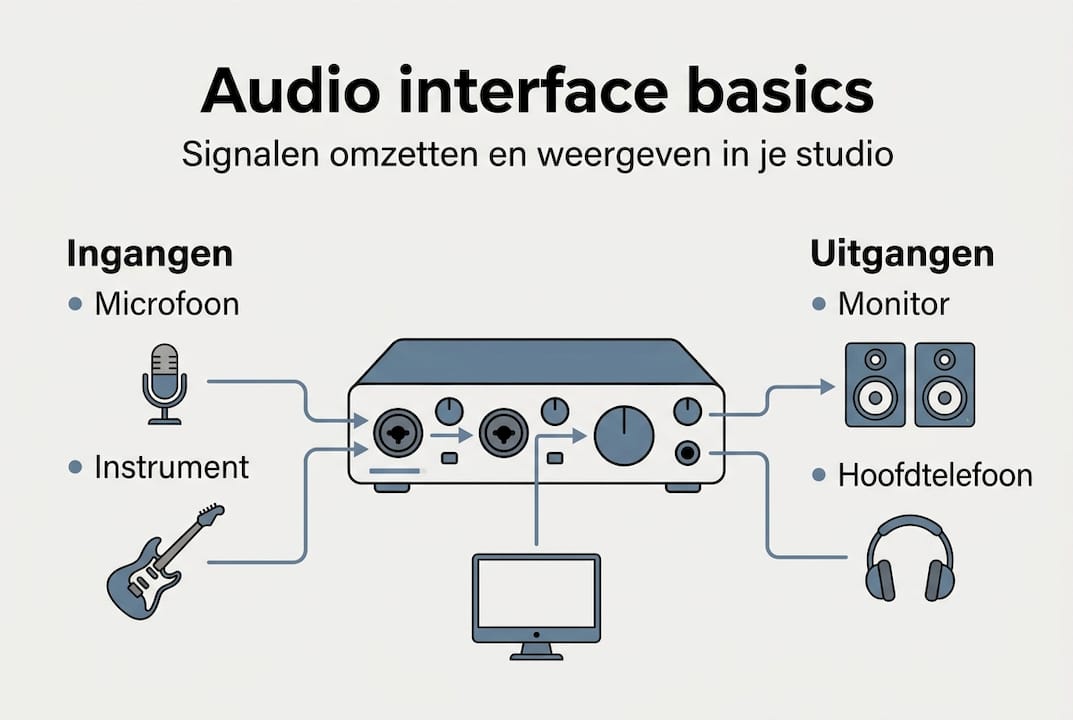
What goes in and out of an average audio interface?
| Input | Output |
|---|---|
| XLR microphone input | Monitor outputs (left/right) |
| Jack instrument input (Hi-Z) | Headphone output |
| Digital input (SPDIF/ADAT) | Digital Output |
| USB or Thunderbolt to computer | USB or Thunderbolt to computer |
Connecting to your computer these days is almost always via USB or Thunderbolt. USB is the most common option for home studios, while Thunderbolt offers lower latency and is popular with more professional setups.
The difference from a standard sound card is huge. A built-in sound card in your laptop or desktop is designed for general use: video playback, video calls, notification sounds. The preamps are weak, the converters are cheap and there is hardly any room for professional microphones or instruments. In contrast, an audio interface for recording offers high-quality preamps, better converters and many more connection options.
Commonly used functions on an audio interface:
- Phantom power (48V) for condenser microphones
- Gain control per input
- Direct monitoring without latency
- Multiple inputs and outputs for simultaneous recording
- Headphone mix control for separate monitoring
In a nutshell, an audio interface is the heart of your home studio. Everything you record and everything you hear back runs through it.
How does an audio interface work in your studio?
When you connect a microphone to your interface, the signal path begins. Your voice or instrument produces an analog signal. The preamp in the interface amplifies that signal to a usable level. Then the AD converter (analog to digital) converts the signal into binary data that your DAW can process.
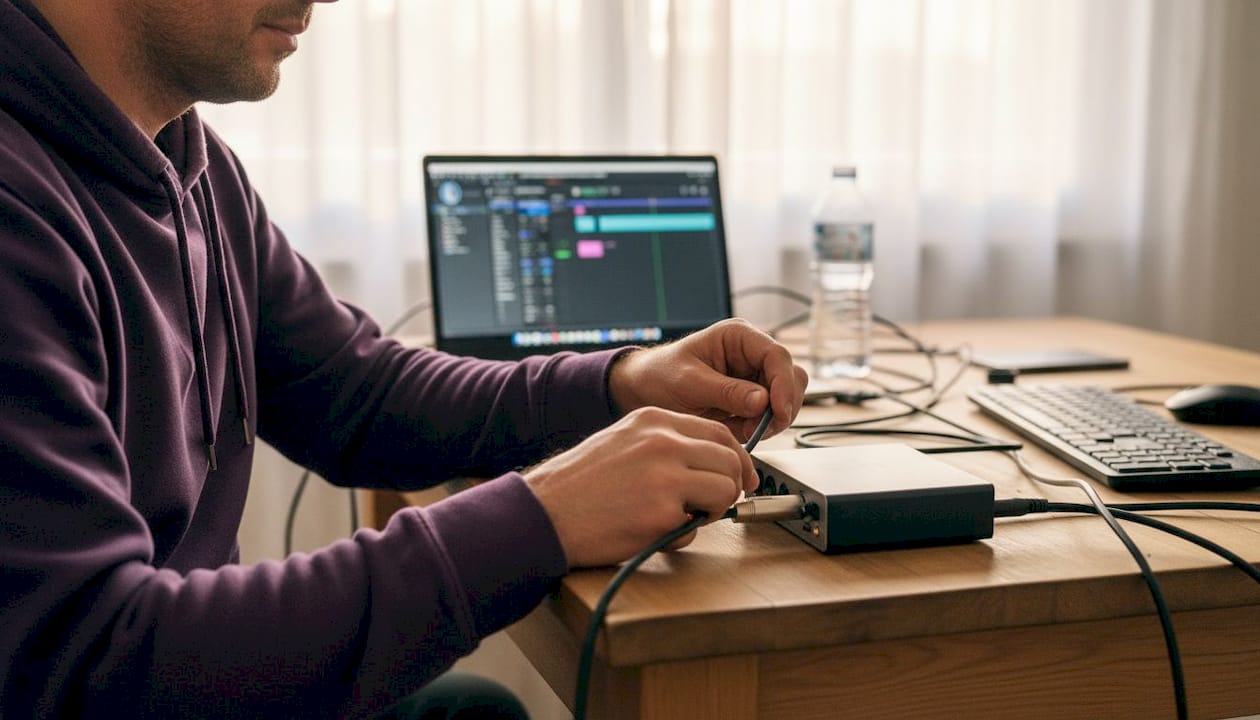
In playback, it works the other way around. Your DAW sends digital audio to the interface, the DA converter (digital to analog) converts that data back to an analog signal, and that signal goes to your monitors or headphones.
The quality of that conversion makes a big difference. Measurable quality in home studios is mostly tied to conversion in recording and playback, as well as to setting gain staging and DAW settings correctly to avoid dropouts and artifacts. A good converter sounds transparent and doesn’t add noise or color you don’t want.
Comparison: standard sound card vs. audio interface
| Feature | Standard sound card | Audio interface |
|---|---|---|
| Preamp quality | Weak | High quality |
| Latency | High | Low |
| Connections | Limited | Expanded |
| Phantom power | No | Yes |
| Conversion quality | Moderate | Professional |
Gain staging is a concept that many beginners skip over, but it is crucial. It means setting the input signal to the right level: not too soft (you’ll have noise) and not too loud (you’ll clip and get distortion). The gain knob on your interface controls this. Aim for a signal that peaks around minus 18 dBFS on average in your DAW.
Pro-tip: use the clip indicator on your interface as a guide. As soon as it lights up red, your gain is too high. Set it back slightly and try again. This will prevent distortion in your recordings that you won’t be able to edit away later.
Direct monitoring is another key feature. It allows you to hear yourself through the interface without delay, separate from the processing in your DAW. This makes recording much more comfortable, especially if you sing or play an instrument where timing is everything.
For more practical tips, check out essential music recording equipment for a complete list of what you need in your home studio.
Why settings like sample rate and buffer matter
Sample rate and buffer size are two settings that many musicians ignore until something goes wrong. Yet they directly determine how well your interface performs and how pleasantly you work.
Sample rate indicates how many times per second the sound is measured during AD conversion. Commonly used sample rates are 44.1 kHz and 48 kHz. Higher values exist, but the quality gain is not audible in most home workflows and does result in larger files and more processor load.
Buffer size determines how many samples your computer processes at once. A small buffer gives low latency (nice when recording), but demands more from your processor. A large buffer gives higher latency but is more stable when mixing with many plug-ins.
Practical setting for home studios:
- Use 44.1 kHz for music intended for streaming or CD.
- Use 48 kHz when creating music for video or film.
- Set the buffer to 64 or 128 samples when recording.
- Increase the buffer to 512 or 1024 samples when mixing.
- Always check that your DAW and interface use the same sample rate.
Pro-tip: set the same sample rate in both your DAW and your interface driver. A mismatch will cause surprising problems.
Sample rate mismatch between DAW and interface can lead to audio playing too fast or too slow, for example at 48 kHz versus 44.1 kHz. This sounds like your recording is broken, but it’s just a setting.
A common mistake is setting too small a buffer while mixing. Your processor gets overloaded, you hear clicks and dropouts, and you think your interface is broken. It isn’t. Just increase the buffer size.
Want to know which audio interface suits your studio? Then also look at driver support and the maximum sample rate the device can handle. Not every interface supports 192 kHz, but for most home studios that’s not necessary either. Also, check out a list of popular audio interfaces to see which options perform well in practice.
The impact of an audio interface in your workflow
An audio interface doesn’t just change sound quality. It also changes how you work. Recording is smoother, monitoring is more reliable and you have more control over every signal in your studio.
The hardware switch between microphone and computer allows you to connect professional microphones, instruments and outboard gear to your computer. Without an interface, you’re limited to your laptop’s built-in input, which is rarely suitable for serious recording.
Scenarios where an audio interface makes all the difference:
- Vocal recording: A good preamp and converter give your voice more detail and depth than a built-in sound card can ever provide.
- Loading guitar or bass directly: The Hi-Z input on an interface is designed specifically for high-impedance instruments. It sounds fuller and more balanced.
- Podcast or voice-over: Low noise and clear reproduction make your voice more professional without expensive post-processing.
- Streaming: Many streamers use an interface for better microphone quality and flexible routing to multiple channels.
- Producing with hardware synthesizers: You can record multiple external sound sources simultaneously via the additional inputs.
Without an interface, you don’t just miss quality. You’re also missing control. The gain controls, direct monitoring and flexible routing give you a workstation that responds to what you need. That directly affects your creativity. When you’re less concerned with technical problems, you have more room for making music.
Compare the best audio interfaces to see which device best suits your specific workflow and budget.
The hidden truth about audio interfaces that no one tells you
After years of working with audio interfaces and advising producers and musicians, there is one thing that keeps coming back: the most expensive interface is rarely the bottleneck. The real limiting factor is almost always gain staging and room acoustics.
Technical specifications such as dynamic range and THD+N look impressive on paper, but in practice the differences between mid- and high-end interfaces are barely audible to most home studios. What is audible: a microphone set too loud or too soft, a room with poor acoustics, or a buffer size that causes dropouts.
What we see in practice in audio interface reviews: a well-set mid-range interface sounds better than an expensive interface with poor gain staging. So invest in knowledge first and hardware second. And if you do want to upgrade: pay attention to preamp quality and driver support, not just the specs on the packaging.
Getting more out of your studio? Discover our solutions
A good audio interface is a strong foundation, but your studio is only truly complete when all the components work together. At i4studio, we help you further with the right hardware for your situation.

Whether you’re looking for a powerful PC for music production that handles heavy sessions effortlessly, or a versatile interface like the Audient ORIA that doubles as a monitor controller, we have the solutions to fit serious home studio needs. Also check out our range of desktop computers for audio and video production for a complete setup that really performs.
Frequently Asked Questions
Do you always need an audio interface for music production?
No, but an audio interface gives better recording quality and more connection options than a standard sound card, which is almost essential for serious productions.
What is the difference between sample rate 44.1 kHz and 48 kHz?
Both are common for home recordings and sound almost identical, but 44.1 kHz is standard for music and CD, while 48 kHz is more commonly used for video and film.
Why does my recording sound too fast or too slow?
This is almost always due to a sample rate mismatch between your audio interface and your DAW. Set both to the same value and the problem is solved.
What is gain staging and why is it important?
Gain staging means setting the right input volume so that your signal is neither too soft (noise) nor too loud (distortion). It is the basis of a clean, professional recording.
Can I use an audio interface for both recording and monitoring?
Yes, an audio interface combines both functions. You connect your microphone or instrument to it for recording, and your monitors or headphones for playback, all through the same device.
Recommendation
- Audio Interface For Recording: The Complete Guide For Studio, Podcast And Live Production – https://i4studio.nl/
- Audio Interface Features: Everything A Studio Needs – https://i4studio.nl/
- Which audio interface suits your studio? Guide 2026
- Best Audio Interfaces Compare: A Comprehensive Guide For Producers And Musicians – https://i4studio.nl/