TL;DR:
- Proper processor selection is crucial for stability and performance in music production.
- RAM and fast NVMe SSDs ensure smooth workflow and shorter load times.
- Customization and understanding your workflow are essential for a reliable and efficient studio PC.
Many musicians think that any powerful PC is sufficient for professional music production. That’s a misconception that can hurt your workflow considerably. The truth is that a standard office or gaming PC almost never has the right balance of processor, memory, storage and connections for serious studio work. The choice of components directly affects how many plugins you can run simultaneously, how stable your sessions are, and how fast you load large sample libraries. This article explains what really matters for each component so you can put together your own studio PC in an informed way.
Table of contents
- The foundation of your studio PC: choosing the right processor
- RAM and storage: how much do you really need for music production?
- Motherboard, audio interfaces and extensions: all about compatibility
- Practical tips: optimization, cooling and reliability
- Our vision: why customization and insight are essential for your studio PC
- Want to put together an optimal studio PC right away?
- Frequently asked questions about studio PC components
Key Insights
| Item | Details |
|---|---|
| Processor choice is decisive | The right CPU makes the difference between smooth production sessions and crashes. |
| Enough RAM prevents lag | More memory means less chance of stalling with large productions and sample libraries. |
| Motherboard and interfaces | Compatibility and expandability are crucial for now and later. |
| Optimization delivers immediate results | An optimized system (hardware and software) prevents latency and failures. |
| Customization saves money and frustration | A well-thought-out PC design delivers years of improved performance and flexibility. |
The foundation of your studio PC: choosing the right processor
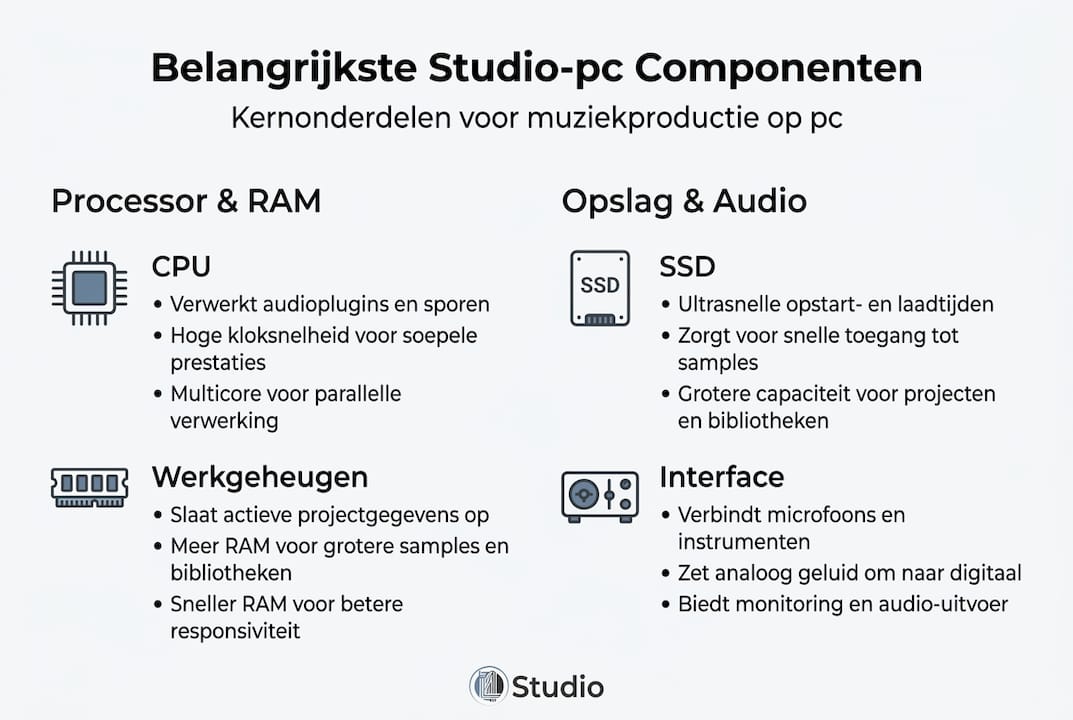
The processor, also called the CPU (Central Processing Unit), is the beating heart of your studio PC. It determines how many tracks and plug-ins you can run simultaneously, and how fast rendering and mixdown go. If you choose the wrong CPU, sooner or later you will run into a ceiling.
Two performance types come into play in music production: single-core speed and multi-core performance. Single-core speed determines how quickly one task is handled, which is relevant when plugins cannot run in parallel. Multi-core performance is essential when running many tracks, effects and virtual instruments simultaneously.
AMD versus Intel: which works better in the studio?
The choice between Intel versus AMD CPUs is not black and white. AMD Ryzen scores better at multi-core rendering and mixing, while Intel scores higher at single-core for plugin-heavy sessions. In practice, this means:
- AMD Ryzen 9 7900X3D: strong on large projects with many tracks and orchestral arrangements
- Intel Core i9 (13th/14th generation): advantageous in sessions with many heavy synthesizer plugins and real-time processing
- AMD Ryzen 5 7600X: excellent value for money for startups and mid-sized projects
| CPU | Strength type | Best for |
|---|---|---|
| AMD Ryzen 9 7900X3D | Multi-core | Lots of tracks, rendering, mixing |
| Intel Core i9-14900K | Single-core | Heavy plugins, low latency |
| AMD Ryzen 5 7600X | Balance | Startups, mid-sized projects |
Cinebench R23 scores give a good idea of practical performance. The Ryzen 9 7900X3D achieves multi-core scores above 27,000 points, which is immediately noticeable in DAW environments such as Ableton Live and Cubase during large sessions.
Pro-tip: For the best Intel processor, look not only at clock speed but also at the number of cores and threads. For music production, a processor with at least 8 cores and 16 threads is a solid base.
Also consider your workflow in the long run. If you compose a lot with orchestral sample libraries, then AMD Ryzen is the more reliable choice. If you work mostly with hardware synthesizers and a limited number of heavy plugins, then Intel may actually be the better option.
RAM and storage: how much do you really need for music production?
After the CPU, RAM and storage determine a smooth workflow. RAM (working memory) determines how much data your DAW and plugins can hold at once. Storage determines how fast sample libraries and project files are loaded.
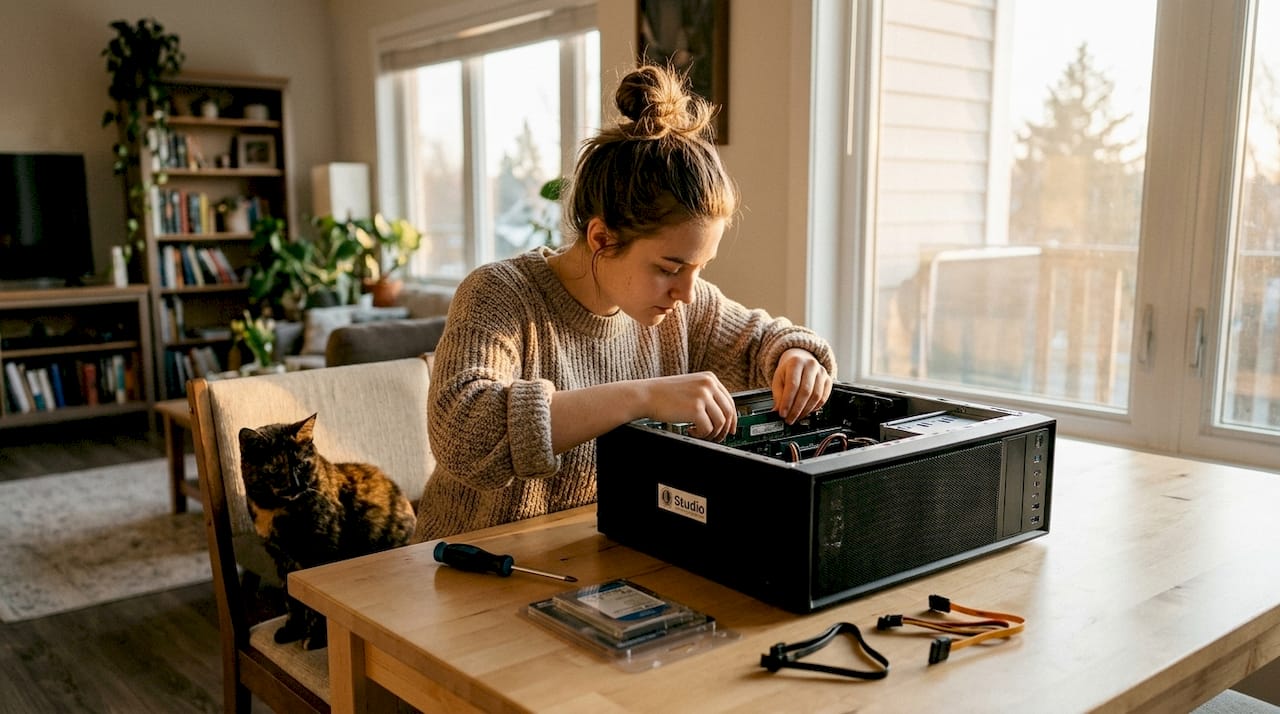
According to recommendations for studio PC RAM, 16GB is a good starting point for most modern DAW projects. However, if you are working with large orchestral sample libraries such as Spitfire Audio or EastWest Hollywood Orchestra, then 32GB or even 64GB is not an exaggeration.
How much RAM do you need?
- 16GB RAM: suitable for pop, electronic music and projects with fewer than 30 tracks
- 32GB RAM: recommended for movie scoring, complex arrangements and multiple virtual instruments
- 64GB RAM: for professional orchestral production and intensive use of large sample libraries
Budget build: 16GB is a starting point, but expandable up to 64GB for heavy orchestra samples. When buying, make sure your motherboard has enough RAM slots for future expansion.
Storage: SATA SSD versus NVMe
The complete storage explanation shows that the difference between storage types is significant in everyday practice.
| Storage type | Read speed | Write speed | Best for |
|---|---|---|---|
| HDD | 80 MB/s | 80 MB/s | Archiving |
| SATA SSD | 550 MB/s | 520 MB/s | OS and software |
| NVMe SSD | 3500 MB/s | 3000 MB/s | Samples and projects |
NVMe SSDs are up to seven times faster than SATA variants. For loading large sample libraries, this difference is audible and tangible: less waiting time, less downtime.
Pro-tip: use a separate NVMe SSD for your sample libraries and a second one for your operating system and DAW software. This will prevent sample read spikes from slowing down your system during a recording session.
Motherboard, audio interfaces and extensions: all about compatibility
Besides computing power and memory, connectors and expandability are at least as important for a future-proof studio PC. The motherboard is the backbone of your system: it connects all components and determines what is possible.
Compatibility is crucial here. Not every CPU fits on every motherboard. AMD Ryzen 7000 series processors use the AM5 socket, while Intel 13th and 14th generation processors require the LGA1700 socket. Always check this before purchase.
What do you look for in a motherboard for the studio?
- Number of RAM slots: minimum of four slots for future expansion
- PCIe slots: for a possible internal sound card or additional storage
- USB ports: multiple USB-A and USB-C connections for audio interfaces, controllers and peripherals
- Thunderbolt support: essential if you use Thunderbolt audio interfaces such as Universal Audio
- M.2 slots: at least two for dual NVMe SSD configuration
For a stable DAW setup, good daw hardware recommendations are always based on motherboards with proven stability and excellent driver support.
Internal or external audio interface?
An audio interface controls the conversion of sound to digital data. External interfaces via USB or Thunderbolt are more flexible and easier to swap out. Internal PCIe sound cards offer lower latency in some cases but are less easy to carry.
Choose an audio interface based on your workflow: recording in the studio requires different specifications than live use or exclusively in-the-box production.
Pro-tip: optimize your PC for audio right after installation. Set power management to high performance and disable unnecessary background programs for the lowest possible latency.
Thinking ahead pays off. Choose a motherboard with more ports than you need now. That way you can add an additional SSD, second monitor or additional peripherals later without rebuilding the system.
Practical tips: optimization, cooling and reliability
With the right components chosen, now maintenance and optimization is crucial for stable performance. A well-built studio PC runs quietly, coolly and reliably. Here are the steps that make the difference.
Silent cooling for the studio
In a recording room, noise from the PC itself is a problem. Fans audible in microphones ruin recordings. Choose:
- Water cooling (AIO): quiet and effective for powerful processors like the Ryzen 9 or Intel i9
- Large air cooler: models such as Noctua NH-D15 are nearly silent at normal loads
- Enclosure with sound insulation: traps fan noise and keeps the recording room quiet
- Good airflow: one or two large fans run more quietly than several small ones
Operating system setup for audio
Optimize your OS, close background apps and use LatencyMon for a latency check. LatencyMon is a free tool that shows which drivers or processes are causing latency in Windows.
Enable automatic Windows updates at a time when you are not producing. An update that starts in the middle of a recording session can ruin an entire session.
Pro-tip: go to studio pc optimize for a complete checklist of Windows settings specifically for DAW use, including disabling power-saving modes that increase latency.
Hardware maintenance for the long term
- Cleaning dust filters regularly prevents overheating
- Refresh thermal paste on CPU after two to three years
- Check periodically for loose cables, especially with fixed studio setup
- Monitor temperatures with tools such as HWMonitor for early detection
A stable PC is a quiet PC. Temperatures below 80 degrees Celsius under full load are a good sign. If the temperature shoots structurally higher, then cooling or case adjustment is needed.
Our vision: why customization and insight are essential for your studio PC
After all the technical explanations, we share our real-world experience. Off-the-shelf PCs, even expensive ones, rarely offer the right balance for studio work. A high-end gaming PC may have a powerful GPU but a mediocre motherboard without Thunderbolt. A business workstation might have good stability but too few USB connections for your interface and controllers.
The real payoff is in understanding your own workflow. What plugins do you use the most? Do you work with large sample libraries? How many tracks does your average project have? Those answers determine which components deserve priority.
We see in practice that musicians who take their studio equipment checklist seriously work trouble-free for years. Customization is not more expensive. It’s smarter. You pay for what you need, and you avoid the frustration of a system that limits you when you’re most creatively active.
Knowledge of components gives you control over your own sound and workflow. That’s the investment that always pays off.
Want to put together an optimal studio PC right away?
After this explanation, you know exactly what to look for when putting together your studio PC. The next step is concrete: choosing which configuration fits your workflow.
At i4studio.co.uk, we help musicians and studio owners put together custom-built studio PCs. Whether you’re just starting out with advice for beginner studio gear or looking for a fully featured DAW machine, our music pc advice and offerings will give you instant insight into the best options. Also check out our DAW pc offerings for ready-configured systems that are ready for the studio right away. Personal advice is always available.
Frequently asked questions about studio PC components
Is a gaming PC also suitable as a studio PC?
Gaming CPUs are not necessarily suitable for DAW workflows. Gaming PCs often lack the necessary connections and stable drivers for professional audio interfaces, which in practice leads to less reliable performance.
Why is latency so important in music production?
Low latency prevents audible delays between what you play and what you hear, which is essential for real-time recording. Use LatencyMon to measure latency and optimize your operating system.
How much RAM is sufficient for an average music studio?
For most music studios, 16GB of RAM is a good start. 16GB is a starting point, expandable to 64GB for large sample libraries and orchestral projects.
What storage do I choose best for samples and projects?
Choose an NVMe SSD for your sample libraries and project files. These are up to seven times faster than SATA variants, which directly reduces waiting time when loading large libraries.
Recommendation
- PC for music production – i4studio.com
- Computer for Music Production: Complete Guide to Studio Performance – https://i4studio.nl/
- Computer for Music Production: Complete Guide to Studio Performance – https://i4studio.nl/
- The Audio PC Explained: Why a Silent Studio PC is not a Gaming PC (and what components really count) – https://i4studio.nl/