TL;DR:
- For live performances with Ableton, a laptop requires minimum specs: a modern 8-core processor and 16 GB of RAM for stability. Class-compliant USB devices and separate audio and MIDI setup prevent problems during shows. Simple, well-prepared setups with track freezing and fixed templates minimize crashes and reinforce reliability.
Not every laptop is suitable for live performance with Ableton and MIDI controllers. Many performers discover this only onstage, when Ableton freezes, the sound fails or a MIDI controller suddenly becomes unresponsive. The choice of hardware is not an afterthought here. It’s the foundation on which your entire show stands. In this article, you’ll learn which specs really count, how to configure your setup for maximum stability, and which laptops and controllers will have the best reputation among live musicians in 2026.
Table of contents
- Key insights
- Hardware requirements for live performances with Ableton and MIDI controllers
- Compatibility and connectivity with Ableton
- Workflow and performance optimization during live shows
- Popular laptops and MIDI controllers for live performances (2026)
- Common pitfalls in live performance
- My vision of performing live with laptop and Ableton
- Studio laptops and gear for live performances at I4studio
- FAQ
Key insights
| Item | Details |
|---|---|
| Processor and RAM are critical | Choose at least a modern 8-core processor and 16 GB of RAM to handle CPU spikes during live sets. |
| Class-compliant USB reduces risk | MIDI controllers without their own driver operate more reliably and avoid set-up problems on stage. |
| Frozen tracks improve stability | Freeze heavy VSTs and bounce MIDI clips to decongest the CPU and avoid crashes. |
| Simplicity wins over complexity | Less equipment means fewer failure points. A compact setup performs more reliably under pressure. |
| Ableton Link optimizes synchronization | Wireless synchronization via Wi-Fi replaces MIDI cables and reduces timing issues. |
Hardware requirements for live performances with Ableton and MIDI controllers
Most musicians look at the price or screen first when considering a laptop. For live stages with Ableton, very different priorities apply. Latency, CPU stability and port reliability come first.
Processor, RAM and storage
Ableton Live is a demanding application, especially if you are running multiple VST plugins, samplers and effect chains simultaneously. An Intel Core i7 or AMD Ryzen 7 of the twelfth generation or newer will give you enough processing power for complex sessions. The Apple M4 chip performs exceptionally well in this because of its integrated architecture and energy-efficient performance. Always go for at least 16 GB of RAM. With 32 GB you will play even more comfortably, especially if you use large sample banks.
For storage, always choose an NVMe SSD. A traditional HDD is too slow for loading large sample banks and audio files in real time. An SSD with read and write speeds above 2000 MB/s makes the difference between a smooth set and annoying loading delays.
- Processor: Intel Core i7/i9 (12th gen or newer), AMD Ryzen 7/9, or Apple M-chip series
- RAM: at least 16 GB, preferably 32 GB
- Storage: NVMe SSD, minimum 512 GB
- USB ports: at least 2 USB-A and 1 USB-C, preferably USB 3.1 or higher
Gaming laptop versus studio laptop
This difference is often underestimated. Gaming laptops lack specific features such as quiet cooling and low audio latencies that studio laptops do offer. Gaming laptops are designed for short, high loads. A live music set, on the other hand, requires long-term, stable CPU load without thermal interruptions.
Studio laptops also have quieter cooling, which is immediately noticeable on stage in your microphone or recording. A gaming laptop’s fan can be audible at high load in a quiet passage or acoustic set.
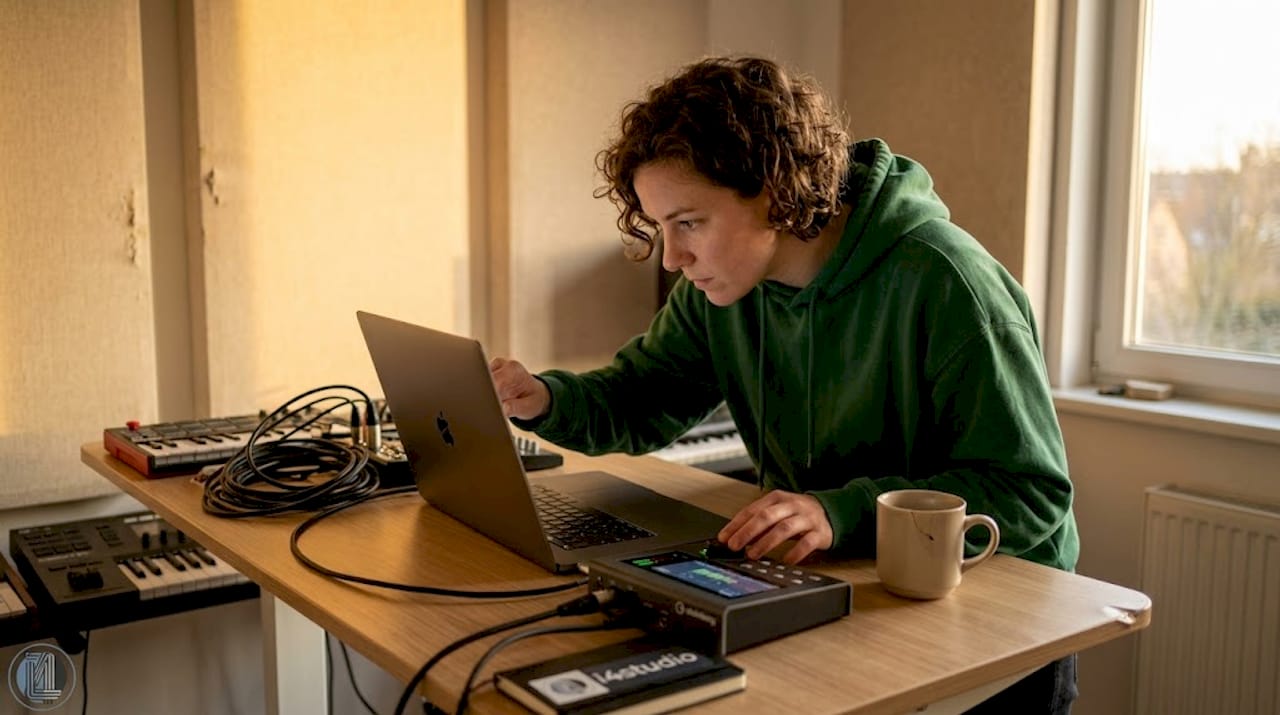
Pro-tip: Buy a laptop that still stays cool at 80% CPU load. Test this at home with a simulation load before going on stage.
Compatibility and connectivity with Ableton
A laptop with the right specs is step one. Step two is making sure your MIDI controllers and audio interface work smoothly with it.
Choosing class-compliant devices
The safest choice in MIDI controllers are class-compliant USB devices. These operate without their own driver, which limits setup problems and avoids unexpected errors on stage. Devices that require special drivers are an additional risk factor. Any Windows update or macOS version can break that driver.
The Novation SL MKIII and Akai MPK Mini IV are standard choices for live MIDI controllers in 2026 because of their class-compliant USB. They integrate directly with Ableton Live via InControl or Mackie HUI, without manual configuration.
Ableton Link and wireless sync
Ableton Link wirelessly syncs hardware to Ableton Live over Wi-Fi or Ethernet. This improves timing and eliminates the need for MIDI cables for synchronization. Especially in setups with multiple devices such as an MPC or loop station, this is a huge improvement in reliability and workflow.
- Always use a stable, fixed Wi-Fi connection or Ethernet for Ableton Link
- Connect external hardware via USB for primary MIDI data, use Link only for synchronization
- Always check the latency settings of your audio interface (4 ms or lower is ideal for live use)
- Set fixed MIDI channels for each controller to prevent MIDI feedback loops
Pro-tip: Test your entire signal path at home exactly as you use it on stage. Use the same USB hub, the same ports, and the same cable length. Small changes on location can cause big problems.
Workflow and performance optimization during live shows
Most crashes and audio failures on stage do not come from insufficient computing power. They come from CPU spikes and routing problems that are easily preventable with proper preparation.
- Freeze heavy tracks. Use the Freeze function in Ableton on tracks with complex synthesizers or samplers. This temporarily converts them to audio and relieves the CPU significantly.
- Bounce MIDI to audio. Clips that you no longer want to edit live, convert to audio files. This saves processing time and also makes the sound more stable at high loads.
- Use Return Tracks for effects. Instead of loading reverb and delay on each individual track, send multiple tracks to one Return Track. The CPU load drops immediately.
- Create fixed templates. Start each session from a fixed basic template with correct audio routing, monitoring and MIDI mapping already set. This prevents mistakes in the stress before a performance.
- Split click and audience sound. Secure templates separate click and main sound channels, so that as an artist you always hear your cue, even if something goes wrong on the FOH side.
- Always save a backup. Keep your set file on a USB stick as well as in the cloud. A corrupt session is rare, but final if you don’t have a backup.
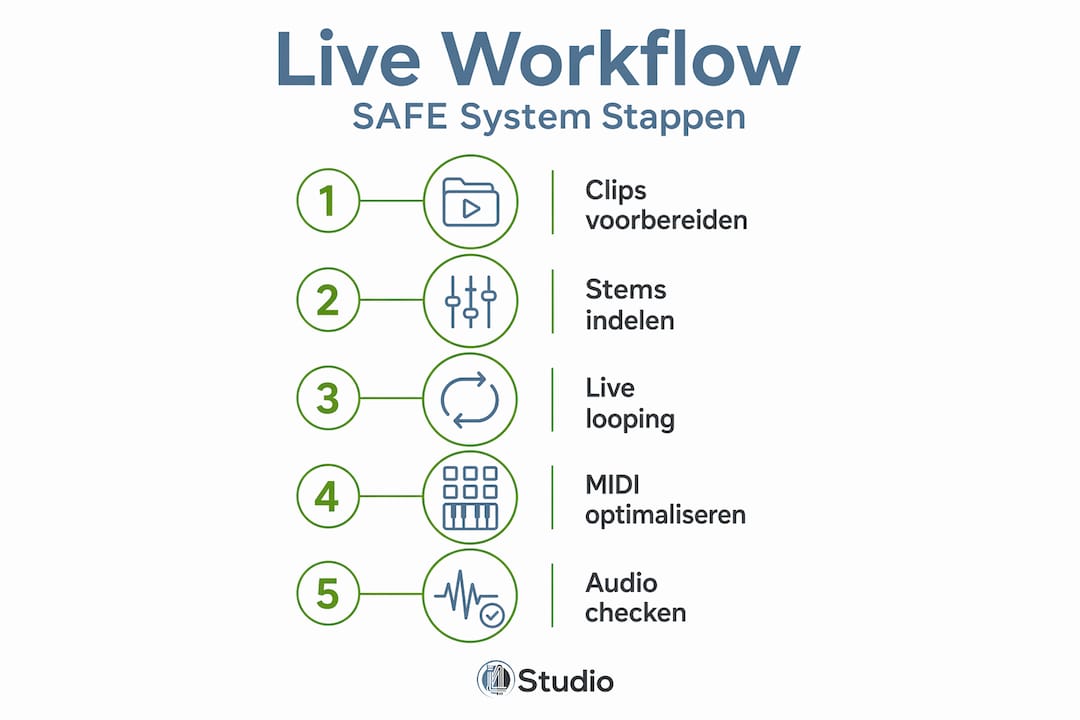
The SAFE System methodology provides a complete approach to stable live sets, including clips, stems and live looping with set templates. Following a structured method like this will save you a lot of improvising at the wrong time.
Popular laptops and MIDI controllers for live performances (2026)
Here are the models most chosen by live performers with Ableton in 2026.
Laptop Comparison
| Model | Processor | RAM | Price (approx.) | Suitable for |
|---|---|---|---|---|
| Apple MacBook Pro 14″ M4 | Apple M4 Pro | 24GB | €2.299 | Professional performers, long sets |
| Dell XPS 15 (2025) | Intel Core Ultra 7 | 32 GB | €1.899 | Windows users, versatile |
| ASUS ProArt Studiobook 16 | AMD Ryzen 9 | 32GB | €1.799 | Music production and live use |
| Lenovo ThinkPad X1 Carbon | Intel Core i7 | 16 GB | €1.499 | Light and reliable for DJs |
For a more in-depth comparison between macOS and Windows, read more on the MacBook vs Windows laptop page at I4studio.
Top MIDI controllers for Ableton
- Novation SL MKIII 49-key. Excellent integration with Ableton, saves 30 to 50% mouse use during live sets. Direct control over mixer and transport functions.
- Akai MPK Mini IV. Compact, class-compliant, ideal for performers with limited space on stage.
- Ableton Push 3. The most complete controller for Ableton, with standalone capabilities and deep integration.
- Native Instruments Komplete Kontrol S49. Offers excellent piano feel and strong NKS integration for plug-in navigation.
When buying, pay attention to: class-compliant USB, active firmware development, availability of Ableton presets, and physical durability for transport.
Common pitfalls in live performance
Even with the right hardware, things go wrong when you make these mistakes.
- Too much equipment on stage. Each additional controller, hub or cable is an additional point of failure. More equipment means more opportunity for problems. Keep your setup compact.
- No sound checklist. Run through a set list before each gig: check USB connections, confirm MIDI channels, test audio routing, set up monitoring.
- Untested signal path on site. Always use the same USB ports as tested at home. Switching ports may produce different latency or a conflict driver.
- No fallback plan. Prepare an emergency version of your set that runs without external controllers, purely via the laptop keyboard and mouse.
Pro-tip: Take a picture of your stage setup at home when everything is working. On location, you then restore the exact same configuration, including which USB port for which device.
A checklist and scheduled troubleshooting during soundchecks help identify unforeseen problems immediately for reliable live sets.
My vision of performing live with laptop and Ableton
After years of working with musicians and building and testing studio and stage setups, I have seen one consistent pattern: the performers who have the fewest problems are not the ones with the most expensive gear. They are the ones with the simplest, best-prepared setup.
Olof Dreijer describes performing live with Ableton as showing and spontaneously arranging in Clip View. That freedom is exactly what makes Ableton unique as a live tool. But that freedom disappears immediately if your laptop is unreliable.
What I see working in practice: a laptop with enough margin above your normal usage, a maximum of two MIDI controllers, an audio interface with proven stability, and a set that has been fully tested at home on the same venue conditions. No external mixer you’re not familiar with, no new controller you’re trying out on stage for the first time.
My honest observation is also that many performers start testing too late. They spend weeks in the studio producing, and then run into stability problems only a week before the performance. Start building your live template early. Test it at volume, with hot CPU. Simulate a ninety-minute show. What survives then, survives on stage.
– harold
Studio laptops and gear for live performances at I4studio
Looking for a reliable laptop or controller for your live Ableton setup? I4studio helps musicians and performers put together a setup that performs when it matters most.
As a specialist in custom studio PCs and studio acoustics, I4studio knows exactly which hardware works stably in demanding live environments. Whether you’re looking for a laptop for music production or help choosing the right configuration, I4studio’s knowledge base and product offerings give you a concrete starting point. Also check out the advice page on which studio PC is right for you for a targeted recommendation based on your usage. From compact setups for DJ performers to heavy-duty configurations for complex live acts, I4studio is happy to think with you.
FAQ
What processor do I need for Ableton live?
A 12th-generation Intel Core i7 or newer, AMD Ryzen 7, or Apple M-chip provides enough power for complex live sets. Always provide at least 16 GB of RAM to handle CPU spikes.
Are class-compliant MIDI controllers really necessary?
Class-compliant controllers operate without their own driver and minimize the chance of interference on stage. They are not mandatory, but highly recommended for reliable live performances.
How do I avoid crashes during a live set?
Freeze heavy VST plug-ins, bounce MIDI clips to audio, and use fixed templates with separate click and audience channels. This greatly reduces the likelihood of CPU spikes and routing problems.
What is the difference between a gaming laptop and a studio laptop for Ableton?
Gaming laptops are powerful but lack the quiet cooling and low audio latencies that studio laptops offer. For long-term, stable live sets, a studio laptop performs more reliably.
Does Ableton Link work well as a wireless sync?
Yes. Ableton Link syncs external hardware over Wi-Fi or Ethernet without MIDI cables, improving timing and reducing the complexity of your cable setup.