A custom-built studio PC for music production or video editing can cost anywhere from a few hundred to several thousand euros in the Netherlands, depending on your workflow and budget. Below, you can see at a glance which price range is right for you:
- Entry-level (€900–€1,300): suitable for light DAW sessions in Ableton Live or Logic Pro, up to 32 tracks, with limited plugin load. Think of an AMD Ryzen 5 or Intel Core i5, 32 GB of RAM, and a 1 TB NVMe SSD.
- Mid-range (€1,300–€2,000): ideal for producers with large sample libraries, video editors working in 1080p or light 4K, and streamers. Ryzen 7 or Core i7, 64 GB RAM, dedicated GPU.
- Professional (€2,000–€3,000): for demanding DAW projects with hundreds of plugins, 4K video editing, and color grading in DaVinci Resolve. Core i9 or Ryzen 9, 64–128 GB RAM, RTX 4070 or equivalent.
- High-end (€3,000–€5,000+): rendering workflows, AI-driven mastering, multiple 4K streams simultaneously, or complex surround mixes. Threadripper or Xeon-class processor, 128 GB+ RAM, RTX 4080/4090.
Check out I4studio’s sample configurations or request a quote right away if you want to know which range is right for your workflow.
Key insights
A custom-built studio PC in the Netherlands costs, on average, €1,760 for a DAW build and €3,210 for a full-fledged video rendering setup, including assembly, the operating system, and configuration.
| Item | Details |
|---|---|
| Price range by level | Entry-level €900–€1,300, mid-range €1,300–€2,000, professional €2,000–€3,000, high-end €3,000–€5,000+. |
| The GPU Makes All the Difference | For video work, the GPU is the biggest expense; for pure audio work, the CPU and RAM are the top priorities. |
| Service Matters | Assembly, burn-in testing, and OS installation add €250–€400 to the component price. |
| Additional Costs | Expect to pay an additional €500–€2,000 for an audio interface, monitors, and acoustic equipment on top of the price of the PC. |
| I4studio as a manufacturer | I4studio supplies DAW-optimized, custom-built studio PCs with test reports and after-sales support for the Dutch market. |
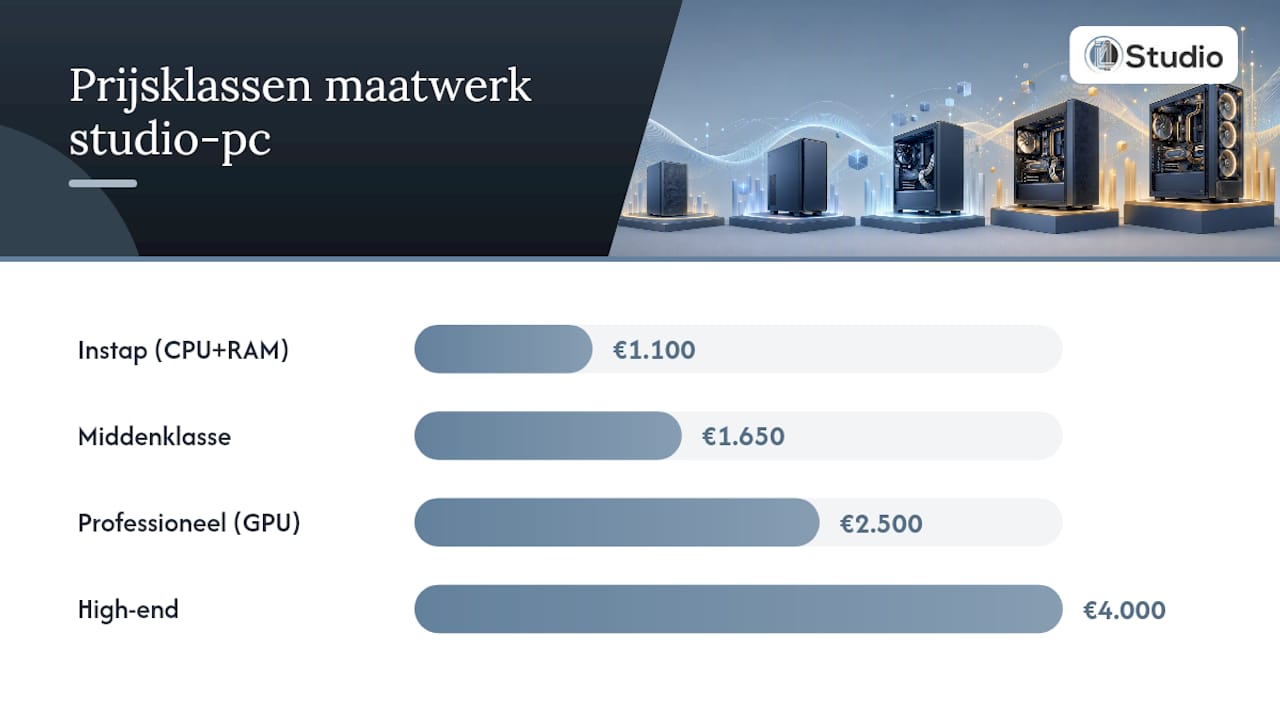
Table of contents
- Why is a custom-built studio PC better than a standard machine?
- What determines the price of a custom-built studio PC?
- Sample configurations with price estimates in the Netherlands
- Assembly, testing, and warranty: what can you expect in the Netherlands?
- How do you choose the right builder or configuration?
- Cost Comparison: DAW Build vs. Video Render Build
- What is the ordering process like with a Dutch custom PC builder?
- How much does a custom-built studio PC cost, including all services?
- Payment methods and financing options for Dutch customers
- What I would really recommend to producers in the Netherlands
- I4studio builds studio PCs that work right out of the box for producers
- Sources
- Frequently Asked Questions
Why is a custom-built studio PC better than a standard machine?
A standard office PC or gaming rig isn’t built to meet the specific requirements of a DAW or video editing suite. The difference lies in details that may seem minor on paper but make all the difference in practice.
- Low audio latency: A custom build uses a motherboard and chipset that support stable IRQ allocation, which directly affects your buffer size in Cubase, Pro Tools, or FL Studio.
- Quiet cooling: A studio PC should ideally operate below 30 dB(A). The Noctua NH-D15 or a closed-loop water cooling system with a low-speed pump keeps fan noise out of your recording space.
- Targeted I/O: More PCIe slots for a Thunderbolt card or additional USB-A/C ports for audio interfaces such as the Focusrite Scarlett or Universal Audio Apollo.
- Scalability: A well-chosen motherboard lets you upgrade RAM from 32 to 128 GB later on without having to replace the rest of the system.
Pro tip: Never skimp on the power supply (PSU). A high-quality PSU with 80 Plus Gold certification protects your components during power surges and extends the lifespan of your entire system. Treat a good PSU as a fixed expense, not an optional extra.
For more background on why custom builds are worth it for creative professionals, visit the advice page for creative professionals.
What determines the price of a custom studio PC?
The total price consists of component costs and service costs. Both deserve attention.
Component costs per part
Calculation example: For a professional build with €2,500 worth of components, video work can easily cost €700–€875 for the GPU alone.
Service Costs
Assembly, configuration, and testing incur additional costs. Market rates for computer assistance in the Netherlands range from €50 to €120 per hour, but specialized custom builders often charge fixed rates per service. Examples include:
- Assembly and cable management: €75–€150
- Burn-in and stress test (24–48 hours): €50–€100
- Windows installation and driver configuration: €50–€75
- DAW-specific audio driver setup (ASIO, latency optimization): €50–€100
A custom-built desktop starts at €1,099 with some Dutch providers, with assembly and basic software already included.
Pro tip: Always ask if the burn-in test and test report are included. A builder who provides this as standard stands behind their work. One who doesn’t mention it may be delivering an untested system.
When is upgrading a smarter choice than buying a new PC? RAM and SSD upgrades often cost only €50–€100 and are sufficient for light DAW workflows. For demanding video or AI tasks, the GPU and CPU account for the bulk of the additional cost, and in those cases, a new build is often more cost-effective in the long run.
Sample configurations with Dutch price estimates
The builds below are representative examples. Exact prices vary depending on component availability and the builder.
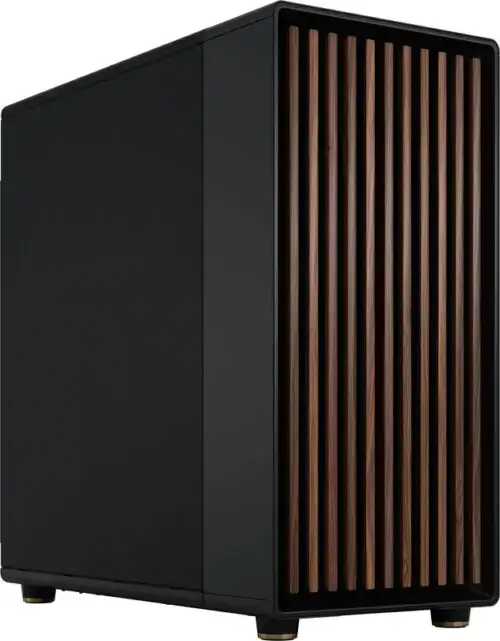
The I4studio page with specification advice helps you determine the minimum specs required for your workflow.
Additional costs to factor in
- Windows 11 Pro license: €100–€150
- DAW software (Ableton Live Suite, Logic Pro, Pro Tools): €0–€700, depending on your choice
- Audio interface (Focusrite Scarlett, Universal Audio Apollo): €150–€1,200
- Studio monitors and monitor controller: €300–€2,000
- Room acoustic treatment: €200–€1,500
Installation, testing, and warranty: what can you expect in the Netherlands?
A good custom builder delivers more than just a box of parts. These are the services that should be included as standard.
What should be included:
- Full assembly, including neat cable management
- A burn-in test of at least 24 hours using stress-testing software (Prime95, FurMark)
- Written test report with temperatures, clock speeds, and memory test results
- Windows installation, drivers, and BIOS optimization
- Basic ASIO configuration for the audio interface you’re using
Delivery Times and What Causes Delays:
- Standard entry-level and mid-range builds: 5–14 business days
- Professional builds with custom cooling or a specific GPU: 10–21 business days
- High-end Threadripper or workstation builds: 14–28 business days
Component shortages, backorders on specific GPUs, and custom water-cooling projects are the most common causes of delays. Always ask about the current lead time when requesting a quote.
Warranty and after-sales service: what to ask:
- At least a 2-year warranty on the entire system (not just individual parts)
- Clear return procedure for DOA (dead on arrival) or early failure
- Phone or email support for software and configuration issues after delivery
- Option for a paid upgrade service later (RAM, SSD, GPU)
How do you choose the right builder or configuration?
The difference between a good and a disappointing custom-built experience rarely lies in the choice of components itself. It lies in the builder’s transparency and expertise.
Numbered checklist for your request for a quote:
- Request a complete parts list that includes brand names, model numbers, and warranty periods for each component.
- Check whether the manufacturer has experience with DAW workflows: specifically ask about ASIO latency optimization and IRQ configuration.
- Ask whether a burn-in test report is included as standard.
- Check the warranty terms: who is the point of contact in case of failure—the builder or the component manufacturer?
- Ask for the PSU specifications: brand, wattage, and 80 Plus certification.
- Ask about the delivery time and whether component availability has already been verified.
- Check whether audio interface compatibility (Thunderbolt, USB-C, PCIe) has been incorporated into the design.
Red flags to watch out for:
- No specific brand names in the quote (“a good GPU” without a model number)
- Warranty covers only individual parts, not the system as a whole
- No test report or burn-in procedure mentioned
- Delivery times of less than 3 business days for complex builds (unrealistic)
- No knowledge of DAW-specific configuration or audio latency
The explanation of how to build a studio computer provides you with additional technical background to better evaluate quotes.
Calculation Example: DAW Build vs. Video Render Build
Two popular workflows, two very different price tags.
Conclusion: The GPU accounts for the lion’s share of the price difference between the two workflows. For the DAW build, it’s all about CPU power and RAM speed; for video work, the GPU dominates the budget.
For producers who are also considering AI acceleration or heavy rendering workflows, I4studio also offers advice on AI computers for professional use.
What is the ordering process like with a Dutch custom PC builder?
The process at a specialized Dutch construction firm such as I4studio typically consists of five steps.
Step 1: Initial consultation and requirements discussion. You’ll specify which DAW you use, how many tracks and plugins you typically run, and whether you also edit video. The builder will use this information to provide component recommendations.
Step 2: Quote with a complete parts list. You’ll receive a detailed quote that includes brand names, model numbers, and a breakdown of component and service costs. Always compare this with current market prices on sites like Tweakers Pricewatch.
Step 3: Approval and component order. Once approval is granted, the builder orders the parts. This is when the delivery time begins. Ask about the expected delivery time for each component.
Step 4: Assembly, burn-in, and testing. The PC is built, stress-tested for 24–48 hours, and configured with Windows, drivers, and, if necessary, ASIO settings for your audio interface.
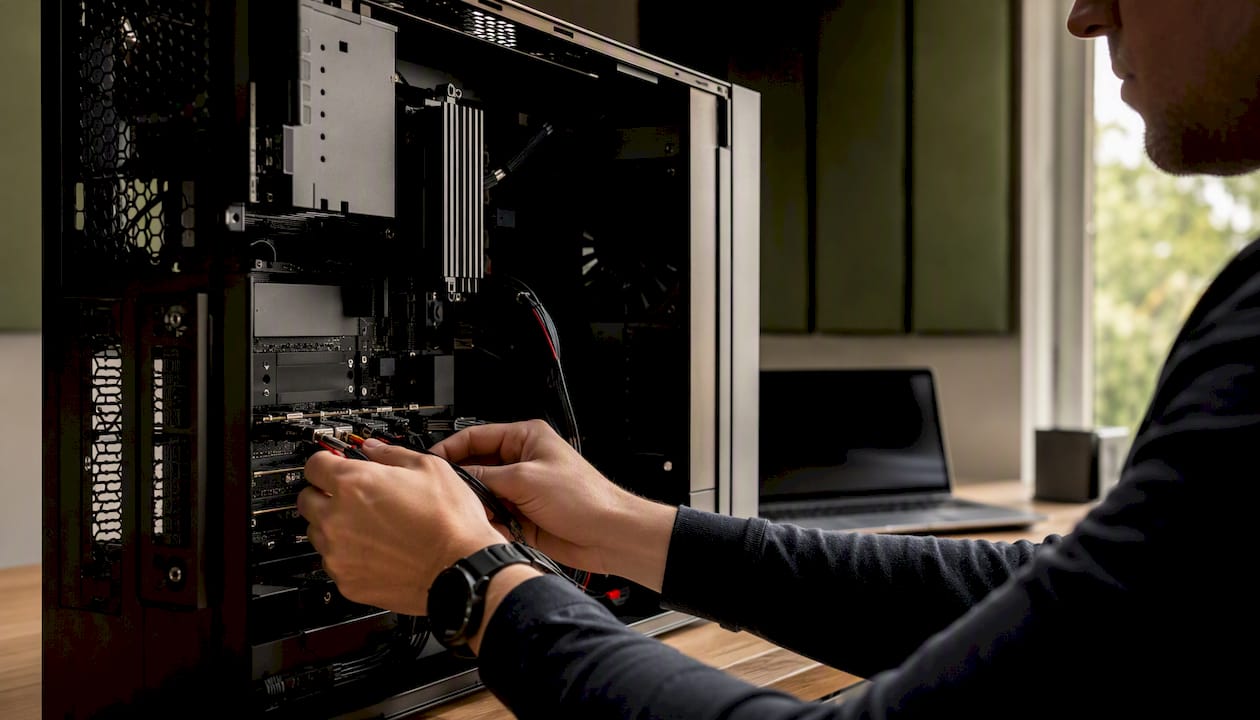
Step 5: Delivery and After-Sales Support. You will receive the PC along with a test report. A reputable builder offers a minimum of 30 days of after-sales support for configuration issues.
How much does a custom-built studio PC cost, including all services?
The component price is only part of the bigger picture. If you add up all the additional costs, here’s what it looks like for a typical mid-range producer build:
Component costs range from €1,100 to €1,500. Assembly, burn-in, and OS installation add another €250 to €400. A Windows 11 Pro license costs €100–€150. If you also need an audio interface, studio monitors, and basic room acoustics, you can easily expect to spend an additional €500–€2,000. The total cost for a complete, ready-to-use mid-range studio setup can therefore easily range from €2,000 to €4,000.
That may sound like a lot, but a specialized build that works seamlessly with your DAW and audio interface saves you hours of troubleshooting. Latency issues, IRQ conflicts, and driver crashes are rare with a well-configured custom build.
Payment Methods and Financing Options for Dutch Customers
Most Dutch custom-built home builders accept iDEAL, credit cards, and bank transfers. For business customers, payment by invoice with a 14- or 30-day payment term is standard.
Financing through Klarna or Afterpay is available at some online stores for amounts up to €1,500–€2,500, but always check the interest charges. For business customers operating as sole proprietorships or limited liability companies (BV), an operating lease or hire purchase through a leasing company is an option that spreads the investment over 24–48 months. Ask your builder if they work with a financing partner, as not all providers offer this as standard.
Freelancers and small studios can capitalize the purchase of a studio PC as a business asset and depreciate it over five years, which reduces the net investment. Consult your accountant for guidance on how to handle this for tax purposes in your specific situation.
What I would really recommend to producers in the Netherlands
The most common mistake when ordering a custom-built studio PC is focusing on the specs and forgetting to ask about the support that comes with it. A Ryzen 9 with 64 GB of RAM sounds impressive, but if the builder has no experience with ASIO configuration or audio driver optimization, you’ll still end up with a system that doesn’t run stably at low buffer sizes.
Another thing I see: producers investing too much in a GPU for a purely audio workflow. For Ableton, Cubase, or Pro Tools, an RTX 4080 makes virtually no difference. You’re better off spending that extra €800 on a better audio interface, acoustic treatment, or a second NVMe SSD for your sample library. The same goes the other way around: video editors who skimp on the GPU and then complain about slow exports in DaVinci Resolve.
A price comparison across budget tiers shows that the difference between entry-level and mid-range models is often smaller than expected, while the jump to high-end becomes exponentially more expensive. My advice is to choose a budget tier one level higher than you think you need, and to save money on the GPU if you’re primarily focused on audio.
Transparency is the strongest indicator of a reliable builder. A quote that doesn’t list brand names, a warranty that refers only to the manufacturer, or a builder who doesn’t provide a test report—these are signs that you should keep looking.
I4studio builds studio PCs that are ready to use right away for producers
I4studio provides custom-built studio PCs tailored to DAW workflows and video production, including ASIO configuration, burn-in testing, and a comprehensive test report prior to delivery. Not generic gaming rigs, but systems built with an understanding of audio latency, plugin load, and studio environments.
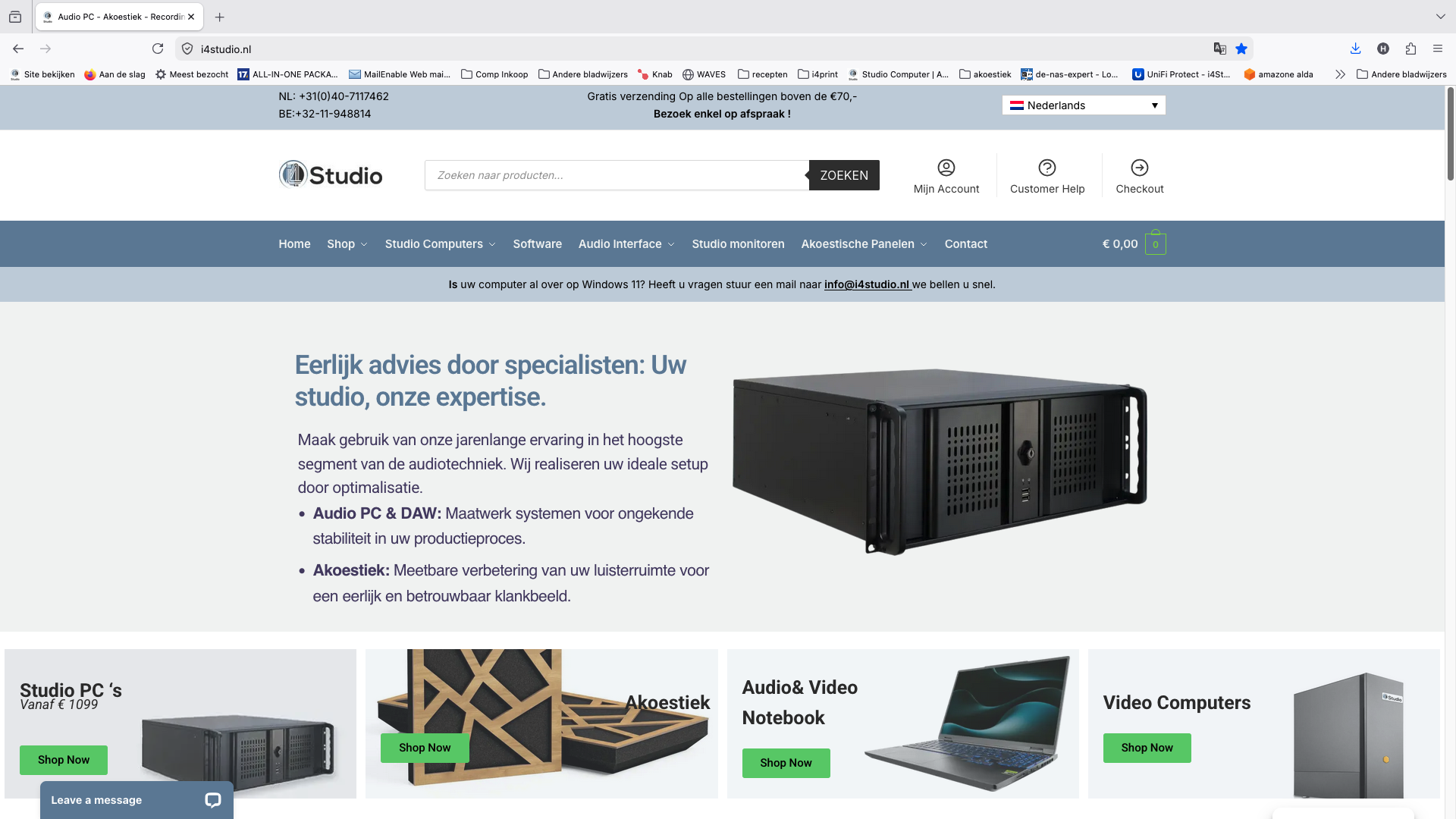
The process is simple: you request a quote through the studio PC selection page, I4studio reviews the specifications based on your workflow, and once approved, the system is assembled, tested, and delivered with after-sales support. View the current sample configurations and request a quote today.
Sources
Frequently Asked Questions
How much does it cost to have a PC built in the Netherlands?
Assembly, burn-in, and OS installation costs at specialized builders typically range from €250 to €400 on top of the component price. Hourly rates for computer support range from €50 to €120; fixed-price packages are often more cost-effective.
Is it cheaper to build your own gaming PC?
Building it yourself saves on installation costs (€250–€400), but you’ll miss out on the burn-in test, DAW configuration, and warranty on the entire system. For producers without a technical background, the time savings and peace of mind provided by a specialized builder like I4studio often outweigh the cost difference.
Which components are the most expensive in a studio PC?
For pure audio work, the CPU and RAM are the priority; a high-performance GPU is hardly necessary in that case.
What are realistic delivery times for a custom-built studio PC?
Entry-level and mid-range builds are typically ready in 5–14 business days. Complex builds with custom cooling or specific GPUs take 10–28 business days, depending on component availability.
What additional costs are there on top of the price of the PC?
Expect to spend on Windows 11 Pro (€100–€150), an audio interface (€150–€1,200), studio monitors, and a monitor controller, as well as possible acoustic treatment for your space. All together, this could add up to an extra €500–€3,000.