By 2026, AI will be a practical assistant in music production: powerful for generating ideas and vocal tracks, but not infallible. For commercial releases, legal labeling rules now apply, and provenance documentation is required. Start this week with one specific task, such as vocal separation or an initial idea, and save every intermediate version.
In short:
- AI in music production can quickly generate ideas and isolate vocals, but it remains limited when it comes to creating original, emotionally charged music.
- Use AI tools depending on the task: generative platforms for sketching, vocal separation for remixing, and mastering plugins for the final touches.
- As of August 2026, AI-generated audio must be legally labeled, and you must be able to prove your creative contribution for registration.
- Avoid using a single AI tool as a final product, and always edit the output yourself for the best results and legal certainty.
- A powerful studio PC, good acoustics, and version control are essential for a reliable workflow involving AI and music production.
Table of contents
- Which categories of AI tools do you use for which parts of your workflow?
- What can and can’t AI do in music production?
- What do the EU AI Act and BumaStemra mean for you as a producer?
- What studio PC and workflow do you need for AI tasks?
- How can you get started this week without taking unnecessary risks?
- What do we see in practice at studios that use AI?
- How can we help you with studio PCs and acoustics?
- Frequently Asked Questions
- Sources
Which categories of AI tools do you use for which parts of your workflow?
Most AI tools for music production fall into a few distinct categories. Each category solves a different problem, and you should choose based on the task at hand, not on which brand is getting the most attention.
To generate music from lyrics or a short melody, use generative platforms like Suno or Udio. These tools turn a short prompt into a complete track with vocals and instrumentation, which is useful for demos, sketches, or background music. They’re less suitable if you want precise control over the arrangement or song structure.
A tool like Moises works well for vocal separation and isolating instruments. You can use it to extract individual vocals from an existing track, which is useful for remixing, sampling, or analyzing a reference track.
Vocal cloning and synthetic speech or singing are features offered by platforms such as ElevenLabs. You can use them to convert text into a spoken or sung voice, a technique that is increasingly being used for voice-overs, demo vocals, or language variations of a track.
For mastering and final touches, there are automated services like LANDR that analyze your mix and deliver a mastered version without requiring you to hire a mastering engineer. iZotope plugins take it a step further: they offer AI-driven correction for noise, dynamics, and EQ right within your own DAW.
For text- and speech-related tasks, such as transcribing vocal takes or editing audio at the word level, Descript is a widely used tool.
Here are a few rules of thumb to help you choose:
- Use a generator when you need a quick idea or sketch, not when you’re looking for a finished product.
- Use vocal separation when working with existing material, such as for remixes or educational analysis.
- Only use tools like mastering plugins after your mix is already complete, as a final polish.
Avoid the trap of viewing a single tool as the ultimate solution. Most professional workflows combine multiple categories, depending on the phase of the project.
What can AI and cannot do in music production?
AI really saves time on specific tasks. You can generate dozens of melodic variations in minutes, extract vocals from a mix—a task that used to take hours of manual work—and get an initial mastering pass to serve as a starting point.
But the limitations are just as clear. AI still lacks the sense of musical nuance that an experienced producer or songwriter possesses, and its output often remains generic when it comes to original songwriting. Emotional depth, the subtle timing variations that make a song sound human, and a well-thought-out arrangement remain the work of humans.
A practical order:
- Have AI generate an initial set of ideas, takes, or a rough master.
- Select what works for you and discard the rest without hesitation.
- Refine the result with your own musical choices and production techniques.
Pro tip: Never use AI output as a final product, but always as raw material that you’ll refine yourself.
What do the EU AI Act and BumaStemra mean for you as a producer?
Since August 2026, the provisions of the EU AI Act regarding AI labeling and training transparency have been legally enforceable. Article 50 requires providers to label generated audio in a machine-readable format and to publish a summary of their training data.
Violations can result in hefty penalties: fines of up to €15 million or 3% of global revenue. This isn’t a fine that affects only large platforms: you, as a producer, also bear responsibility when you commercially release AI output without labeling.
Providers whose systems were already on the market before August 2025 will be subject to transitional rules until 2027 to ensure full compliance. This means that not every tool is labeling correctly right now, so be sure to check this yourself before planning a release.
BumaStemra has its own categories for works that are partially AI-generated. Works generated entirely by AI cannot be registered, so you must be able to demonstrate which creative choices were your own.
Practical action items:
- Ask every AI vendor explicitly about their labeling policy and training summary.
- Save intermediate versions of your project as evidence of your own creative contribution.
- Add AI credits via DDEX metadata where relevant, so that platforms and collective management organizations can trace the origin.
These steps take very little time but prevent a release from getting stuck during distribution or registration.
What kind of studio PC and workflow do you need for AI tasks?
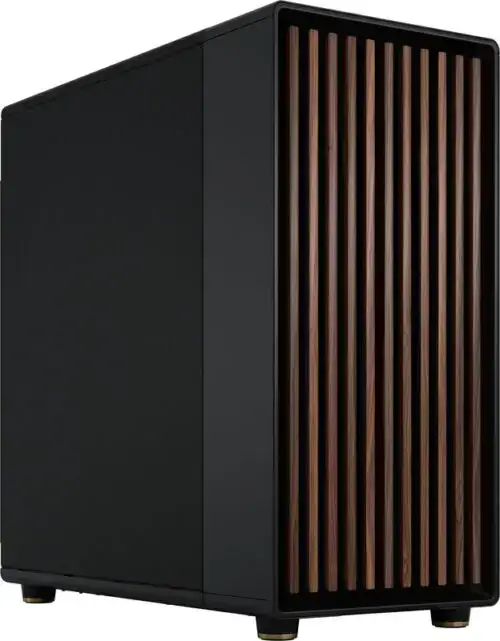
AI tools that run locally, such as vocal separation or mastering plugins, require a studio PC with sufficient processing power. A recent GPU with ample VRAM significantly speeds up modeling tasks, while a powerful CPU and at least 32 GB of RAM prevent your DAW from crashing during rendering. A fast NVMe drive is essential for writing large vocal and session files to disk without delay.
There are a few standard practices for DAW integration:
- Always export vocals at a consistent sample rate and bit depth so that AI tools and your DAW don’t cause any loss of quality.
- Use version control for each session so you can always revert to a previous mix.
- Save AI-generated drafts separately from your own recordings so their origin remains clear.
Pro tip: Create a separate, labeled file with the date for each AI-generated voice or master, so that provenance logging happens automatically as you work.
If you want to tailor your studio to these types of workflows, you’ll find specific guidelines in our guide on building an AI computer for music production and in examples of complete studio PC configurations.
How can you start this week without taking any unnecessary risks?
You don’t have to wait until you know all the rules by heart to start experimenting. Follow these steps:
- Choose one specific task, such as isolating vocals from a reference track or generating an initial melody idea.
- Test with short, specific prompts and save every version you generate.
- Check whether the tool you’re using labels AI output and read the license terms for commercial use.
- Register with BumaStemra as soon as you want to release your work commercially and can demonstrate your own creative contribution.
- Conduct a brief internal review before publishing: if it sounds too similar to existing repertoire, postpone the release until you’ve had it reviewed by a legal professional.
This approach takes a few hours, but it prevents any unpleasant surprises later on.
What do we see in practice at studios that use AI?
In our experience with custom studio PCs and acoustics, we’ve noticed that producers often overlook two things: they don’t save intermediate versions as evidence of their own input, and their hardware isn’t tailored to the workflow they want to use. A powerful GPU without a well-acoustically treated space around it won’t produce a reliable mix. Treat AI as an experimental tool: try it out, discard what doesn’t work, and build on what does.
– harold
How can we help you with studio PCs and acoustics?
We provide studio PCs designed for stability and low latency, suitable for use with local AI models alongside your DAW. We also offer advice on acoustic solutions, so that what you hear matches what you ultimately release.

In practical terms, this means:
- A Studio PC, configured for audio and AI workflows. Current prices can be found on our website.
- Advice on acoustic panels for a reliable listening environment.
- Audio interfaces suitable for low-latency recording alongside your AI tools.
Check out our Studio PCs and synthesizers, and request a custom configuration that fits your workflow.
Frequently Asked Questions
What is the best AI for music generation in 2026?
There’s no single “best” tool, because it depends on your task: generative platforms like Suno or Udio are great for full track ideas, while Moises is better suited for vocal separation. Choose based on what you need, not on name or popularity.
What is the best AI for making music?
To generate music from lyrics or a melody, many producers use platforms like Suno or Udio, while ElevenLabs focuses specifically on vocal cloning. Combine multiple tools within your workflow instead of relying on a single solution.
What’s the best program for making music?
Your regular DAW remains the foundation, supplemented by specialized AI plugins such as iZotope for mastering or Descript for text and audio editing. AI tools don’t replace your DAW; they integrate with it as an additional layer in your workflow.
Am I required to label AI usage under the EU AI Act?
Yes, providers of generative AI systems are required to mark their output in a machine-readable format under Article 50 of the EU AI Act. As a producer, you should verify that the tool you’re using already applies this marking correctly, especially for commercial releases.
Can I register a song generated entirely by AI with BumaStemra?
No, works generated entirely by AI cannot be registered with BumaStemra. However, works in which your own creative choices are demonstrable do fall under specific registration categories.