TL;DR:
- In 2026, workstations with neural processors, powerful GPUs and unified memory are best for professional AI tasks. These systems offer maximum computing power, expandability and reliability for creative professionals. Choices should be based on work requirements, upgradeability and software compatibility for optimal long-term performance.
The best AI computers for professional use are workstations with specialized neural processors (NPUs), powerful GPUs and spacious unified memory architectures that can handle heavy creative AI tasks. For video editors, music producers and studio engineers, the choice of hardware directly determines the speed and quality of your work. Models such as the Asus ProArt P16, Lenovo ThinkPad P16 Gen 3 and HP ZBook Fury G1i represent the top of what’s available to creative professionals in 2026. If you want to buy an AI computer for professional use, knowing the technical differences between these systems is not a luxury but a necessity.
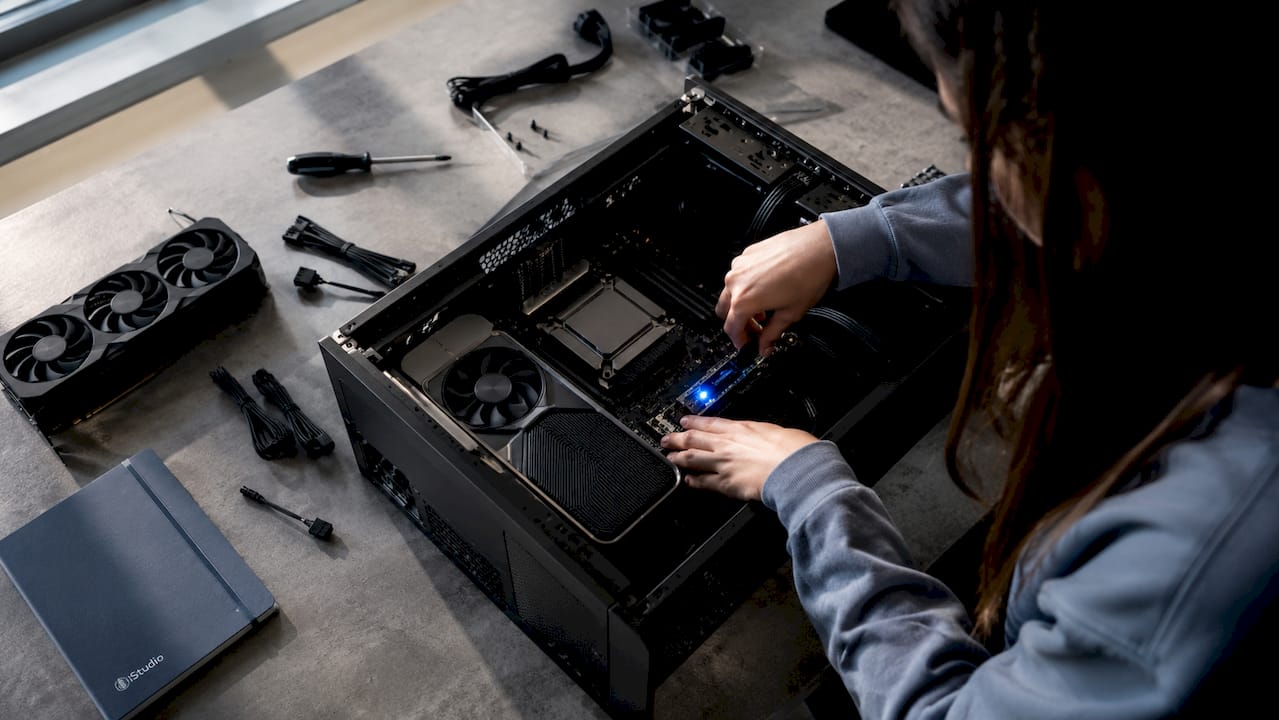
What are the best AI computers for professional use?
By 2026, the definition of an AI computer has evolved to a balance of CPU, GPU, NPU and unified memory rather than just clock speed. This means that a machine with a high clock speed but no NPU or unified memory will in practice fall short of AI-intensive tasks such as real-time audio analysis, 4K video processing or generative AI rendering. The latest platforms support up to 1 petaflop of AI computing power and can run 120 billion-parameter Large Language Models locally. That’s not a marketing claim: it means you’re running heavy AI inference without a cloud connection, which eliminates latency and speeds up your workflow.
Manufacturers are increasingly focusing on portable workstations that compete with MacBooks in terms of screen and weight, while at the same time approaching the computing power of a desktop workstation. Asus ProArt and Dell XPS Creator are the most pronounced examples of this trend. For creative professionals, this is relevant because you can now choose between a portable system with serious AI performance and a fixed studio setup with maximum expandability.
What hardware components determine performance?
The performance of an AI computer for professional use is determined by four components: the processor, GPU, NPU and memory. Each plays a different role in your creative workflow.
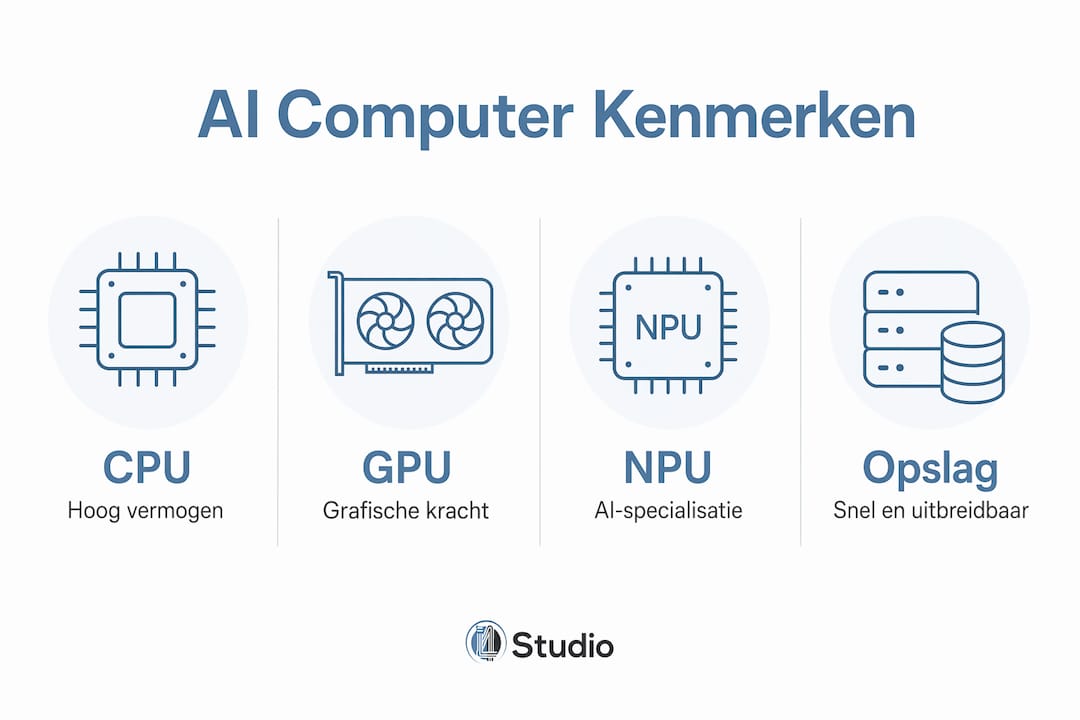
Processor and NPU
Intel Core Ultra processors distribute AI tasks across three engines, including an NPU that delivers up to 13 TOPS for efficient and battery-friendly AI performance. TOPS stands for Trillions of Operations Per Second and is the standard measure of AI computing power in a processor. The higher this number, the faster the processor handles AI tasks without taxing the GPU or CPU. This is particularly relevant for music producers running AI plug-ins alongside a heavy DAW session.
GPU and unified memory
- The Nvidia RTX Spark superchip in the Asus ProArt P16 delivers up to 1 petaflop of AI performance with 128GB of unified memory, enabling 4K AI video generation and 90GB+ 3D rendering.
- Blackwell-based RTX GPUs such as the Nvidia RTX PRO 1000 in the HP ZBook Fury G1i are optimized for professional AI workflows with fast inference.
- Unified memory architectures eliminate the limitations of discrete GPU memory and scale better with large data sets, which is critical for heavy rendering and AI inference.
- Traditional setups with separate RAM and GPU memory run into limits faster on large projects, while unified memory up to 128 to 192 GB operates as a single memory pool.
Storage
Fast NVMe storage is not an afterthought. In video editing, you work with files of dozens of gigabytes, and a slow SSD is the bottleneck then. The Lenovo ThinkPad P16 Gen 3 offers three SSD slots, ensuring expandability as your projects grow.
Pro-tip: Preferably choose a system where RAM and storage are expandable. AI tasks become more demanding every year, and a system that you can upgrade now will save you a full replacement in two years.
Which models are leading creative professionals?
The three most relevant models for creative professionals in 2026 are the Asus ProArt P16, the Lenovo ThinkPad P16 Gen 3 and the HP ZBook Fury G1i. Each targets a different type of user.
| Model | GPU | Memory | Strongest point | Ideal for |
|---|---|---|---|---|
| Asus ProArt P16 | Nvidia RTX Spark | Up to 128GB unified | Light, powerful, 4K display | Video editors and motion designers |
| Lenovo ThinkPad P16 Gen 3 | Nvidia RTX Pro | Up to 192GB of RAM | Maximum expandability | Heavy AI inference and CAD |
| HP ZBook Fury G1i | Nvidia RTX PRO 1000 Blackwell | 32GB (expandable) | Desktop-class CPU, cooling | Studio engineers and long-term AI tasks |
The Asus ProArt P16 is the most versatile choice for creative professionals combining mobility with serious AI performance. The system weighs relatively little for a workstation and has a 4K display that is color accurate enough for professional video production. The RTX Spark architecture allows AI video tools and rendering software to run simultaneously without noticeable lag.
The Lenovo ThinkPad P16 Gen 3 is a portable server rather than a laptop in the traditional sense. With 192 GB of RAM and three SSD slots and 43% faster CPU performance than the previous generation, this system is built for those who never want to compromise on computing power. Mobility is secondary to thermal performance here. This is the right choice if you have a fixed workstation and want maximum expandability.
The HP ZBook Fury G1i combines an Intel Core Ultra 7 processor with an Nvidia RTX PRO 1000 Blackwell GPU and a cooling design that can handle prolonged heavy AI tasks. The system is optimized for complex AI workflows and has a cooling architecture that prevents overheating during prolonged use. For studio engineers rendering or mixing for hours at a time, this is a decisive advantage.
Pro-tip: Don’t just compare specifications on paper; look at a system’s cooling capacity. A powerful GPU that throttles after twenty minutes will deliver less in practice than a slightly less powerful system that remains stable.
How do you choose the right AI computer for your workflow?
Choosing the right hardware depends on your specific operations, your work environment and your plans for the next few years. Here are the most important considerations in a nutshell.
Determine your mobility needs. If you work primarily in a fixed studio, then a system like the Lenovo ThinkPad P16 Gen 3 is ideal because of its maximum expandability. If you also work on location, then the Asus ProArt P16 is a better choice because of its lower weight and longer battery life.
Check the connections. Professionals who are often on the go should pay attention to physical ports such as an SD card reader and HDMI 2.1 on AI laptops to avoid dongles and increase productivity. An SD card reader sounds trivial, but if you import camera cards daily, it saves time and hassle every day.
Consider upgradeability. Expandability of RAM and storage is an often underestimated factor when investing in AI computers, as AI and creative tasks become increasingly demanding and hardware must last longer. A system with soldered memory that you can’t upgrade now may become a bottleneck two years from now.
Match hardware to your software. For video-editing hardware, GPU power and screen quality take priority. For music producers and DAW users, CPU single-core performance and low audio interface latency are at least as important as GPU power. Read more about optimizing your DAW performance for specific recommendations by workflow.
Look beyond the specifications. Software integration helps determine how well a system works in your workflow. A machine with perfect specs but poor driver support for your audio interface or camera codec will result in real-world frustration. Always check compatibility with your existing tools.
The choice between Intel Core Ultra and other processor platforms is also relevant. A detailed comparison of the Intel 14900K versus Ultra 9 for audio and video will help you make the right processor choice for your specific situation.
What are the latest technology trends for creatives?
Technological developments in AI computing are rapid, and a number of trends are directly relevant to creative professionals in 2026.
NPU optimization improves battery life. Professional laptops with integrated AI processors such as Intel Core Ultra improve battery life and performance by dynamically distributing AI tasks across various computing engines. This means that light AI tasks run through the NPU without activating the GPU, saving battery significantly.
Unified memory and NVLink are changing the architecture. Unified memory architectures are critical for creative AI workflows because they eliminate the limitations of discrete GPU memory and provide more flexibility for intensive rendering and AI inference. NVLink, the technology that links multiple GPUs via a high-speed connection, allows memory and computing power to scale without the traditional bottlenecks of PCIe.
AI tools integrate directly into the operating system. Microsoft Copilot, meanwhile, is integrated into Windows 11 and works closely with NPU hardware to perform tasks such as transcription, image processing and text generation locally. For studio engineers, this means AI assistance is available without a cloud connection, reducing latency and privacy risks.
Competition with Apple Silicon drives innovation. Manufacturers such as Asus and Dell are explicitly positioning their AI workstations as alternatives to the MacBook Pro, with similar screen quality and weight but with Windows ecosystem and more expandability. This is a direct response to the popularity of Apple Silicon among creative professionals.
Cooling technology is becoming a differentiator. As AI chips become more powerful, heat production increases. Manufacturers are investing in advanced cooling architectures with multiple heat pipes and larger fans to prevent thermal throttling during prolonged heavy tasks.
Key insights
The best AI computers for professional use combine NPU power, unified memory and expandable storage to structurally accelerate creative workflows without sacrificing stability.
| Item | Details |
|---|---|
| NPU is indispensable | An integrated NPU efficiently distributes AI tasks and saves battery in light workloads. |
| Unified memory scales better | Up to 192 GB of unified memory eliminates GPU memory limits during heavy rendering and inference. |
| Upgradeability protects your investment | Systems with expandable RAM and multiple SSD slots last longer as AI tasks get tougher. |
| Connections define daily efficiency | SD card reader and HDMI 2.1 are not extras but basic requirements for mobile creative professionals. |
| Cooling is critical in long-term operation | A system that remains thermally stable delivers more in practice than a more powerful machine that throttles. |
My take on AI computers in creative studios
After years of working with and consulting on hardware for creative professionals, I see one mistake recurring: people buy based on the highest specs on paper, without looking at how a system behaves under long-term load. A GPU that is impressive on paper but switches back to lower clock speeds after an hour of rendering is just not usable in a professional environment.
Another thing I see frequently is that professionals underestimate the upgradeability of a system. A laptop with soldered memory will be disposable in two years when AI tools get heavier. The Lenovo ThinkPad P16 Gen 3 is not the most glamorous system, but its three SSD slots and expandable RAM make it an investment that will last for years. In my opinion, that’s much wiser than buying a new system every year.
Finally, software integration is still too often forgotten. I’ve seen professionals buy a powerful system that worked poorly with their audio interface or camera codec. Always check compatibility with your existing workflow before making a decision. The best hardware is the hardware that works seamlessly with what you’re already using, not the hardware with the most impressive spec sheets.
– harold
How I4studio helps you choose the right studio PC
I4studio specializes in custom-built studio PCs for creative professionals, offering configurations tailored specifically for video editing, music production and studio engineering. No generic systems, but hardware put together based on your workflow and software.

Check out 2026′ s best studio PC configurations and find out which system suits your creative work. Or read more about the benefits of a custom PC for creative professionals to understand why customization is the better choice in most cases. I4studio is happy to advise you on putting together a system that performs now and in the future.
FAQ
What makes an AI computer suitable for professional use?
A professional AI computer combines a powerful CPU, a specialized NPU and a GPU with unified memory to perform heavy AI tasks stably and quickly. Expandability of RAM and storage is a determining factor in the longevity of the investment.
Which laptop is best for video editing with AI in 2026?
The 2026 Asus ProArt P16 with Nvidia RTX Spark and 128 GB of unified memory is one of the strongest choices for video editors who use AI tools heavily. The system delivers up to 1 petaflop of AI computing power and supports 4K AI video generation.
How much RAM do you need for professional AI tasks?
For heavy AI inference and rendering, at least 64 GB of RAM is recommended, but systems such as the Lenovo ThinkPad P16 Gen 3 offer up to 192 GB for the most demanding workloads. Unified memory architectures work more efficiently in this regard than traditional separate RAM and GPU memory.
Is a fixed studio PC better than a laptop for AI work?
A fixed studio PC offers more expandability, better cooling and higher computing power per euro than a laptop. For professionals with a fixed workstation, a custom-built studio PC from I4studio is often the most future-proof choice.
What is the difference between an NPU and a GPU for AI tasks?
An NPU (Neural Processing Unit) is optimized for light, efficient AI tasks such as transcription and background processes, while a GPU performs the heavy AI calculations such as rendering and model training. Combining the two in one system gives the best balance between performance and battery life.