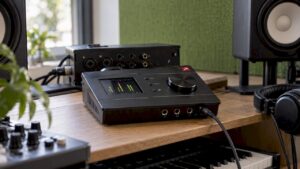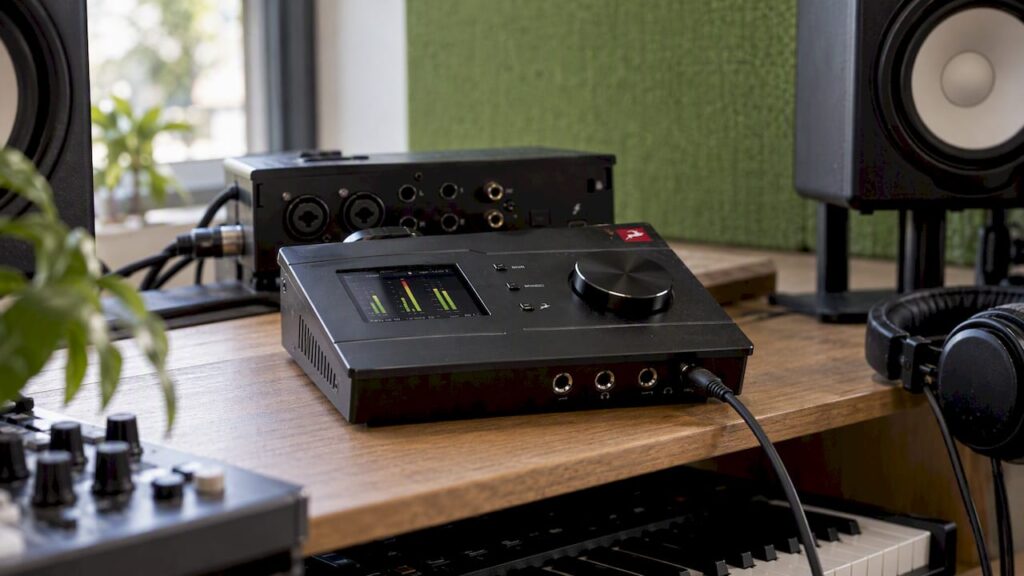
Antelope Audio has three major advantages. The brand comes from the world of high-end clocking and conversion, so you get a stable, transparent recording. The Synergy Core chips run effects in real time right on the interface itself, so you can record with reverb, compression, or a guitar amp without any noticeable latency. And the routing is so flexible that a single interface can serve as the heart of your entire studio. In this article, we’ll show you what each advantage means in practice. Then we’ll compare the models side by side—from the compact Zen series to the Galaxy 32—so you can see which interface is right for your studio.
In a nutshell
- Clock and Conversion: Antelope uses its own 64-bit AFC clock, designed to minimize jitter and ensure a tight stereo image.
- Synergy Core: FPGA and DSP chips process effects directly on the interface. This allows you to record with effects via your DAW without any latency.
- Routing: With the internal mixer and patchbay, you can route any signal wherever you want, including to a loopback for streaming.
- A model for every studio: the Zen series for home and on-the-go use, the Discrete series for bands and project studios, and Orion and Galaxy for large, multi-channel studios.
- Here’s how to choose: count your inputs, check the connection type (USB, Thunderbolt, Dante, or HDX), and match your computer and speakers to the interface.
Table of contents
- What makes Antelope Audio different?
- Antelope Interfaces Side by Side
- Antelope vs. other types of interfaces
- Which Antelope is right for your studio?
- How to get the most out of your Antelope
- Our Take on Antelope Audio
- Buy Antelope at I4studio
- Frequently Asked Questions
- Sources
What makes Antelope Audio different?
Antelope Audio has over 20 years of experience in digital audio. You can see that background reflected in the design of every interface. First came the clock and the converters, then the effects and the software. Below, you’ll see what each benefit offers you.
A clock that keeps your entire studio in sync
Every digital recording starts with the clock. It determines when the converter takes a sample. If that moment varies by a fraction each time, it’s called jitter. According to a presentation by the Dutch AES chapter, jitter can affect the conversion from analog to digital and back again.
That’s why Antelope incorporates its own clock, the 64-bit AFC (Acoustically Focused Clocking). In a Dutch review of the Galaxy 32 Synergy Core, the reviewer praises the jitter specifications of that clock. He describes the converters as transparent and true to the original sound. What good is that?
- A clear stereo image: instruments are more clearly positioned in the mix.
- One clock for everything: the larger models feature word clock outputs, allowing you to synchronize other digital equipment to the same clock.
- Room for dynamics: According to an in-depth review by Soundgale, the Discrete 8 Pro Synergy Core achieves up to 130 dB of headroom at 24-bit/192 kHz.
Synergy Core: Effects Without Delay
This is the benefit you’ll notice right away. With a standard interface, your signal first goes to the computer. There, the plug-in processes it, and then it goes back to your headphones. That round trip takes time. A singer or guitarist hears that as a slight delay.
With Synergy Core, an FPGA chip and DSP chips handle that processing right within the interface itself. MusicTech cites the Zen Quadro’s biggest practical advantage as the ability to apply effects directly to your monitor mix, without the delay of a DAW loopback. For the Discrete 8 Pro, Soundgale reports a latency of less than 1 ms when monitoring with Synergy Core effects.
In practice, this means:
- Recording with feel: The singer hears reverb and compression right during the take, with no delay.
- Unamplified guitar: With the amp and cabinet models, you can record right away. Tape Op notes that this lets you capture ideas quickly and always reamp them later through a real amplifier.
- A lighter load on your computer: since the interface handles the monitoring, your processor has more resources available for your session.
Tape Op lists 37 included effects for the Zen Go Synergy Core. These are designed for monitoring and tracking without noticeable latency.
Routing and Connections That Grow With You
The third strength is flexibility. With the software, you can route any input signal to any output. You can create separate headphone mixes and route everything internally, without any extra cables. Loopback is also possible: you can send the audio from your computer back to a recording channel. This is useful for streams and podcasts, and Tape Op praised this feature on the Zen Go.
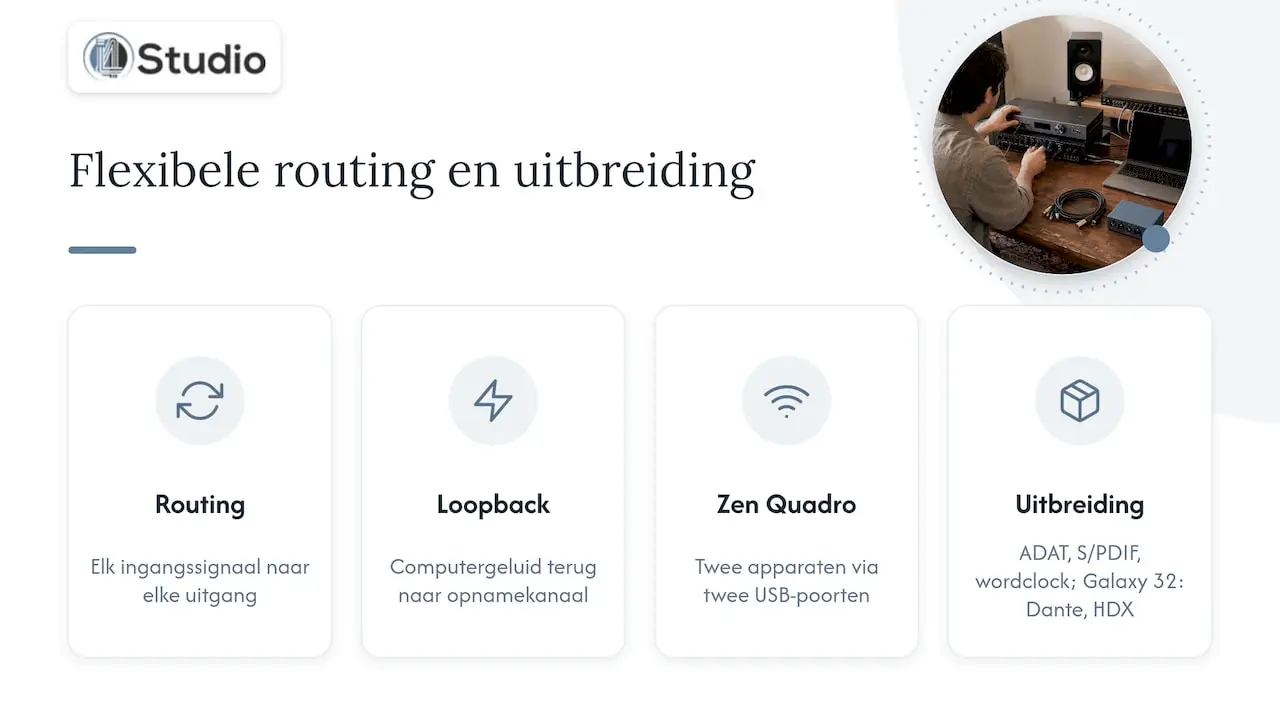
For content creators, the Zen Quadro offers an added bonus. According to Soundgale, you can connect two devices at the same time via two USB ports—for example, a computer and a phone. With the larger models, your studio can grow along with you via ADAT, S/PDIF, word clock, and—with the Galaxy 32—even via Dante and HDX.
The Antelope interfaces side by side
Antelope offers a wide range of products, from a compact bus-powered interface to a 1U rack with dozens of channels. This table lists the models we recommend most often, along with the factors to consider when making your choice.
| Model | Shape | Strongest point | Goes well with |
|---|---|---|---|
| Zen Go Synergy Core | Compact, desktop | 37 effects, loopback for streaming | Singer-songwriters, podcasters, and producers on the go |
| Zen Quadro Synergy Core | Desktop, 14×10 USB | Two USB ports for two devices | Content creators, home studio with 2 to 4 sources |
| Zen Q Synergy Core USB | Desktop, USB | Synergy Core in a compact size | Producers with a compact setup |
| Discrete 4 Pro | Desktop, Thunderbolt 3, and USB 2.0 | Four preamps with DSP | Project studios that want more channels |
| Discrete 8 Pro Synergy Core | 1U rack, 26×32 | 8 preamps, 16-channel ADAT, reamp outputs | Bands, drum recordings, professional project studios |
| Discrete 8 Oryx Synergy Core | 1U rack | 8 preamps with Synergy Core | Studios that record multiple tracks simultaneously |
| Orion 32+ Gen3 | 1U rack | 32-channel conversion | Studios with a console or a lot of outboard gear |
| Galaxy 32 Synergy Core | 1U rack | 32 analog channels, Dante, HDX, Thunderbolt 3 | Large studios and facility management companies |
A few details from the specifications will help you make your choice.
- Discrete 8 Pro Synergy Core: According to Soundgale, it features 26 inputs and 32 outputs, eight preamps with 65 dB of gain and 48V phantom power, two Hi-Z inputs, two reamp outputs, 16 channels of ADAT, S/PDIF, and three word clock outputs. The Synergy Core platform features 2 DSP chips and 1 FPGA chip.
- Galaxy 32 Synergy Core: Upon its launch, Recording Magazine described this model as a multichannel interface and high-end AD/DA converter featuring Dante, 64-bit AFC, and Synergy Core in a 1U form factor. Via Dante, you can achieve up to 64 channels of recording and playback.
If you see a model with a built-in monitor controller or mastering converter, such as the Antelope Zenith 2, feel free to ask us to compare its specifications with your setup.
Antelope Compared to Other Types of Interfaces
If you’re looking for an interface, you’ll generally come across three types. That’s how Antelope fits into that picture.
| Criterion | Antelope Synergy Core | Native interface without DSP | DSP interface with a closed plug-in platform |
|---|---|---|---|
| Effects During Recording | In the interface, without DAW routing | Via plug-ins in the DAW, with buffer latency | In the interface |
| Load on Your Computer | Low during monitoring | Higher; everything runs on the processor | Low during monitoring |
| Clock | Proprietary 64-bit AFC | Usually a simple internal clock | Varies by brand |
| Routing and Loopback | Extended via the internal mixer | Often limited | Varies by model |
| Upgrading | ADAT, word clock, and—on top-of-the-line models—Dante and HDX | Usually ADAT only | Often via additional DSP hardware |
The bottom line: with a native interface, everything runs on your computer. You then choose between a small buffer with minimal latency and a large buffer for demanding sessions. With Synergy Core, you don’t have to make that trade-off when recording. The effects are built into the hardware, and your DAW can continue to run on a safe buffer.
You can find more background on the different types in our guide to popular audio interfaces. Want to know exactly what an interface does first? Then read about the role of an audio interface.
Which Antelope is right for your studio?
Start by figuring out what you’re taking in at any given time. Only then should you consider the extras. These are the four situations we see most often.
- Record solo or as a duo— whether it’s vocals, guitar, a keyboard, or a podcast. A Zen Go, Zen Q, or Zen Quadro is all you need. You get the same Synergy Core approach in a compact form factor. Do you also stream or film? Then the Zen Quadro’s loopback feature and two USB ports will really save you time.
- Let’s say you’re recording a band or a drum kit. You’ll need eight preamps. The Discrete 8 Pro Synergy Core or Discrete 8 Oryx gives you all of them in a single rack. You can expand later using ADAT, and the reamp outputs let you run your recorded guitars through an amp again.
- You have a console or a lot of outboard gear. In that case, it’s all about line channels and conversion, and less about preamps. The Orion 32+ Gen3 is designed for just that: plenty of line-level channels in a 1U chassis.
- You work in a large or networked studio. Do you use Pro Tools HDX or Dante to connect between rooms? If so, the Galaxy 32 Synergy Core is the ideal hub.
For each model, also keep the following points in mind:
- Connection: Thunderbolt 3 or USB? Check to see if your computer has the right port.
- Future-proofing: Will you need more inputs in a year? If so, a model with ADAT or more channels is a better investment than having to replace it later.
- Your microphones and monitors: A transparent converter will also reveal the weak points in your signal chain. So be sure to evaluate your microphones and studio monitors as well.
For recording by application—from studio to podcast to live—check out our complete guide to audio interfaces.
How to Get the Most Out of Your Antelope
A good interface only performs at its best in the right environment. Follow these tips to get the most out of it.
Use the Synergy Core for its intended purpose
Synergy Core effects work within the interface. According to MusicTech, you can’t use them as regular plug-ins within your DAW. Therefore, plan your workflow as follows:
- While recording: add your effects to the interface’s monitor mix. For each channel, choose whether to record just the dry signal or the signal with effects. This is called “printing.”
- During mixing: use your DAW plug-ins. As part of a promotion, Antelope sometimes includes additional native plug-ins. Check our page about the Antelope Synergy Core promotion to see what’s currently included.
- Not sure? Record dry and monitor with effects. That way, you can always choose your options later in the mix.
Make sure your computer is stable
Interfaces with many channels require a computer that can process audio smoothly. Make sure you have the right Thunderbolt or USB controller, the latest drivers from Antelope, and a system free of unnecessary background processes. A studio PC optimized for audio will help you prevent crackles and dropouts, especially when using low buffer sizes.
Let your space be part of it
Transparent converters let you hear exactly what’s going on in your space. Does your room reverberate, or do you have standing waves? If so, you’ll hear it in your recordings and on your monitors. A few well-placed acoustic panels often make a bigger difference than you’d expect.
Our Take on Antelope Audio
We work in the high-end audio technology sector. There, we see the same thing time and again: an interface is never separate from the rest of your studio. Antelope aligns well with our view of what a studio should be. The clock and the conversion form the foundation, and the Synergy Core effects eliminate latency during recording.
In our setups, we focus primarily on stability and low latency. A Discrete 8 Pro or Orion can only truly show what it’s capable of on a computer that’s optimized for it, with the right ports, drivers, and settings. That’s why, when giving advice, we always consider the whole picture: the interface, the computer, and the room.
Our tip: Choose your Antelope based on the number of channels you’ll need in a year, not just on what you’re recording today. Want to know how that would work out in your studio? We’d be happy to help you figure it out.
Harold
Buy Antelope at I4studio
At I4studio, you’ll find the Antelope interfaces featured in this comparison, ranging from the Zen series to the Orion 32+ Gen3. We’ll personally recommend the model that best suits your recording needs, your computer, and your space.
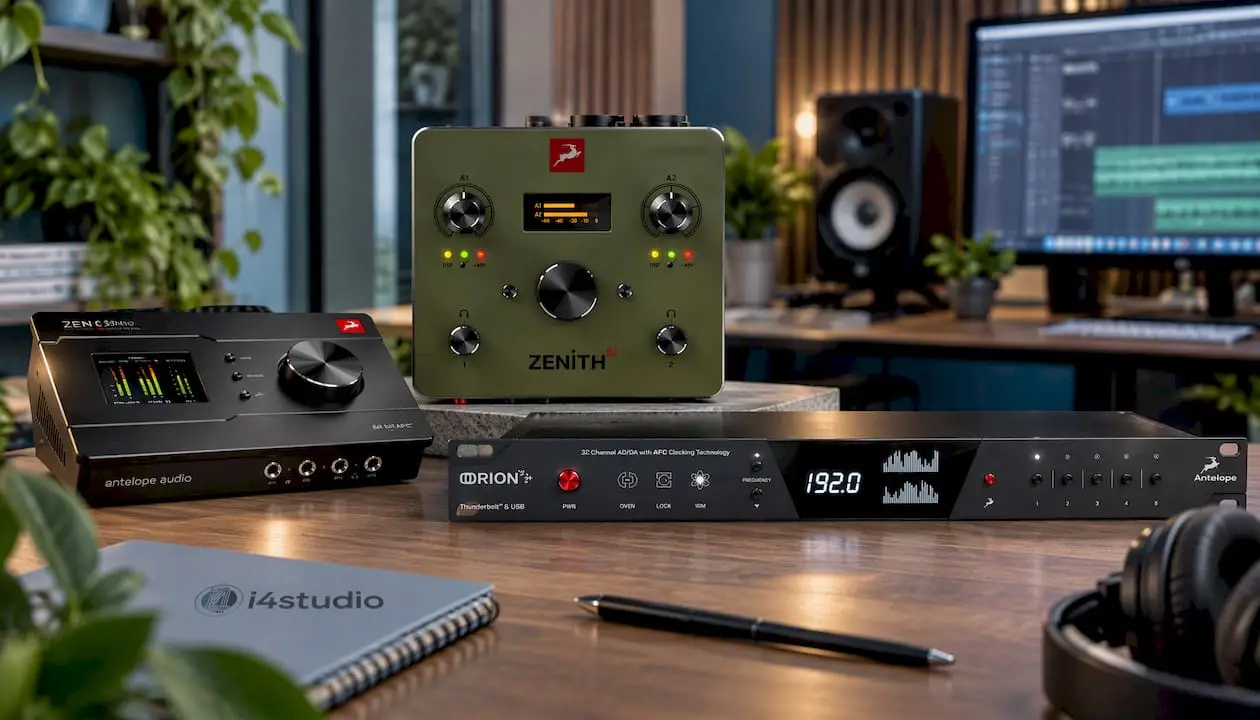
Want a complete setup? We also build custom studio PCs for audio and video, starting at €1,099, designed for stability and low latency. Check out all the audio interfaces in our online store or upgrade your studio with studio equipment and software.
Frequently Asked Questions
Why do you need an audio interface?
An audio interface converts the analog signal from your microphone or instrument into a digital signal for your computer, and back again to your monitors and headphones. A computer’s built-in sound card usually lacks microphone preamps, phantom power, and low latency. An interface handles all of that and thus plays a major role in determining the quality of your recording.
Can you use Synergy Core effects in your DAW?
Not like regular plug-ins. The effects run on the chips in the interface and are designed for latency-free monitoring and recording. You can, however, record the effect along with your track, or record the dry signal and use your DAW plug-ins in the mix.
Does Antelope work on Mac and Windows?
Yes. Models such as the Discrete 8 Pro Synergy Core have their own drivers for macOS and Windows, via Thunderbolt 3 or USB. Before you buy, check which port your computer has, and then install the latest drivers and software from Antelope.
What is the difference between the Discrete 8 and the Galaxy 32?
The Discrete 8 Pro Synergy Core is built around eight preamps for microphones and instruments, with ADAT for expansion. The Galaxy 32 Synergy Core focuses on 32 analog line channels and features Dante, HDX, and Thunderbolt 3. If you mainly record microphones, go with the Discrete. If you work with a console, outboard gear, or a network, the Galaxy is a better fit.
Which Antelope model is best for a home studio?
For most home studios, the Zen series is the best place to start. The Zen Go and Zen Q are compact, and the Zen Quadro adds more inputs and two USB ports. If you plan to record a band later on, you can upgrade to the Discrete 4 Pro or Discrete 8.
Sources
- Tape Op: Review of the Antelope Audio Zen Go Synergy Core
- MusicTech: Antelope Audio Zen Quadro Review
- Soundgale: Review of the Antelope Audio Zen Quadro
- Soundgale: Antelope Audio Discrete 8 Pro review
- Recording Magazine: announcement of the Galaxy 32 Synergy Core
- Antelope Audio Galaxy 32 Synergy Core Test (PDF)
- AES Netherlands: How Do You Actually Make a Good Clock?