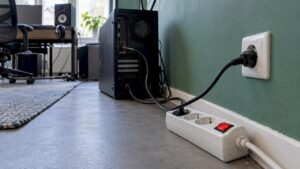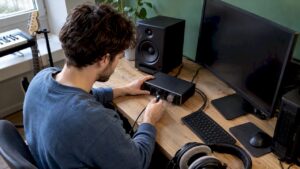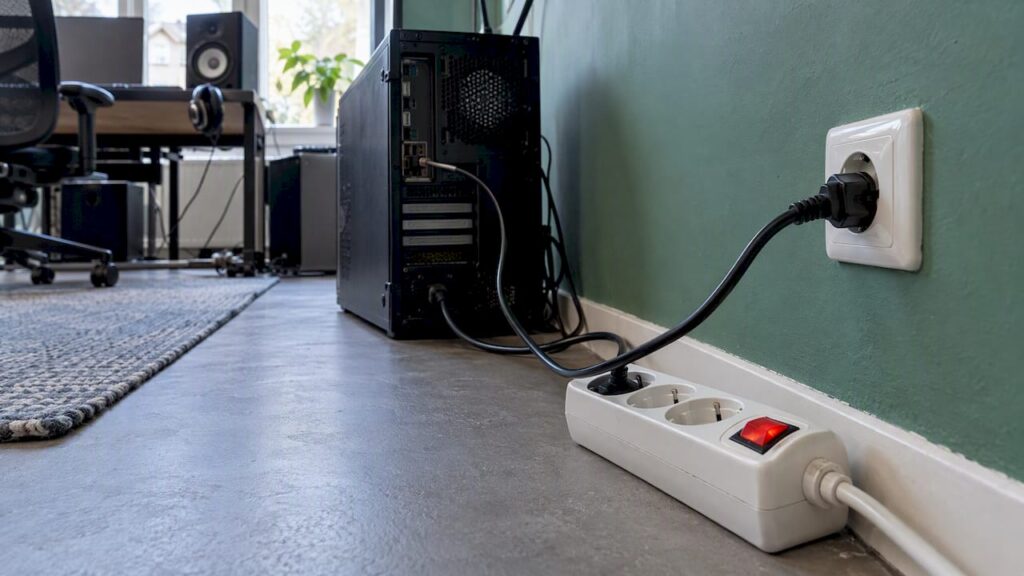
A computer doesn’t necessarily have to be plugged directly into a wall outlet. A modern ATX power supply works just fine with a power strip that has a switch, as long as you don’t flip the switch until Windows or macOS has completely shut down. The advice to “always plug it directly into the wall outlet” exists for other reasons: you might accidentally turn off the PC while it’s still running, a cheap or worn-out switch might make a poor connection, or there might be so many devices plugged into a single power strip that it becomes overloaded. In a studio, there’s another factor to consider: using a single switch for everything means your monitors and your PC turn on at the same time—and you’ll hear it. Below, you’ll learn when a switch is acceptable, when the wall outlet is truly the better choice, and how to safely power on and off a studio.
In a nutshell
- After turning it off, you can disconnect the power. With a switch in good working order and a reliable power supply, there is virtually no risk of damage.
- Never do this while the computer is in use. Turning off the power while the computer is running risks losing your work and causing the operating system to shut down abruptly.
- The quality of the power strip matters. Replace any power strip with a switch that hisses, gets hot, or is loose immediately, and never connect power strips together.
- In the studio, the order matters. Monitors are turned on last and turned off first, so using a single switch for everything isn’t a good idea.
- During a thunderstorm or a power outage, unplug sensitive equipment, such as your computer, from the outlet.
Table of contents
- Where the advice to “plug it in right away” comes from
- What happens when you flip the switch
- When a wall outlet is really the better choice
- Choosing a power strip for your PC and studio
- The correct order in a studio
- Standby power: Is the switch worth it?
- Thunderstorms, Power Outages, and the UPS
- Your PC Won’t Turn On After Being Shut Down
- Here’s how we look at it
- A studio PC built for stability
- Frequently Asked Questions
- Sources
Where the advice to “plug it in right away” comes from
Anyone searching for this topic will mainly come across forum threads. A PC that won’t turn on after a power outage, a circuit breaker that trips as soon as the computer starts up, or a PC that wakes up when the lights come on. In all these cases, people are advised to “just plug the computer directly into the outlet.” That’s often good advice for ruling out a problem, but it’s not a rule for everyday use.
The recommendation has three distinct underlying reasons:
- Turning it off while in use. A switch on the power strip acts as a hard power cut-off. If you flip the switch while the PC is still running, the system won’t have a chance to shut down properly.
- Poor contacts. When flipped, a mechanical switch may make and break contact multiple times in rapid succession. This happens more often with a worn-out or cheap switch.
- Too much on a single outlet. A PC, two or three monitors, studio monitors, an audio interface, and lighting all plugged into a single power strip can quickly become a heavy load, especially when everything turns on at once.
Plugging the device directly into the wall outlet eliminates all those variables. That’s why it’s the first step in troubleshooting. That doesn’t mean a good power strip with a switch is off-limits.
What happens when you flip the switch
The answer depends on one question: Is the computer still on, or has it already been shut down?
After closing: no big deal
When your PC is shut down, it isn’t actually turned off. An ATX power supply still provides a small amount of standby power to the motherboard when it’s in the “off” position, so that the power button, Wake-on-LAN, or a USB port can continue to function. If you then turn off the power strip, that standby voltage is also cut off. That’s exactly what happens when you unplug it.
The German trade magazine *heise* concludes that, provided the power switch is intact and the power supply is ATX-compliant, there is little risk of damage if you disconnect the power after the operating system has shut down. Power supply manufacturer be quiet! also states that with high-quality power supplies, no damage is to be expected from regular disconnection. Modern power supplies have safeguards against overvoltage, overcurrent, overheating, and short circuits.
There is one caveat. When the power is completely turned off, features that require standby power will no longer work. Examples include charging via USB while the PC is off or remotely waking up the PC. For most studios, this isn’t an issue.
During use: there is a risk
If you turn off the power while the computer is running, everything stops immediately. You’ll lose any unsaved work, and the operating system won’t have a chance to close files properly. For a producer or video editor, that’s more than just an inconvenience. A DAW project, a render, or a sample library that’s being written to at that moment could become corrupted.
The hardware itself usually survives. The damage is to your data. That’s why the most important rule is very simple: shut down first, wait until the computer is completely off, and only then turn off the power switch.

A faulty switch or power supply
Heise also warns that a defective or poorly constructed power supply can allow power surges to pass through, and that a switch that “bounces” when flipped can cause brief contact interruptions. If you hear the switch hissing or crackling, it needs to be replaced. The same applies to a power strip that gets hot, is discolored, or has loose plugs.
When a Wall Outlet Is Truly the Better Choice
In a few situations, a direct connection is recommended.
- Troubleshooting. If your PC won’t turn on, shuts down, or restarts on its own, temporarily plug it directly into an outlet that you know works. This will rule out the power strip as the cause.
- If the power strip is already full. Heavy appliances can overload a power strip, which can cause a fire. The Dutch Fire Department recommends using approved and undamaged power strips, not daisy-chaining them, and avoiding overloading a circuit.
- If the power strip is plugged into another power strip. An extension cord plugged into a power strip plugged into another power strip is a classic cause of overheating.
- If the circuit is already overloaded. If there is an electric heater, air conditioner, or electric kettle in the same room that’s plugged into the same circuit, using another power strip won’t help. In that case, the solution is to distribute the load across different circuits.
If you want to know how much power your entire setup requires, try calculating it. A practical calculation of energy requirements shows you how to add up the power of all your devices and factor in a margin. The same approach works for a home studio: add up the specified power consumption of your PC, screens, monitors, and peripherals, and compare that to the power capacity of the power strip.
Choosing a power strip for your PC and studio
A good power strip isn’t a luxury in a studio apartment. Keep these points in mind:
| What to Look For | Why It Matters |
|---|---|
| CE Marking | Minimum requirement for electrical appliances you purchase |
| Ground | A grounded power strip is suitable for PC power supplies and studio equipment with grounded plugs |
| Maximum Load | Indicated on the power strip; the total power consumption of all your devices must remain below this limit |
| Switch Quality | A sturdy switch that doesn’t hiss or crackle ensures a clean connection |
| Surge Protection | Not every power strip has it; check the specified peak value |
| No daisy-chaining | One power strip per wall outlet; never plugged into each other |
EnergieVeilig recommends purchasing electrical appliances that have at least a CE marking and giving preference to appliances with a grounded plug or double insulation. An example of what you’re looking for is a safety power strip rated at 16A with a ground connection: one that clearly indicates the maximum load and has a sturdy housing.
Keep in mind: a power strip with surge protection doesn’t protect against everything. Prolonged overloading remains a risk, no matter how good the protection is. And the protection in the power strip doesn’t replace the protection in the PC power supply—they complement each other.
The Correct Sequence in a Studio
Here’s the real argument against a single switch for everything, from a studio owner’s perspective. Active studio monitors amplify every incoming signal. If you start up your audio interface and computer while the monitors are already on, you’ll often hear a pop or click. That’s unpleasant for your ears and, over time, not good for the woofers either.
The sequence followed in virtually every studio:
Turn on
- Turn on the PC and let it boot up.
- Turn on the audio interface, mixer, and other hardware.
- Open the DAW and check that everything is recognized.
- Finally, turn on the studio monitors, keeping the volume low.
Turn Off
- Turn off the studio monitors first.
- Save and close your DAW and projects.
- Shut down the PC through the operating system.
- Turn off the audio interface and other hardware.
- Only then should you flip the switch on the power strip, if you’re using one.
A practical setup, therefore, is to use two power strips: one for the PC and peripherals, and one for monitors and, if needed, a subwoofer. This way, you can power the monitors separately and keep the load on each power strip lower. Neatly labeled cables in your studio make all the difference when you need to find something later on.
Standby Power: Is the Switch Worth It?
Many people use a power strip with a switch to eliminate standby power consumption. A shut-down PC, monitors, and active speakers still draw a small amount of power as long as they’re plugged in. New devices are already quite energy-efficient; thanks to European regulations, they consume very little power in standby or off mode.
In a studio with a lot of equipment, the cost really adds up. A switch is a great solution in that case, as long as you follow the proper sequence: first, unplug everything properly, then turn off the power. A power strip with a separate switch for each outlet gives you even more control.
Thunderstorms, Power Outages, and the UPS
During a thunderstorm, a power strip switch is not a substitute for a lightning arrester or surge protector. EnergieVeilig recommends unplugging sensitive equipment, such as a computer, from the outlet during a thunderstorm if you do not have a lightning rod or surge protector. The Dutch Fire Department offers the same advice for thunderstorms and extended absences.
If the power goes out, the utility company Stedin recommends unplugging sensitive devices, including computers. When power is restored, the grid may be unstable for a moment. This is where a switchable power strip comes in handy: you turn it off during the outage and turn it back on once the power has stabilized.
If you’re working on projects where a power outage can cost you real money—such as recording sessions with an artist or long render jobs—then a UPS is worth considering. A UPS uses a battery to bridge a brief power outage, giving you time to save your work and shut down your PC properly. Choose a model that can easily handle the power requirements of your PC and monitors. Check out our guide to studio power supply to learn how to go about it.

Your PC won’t turn on after you shut it down
Is your computer not turning on after you’ve unplugged it? If so, follow these steps:
- Check the connections. ASUS recommends checking the power cord and outlet, turning on any switch on the extension cord, and making sure the switch on the back of the power supply is turned on.
- Plug it in directly. Remove the power strip and try a different outlet.
- Discharge any residual charge. Unplug the computer, press and hold the power button for about half a minute, and then plug it back in.
- Fewer devices connected. Disconnect USB devices, external drives, and the audio interface, then try again.
- Does the ground-fault circuit interrupter or circuit breaker trip? If so, there is an overload or a fault in an appliance or the electrical system. Do not keep trying to turn on the computer.
For that final step, it’s time to call in a professional. If the circuit breaker trips as soon as you plug in the computer, if you smell something burning, or if you see a spark coming from the power supply, leave the computer turned off and contact a licensed electrician for the home electrical system and a computer specialist for the power supply. The Fire Department cites faulty or outdated electrical wiring as one of the causes of electrical fires. If a fire does break out in an electrical appliance, do not use water—use a CO2 fire extinguisher instead.
Regular maintenance prevents many problems. Dust in the power supply generates heat and causes wear and tear, so be sure to read our article on maintaining and cleaning your PC.
This is how we see it
We build studio PCs for producers, video editors, and studios, and we get this question a lot. Our answer is always the same: the switch isn’t the problem—it’s how you use it. A PC with a good power supply can work just fine with a high-quality, grounded power strip with a switch, as long as you turn it off properly first.
When building a studio computer, we prioritize stability and low latency. A reliable power supply is, of course, a given. What we see go wrong in practice is almost always something else: a cheap power strip behind the desk with everything plugged into it, monitors that turn on and off with the PC, or a project folder that gets corrupted because the power went out while saving.
Our advice: Split your PC and monitors between two power strips, stick to a consistent order, and invest in a reliable power distribution system before you buy your next plug-in. If you have any questions about your setup, feel free to ask us.
– harold
A studio PC built for stability
Are you looking for a computer that’s optimized for audio and video—from the power supply to the software? Our studio PCs start at €1,099 and are custom-built with a focus on stability, low latency, and personalized support.
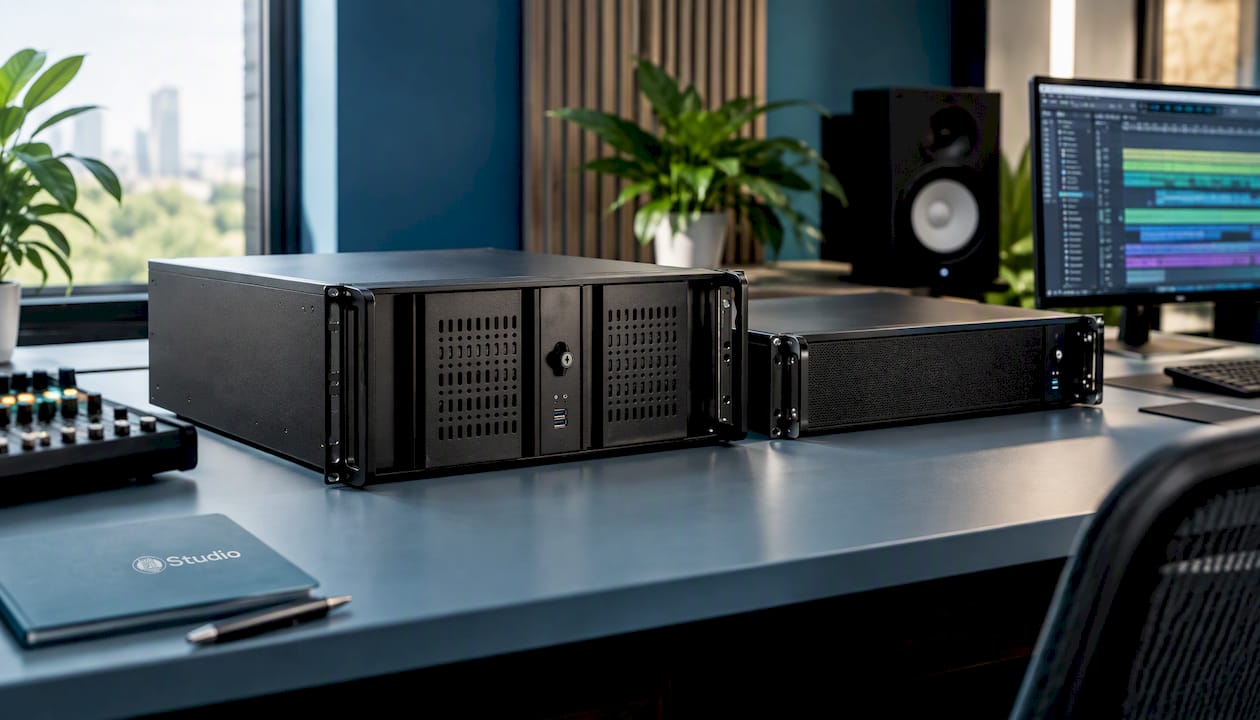
If you’re just getting started, the Tower of Power Starter DAW PC is a logical choice for beginners. For more demanding sessions and video work, choose the DAW Power Producer Gold Ultra 7 or the Thunderbolt Turbo Studio. Complete your setup with a suitable audio interface and studio monitors. If you’re still unsure, read first about what to look for in an audio PC.
Frequently Asked Questions
Is it bad to turn off my computer every day using the power strip?
No, not if you shut down the computer through the operating system first. A good power supply can be completely unplugged every day without any problems. Just make sure to use a power strip with a reliable switch and a ground connection.
Can I unplug the power strip while the PC is in sleep mode?
I’d rather not. In sleep mode, your work is still in RAM, so turning off the power is like a hard shutdown, and you could lose unsaved work. Shut down the PC completely first, or use sleep mode only if the power stays on.
Do the PC and monitors have to be plugged directly into the wall outlet?
That’s not necessary, as long as the power strip can handle the total load and you don’t daisy-chain your power strips. In a studio, it’s a good idea to split the PC and studio monitors across two power strips, so you can turn on the monitors separately and last.
Does a power strip with a switch protect against thunderstorms?
No. A switch cuts off the power, but it is not a surge protector. During a thunderstorm, it’s best to unplug sensitive equipment, such as your computer and audio interface, from the outlet.
Sources
- heise online: Can a Switchable Power Strip Damage a PC?
- Mein-MMO: Could it cause damage if I turn off the power strip connected to my PC?
- Dutch Fire Department: Fire-Safe Rental Homes
- Fire Department: Top 5 Causes of Commercial Fires
- Dutch Fire Department: The Right Fire Extinguisher
- Energy Safety: Purchasing and Using Electrical Equipment
- Stedin: Tips During a Power Outage
- Vattenfall: Reducing Standby Power Consumption
- ASUS: Troubleshooting a Power Outage