Are you looking for a full-fledged alternative to bassgorilla.com when it comes to DAW software and commercial plugins? The four best options for Dutch producers are Ableton Live, FL Studio, Cubase, and Bitwig Studio. Ableton Live is the top choice for electronic music and live performance. FL Studio is popular among beatmakers and hip-hop producers because of its upgrade option with no recurring costs. Cubase is the standard for orchestral production and professional recording. Bitwig Studio stands out with its modular routing and Linux support. If you want to run this software on hardware that’s truly built for the job, I4studio provides custom-built studio PCs that are directly compatible with all of these DAWs.
- Ableton Live 12 — electronic music, live sets, non-linear workflow
- FL Studio 26 — beat production, hip-hop, lifetime updates included
- Cubase 15 — Recording, Mixing, Orchestral and Film Music
- Bitwig Studio 6 — Modular Experiments, Linux Support, Hybrid Workflow
- Studio One (PreSonus) — intuitive for singer-songwriters and mix engineers
- Reaper — budget-friendly, fully customizable via scripting
I4studio is a good option if you want both a DAW license and a compatible studio PC, or if you need advice on which hardware will best support your new software.
Table of contents
- Which bassgorilla.com alternatives fit your workflow?
- How do you choose the right option for your studio?
- Which features will really make a difference in 2026?
- I4studio provides the hardware you need to run your new DAW at its best
- Key insights
- Why Local Specialization Makes a Difference for Dutch Studios
- Verified sources for trial versions and system requirements
- Frequently Asked Questions
Which bassgorilla.com alternatives fit your workflow?
The ProAudioEducation Top List for 2026 provides a clear picture of what sets each DAW apart. Below is a comparison based on the criteria that matter in real-world use.
| DAW | Best for | OS | Plug Information | AI Features | License | Learning Curve | Min. RAM |
|---|---|---|---|---|---|---|---|
| Ableton Live 12 | Electronic, live | Win/Mac | VST3, AU | Voice Splitting, Max for Live | Subscription or Lifetime | On average | — |
| FL Studio 26 | Beats, hip-hop | Win/Mac | VST3, AU | AI mixing tools | Lifetime updates | Low | 4 GB |
| Cubase 15 | Recording, orchestra | Win/Mac | VST3, AAX | VariAudio, Chord Pads AI | Lifetime + maintenance | High | — |
| Logic Pro | Singer-songwriter, pop | macOS only | AU, AAX | Vocal Isolation, Session Players | — | On average | — |
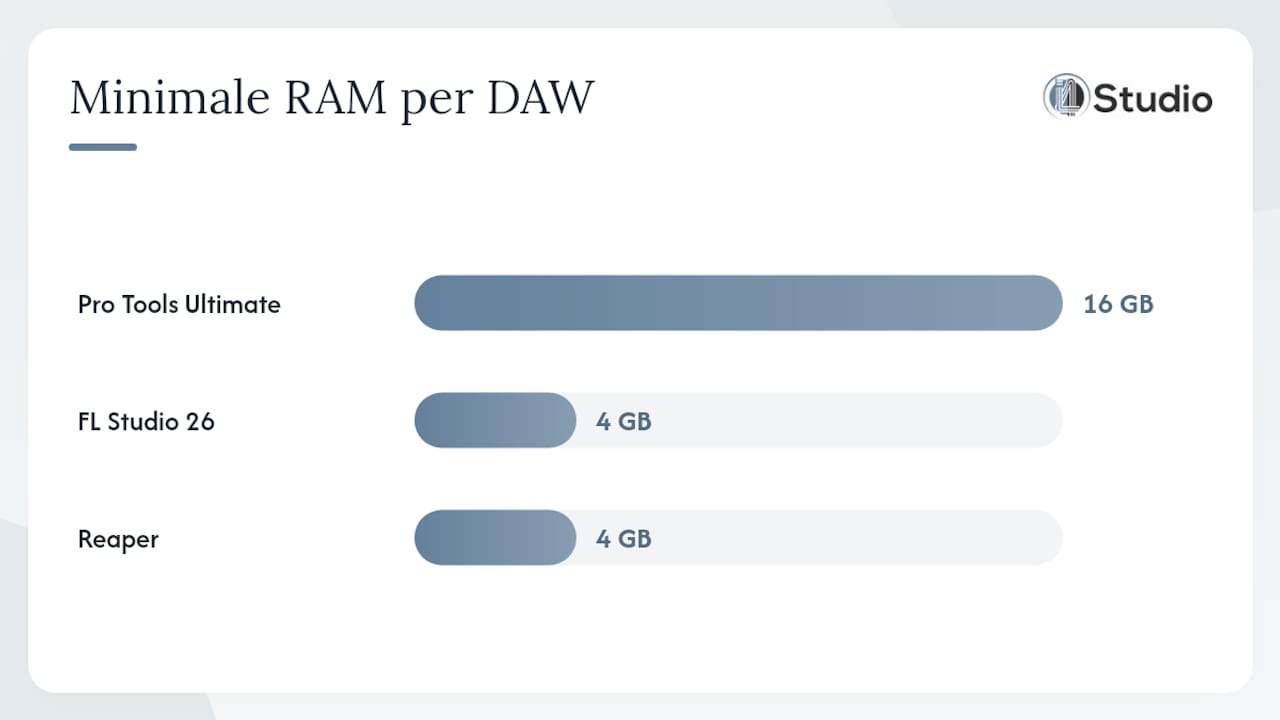
| Pro Tools Ultimate 2026 | Studio production, post-production | Win/Mac | AAX, VST3 | Neural Mix, Cloud Collaboration | Subscription | High | 16 GB |
| Bitwig Studio 6 | Modular, Linux | Windows/Mac/Linux | VST3, AU | Polysynth AI | Eternal + Updates | On average | — |
| Studio One (PreSonus) | Mixing, mastering | Win/Mac | VST3, AU, ARA | Melodyne ARA, AI Mastering | Lifetime or Subscription | Low | — |
| Reaper | Budget, Scripting | Windows/Mac/Linux | VST3, AU | Using scripts | Commercial or cheap | On average | 4 GB |
| Reason (Reason Studios) | Synthesizers, rack | Win/Mac | VST3 (host) | Reason+ AI Tools | Subscription or Lifetime | On average | 4 GB |
MusicRadar strongly recommends basing your choice of DAW on workflow compatibility, not on popularity. Pro Tools is the industry standard for recording studios. Ableton works better for live and electronic workflows. In practice, that distinction is more important than which DAW has more users.
Plugins such as the iZotope Mix & Master bundle —which includes Neutron, Neoverb, and Ozone—work on virtually any DAW listed in the table, provided it supports VST3 or AAX. Always check whether your DAW supports AAX if you want to use Pro Tools-compatible plugins.
Pro-tip: Always download the free trial version before you buy. Ableton, FL Studio, Cubase, and Bitwig all offer a full-featured demo. Test it with one of your own existing projects, not with the included sample songs.
How do you choose the right option for your studio?
The choice of a DAW or plugin platform depends on four factors: your operating system, your workflow, your existing plugins, and your long-term budget.
- Determine your OS configuration. Logic Pro runs exclusively on macOS. Bitwig and Reaper are the only serious options for Linux. On Windows, you have the most choices.
- Think about your workflow. Do you work linearly (recording, arranging, mixing in that order)? If so, Cubase or Studio One is a better fit. Do you work non-linearly, with loops and scenes? If so, Ableton Live is the logical choice.
- Take stock of your existing plugins. Do you already have AAX plugins? If so, you’re limited to Pro Tools or a DAW that supports AAX. VST3 works on just about everything except Logic (which uses AU).
- Calculate the total cost. FL Studio and Reaper offer updates at no additional cost throughout the product’s lifecycle., which works out to be cheaper in the long run than annual subscriptions. Logic Pro costs relatively little through Apple Arcade, but it ties you to macOS.
- Check the system requirements for your hardware. Pro Tools Ultimate requires at least 16 GB of RAM. Check the vendor page for your chosen DAW before installing.
Red flags when switching:
- No trial version available: skip that DAW until you can try it out somewhere.
- Hidden costs for essential plugins or extensions that are not included in the base license.
- A small community or outdated tutorials: A DAW without an active user community is harder to learn.
- Plugin formats that are incompatible with your existing library.
Pro-tip: Create a short hardware checklist: CPU (clock speed is more important than the number of cores for audio), RAM, SSD speed, and audio interface. I4studio helps you build a DAW-compatible studio PC that works with your chosen software.
Which features will really make a difference in 2026?
In 2026, three developments will determine which DAW or plugin suite will actually speed up your workflow.
Vocal isolation and AI mixing. PCMag names Logic Pro and Pro Tools as Editors’ Choice, in part because of their AI integrations. Logic Pro’s Stem Splitter works directly within the DAW without an external plugin. Pro Tools Ultimate offers neural mixing via the cloud. Ableton Live 12 provides access to AI tools for rhythm and melody through Max for Live. For producers who work extensively with samples, vocal isolation is no longer a luxury.
Plugin formats: VST3, AU, AAX, and ARA. The Lexicon MPX Native Reverb demonstrates how modern plugins support VST3, AU, and AAX simultaneously, including Apple Silicon optimization. ARA (Audio Random Access) is the format that seamlessly connects Melodyne and Studio One for direct note editing in the timeline. Always check whether a plugin supports your DAW’s format.
Latency and routing. A low-latency audio interface is just as important as the DAW itself. Bitwig Studio has one of the most flexible routing engines, which makes it popular among producers who combine hardware synthesizers and software.
| Feature | Practical Benefit | Hardware Requirements |
|---|---|---|
| AI Voice Isolation | Reuse samples without copyright risks | Fast CPU, at least 16 GB of RAM |
| ARA Integration | Melody Editing Without Bouncing | Stable SSD, min. — RAM |
| Low-latency routing | Live performance with software instruments | Audio interface with ASIO driver |
For a digital audio workflow that takes full advantage of all these features, the hardware powering your DAW is crucial. A slow SSD or insufficient RAM will slow down even the best DAW.
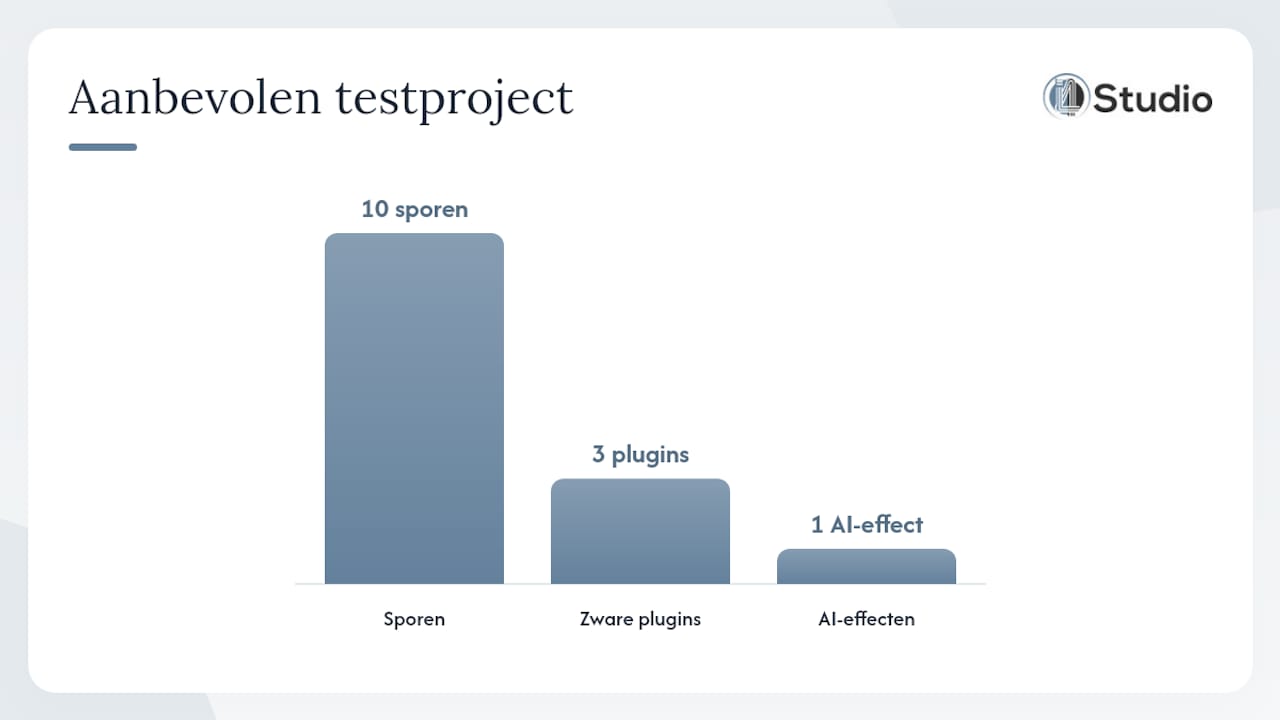
Pro-tip: Set up a small test project with ten tracks, three resource-intensive plugins, and an AI effect enabled. Measure the CPU load and latency. That will give you a more accurate picture than a theoretical benchmark.
I4studio provides the hardware you need to run your new DAW at its best
All of the DAWs and plugins listed above are available in the Netherlands, but the software only performs well on hardware specifically designed for it. I4studio builds custom studio PCs that are preconfigured for low latency, stable ASIO drivers, and the system requirements of professional DAWs.
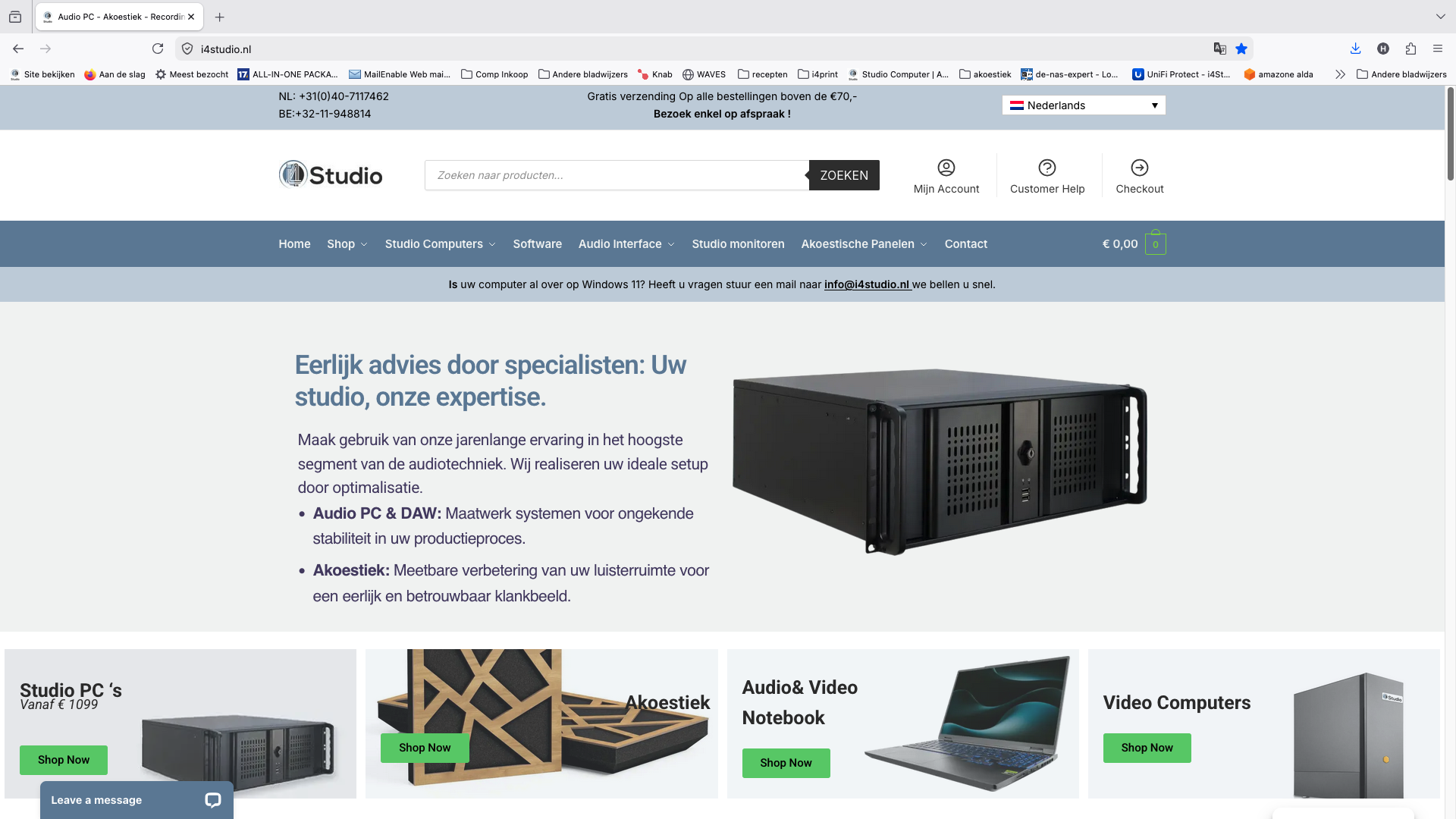
While off-the-shelf computers often fall short in terms of RAM bandwidth or SSD speed, I4studio’s studio PCs are optimized for audio workloads. Check out the studio PC components to see which parts make a difference for your workflow. Want to know right away which configuration is best for Ableton, Cubase, or Pro Tools? The studio PC selection guide will help you find the right build in just a few steps.
Key insights
The best alternatives to bassgorilla.com as DAW and plugin platforms are Ableton Live, FL Studio, Cubase, and Bitwig Studio—each excelling in a specific workflow—and I4studio provides the hardware to run them optimally.
| Item | Details |
|---|---|
| Workflow Determines the Choice | Linear workflows are best suited for Cubase or Studio One; non-linear workflows are best suited for Ableton Live. |
| Licensing Model Pays Off in the Long Run | FL Studio and Reaper offer updates at no extra cost throughout the product’s lifecycle; subscriptions like Logic Pro tie you to a specific platform. |
| Plugin format is critical | Check for VST3, AU, or AAX compatibility before purchasing plugins. |
| Hardware is the bottleneck | AI features and low latency require at least 16 GB of RAM and a fast SSD. |
| I4studio as a local option | I4studio builds custom studio PCs that are immediately compatible with professional DAWs in the Netherlands. |
Why Local Specialization Makes a Difference for Dutch Studios
Most producers choose their DAW based on YouTube tutorials and international reviews. That makes sense, but it overlooks one crucial point: in practice, the hardware on which that software runs is just as important as the software itself.
What international reviews rarely mention is that a generic gaming PC or office computer is fundamentally inadequate for professional audio. The reason is specific: audio production requires low interrupt latency, optimized ASIO drivers, and an SSD that can quickly read large sample libraries. These aren’t marketing claims, but measurable parameters that are immediately audible in your mix.
I4studio builds studio PCs that are tailored to those specifications. This also means that if you have questions about compatibility, driver settings, or hardware upgrades, you’ll be connected with a Dutch specialist—not an international help desk with wait times of several days. For studio owners who work professionally, that difference is tangible and noticeable every day.
Verified sources for trial versions and system requirements
Always check the official vendor page for the most up-to-date system requirements and trial downloads. Third parties sometimes publish outdated specifications.
- PCMag DAW Roundup 2026 — Editors’ Choice Picks and AI Feature Comparison
- MusicRadar’s Best DAWs of 2026 — Workflow-Based Recommendations by User Profile
- ProAudioEducation’s Top 10 Music Production Software — Dutch-language overview with 2026 features per DAW
- ZAK Sound DAW Guide 2026 — Licensing Models and Workflow-Specific Recommendations
- Lexicon MPX Native Reverb — example of plugin compatibility (VST3/AU/AAX) and Apple Silicon support
- iZotope Mix & Master Bundle — AI-powered plugin bundle featuring Neutron, Neoverb, and Ozone
- OnlineMuziekCursus.nl courses — online courses to quickly learn a new DAW
Always test the software using your own pilot project on your own hardware. A demo on a showroom PC doesn’t tell you anything about how the software will perform on your system.
Frequently Asked Questions
Which DAW is the best alternative to FL Studio?
Ableton Live 12 is the most comparable choice for beatmakers who also want to perform live. Studio One is a strong option for producers who place more emphasis on mixing and mastering.
Do VST3 plugins work on all DAWs?
VST3 is supported by Cubase, Ableton, FL Studio, Bitwig, Studio One, and Reaper. Logic Pro uses AU; Pro Tools uses AAX. Check your DAW’s plugin formats before purchasing a plugin bundle.
Is Reaper suitable for professional studio production?
Yes. Reaper supports VST3 and AU, is affordable, and is fully customizable via scripting. However, it lacks the built-in instruments and AI features found in more expensive DAWs.
What are the system requirements for Pro Tools Ultimate 2026?
Pro Tools Ultimate requires at least 16 GB of RAM and a modern multi-core processor. Check the current system requirements on the official Avid website before installing.
Where can I buy DAW software and compatible hardware in the Netherlands?
You can purchase DAW licenses directly from the vendor or through authorized resellers. For compatible hardware, custom-built studio PCs, and audio interfaces, I4studio is the place to go.
Recommendation
- Best Computer for DAW: A Guide for Producers and Studios – https://i4studio.nl/
- Home Studio Software: The Complete Guide for Producers, Musicians, and Content Creators – https://i4studio.nl/
- Home Studio Software: The Complete Guide for Producers, Musicians, and Content Creators – https://i4studio.nl/
- DAW Setup Tips: Practical Guide For An Efficient Studio – https://i4studio.nl/