TL;DR:
- A gaming laptop offers lots of computing power, but often with thermal throttling and noise during long productions.
- Studio laptops like MacBook Pro with Apple Silicon deliver stable, quiet performance with no dropouts, ideal for professional music production.
You have a powerful gaming laptop at home and think: this thing has an i9 processor, 32GB of RAM and a blazing fast SSD. Why would I buy an expensive studio laptop? It’s a logical thought, but the comparison gaming laptop vs studio laptop for music production is more complicated than pure specs suggest. Thermal behavior, cooling noise and driver stability determine at least as much as computing power. In this article, we’ll help you through all the relevant considerations so that you make a choice that fits your workflow, budget and ambitions.
Table of contents
- Important hardware requirements for music production
- Gaming laptops: powerful but with limitations for music
- Studio laptops: optimized for stable music production
- Comparing gaming vs studio laptops in practice: performance and workflow
- Which laptop best suits your music production workflow?
- Why conventional wisdom on laptop choice often misleads
- Your next step: appropriate studio gear and laptops at i4studio
- Frequently asked questions about gaming and studio laptops for music production
Key Insights
| Item | Details |
|---|---|
| Minimum hardware requirements | For stable music production, you need at least an i7 or Ryzen 7 processor, 16GB of RAM and a 512GB SSD. |
| Gaming laptops are powerful but noisy | Gaming laptops offer strong performance but can throttle thermally and produce a lot of fan noise that can interfere with recordings. |
| Studio laptops provide stability | Studio laptops like the MacBook Pro deliver quiet and stable performance, ideal for heavy and prolonged sessions. |
| Cooling and undervolting help | With undervolting and proper cooling, you can significantly improve the performance and stability of gaming laptops. |
| Choose by workflow and budget | The best laptop depends on your specific music workflow, budget and how critical you are for stability and noise level. |
Important hardware requirements for music production
Before comparing gaming and studio laptops, it is useful to know the minimum requirements of a laptop for stable music production. Not every producer works the same way. A beatmaker building MIDI patterns in a lightweight DAW has different requirements than a sound engineer mixing orchestral compositions with hundreds of tracks.
Still, there are universal minimum requirements. MusicRadar expert tests recommend for 2026 at least 16GB of RAM, preferably 32GB, an Intel i7 or AMD Ryzen 7 processor and an SSD of at least 512GB for smooth use with DAWs like Ableton Live, Pro Tools and Logic Pro. These are not luxury requirements; they are the limits below which your system will stutter on larger projects.
The three core components for a good audio production laptop:
- CPU: The processor processes all plug-ins, synthesizers and audio routing in real time. The more tracks and plug-ins, the heavier the load. An i7 or Ryzen 7 is the minimum; an i9 or Ryzen 9 gives noticeably more leeway.
- RAM: Sample libraries such as Spitfire Audio or Native Instruments Kontakt load gigabytes of data into memory. With 16GB you can manage for smaller sessions. With 32GB, you’ll work more comfortably with large orchestral projects.
- SSD storage: A fast NVMe SSD ensures smooth loading times of sample libraries. Consider at least 512GB for the system and your DAW, plus an external SSD for your project files and libraries.
Want to know which configurations perform best in practice? Check out our best laptops for DAW for reference.
Now that we know the basic hardware, let’s compare how gaming and studio laptops meet it.
Gaming laptops: powerful but with limitations for music
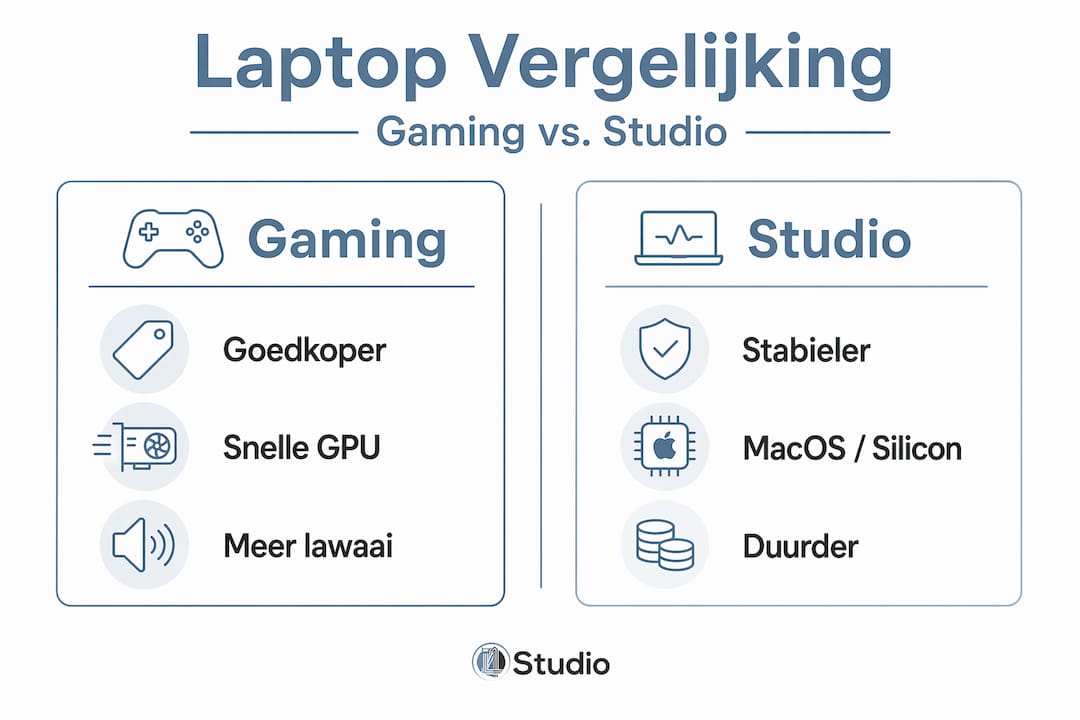
Gaming laptops are attractive to music producers because they offer a lot of computing power at a relatively low price. A gaming laptop with an i9 processor, 32GB of RAM and a fast SSD often costs hundreds of dollars less than a comparable professional studio laptop. That difference cannot be ignored, especially for producers who are just starting out or who prefer to put their budget into plug-ins and hardware.
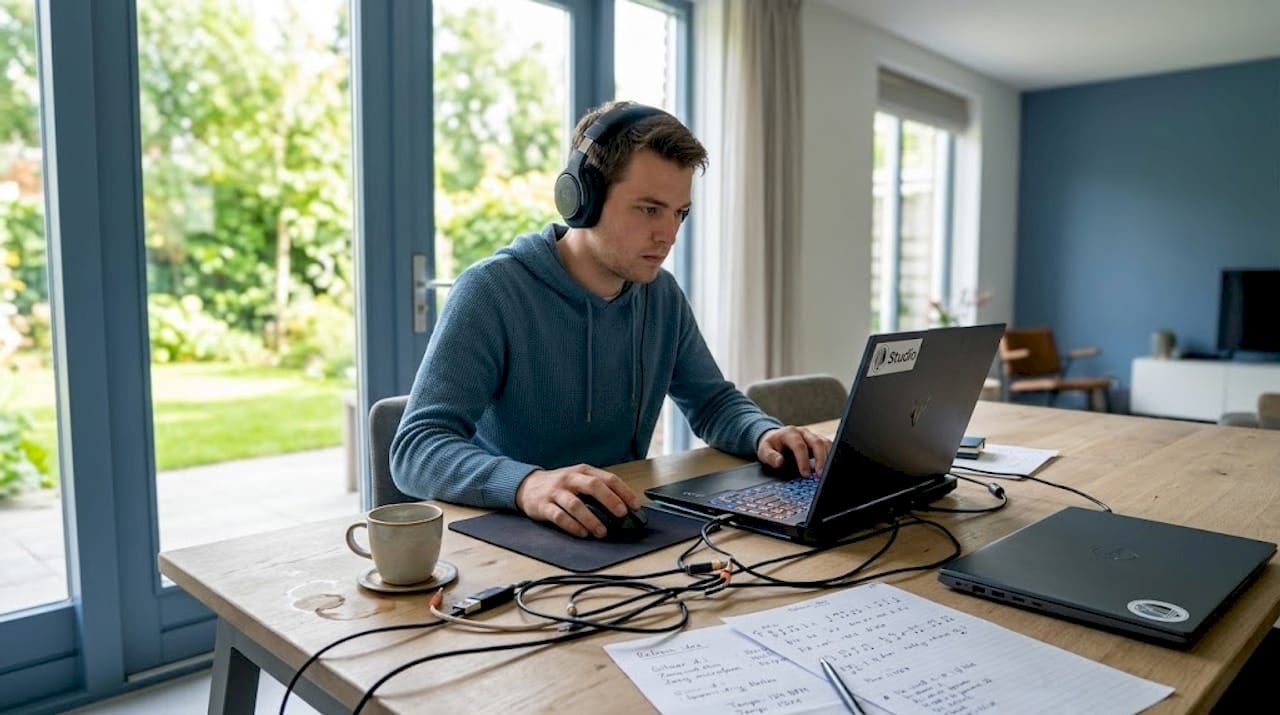
But there is a crucial problem. Gaming laptops throttle their CPU by 20 to 40% after four to six minutes of intensive use at a temperature around 95 degrees Celsius. This thermal throttling is a built-in protection that prevents overheating, but the effect in your DAW is immediately noticeable: dropouts, clicks in the audio and hiccups in the timeline. Especially during a heavy mixing session with many active plug-ins, just when you need full power, the laptop throttles down.
Another issue that many producers underestimate: cooling noise. Gaming laptop fans produce 45 to 50 decibels at full load. That’s comparable to a quiet conversation one meter away. If you put a condenser microphone on the same table, that microphone picks up this fan noise. The result is a subtle but annoying layer of noise in your recordings.
However, the benefits of a gaming laptop for music are also real:
- High computing power per euro, ideal for a limited budget
- Powerful GPU, useful for visual plug-ins, video editing and graphical DAW interfaces
- Extensive connectivity options, including multiple USB ports and sometimes Thunderbolt
- Good screen resolution and refresh rate for a fine working experience
The downside in practice:
- Thermal throttling during prolonged, intense sessions
- High fan noise that can affect recording quality
- Less stable audio drivers on Windows compared to macOS
- Shorter battery life due to high power consumption
Pro-tip: Still using a gaming laptop for music production? Manually set the cooling mode to maximum in the laptop software before starting a heavy session. This will prevent the fan from starting up halfway through your mix and causing a spike in CPU temperature. Combine this with an external laptop stand with additional cooling for better airflow under the device.
Check out our selection of the top 5 gaming laptops music production to see which models handle audio workloads best.
Studio laptops: optimized for stable music production
Studio laptops, especially the Apple MacBook Pro with M4 or M5 chip, are designed with a different priority than gaming laptops. Where a gaming laptop maximizes computing power, a studio laptop balances performance with thermal efficiency and noise production. That’s no accident; it’s a conscious design choice that professional producers have appreciated for years.
“MacBook Pro with M4 and M5 chip delivers zero dropouts at a 128-sample buffer and processes more than 50 active tracks without any thermal throttling.” This is consistent with the findings of RTINGS.com 2026 tests, which consistently place the MacBook Pro at the top in stability for audio production.
These are the advantages of studio laptops for music production:
- Thermally stable: Apple Silicon chips operate efficiently at lower temperatures, so the fan rarely needs to kick in during medium-heavy sessions.
- Quiet operation: For many production tasks, the MacBook Pro runs fanless, which is ideal for microphone recordings in the same room.
- Long battery life: Ten to 20 hours of productive work on a battery charge is realistic, making the laptop usable even on the road or on location.
- Seamless DAW integration: Logic Pro is exclusive to macOS and takes maximum advantage of Apple Silicon. Pro Tools and Ableton Live also run very stably on this platform.
- Consistent audio drivers: macOS has inherently more stable Core Audio drivers, which virtually eliminates driver-related dropouts.
Macs dominate professional studios thanks to the efficiency of Silicon chips, which enable stable audio without sacrificing performance. This is not just brand loyalty; it is a practical choice that high-level sound engineers make every day.
The downside is the price. A MacBook Pro M4 Pro starts around $2,500. That’s a serious investment, especially if you’re just starting out. But when you factor in the longer lifespan, fewer problems and less time spent fixing technical glitches, that math shifts. Check out our selection of studio laptops music production for a current overview.
Comparing gaming vs studio laptops in practice: performance and workflow
To make the choice more concrete, we put the most important features side by side. This table helps you quickly see where the differences are most noticeable in everyday use.
| Feature | Gaming laptop | Studio laptop (MacBook Pro M4/M5) |
|---|---|---|
| Price | Lower (800 to 1,800 euros) | Higher (2,000 to 4,000 euros) |
| CPU performance | High, but throttling at 95°C | Constantly high, no throttling |
| Cooling noise reduction | 45 to 50 dB at load | Fanless to quiet at production |
| Battery life | 3 to 6 hours on production | 10 to 20 hours at production |
| Stability audio drivers | Variable (Windows) | Very stable (macOS Core Audio) |
| Number of tracks heavy session | Stops smoothly at 70 to 80 tracks | 100+ tracks without dropouts |
| Thunderbolt connections | Sometimes present | Multiple ports by default |
| GPU for visual plug-ins | Powerful | Sufficient but less powerful |
Gaming laptops lose up to 20% performance once the temperature goes towards 95 degrees, resulting in dropouts. This confirms that specifications on paper do not always match what you experience in practice during a long production night.
There are steps you can take to make a gaming laptop perform better for music production:
- Undervolt the CPU. This lowers the temperature by 5 to 15 degrees Celsius without performance degradation, making thermal throttling less likely. Software such as Throttlestop or Intel XTU will help you do this on Windows.
- Use a laptop stand with active cooling. Better airflow under the device extends the time before the laptop starts throttling.
- Connect the laptop to power. On battery, many gaming laptops limit their power considerably.
- Disable unnecessary background processes. Windows Update, antivirus software and cloud sync services eat CPU power you need for your DAW.
- Use an external audio interface. This takes over sound processing from the built-in sound card, which increases stability.
Pro-tip: If you use a gaming laptop for production work on location, an external USB-C audio interface is not only a quality improvement but also a way to bypass sound card problems entirely. Virtually every driver-related dropout disappears with this.
Check out our desktop PC or laptop comparison for a broader perspective on which device type fits which workflow.
Which laptop best suits your music production workflow?
The honest question is not “which laptop is better?” but “which laptop fits how you work?” The ideal laptop for music depends on your type of production, your workspace and your budget.
Ask yourself these questions before you decide:
- What kind of music do you make? MIDI-heavy electronic music with light plug-ins makes different demands than film scores with large orchestral sample libraries. The heavier your sessions, the more you benefit from a stable studio laptop.
- Do you work from home or on the road? At home, you have more control over your environment; a gaming laptop with external cooling and good placement is acceptable then. On location, you want reliability and battery life.
- How many tracks do you use on average? Working up to 50 tracks? A well-set gaming laptop will manage. Working with 100+ tracks and heavy orchestral libraries? Opt for a MacBook Pro.
- Do you have a condenser microphone in the same room? Then cooling noise level is a serious consideration.
Windows gaming laptops offer more power per dollar, but have a one in five chance of driver problems and dropouts during heavy sessions. That risk is small enough for hobby producers but too great for professional sessions where clients are present.
MacBook Pro laptops give plenty of wiggle room for orchestral and large productions without worrying about downtime. For professionals who build their reputation on reliability, this is not a luxury but a necessity.
Our recommendation in brief:
- Choose a gaming laptop if your budget is under 1,500 euros, you mainly work from home and you are willing to optimize the laptop for audio use.
- Choose a studio laptop if you run professional sessions, work on location, or work with large orchestral projects and 100+ tracks.
Want personalized advice on the ideal configuration for your situation? Our DAW computer recommendations will give you a concrete starting point.
Why conventional wisdom on laptop choice often misleads
In the world of music production, you often hear the same story: gaming laptops are for gamers, studio laptops are for producers. Done. But that black-and-white reasoning is not correct, and as specialists in studio setups, we see producers paying the price for that every day, in both directions.
Thermal throttling is seen by many people as a sign that a laptop is not suitable. But thermal throttling is a safety measure that every laptop has. The difference is in how fast and how heavily a laptop will throttle, and that can be influenced. With undervolting, better cooling and smart software settings, a gaming laptop performs significantly more consistently than it does out of the box.
Conversely, studio laptops are not sacrosanct either. A MacBook Pro M4 is a wonderful device, but for a beginning producer who mainly builds loops in 12-track Ableton Lite, it’s an expensive solution to a slight problem. Some of that $2,500 could be put into a good audio interface, studio monitors and acoustic treatment of your space. Those investments improve your sound quality more directly than the brand of your laptop.
The reality is that many audio specialists pay too little attention to practical adjustments and judge too quickly based on specifications or platform loyalties. A properly configured laptop for music production of any type, with proper external hardware and software settings, performs better than an expensive laptop that you don’t use to its full potential.
The smart choice is always based on your own workflow, your specific weaknesses and your budget. Not on the market position of a device.
Your next step: appropriate studio gear and laptops at i4studio
At i4studio, we help music producers and sound engineers find the right setup every day. Whether you want to optimize a gaming laptop for music or are considering investing in a professional studio laptop, we always look at your specific workflow.

Want to know which studio PC or laptop is best for you? We will help you further with personal advice. Are you just starting out and don’t know what you need besides a laptop? Check out our overview of studio gear for beginners for a clear starting point. And for an overview of proven configurations that perform audiostably in real-world situations, our DAW computer recommendations are ready for you. With the right knowledge and the right gear, you’ll make the choice that really works.
Frequently asked questions about gaming and studio laptops for music production
Is a gaming laptop suitable for professional music production?
A gaming laptop can work fine for music production if the CPU and RAM are adequate, but CPU throttling of 20 to 40% in heavy sessions leads to dropouts and is a serious risk in professional environments.
Why do many professional studios choose MacBook Pro?
MacBook Pro with Apple Silicon offers stable performance without throttling and runs quietly, making it ideal for long sessions. Zero dropouts at 128-sample buffer makes it a reliable choice for complex productions.
How can I reduce noise from my laptop during recording?
Place the laptop far from your microphone or use a long Thunderbolt cable to your audio interface. Fan noise of 45 to 50 dB permeates condenser microphones; distance and placement under the desk help reduce this greatly.
Is undervolting a good way to make a gaming laptop cooler for music production?
Yes, undervolting is effective. It lowers CPU temperatures by 5 to 15 degrees Celsius without performance degradation, which delays thermal throttling and allows for longer stable sessions.
What are the minimum specifications required for a good music production laptop?
You need at least an i7 or Ryzen 7 processor, 16GB of RAM (preferably 32GB) and a 512GB SSD. MusicRadar expert tests confirm this as the lower limit for smooth use with DAWs like Ableton and Pro Tools.