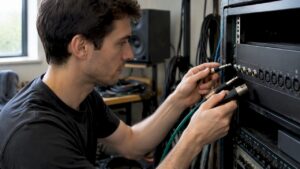
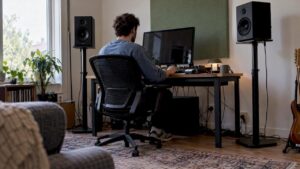
Good DAW computer recommendations are crucial for producers, musicians and content creators who want stable recording and editing environments without annoying drop-outs or slow renders. This article helps readers step by step: from which components are really important to concrete builds for different budgets and workflows. In addition, it shows how specialty vendors such as I4studio can support with customized systems and advice for studio setups.
The Perfect DAW Computer: Why i4studio’s Custom Solutions Make All the Difference
Building a computer for audio production is more than just putting the fastest components into a case. It’s a delicate balance between raw computing power, absolute stability, and the subtle synergy between hardware and software. For producers, musicians, and content creators, the computer is the beating heart of the studio; every glitch, latency issue, or slow render is a direct interruption to the creative process.
Why do professionals choose a custom-built system from i4studio instead of a standard off-the-shelf solution?
Audio-Optimized Configurations: At i4studio, we understand that a DAW PC places fundamentally different demands on hardware than a gaming or office PC. We select components not only for speed, but also for their proven stability in audio environments, ensuring that dropouts and crackling are a thing of the past.
Expertise in integration: A computer never stands alone. We advise on and configure systems that work seamlessly with your specific audio interface, plugins, and DAW software, including the proper driver settings for minimal latency.
Silence and reliability: We build systems that are not only powerful but also remain whisper-quiet even during the most critical moments of recording. Combined with our expertise in studio setups, we create a work environment where you can focus 100% on your music.
After-sales support and advice: At i4studio, you’re not just buying a “box”—you’re buying a solution. Whether you need help implementing complex sample libraries, developing storage strategies, or integrating the software into your existing studio, we’re here to support you and ensure your workflow remains uninterrupted.
In this article, we’ll take a closer look at the essential components of a DAW computer and show you how, by making the right choices, you can build a system that will perform reliably for years to come.
Why a dedicated DAW computer is important
A computer for audio production differs substantially from a standard office or gaming PC. Audio processing requires low latency, stable drivers and often many simultaneous tasks (multi-track recording, real-time effects, sample libraries). If those components are not properly tuned, problems such as
- sound drop-outs and crackling
- High CPU load with plugins crashing
- Slow project-load times due to slow storage
- unreliable synchronization between devices
DAW computer recommendations therefore focus on a balance of processor power, memory, disk speed and audio interface quality – plus practicalities such as cooling, quiet operation and expandability.
Key components explained
CPU: the engine of the DAW
The processor is often the limiting factor in plugin-heavy sessions and real-time operations. For DAW work, two main criteria apply: single-core performance and number of cores.
- Single-core performance is crucial for real-time plugins and synths that do not multi-thread well.
- Cores help with offline renders, track freezing and many simultaneous instruments/plugins.
For simple projects, modern 4-6 core CPUs suffice, but for professional sessions or large sample libraries, 8 to 16 cores are recommended. A person’s choice depends on DAW and plugins used; Pro Tools and Logic often benefit from strong single-core performance, while Reaper and Cubase scale well with more cores.
RAM: sufficient working memory
RAM is important for sample-based instruments (such as orchestral libraries) and running multiple applications smoothly at once. Recommendations:
- 16 GB: minimum for simple projects and beatmaking
- 32 GB: strongly recommended for serious producers and sample-heavy sessions
- 64 GB or more: for large orchestral libraries, movie scoring and heavy multitasking
Fast RAM (higher frequency and low latency) can give small but noticeable benefits, especially on systems that perform many CPU-bound tasks.
Storage: speed and organization
Storage is a combination of speed (for response and sample streaming) and capacity (for projects and libraries).
- NVMe SSD (PCIe): recommended for operating system and DAW installation – offers super fast load times.
- SATA SSD: good for sample libraries and projects.
- HDD: great for archives and backups because of cost-effective capacity.
- External SSD/NAS: useful for collaboration and backup; choose USB 3.2/Thunderbolt for speed.
Many producers use a fast NVMe for OS/DAW, a larger SATA SSD for libraries, and an HDD for backups. RAID configurations are sometimes used for data speed or redundancy, but note that RAID is not a substitute for off-site backups.
Audio interface and drivers
The audio interface often determines sound quality, latency and connectivity. Important aspects:
- ASIO (Windows) or Core Audio (macOS) drivers: ensure low latency and reliable performance.
- Audio converter quality (AD/DA): affects recording and listening quality.
- Inputs/outputs: choose based on microphones, monitors, hardware synths, and ADAT/Word Clock for larger setups.
- USB, Thunderbolt or PCIe: Thunderbolt offers the lowest latency and highest bandwidth, but USB-C/3.2 is often sufficient these days.
Professional studios often choose interfaces with stable drivers and expandability – I4studio supplies and recommends suitable interfaces depending on workflow and budget.
GPU: When is a strong video card needed?
For pure audio work, a high-end GPU is not essential. For video editing, rendering or working with real-time video in the DAW (e.g. soundtrack for film) a powerful GPU helps significantly. Recommendation:
- Audio-only: integrated GPU or entry-level NVIDIA/AMD is usually sufficient.
- Audio + video: mid-range to high-end GPU (e.g. NVIDIA RTX series) depending on resolution and rendering tasks.
Cooling, case and quiet operation
A studio environment often requires a quiet computer. Good cooling and quiet fans are essential, as background noise can lead to frustration when recording. Consider:
- Large, well-ventilated chassis with sound-deadening materials
- quality CPU cooler or AIO water cooling for silent cooling
- source with sufficient power and quiet operation
Network and connectivity
Stable network connections are important for cloud backups, sample libraries via network shares and remote collaborations. Prefer Gigabit Ethernet; for demanding workflows, 10 GbE can be useful. Also provide enough USB/Thunderbolt ports for controllers and storage.
Operating system: Windows, macOS or Linux?
The choice of operating system affects plugin compatibility and driver support.
- macOS: popular in the music world because of stability and compatibility with Logic Pro and Core Audio. Apple Silicon (M1/M2) offers excellent performance, but beware of compatibility with older plugins.
- Windows: flexible and widely supported; many hardware have Windows drivers. ASIO support enables low latency. Windows 10/11 works well if optimized.
- Linux: less common but powerful for specialists; requires more technical knowledge and compatibility checks.
The choice depends on DAW and plugins: Logic only runs on macOS, Pro Tools has strong bandwidth on both platforms, and Reaper is platform-independent.
Practical DAW computer recommendations by need
Here are specific recommendations for different types of users. These examples are intended as guidelines; I4studio can help with customization for specific requirements.
1. Entry Home Studio – Beatmakers and Singer-Songwriters
Purpose: recording vocals, simple MIDI instruments, limited plugin sets.
- CPU: Intel Core i5 (6+ cores) or AMD Ryzen 5 (6+ cores)
- RAM: 16 GB
- Storage: 500 GB NVMe (OS/DAW) + 2 TB HDD (projects/backup)
- Audio interface: 2-in/2-out USB interface with reliable drivers
- GPU: integrated or entry-level
- Budget indication: €800-€1,500 (excluding monitors and interface)
2. Project studio – Serious producers and bands
Goal: multi-track recording, more plugins, sample libraries.
- CPU: AMD Ryzen 7 or Intel Core i7 (8+ cores)
- RAM: 32 GB
- Storage: 1 TB NVMe + 2-4 TB SATA SSD
- Audio interface: 8-in/8-out with ADAT option and stable drivers
- GPU: mid-range (for video assignments)
- Budget indication: €1,800-€3,500
3. Professional Studio / Post-Production
Purpose: large sample libraries, film scoring, real-time processing of many tracks.
- CPU: AMD Ryzen 9 / Threadripper or Intel Ultra 9
- RAM: 64 GB or more
- Storage: multiple NVMe’s in RAID for OS and sample streaming, NAS for project storage
- Audio interface: extended AD/DA converter + Word Clock
- GPU: strong card (for 4K video rendering)
- Budgetindicatie: €4.000–€10.000+
4. Mobile Producers / Live Performers.
Purpose: portability, reliable performance during shows.
- Laptop: Apple MacBook Pro (M1/M2 Pro/Max) or high-end Windows laptop with Intel/AMD H-series
- RAM: 16-32 GB
- Storage: 1 TB NVMe
- Audio interface: bus-powered compact interface with low latency
- Additional: sturdy flight case, redundant backup drives
Concrete builds and examples
The builds below are examples and can be customized. I4studio assembles similar systems and provides customized advice.
Budget Build – “Start Up”
- CPU: Intel i7
- Motherboard: B760 with NVMe support
- RAM: 32 GB DDR4 3200 MHz
- Storage: 500 GB NVMe + 1 TB SSD
- Audio Interface: Focusrite Scarlett 2i2
- PSU: 650W Bronze
- Case: compact with sound insulation
All-round Producer Build
- CPU: Intel i9
- Motherboard: B760 with a good VRM
- RAM: 32 GB DDR4
- Storage: 1 TB NVMe (OS), 2 TB NVMe (samples)
- Audio interface: RME Fireface or similar (stable drivers)
- PSU: 750W Gold
- Cooling: silent AIO 240 mm
High-End Studio Workstation
- CPU: AMD Threadripper or Intel Core i9 14900K
- RAM: 128 GB ECC (if needed for stability)
- Storage: multiple NVMe’s in RAID for streaming + NAS 10 TB for projects
- Audio: Apogee/Universal Audio converters + dedicated DSP units (UAD)
- GPU: NVIDIA RTX 4080 for video editing
- Cooling & Case: professional server-grade cooling and soundproofing
DAW optimizations and tips for stability
Installing a good computer is one thing; optimizing it for audio is another. Here are some practical tips that actually make a difference:
- Turn off power saving options and choose the high performance power plan.
- Disable USB selective suspend and other power-saving settings (prevents drop-outs at USB controllers).
- Use the latest manufacturer-approved drivers for audio interfaces.
- Keep latencies small during recording, and increase the buffer during mixing or CPU-intensive actions.
- Limit background processes and automatic updates during sessions.
- Use DPC latency analysis tools when one has unexplained audio glitches.
- Put sample libraries on fast SSDs for minimal streaming problems.
Synchronization, clocking and sample rates
In larger setups with multiple digital devices, clock synchronization is essential. A proprietary word clock(word clock) or synchronization via ADAT/SDIF prevents jitter and timing issues. Choose consistent sample rates within a project (e.g., 48 kHz or 96 kHz) and pay attention to interface settings when transferring between devices.
Why customization and professional advice often pays off
Many studio owners underestimate the effect of a complete, matched setup. A computer with the right components, combined with a suitable audio interface and good workflow adjustments, provides much more stability than separate upgrades. Suppliers such as I4studio offer not only hardware, but also advice on acoustics, power, and integrating equipment into an existing studio – from rackmount solutions to quiet desktop builds.
Additional equipment and accessories often overlooked
In addition to the core components, there are accessories that make daily use much more pleasant and reliable:
- On-line UPS (continuous power supply) to prevent data loss in case of power failure
- Structured cable management for reduced interference
- External backup drives and automatic backup strategies (3-2-1 rule)
- Studio monitors with correct acoustic placement or high-quality headphones
- Control surfaces and MIDI controllers for faster workflow
How I4studio can help
I4studio specializes in audio, video and broadcast computers and provides relevant services for those seeking DAW computer recommendations. Their expertise includes:
- customized systems tailored to the specific DAW and plug-in stack
- advice on audio interfaces, converters and synchronization
- studio acoustics solutions and installation advice
- support and aftercare for driver or performance problems
For professionals who don’t want to waste time with trial and error, an investment in a professionally configured machine and consultancy can quickly pay for itself through increased productivity and reduced session disruptions.
Buying Checklist: What to look out for when buying a DAW computer
- What is the primary workflow? (recording, mixing, film scoring, live performance)
- What DAW and plugins are being used? (compatibility and DSP question)
- How many tracks and how many sample-based instruments do they typically play?
- Is portability necessary or is a fixed studio solution desirable?
- What is the budget including interface, monitors and accessories?
- Is there a need for video rendering, and if so, how much GPU power is required?
- How is backup and redundancy arranged?
Common mistakes and how to avoid them
- Looking only at clock speed of CPU: single-core is important, but the number of cores and cache size also play a role in multitasking.
- Too little RAM: leads to reliance on disk-swapping and delays.
- Cheap audio interfaces without stable drivers can undermine the entire system – choose proven brands and support.
- Wrong storage layout: OS and samples on the same slow disk cause performance issues.
Conclusion
DAW computer recommendations revolve around finding the right balance of CPU power, memory, storage and reliable audio interfaces. A smartly assembled machine reduces latency, prevents dropouts and speeds up render times – and makes the creative process more enjoyable. Whether one is just starting out with a home studio or setting up a professional post-production environment, it pays to plan well in advance and possibly invest in customization. Specialists such as I4studio can help choose the best combination of hardware, drivers and studio solutions so that one can get started with music and video production quickly and worry-free.
Frequently Asked Questions
What is the most important component for a DAW computer?
The processor is often the most important component because it does most of the real-time calculations. In addition, sufficient RAM and fast storage are crucial for sample-heavy projects.
Is a gaming PC suitable as a DAW computer?
A gaming PC may be suitable, especially because of fast CPUs and powerful GPUs. However, for audio, stable drivers, sufficient RAM and good audio interfaces are more important than graphics performance. Gaming PCs sometimes need to be optimized for audio (power settings, drivers, background processes).
How much RAM does a producer need?
16 GB is the minimum for simple projects. For serious production and sample libraries, 32 GB is highly recommended, and 64 GB or more for very large orchestral libraries or professional workflows.
Does one need a special audio interface?
Yes. A good audio interface with low-latency drivers (ASIO or Core Audio), quality AD/DA converters and the necessary inputs/outputs is essential for professional results.
Can I4studio help with a turnkey solution?
Yes. I4studio provides custom-built audio, video, and broadcast computers and offers advice on studio setup, acoustics, and equipment integration. This makes it easier to get a reliable, high-performance studio solution without having to understand all the technical details yourself.

Have your DAW computer built by the specialists. Not sure which components are the best fit for your plugins and interface? No problem. At i4studio, we combine in-depth hardware knowledge with a passion for audio. Discover what we can do for your studio. [Click here for personalized advice] and start building your new workflow today.