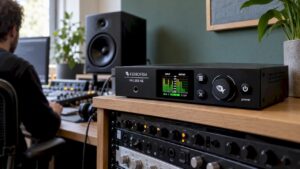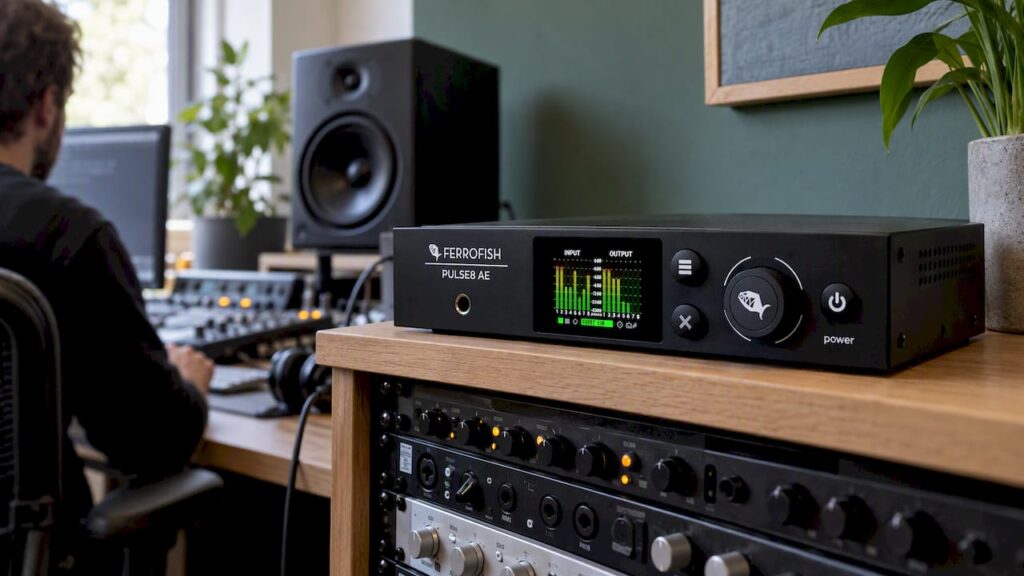
If you’re looking for a Ferrofish converter, your choice mainly depends on three questions. How many analog channels do you need? Which digital format do you use to connect to your interface or mixer: ADAT, MADI, or Dante? And does the device also need to be able to route audio? For most home studios with an interface featuring ADAT ports, a Pulse 8 AE or Pulse 16 AE the logical choice. For large multitrack setups and MADI systems, look no further than the A32pro off. If you’re working in a Dante network, then the A32 Dante or a Verto format converter might be the answer. In this article, we’ll walk through all the models, including a comparison chart, scenarios, and a compatibility checklist.
In a nutshell
- Pulse 8 AE: 8 analog inputs and outputs via ADAT, ideal for compactly expanding an audio interface.
- Pulse 16 AE: 16 analog inputs and outputs via jack connectors, with per-channel routing. The all-around solution for serious home and project studios.
- A32 / A32pro: 32 analog channels in 1U, with both ADAT and MADI. For large recording spaces, outboard racks, and live applications.
- A32 Dante: The same 32 channels, plus redundant Dante. For network studios, broadcast, and installations.
- Verto: no analog I/O, but it provides conversion between ADAT or MADI and Dante.
Table of Contents
- What a Ferrofish converter actually does
- All Ferrofish converters at a glance
- The models, one by one
- Which converter for which setup
- Checklist: Is a Ferrofish compatible with your current setup?
- What Tests and Users Say
- Our advice: look at the entire system
- Buy Ferrofish from I4studio
- Frequently Asked Questions
- Sources
What a Ferrofish converter actually does
An AD/DA converter converts analog audio to digital (AD) and digital audio back to analog (DA). According to the Ferrofish PULSE16 manual, the Pulse16 does this simultaneously for 16 channels in both directions.
In practice, you use a Ferrofish to:
- Expand your audio interface. Many interfaces have only a few analog inputs, but they do have one or more ADAT ports. A Ferrofish fills those ports with additional channels.
- Connect outboard gear. Compressors, EQs, effects units, and synthesizers each get their own input and output, so you can use them as hardware inserts from your DAW.
- Connect different formats. An A32pro or Verto brings analog, ADAT, MADI, and Dante equipment together into a single system.
So the choice isn’t just about sound quality. Protocol, number of channels, sample rate, clock, and analog level are just as important.
All Ferrofish converters at a glance
Below are the models you’ll encounter most often, along with their key specifications as provided by Ferrofish itself.
| Model | Analog I/O | Analog Connectors | Digital | Routing | Goes well with |
|---|---|---|---|---|---|
| Pulse 8 AE | 8 x 8 | D-Sub 25 | ADAT, up to 192 kHz | Yes | Compact studio, expanding the interface |
| Pulse 16 AE | 16 x 16 | 6.3 mm jack (TRS) | ADAT (32 channels in/out) | By channel | Project and home studio with outboard gear |
| Pulse 16 MX (previous generation) | 16 x 16 | 6.3 mm jack (TRS) | ADAT and MADI | Per block | 16-channel MADI systems |
| A32 / A32pro | 32 x 32 | D-Sub25 (Tascam) | ADAT, MADI | Matrix | Large studios, live, broadcast |
| A32 Dante / A32pro Dante | 32 x 32 | D-Sub25 (Tascam) | ADAT, MADI, Dante (redundant) | Matrix, groups of 8 | Dante Networks |
| Verto 32 / Verto 64 | No | N/A | ADAT to Dante | N/A | ADAT Equipment in a Dante Network |
| Verto MX | No | N/A | MADI to Dante | N/A | MADI Equipment in a Dante Network |
The Models, One by One
Pulse 8 AE: Compact and Fast-Response
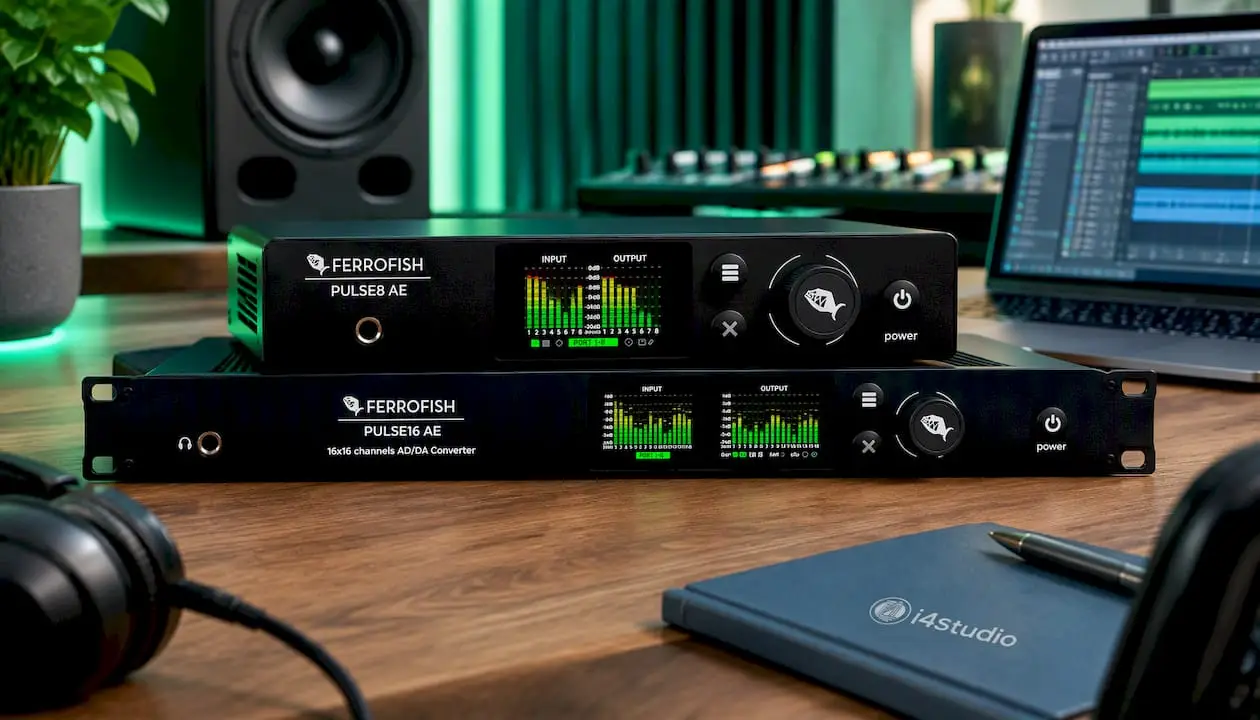
The Pulse 8 AE is the entry-level model in the series: 8 x 8 balanced analog inputs and outputs and ADAT connections up to 192 kHz. It uses the same generation of converters as its bigger brothers, in a compact enclosure.
In our opinion, this is the smartest choice if your interface has one ADAT port to spare and you want eight extra channels for drums, a synthesizer rack, or a few outboard inserts. In its review of the Pulse 8 AE, Sound On Sound praised the clear color display with feedback on levels and settings, as well as the easy-to-navigate menus.
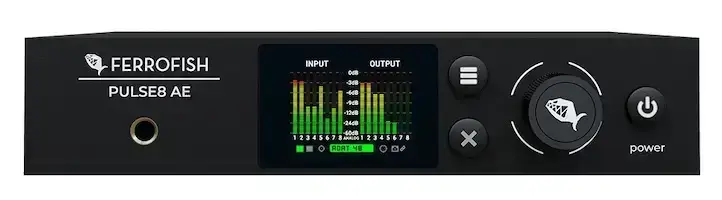
Please note: The analog channels are connected via a D-Sub 25 connector. You’ll need a breakout cable to XLR or jack.
You can find the Ferrofish Pulse 8 AE in our online store.
Pulse 16 AE: The All-Around Workhorse for the Project Studio
According to Ferrofish USA, the Pulse 16 AE is a 16-channel converter with fully balanced I/O, levels up to +20 dBu, two TFT screens, and 32-bit ESS converters with active jitter reduction. Digitally, it connects to 32 ADAT channels for input and output.
The major improvement over the previous Pulse16 is the routing. According to Sound On Sound, you can now assign each input individually to an output, whereas earlier models routed in blocks. There are also BNC connectors for word clock.
The analog connections use 6.3 mm jacks, just like the Pulse16 series. Convenient: you can connect outboard gear directly using standard TRS cables, without needing breakouts.
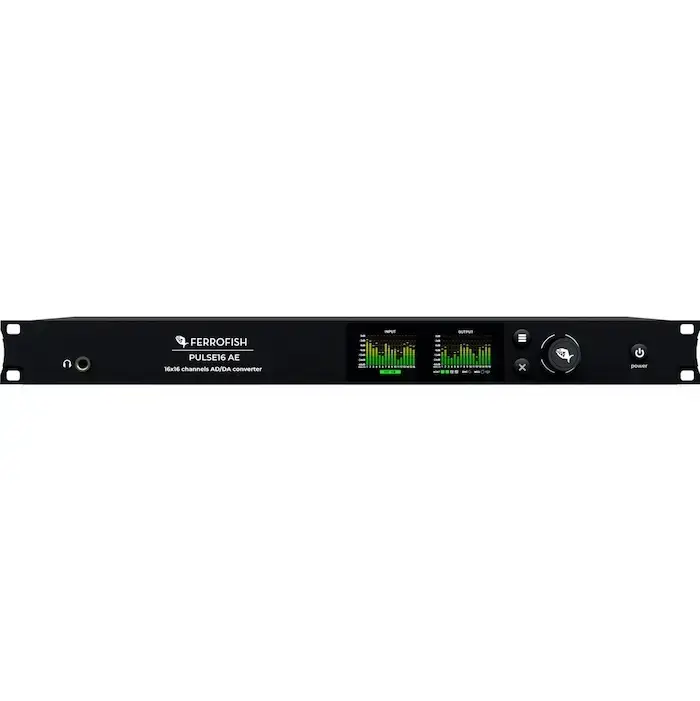
We recommend this model if you have an interface with two ADAT ports, or if you want to connect an outboard rack. Check the Ferrofish Pulse 16 AE for availability.
A32 and A32pro: 32 channels in a single rack unit
The A32 family is the flagship line. The A32pro offers 32 balanced analog I/O on D-Sub25, suitable for studio levels up to +20 dBu and adjustable in 1 dB increments.
From the A32pro manual, we’ve highlighted a few points that really make a difference in larger studios:
- Latest-generation ESS converters.
- A SHARC DSP for routing and processing, plus a PLL system for jitter reduction.
- Two power inputs for redundant power supply.
- Control via RemoteFish and MIDI, including MIDI over USB.
The A32pro supports ADAT and MADI. This makes it suitable as a central converter for a recording studio with many microphone preamps, or as a link between a MADI mixer and your DAW.
The older Ferrofish A32 has the same 32 x 32 configuration with MADI and ADAT. The Ferrofish A32pro is the newer model with updated converters.
A32 Dante: for network studios
If you work with Dante, the Dante version is the logical choice. Ferrofish describes the A32pro Dante as a 1U converter with 32 x 32 analog I/O, MADI via two SFP slots, ADAT, and Dante via two RJ45 ports for redundancy. It operates at up to 192 kHz and routes all formats via a matrix in groups of eight channels. You can configure the routing directly in Dante Controller.
This allows you to integrate analog, ADAT, and MADI equipment into your network all at once. Think of a studio complex with multiple control rooms, a broadcast facility, or a theater setup. Check out the Ferrofish A32 Dante for all the details.
Verto: if you only want to translate unit names
The Verto series does not have analog I/O. According to the Verto manual, the Verto 32 and Verto 64 convert ADAT to Dante and back, and the Verto MX does the same between MADI and Dante. The Verto 64 has 16 ADAT connections (8 in, 8 out) and two RJ45 ports for redundant use.
This is useful if you already have ADAT converters or preamps and want to integrate them into a Dante network.
Which converter for which setup
The table lists the specifications. Below, we’ll break them down into the types of studios we commonly encounter.
1. Home studio with an audio interface and one free ADAT port
You want more inputs for drums or a couple of synths. Choose the Pulse 8 AE. Eight extra channels, one fiber-optic cable—all set.
2. Producer with outboard gear and synthesizers
You have a rack with compressors, EQs, and a few hardware synths, and you want to control everything from your DAW. Choose the Pulse 16 AE. The jack connectors are easy to patch, and the per-channel routing makes hardware inserts easy to manage. Just make sure your interface has two ADAT ports.
3. Recording studio with a live room
You’re recording bands using multiple microphones at once. Choose the A32pro. 32 channels in 1U, with MADI if you want to connect to a MADI card or mixer.
4. Live or broadcast with a MADI mixer
The A32pro or a MADI version of the Pulse is suitable for this. MADI transmits many channels over a single cable and works over longer distances.
5. Network studio, broadcast, or installation with Dante
Choose the A32 Dante if you need analog channels, or a Verto if you just want to integrate your existing ADAT or MADI equipment into the network.
Can’t decide between two models? Then go for the next size up. A studio almost always grows, and a second converter means extra cables, extra clocks, and extra rack space.
Checklist: Will a Ferrofish fit into your current setup?
Before you place your order, please review the following points:
- Digital ports on your interface or mixer. Count how many ADAT, MADI, or Dante connections you have available. A converter with 32 ADAT channels is useless with an interface that has only one ADAT port.
- Sample rate. At higher sample rates, ADAT carries fewer channels per fiber-optic cable. According to the Pulse16 manual, that series operates via ADAT up to 96 kHz, with higher rates depending on the configuration. If you’re working at 96 kHz, be sure to verify the number of channels per port.
- Clock and synchronization. Determine which device is the master clock. If available, use word clock via BNC, and have the rest synchronize to it.
- Analog level. The A32pro and Pulse 16 AE operate at levels up to +20 dBu. Adjust this to match your outboard gear and monitor controller to avoid clipping or introducing noise.
- Connectors and cabling. Jack (Pulse 16 AE) or D-Sub25 (Pulse 8 AE and A32 family)? If you’re using D-Sub, be sure to include the breakout cables in your budget.
- Controls. Do you want to work remotely? RemoteFish and MIDI control are useful if your converter is located in a machine room or at the back of a rack.
- Computer and drivers. A Ferrofish unit itself doesn’t need a driver, but your interface or MADI/Dante card does. A stable, properly configured computer helps determine how low your latency remains.
What Tests and Users Say
Independent reviews are generally positive. In Sound On Sound’s review of the A32, the reviewer described the controls as clear and easy to navigate. Measurements showed a dynamic range of 105 dB in AD mode and 111.5 dB in DA mode. While not the absolute top level, it’s more than sufficient for the device’s intended purpose. Note: that was the original A32. Newer models feature newer ESS converters.
Tape Op tested the Pulse 16 MX via MADI: in the reviewer’s studio, it ran smoothly and reliably for five weeks after installation.
On forums, you’ll also come across some less-than-positive stories, often about glitches in larger systems. In our experience, such problems are usually related to the clock, outdated firmware, or the settings of the interface and computer. That’s why, when delivering a converter, we pay just as much attention to the configuration as we do to the device itself.
Our advice: look at the entire system
We often see people choosing a converter based solely on the number of channels. Then it turns out that the interface doesn’t have enough ADAT ports, or the clock gets out of sync because two devices are both trying to act as the master. A converter is only as good as the system it’s running in.
That’s why, with every recommendation, we look at the big picture: which interface you use, what sample rate you work at, how your computer is set up, and how your space sounds. We build studio PCs with a focus on stability and low latency, and we know how important it is for the converter, interface, and computer to be properly matched. An A32pro in a studio where you can’t hear what you’re doing clearly won’t get the best out of your recordings. So acoustics are also part of the equation.
Our rule of thumb: start with your workflow, not with the specs. How many sources do you record at once? How much outboard gear do you want to use? Do you work with a network? Then the model will almost fall into place on its own.
– harold
Buy Ferrofish at I4studio
At I4studio, you’ll find the complete Ferrofish lineup, from the compact Pulse 8 AE to the A32 Dante. You’ll receive personalized advice from professionals who work with this equipment themselves, ensuring your converter fits seamlessly into your setup.
Are you expanding your studio? Pair your converter with a compatible audio interface, high-quality studio monitors, or acoustic panels. We’re also the right place to go for a custom-built studio PC, starting at €1,099. You can find more hardware in our studio equipment section.
Frequently Asked Questions
What’s the difference between the Pulse 16 AE and the A32pro?
The Pulse 16 AE has 16 analog channels via jack connectors and operates via ADAT. The A32pro has 32 channels via D-Sub25 and supports both ADAT and MADI. In addition, the A32pro features, among other things, a redundant power supply and more extensive DSP routing. For most home and project studios, the Pulse 16 AE is more than sufficient.
Do I need a Dante version?
Only if your studio or setup already uses a Dante network, or if you plan to. For a traditional setup with an audio interface featuring ADAT ports, you don’t need Dante. If you decide to switch to Dante later, you can still integrate ADAT equipment into the network using a Verto.
Does a Ferrofish work with any audio interface?
With any interface that supports the correct digital format, such as ADAT, MADI, or Dante. Check how many ports you have available and what sample rate you’re using. Also make sure to specify which device is providing the clock.
What cables do I need?
For ADAT, use optical TOSLINK cables; for word clock, use BNC cables. The Pulse 16 AE works with standard 6.3 mm TRS cables for analog signals. For the Pulse 8 AE and the A32 family, you’ll need D-Sub25 breakouts to XLR or jack connectors.
Sources
Ferrofish PULSE16 User Guide
Ferrofish PULSE16 Technical Specifications
Ferrofish Pulse8 AE
Ferrofish USA: Pulse 16 AE
Sound On Sound: Ferrofish Unveils the Pulse16 AE
Ferrofish USA: A32pro
Ferrofish A32pro Manual
Ferrofish A32pro Dante Converter Multimode
Ferrofish Verto Series Owner’s Manual
Ferrofish Verto 64
Sound On Sound: Ferrofish A32 Review
Sound On Sound: Ferrofish Pulse 8 AE Review
Tape Op: Ferrofish Pulse 16 MX Review