

Looking for a Pyramix Workstation
We build computers custom made for you
Need help ?
Get in touch with our technical experts today
The Ultimate Guide to a Computer for Pyramix
If you work with Pyramix, you know it is not your average music software. It is a high-end digital audio workstation (DAW) used primarily in the world of broadcast, mastering, classical recording and live recording. In this article, we go deep into what you need for the ideal computer configuration for Pyramix so that your sessions run smoothly, reliably and without hiccups.
Want custom advice contact us : Info@i4stdio.nl
What is Pyramix?
A brief introduction to Pyramix
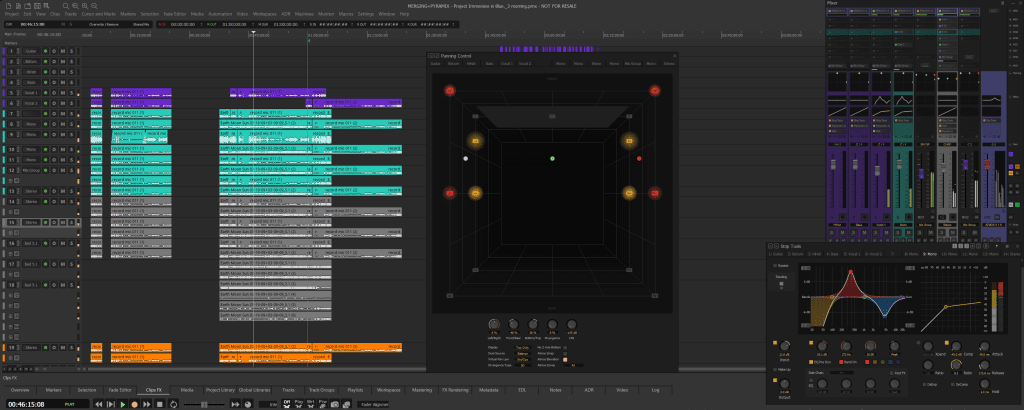
Pyramix is a DAW developed by Merging Technologies, a Swiss company focused on ultra-high-end audio solutions. It is known for its precision, studio-quality audio engine and support for DSD and DXD – formats rarely encountered in ordinary music software.
Who uses Pyramix and why?
The target audience? Think mastering engineers, classical recording studios, live recording professionals, and major broadcasters. Where Pro Tools is the standard in pop music, Pyramix is in the world of classical and high-fidelity audio.
Why is hardware so important at Pyramix?
Pyramix is no ordinary DAW
Pyramix works differently than, say, Ableton Live or FL Studio. It places higher demands on hardware, mainly because it prioritizes real-time performance and precision.
Real-time performance and system requirements
So you don’t just need a fast laptop – you need an optimized machine that is reliable under pressure, with minimal latency and maximum stability.
Minimum system requirements for Pyramix
CPU – Powerful performance required
A modern multi-core CPU (e.g. Intel i7 ) is the minimum you need. But the more cores, the better – especially for mixing and mastering in high resolutions.
RAM – How much memory do you really need?
16 GB is the lower limit, but 32 GB or more is strongly recommended. RAM determines how smoothly your session runs if you use a lot of tracks, plug-ins and high-res audio.
Storage – SSD or HDD?
A fast NVMe SSD is not a luxury, but a must. Audio benefits from high read and write speeds. HDDs? Only for backups now.
Graphics card – Needed or not?
Pyramix does not demand much from your GPU, but a decent onboard graphics or an entry-level card such as an NVIDIA GT 1030 is sufficient for stability.
Recommended computer specifications for Pyramix
Windows vs macOS – The big trade-off
Pyramix only runs on Windows. So: sorry Apple fans, there is no Mac version here. Windows 10 or 11 Pro (preferably LTSC) is the default.
Workstation vs Laptop – Which fits your workflow?
Laptops are handy for mobile work, but for serious sessions, a desktop workstation is the way to go. Think better cooling, more expandability and more powerful performance.
Best processors for Pyramix in 2025
Intel vs AMD
Both brands are fine. Intel’s Core i9 or AMD’s Ryzen 9 are tops.
Number of cores vs clock speed
More cores = more concurrent tasks. Clock speed = faster individual processes. For Pyramix, a good balance between the two is essential.
RAM configurations for heavy Pyramix projects
Single channel vs dual channel
Always opt for dual channel. It increases memory bandwidth, resulting in faster data access.
DDR4 vs. DDR5
DDR5 is faster, but also more expensive. DDR4 is still fine – unless you want to squeeze the maximum out of your system.
The role of audio interfaces and drivers
ASIO compatibility
Pyramix requires an ASIO-compatible interface, and preferably one from Merging itself, such as the Horus or Hapi.
Hardware from Merging Technologies
These interfaces communicate directly via Ravenna or AES67 and offer minimal latency. Perfect match for Pyramix.
How important is the sound card?
Internal vs external solutions
External audio interfaces are the norm. Internal cards are hardly used anymore, unless you install a dedicated PCIe card from Merging.
Latency and sound quality
The right interface ensures ultra-low latency and crisp clear audio – essential for monitoring and recording without delay.
Cooling and stability during heavy sessions
Why thermal throttling can lower your performance
When your CPU gets too hot, it slows itself down. This is called throttling and it can mess up your session considerably.
Recommended cooling solutions
A good air cooler or AIO water cooling will keep your system quiet and cool. Combine that with a well-ventilated case.
Storage strategy for Pyramix projects
Working with multiple SSDs
One SSD for your OS, one for your projects and plug-ins. This prevents delays and increases reliability.
Backup and redundancy
Use RAID configurations or external drives for backups. Consider tools such as Acronis or Macrium Reflect.
Monitors and screen settings
Resolution and screen space
4K monitors give you lots of space for your mixer, waveform and plug-ins. More visibility = fewer clicks.
One ultrawide or two standard monitors?
Personal preference. An ultrawide is convenient, but two 27-inch screens are often more practical for multi-window workflows.
Silence is gold: silent computer setups
Low-noise housing
Enclosures like be quiet! Silent Base keep noise levels down. This is standard with i4studio
Fanless power supply and cooling
Passive power supplies and CPU coolers exist, but are pricey. Still, a good option for absolute silence.
Software optimization for Pyramix
Disabling services in Windows
Disable unnecessary services, such as updates, indexing and animations. More CPU left over for audio. Something we do by default at i4studio
Power management and BIOS settings
Set your power settings to “High Performance. In BIOS, you can disable C-states for maximum speed.
Price vs performance – Where do you spend your money?
Investing in CPU vs. investing in RAM
If you have to choose, spend more on your CPU. That ultimately determines how smoothly your system runs.
Smart savings without compromising on quality
Buy used parts from reliable brands, or put together your own PC. Less money, better specs.
Conclusion
Building or buying a good computer for Pyramix is not a simple task, but it pays off. Investing in powerful and stable hardware will ensure smooth workflows, reliable recordings and professional results. Don’t be seduced by fancy marketing – focus on what really matters: performance, reliability and compatibility.
Frequently asked questions (FAQ)
1. Can I run Pyramix on a Mac via Bootcamp or Parallels?
No, it is not recommended. Pyramix requires specific Windows drivers and hardware integration.
2. Which is better : laptop or desktop?
A desktop is more reliable and powerful. Laptops are useful only for traveling or light sessions.
3. Do I need a separate sound card?
Yes, preferably an ASIO-compatible audio interface, preferably from Merging Technologies.
4. Can I use Pyramix with a regular SSD?
Yes, as long as it is a fast NVMe SSD. SATA SSDs also work, but are a bit slower.
5. How much RAM is optimal for large projects?
Minimum 32 GB, but for extreme sessions, 64 GB or more is recommended.
Ready for a system that never lets you down?
Avoid costly downtime and technical frustrations. Don’t be surprised by standard hardware, opt for a configuration built for the future of audio.
Receive a customized consulting plan Our specialists are ready to work with you to map out the ideal configuration to fit your specific workflow and budget.
👉 Email us directly for a free consultation: Info@i4studio.nl
Together we build the engine behind your best productions.