Yes, you can expand an audio interface with ADAT if your interface has an optical ADAT input. Using a single Toslink cable, you typically get eight additional channels at 44.1 or 48 kHz. At higher sample rates, that number decreases, unless your interface supports Dual ADAT (S/MUX). The biggest pitfall isn’t the cable, but the clock setting: one device must always be the master clock.
Briefly:
- At 44.1 or 48 kHz, a single ADAT cable typically provides eight additional channels, but at higher sample rates, that number decreases unless you support Dual ADAT.
- Correct clock synchronization is crucial, because both devices must always use the exact same master clock to ensure stable signal transmission.
- To connect an ADAT expander, it is important that your interface has an optical ADAT input and that you use the correct Toslink cables and firmware.
- At 96 kHz and higher, the number of available channels is halved unless Dual ADAT is used, which requires the use of multiple cables and compatible hardware.
- In most cases, an ADAT expander is a cost-effective alternative to replacing the entire interface if you work primarily at 44.1 or 48 kHz.
Table of contents
- What is ADAT Lightpipe, and when do you use it?
- Checklist: What to Check on Your Interface and Expander
- Step-by-step: Connecting an interface with ADAT and adjusting clock settings
- Troubleshooting and solutions for common ADAT issues
- ADAT expander or new interface: how do you choose?
- Product Categories and Advice at I4studio
- Practical shortcuts and common mistakes
- I4studio: Where can you buy ADAT parts, and how can we help?
- Resources
- Frequently Asked Questions
What is ADAT Lightpipe, and when do you use it?
ADAT Lightpipe is an optical digital protocol that transmits up to eight audio channels simultaneously through a single thin fiber-optic cable. It was designed for tape machines in the 1990s, but has remained in use because it is simple, inexpensive, and widely supported. Virtually every serious interface with more than four inputs has an ADAT optical port, which makes the protocol still the most obvious way to add inputs without replacing your entire interface.
In practice, you’ll turn to ADAT in a few common situations:
- You want to record a fixed drum kit setup with eight or more microphones without having to rewire everything every time.
- You have multiple vocal tracks or a choir and simply don’t have enough channels on your existing interface.
- You want to add a separate hardware preamp with better microphone preamps, such as an 8-channel mic preamp, without having to replace your interface.
ADAT is less suitable when you need a large number of channels at high sample rates. At 96 kHz and higher, the capacity quickly drops by half, and you’ll run into practical limitations that we’ll explain in more detail below.
Checklist: What to Check on Your Interface and Expander
Before you order an expander, check three things that make the difference between a successful installation and a frustrating afternoon filled with error messages.
- Does your interface have an ADAT optical IN? Look on the back for a square optical port, usually labeled “ADAT” or “optical in.” If it’s not listed on the box but is mentioned in the manual, this is often the case with more compact models like the Audient ID14 MKII, which actually does include the port.
- Check the channel limitation at higher sample rates. At 44.1 or 48 kHz, you get eight channels over a single cable. At 88.2 or 96 kHz, you need Dual ADAT (also known as S/MUX II) to maintain the same eight channels, which often requires a second optical cable. At 176.4 or 192 kHz, many interfaces completely disable the ADAT ports, as is the case with the Focusrite Scarlett 18i20.
- Make sure you have the right cables and firmware. You’ll need Toslink optical cables, and possibly a word clock connection via BNC for added stability, as well as up-to-date drivers on both the interface and the expander.
Statistic to remember: Eight channels at standard sample rates is the norm for ADAT expansion, but that number is effectively halved as soon as you switch to 88.2 or 96 kHz without Dual ADAT support.
Step-by-Step: Connecting the ADAT Interface and Configuring Clock Settings
Here’s a practical guide to connecting an ADAT expander, from the cable to the channel in your DAW.
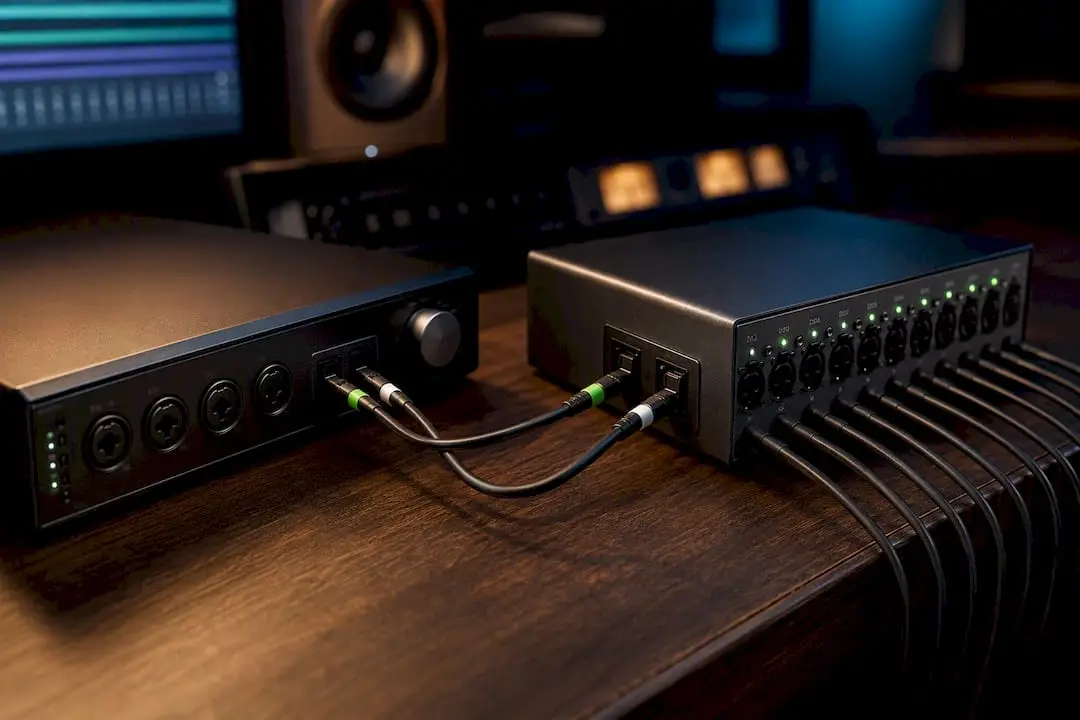
- Connect the cable in the correct direction. The ADAT Out on your expander (for example, a preamp with an AD converter) connects to the ADAT In on your main interface. If you reverse this, you won’t get a signal.
- Set one device as the master clock. This is usually your main interface. Set the expander to “slave” or “external” in its own clock menu.
- Check the lock indicator. Virtually every expander has an LED that lights up green or stays steady once it is synchronized with the master clock. If it continues to flash, the sample rates are not synchronized.
- Open your DAW and check the input channels. ADAT channels usually appear as additional numbers after your existing physical inputs—for example, channels 9 through 16. Label them right away with the name of the instrument or microphone connected to each one.
- Test with a simple signal. Speak into a microphone or play a tone, and check to see if the level on your interface’s mixer responds.
Here’s a concrete example: you connect an 8-channel preamp to record a full drum kit. The expander handles the preamplification and AD conversion, and your main interface receives all eight channels via a single ADAT cable. That’s exactly the scenario ADAT was designed for.
Pro tip: Label both ends of your ADAT cables with tape before you start testing. With eight extra channels, without those labels, you’ll lose track of which microphone is feeding into which channel within a minute.
Diagnosis and Solutions for Common ADAT Problems
Most ADAT issues can be traced back to a small number of identifiable causes.
- No synchronization between devices: First, make sure both devices are using exactly the same sample rate. Then, verify that exactly one master clock has been designated—never two.
- ADAT channels do not appear in your DAW: update your interface’s drivers and check the mixing software. With Focusrite interfaces, for example, routing is handled through the accompanying control software, where you must actively assign the ADAT inputs.
- Noise or distortion on ADAT channels: Check your gain staging on the expander and use pads if the input signal is too hot. The quality of the AD converter in the expander also plays a role here.
- Fewer channels than expected at higher sample rates: this is not an error but a bandwidth limitation of the protocol itself. Anyone who wants to work consistently at 96 kHz with many channels will be better off using network audio or additional interfaces with synchronization.
Pro tip: If you’re unsure about lock issues, first disconnect everything and reconnect in this order: cable first, then power on the expander, and only then the interface. Many lock errors are simply caused by the startup sequence.
ADAT expander or new interface: how do you choose?
The choice between adding an expander and replacing your entire interface depends on what you’re really missing.
An expander is the logical next step if your current interface still meets your needs, but you simply need more inputs or want better preamps. This allows you to gradually build a better studio without having to replace everything at once. A new interface makes more sense once you start working regularly at high sample rates with many channels, because that’s where ADAT reaches its limits.
- Channel requirements: Do you need four extra channels or fifteen? If you’re just a few channels short, an expander is often cheaper than a completely new interface.
- Sample rate: If you mainly work at 44.1 or 48 kHz, ADAT is more than sufficient. If you work at 96 kHz with more than eight additional channels, things get trickier.
- Preamp quality: If you’re mainly looking for better microphone preamps, an expander with high-quality preamps—such as the Warm Audio WA73—is often a smarter choice than an expensive interface upgrade.
- Budget: Adding an expander is usually a smaller investment than replacing your entire interface.
| Scenario | Best Choice |
|---|---|
| Recording a Drum Kit with Eight Additional Mics at 48 kHz | Add an ADAT expander |
| Multi-mic film recording at 96 kHz with many channels | Consider a new interface or network audio |
| Just need better preamps; the channels are sufficient | Expander with its own AD converter |
Product Categories and Advice at I4studio
I4studio can help you with exactly the components this expansion requires. If you’re looking for an 8-channel preamp with an AD converter for your ADAT expansion, the Audient ASP800 is a great option in our lineup. For the physical connection itself, you’ll need a reliable Toslink cable, which we sell in various lengths.
Quick advice for each situation:
- Not sure if your interface is compatible? First, check the manual for ADAT optical in/out, and if needed, read more about the role of an interface in your studio.
- If you’d rather get personalized advice right away on which combination works best for your recording setup, our customer service team would be happy to help.
Practical Shortcuts and Common Mistakes
What we often see in practice: people immediately replace their entire interface as soon as they run out of channels, even though an expander is often sufficient and much cheaper. Label your cables and ADAT channels right when you connect them, not afterward. Always test the lock with a simple signal before scheduling a full recording session. Not sure about the right combination? Measure, test, and seek advice before spending money on the wrong solution.
— harold
I4studio: Where can you buy ADAT parts, and how can we help?
There are suppliers that offer ADAT cables, 8-channel preamps, and converters—all of which you need for a reliable expansion—and who will work with you to determine which combination best suits your recording setup and budget.
In addition to individual components, we also build complete, custom-built studio PCs for audio production. If you’re considering a major upgrade to your entire recording setup, it’s worth checking out our studio PC examples to see the best configurations we offer. Do you have specific questions about your ADAT expansion, or would you like a quote for an 8-channel preamp including cables? Contact us through a specialist’s online store for advice and to put together a suitable configuration for your studio.
Frequently Asked Questions
How many channels does ADAT provide at 48 kHz?
At 44.1 or 48 kHz, ADAT Lightpipe typically transmits eight channels over a single optical cable.
What happens with ADAT at 96 kHz?
At 88.2 or 96 kHz, you need Dual ADAT (S/MUX) to maintain the same eight channels, usually via two optical cables instead of one.
Does ADAT still work at 192 kHz?
At 176.4 or 192 kHz, many interfaces completely disable the ADAT ports, as is the case with the Focusrite Scarlett 18i20.
Which device should be the master clock?
Usually, you set your main interface as the master clock and set the expander to “slave” or “external,” so that both devices run in perfect sync.
Can I4studio help me choose an ADAT expander?
Yes, I4studio provides advice on the right combination of preamp, converter, and cables for your specific recording setup and sample rate.
Is a new interface better than an ADAT expander?
Not necessarily. For most home studios running at 44.1 or 48 kHz, an ADAT expander is cheaper and just as effective as a brand-new interface.