The Best Computers for Radio Broadcast and Internet Radio
In the world of radio broadcasting and Internet radio, a reliable computer is essential. Whether you’re a professional broadcaster or an enthusiastic podcaster, the right hardware ensures a stable and high-quality broadcast. In this blog, we discuss the best computers for radio broadcasting and Internet radio, including key specifications and benefits.
Why a dedicated computer for radio broadcasting?
A standard computer may be sufficient for basic recording, but for live broadcasts and professional audio processing, dedicated computers are a must. They offer:
- Stability and reliability: No interruptions due to crashes or delays.
- Low latency: Fast processing of audio without audible delay.
- High sound quality: Support for professional sound cards and software.
- Efficient multitasking: Ability to run multiple programs simultaneously, such as streaming software, audio editors and playout systems.
Important specifications for a radio-broadcast computer
When choosing a computer for radio broadcasting, pay attention to the following features:
- Processor (CPU): A powerful CPU such as an Intel Core i7/i9 or AMD Ryzen 7/9 ensures fast processing of audio files and streaming without lag.
- Working Memory (RAM): At least 16 GB of RAM is recommended to smoothly run multiple tasks simultaneously.
- Storage (SSD vs. HDD): An SSD (Solid State Drive) is faster and more reliable than a traditional HDD, which is essential for fast loading of audio files.
- Sound card: A high-quality sound card or external audio interface improves sound quality and minimizes noise.
- Connectivity: Sufficient USB ports and a stable network connection (preferably wired) are crucial for live broadcasts.
- Cooling system: Silent and efficient cooling prevents overheating and annoying fan noise during transmissions.
Best computers for radio broadcasting
Here are some excellent options for radio broadcasting and Internet radio:
- Apple Mac Studio: Powerful and stable, ideal for professionals working with macOS.
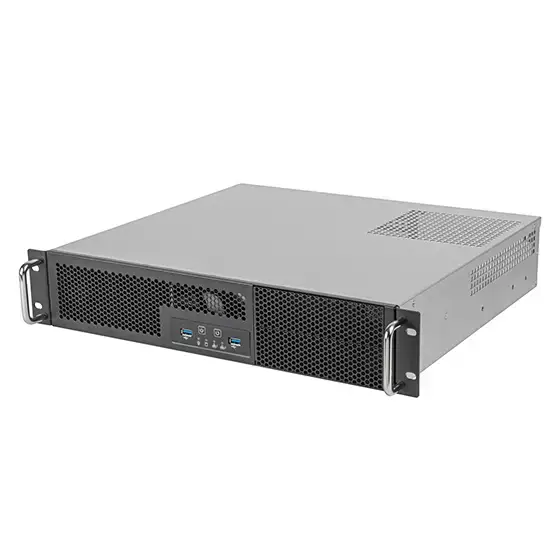
- Custom-built Workstations: specially assembled PCs with high-quality audio components for maximum performance.
Conclusion
A good radio-broadcast computer should be powerful, stable and fast. Choosing the right hardware will ensure that your broadcasts are uninterrupted and remain of high quality. Want to get into radio broadcasting or Internet radio professionally? Then invest in an industry-standard computer.
Have questions about the best computer configuration for your radio station? Let us know in the comments!