For Dolby Atmos mixes, you’ll need an audio interface with at least 10 to 12 physical outputs, preferably with built-in monitor control, bass management, and room correction. For most home studios and small mixing rooms, the Audient ORIA is the smartest choice: it’s built for immersive monitoring up to 9.1.6. If you also want to do a lot of recording or work with MADI and extensive routing, the RME Fireface UFX III is the way to go. If your studio is entirely Pro Tools-based, an Avid MTRX Studio is the obvious choice. Read below to find out why, and which interface is right for your setup.
In a nutshell
- Dolby states that you may need an interface with at least 10 physical outputs. For the recommended 7.1.4 setup, that number is 12.
- The Audient ORIA is the most comprehensive entry-level solution for Atmos: 16 surround outputs, built-in calibration DSP, and an included measurement microphone.
- The RME Fireface UFX III is the all-around solution for those who combine recording and mixing, featuring analog, ADAT, AES, and MADI channels.
- The Avid MTRX Studio is ideal for studios that operate entirely within the Pro Tools ecosystem.
- An interface alone isn’t enough: you also need a compatible DAW, the Dolby Atmos Renderer, a stable computer, monitors, and an acoustically treated room.
Table of contents
- How many outputs do you need for Dolby Atmos?
- What should you look for in an Atmos interface?
- A Comparison of the Best Interfaces for Dolby Atmos
- Which interface is right for your studio?
- What else do you need besides the interface?
- Complete Your Atmos Studio at i4studio
- Our take on Atmos interfaces
- Frequently Asked Questions
- Resources
How many outputs do you need for Dolby Atmos?
In a standard stereo studio, two outputs for your monitors are sufficient. In Atmos, each speaker gets its own output. The number of speakers therefore directly determines which interface you need.
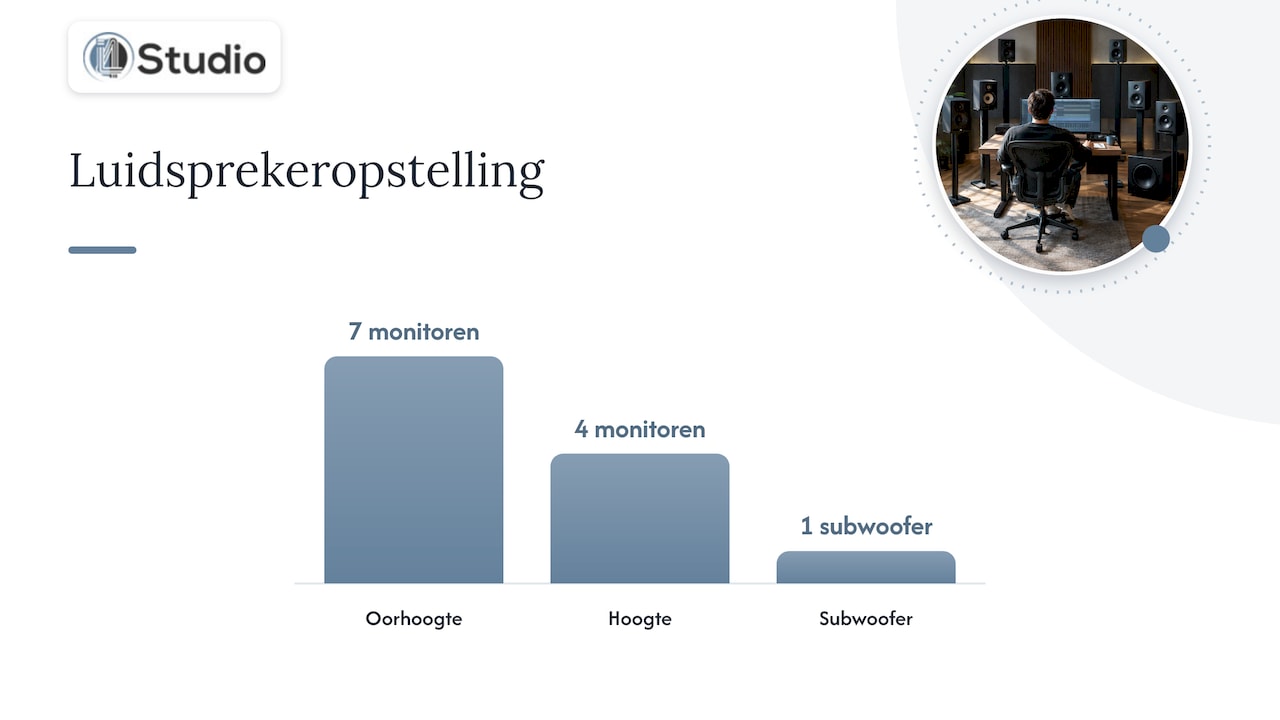
Dolby recommends 7.1.4 as a starting point. For larger spaces, especially commercial studios, Dolby recommends 9.1.4, which can be expanded to 9.1.6 if needed. The notation works like this: the first number is the number of speakers at ear level, the second is the subwoofer(s), and the third is the overhead speakers.
| Lineup | Speakers at ear level | Sub | Height | Required Outputs | Suitable for |
|---|---|---|---|---|---|
| 5.1.2 | 5 | 1 | 2 | 8 | Getting to Know Each Other, Limited |
| 7.1.2 | 7 | 1 | 2 | 10 | Minimal Atmos Bed |
| 7.1.4 | 7 | 1 | 4 | 12 | Recommended Start |
| 9.1.4 | 9 | 1 | 4 | 14 | Larger spaces |
| 9.1.6 | 9 | 1 | 6 | 16 | Commercial Studios |
An interface with 8 outputs can therefore drive a maximum of 5.1.2. According to Sound On Sound, that’s less than the generally accepted Atmos bed minimum of 7.1.2, and the reviewer cites 12 outputs as the sweet spot for entry-level immersive monitoring. If you want to be able to upgrade to 9.1.6 later, choose an interface with 16 outputs right away, or one that can be expanded digitally.
What should you look for in an Atmos interface?
The number of outputs is the starting point, but it’s not the whole story. These features are what set apart an interface that simply has enough channels from one that’s truly a pleasure to mix with.
- Physical outputs. At least 12 for 7.1.4, 16 for 9.1.6. Be sure to include your stereo monitors and headphones if you want to use them alongside your Atmos setup.
- Expandability. You can add extra channels via ADAT, MADI, or Dante. Recording Magazine points out that for mixing only, you can also use a 4- or 8-channel interface plus an ADAT expansion, instead of a 16×16 interface whose inputs you’ll never use.
- Monitor control. In stereo, you turn a single volume knob. With 12 or 16 speakers, you want to control all channels simultaneously and with precise equalization, and be able to switch quickly between Atmos, 5.1, and stereo.
- Bass management, time alignment, and room EQ. Speakers are rarely all positioned at exactly the same distance from your listening position. Dolby recommends a monitor controller or room EQ solution for 10 or more speakers as an important addition. An interface with this DSP built in saves you from having to use a separate device.
- DAW compatibility. Your DAW must integrate the Dolby Atmos Renderer or be able to connect to it. Dolby lists Logic Pro, Pro Tools Ultimate, Nuendo, Ableton Live, and DaVinci Resolve Studio, among others.
- Inputs and preamps. If you mainly mix existing tracks, you won’t need many inputs. If you also record bands, choirs, or film sound, you’ll want more preamps and digital inputs.
A Comparison of the Best Dolby Atmos Interfaces
Below, you’ll find a side-by-side comparison of the interfaces we offer in our online store that are suitable for Atmos work. All specifications come from the manufacturer or from independent reviews.
| Interface | Outputs for Atmos | Expansion | Monitor Inspection and Calibration | Connection | Best for |
|---|---|---|---|---|---|
| Audient ORIA | 16-channel surround (analog and AES), up to 9.1.6 | 2x ADAT inputs, optional 16-channel Dante card | Built-in DSP with EQ, time alignment, and bass management; SoundID measurement microphone included | USB-C, 24-bit/96 kHz | In-the-box mixing, composers, small-scale post-production |
| RME Fireface UFX III | 12 analog channels, expandable digitally | 16x ADAT, 2x AES, 64x MADI, 2x optical SPDIF | 188×94 matrix router | USB 3.0, 24-bit/192 kHz | Recording and mixing, large-scale routing, MADI studios |
| Avid MTRX Studio | Designed for immersive Pro Tools workflows | Within the Avid ecosystem | Monitoring via Pro Tools Integration | Pro Tools environment | Pro Tools Studios and Post-Production |
Audient ORIA: The Smartest Way to Get Started with Atmos
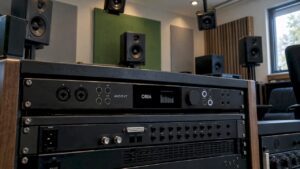
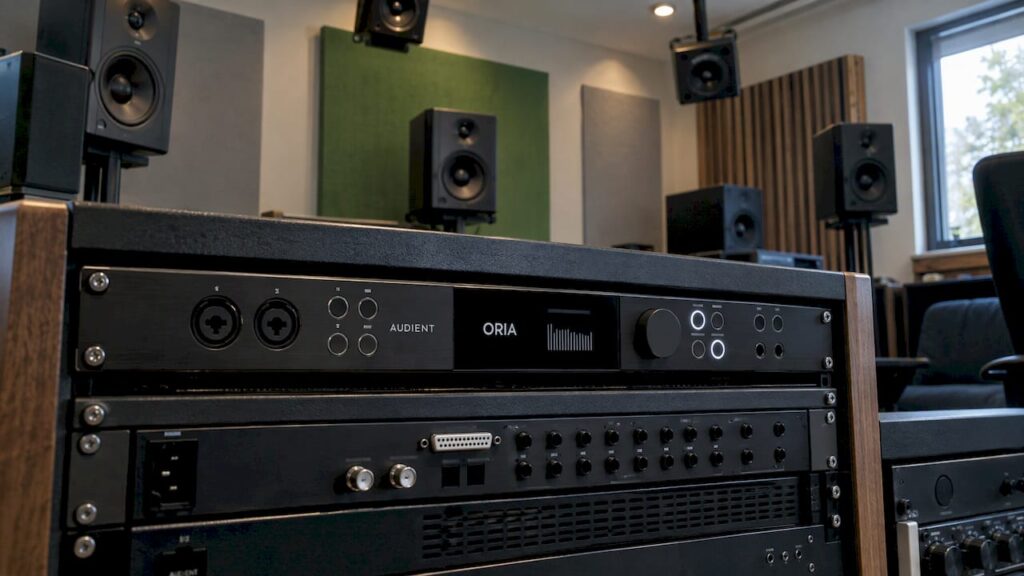
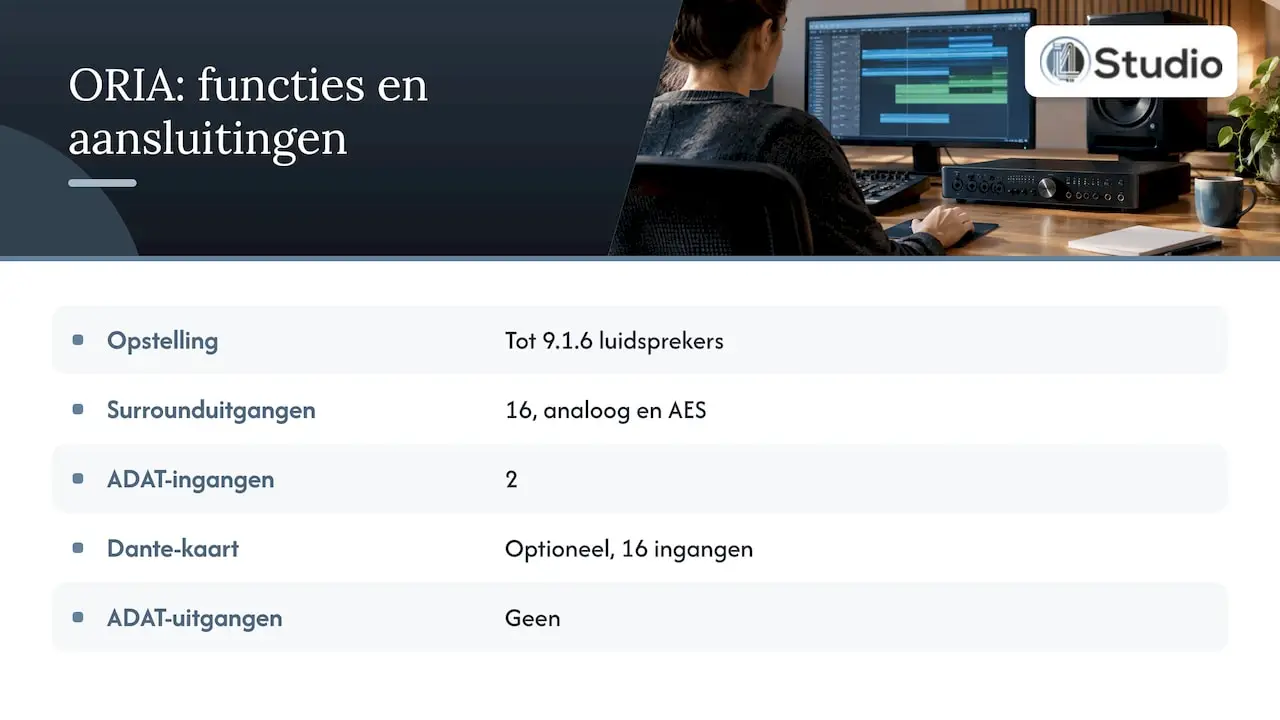
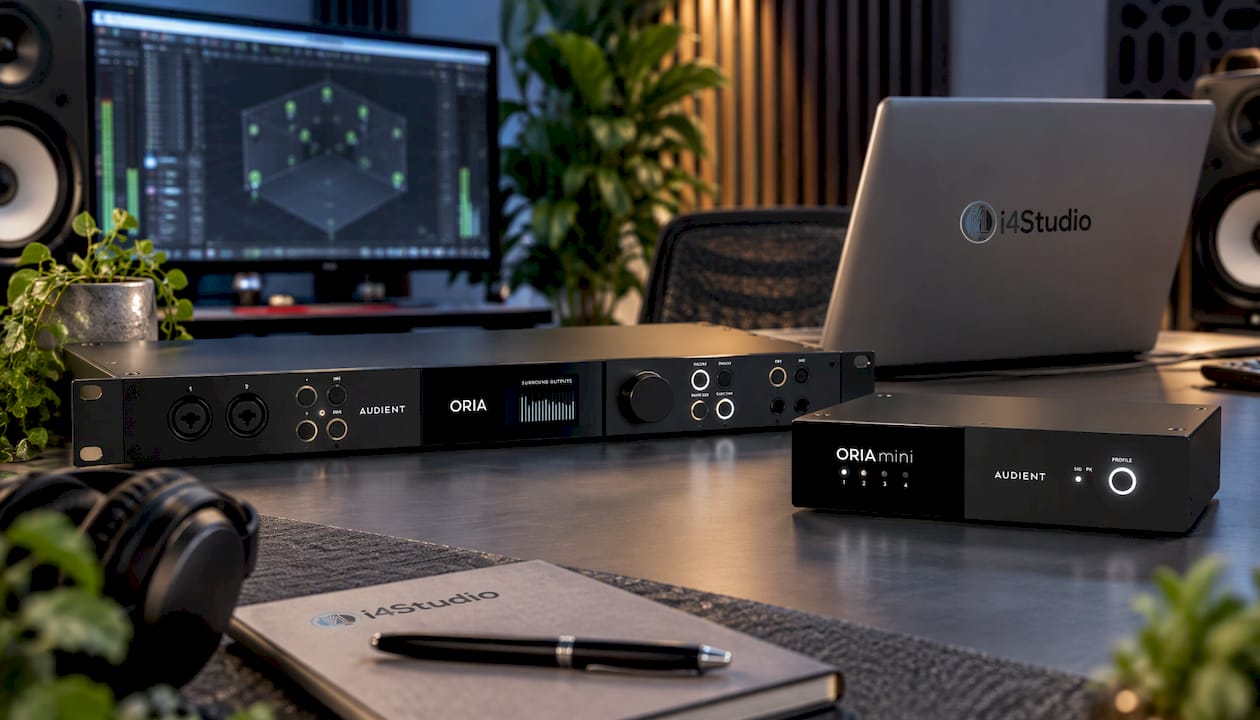
The ORIA isn’t just another multichannel interface with an Atmos sticker. It’s designed to be both an interface and an immersive monitor controller in one. According to Audient, the ORIA supports speaker configurations up to 9.1.6, with 16 surround outputs (analog and AES), separate stereo line outputs, two independent headphone outputs, two microphone preamps, two ADAT inputs, and word clock in and out. The box includes a SoundID Reference measurement microphone, and an optional Dante card with 16 inputs is available.
The big advantage lies in the built-in DSP. MusicTech describes how the ORIA integrates Sonarworks SoundID and features on-board EQ, time alignment, and bass management. You can save profiles and switch between stereo and various surround setups. You measure your room, the ORIA corrects for it, and you hear your mix exactly as it was intended. The same review calls the ORIA “pretty much a must-buy” for studios that mix “in the box,” small post-production companies, and composers who want to get started with immersive mixing.
Sound On Sound considers the ORIA to be a relatively affordable USB interface designed specifically for Atmos mixing that brings order to routing and workflow.
Good to know: The ORIA does not have ADAT outputs. If you want to incorporate a lot of analog outboard gear into your Atmos signal path, combine the ORIA with a second interface for your recordings. For most Atmos mixers—who work in the DAW and use the ORIA as their main monitoring system—this isn’t an issue.
For more background information, check out our article on why the Audient ORIA is the smartest choice for Atmos mixes. If you already have an interface for recording and are primarily looking for monitoring capabilities, be sure to check out the Audient Oria Mini (hardware only).
RME Fireface UFX III: The All-Around Workhorse for Recording and Mixing
If you’re combining Atmos mixes with a lot of recording work, the RME Fireface UFX III is a solid choice. According to the RME manual, it is a USB 3.0 interface with 12 analog, 16 ADAT, 2 AES, and 64 MADI channels, two optical SPDIF connections, and audio up to 24-bit/192 kHz. At its core is a 188×94 matrix router.
With 12 analog channels, you can support 7.1.4 right out of the box. Via ADAT or MADI, you can expand to 9.1.4, 9.1.6, or more, and connect external converters or an existing studio infrastructure. This makes the UFX III ideal for studios that are starting with 7.1.4 today and want to expand tomorrow.
Are you already using RME and want to stay within the same product family? In our online store, you’ll also find the RME Fireface UFX+, the RME Fireface UFX II, and the RME Fireface 802 FS, a 60-channel USB interface. We’d be happy to discuss which one best suits your channel requirements.
Avid MTRX Studio: for the Pro Tools studio
If Pro Tools is your primary DAW and you work on film, TV series, or commercial music production, then the Avid MTRX Studio is the logical next step. It’s designed to integrate seamlessly with Pro Tools and its immersive workflows. In 2024, MusicTech listed the MTRX Studio at a price of $5,000, which places it in a higher price range than the ORIA. On the other hand, you can build your entire studio around a single Avid system.
Which interface is right for your studio?
There isn’t one single best interface for everyone. The right choice depends on what you do and what your studio looks like.
- If you mainly mix music in a DAW and are starting with a 7.1.4 setup, go with the Audient ORIA. It gives you outputs, monitor control, and calibration all in one device, and it offers room to expand to a 9.1.6 setup.
- You already have a good audio interface and want to add Atmos. Check out the Audient Oria Mini or the ORIA as a separate monitor controller to go with your existing interface.
- You record a lot and also mix in Atmos. Choose the RME Fireface UFX III. With ADAT and MADI, you can expand as your studio grows.
- You work in post-production with Pro Tools Ultimate. The Avid MTRX Studio is the best fit for your workflow.
- You’re setting up a commercial studio with 9.1.4 or 9.1.6. Choose an interface with 16 outputs or extensive digital I/O, such as the ORIA or the UFX III with MADI or ADAT expansion.
What else do you need besides the interface?
An Atmos studio is a chain. The interface is the linchpin, but every component has to be just right.
DAW and Dolby Atmos Renderer
You’ll need a DAW that supports 3D object panning and works with the Dolby Atmos Renderer. According to Dolby, the Dolby Atmos Renderer costs $299 and comes with a free 90-day trial. Check the current price and terms on Dolby’s website before purchasing. You can find plugins and production software in our software category.
A computer that can handle it
Atmos sessions with dozens of objects, beds, and plugins place heavy demands on your system. Dolby also specifies that the Renderer must run on a dedicated workstation. A stable, low-latency computer is therefore essential.
Monitors
For a 7.1.4 setup, you’ll need twelve speakers: eleven monitors and one subwoofer. It’s best to use the same series for all speakers so that the sound quality is consistent throughout. Check out our studio monitors for your options.
Acoustics and Calibration
The more speakers, the more reflections. An untreated room makes an Atmos mix unreliable, even with the best interface. Start with acoustic treatment, and then calibrate using your interface’s DSP or a room EQ solution. We’d be happy to advise you on acoustic panels for your studio.
Complete Your Atmos Studio at i4studio
We don’t just provide the interface—we offer the entire solution: from audio interfaces and studio equipment to custom-built studio PCs and acoustic solutions. Our studio PCs start at €1,099 and are built to order, with a focus on stability and low latency for demanding audio and video sessions.
Are you trying to decide between the ORIA and an RME, or do you want to know which PC and which panels are right for your space? Order the Audient ORIA now or contact us for personalized advice.
Our Perspective on Atmos Interfaces
With Atmos, many people first look at the number of outputs. That makes sense, but in practice, the difference lies in what happens after the outputs: how you control twelve or sixteen speakers at the same time, how you align them, and how the room sounds.
That’s why we recommend the Audient ORIA for most producers and mixers who are just getting started with Atmos. It handles the most challenging step—monitoring and calibration—all in one device. If you also do a lot of recording or have a large studio with digital infrastructure, an RME provides a stable foundation that will serve you well for years to come. And for Pro Tools studios, the Avid MTRX Studio remains the natural choice.
What we often see: a studio invests in a top-of-the-line interface and monitors, but the computer or the room holds the mix back. An Atmos studio only works when the entire chain is right. That’s why we combine high-end equipment with custom PCs configured for audio, along with hands-on advice on acoustics. That way, you can be sure that what you hear is actually in your mix.
Harold
Frequently Asked Questions
Can I mix Dolby Atmos using a standard stereo interface?
Don’t mix through speakers: in Atmos, each speaker requires its own output. A stereo interface can only drive two. Dolby specifies at least 10 physical outputs, and for the recommended 7.1.4 configuration, that number is 12.
What is the difference between an Atmos interface and a standard multichannel interface?
A standard multichannel interface primarily provides a large number of inputs and outputs. An interface designed for immersive audio, such as the Audient ORIA, adds monitor control for all speakers, bass management, time alignment, and room correction. This saves you from having to use a separate monitor controller and a separate calibration system.
Is 96 kHz enough for Dolby Atmos?
For most music productions, 24-bit/96 kHz is more than enough. The Audient ORIA supports up to 96 kHz. If you want to record at 192 kHz, the RME Fireface UFX III offers audio up to 24-bit/192 kHz.
Can I upgrade from 7.1.4 to 9.1.6 later?
Yes, as long as you keep that in mind when making your choice. The ORIA supports configurations up to 9.1.6 with 16 surround outputs. With the RME Fireface UFX III, you can expand via ADAT or MADI.
Sources
- Dolby: Getting Started with Dolby Atmos Music
- Audient: ORIA Features
- RME: Fireface UFX III User Manual (PDF)
- MusicTech: Audient ORIA review
- Sound On Sound: Audient ORIA
- Sound On Sound: Review of an immersive monitoring interface
- Recording Magazine: First Steps in Dolby Atmos, Part 4