A thorough plan to studio equipment budget planning prevents surprises during the construction or upgrade of a recording or editing studio. Instant insight into priorities, realistic pricing frameworks and smart component choices – from computers and audio interfaces to monitors and acoustics – ensures that one uses money efficiently and maximizes performance.
Why Thoughtful Budget Planning Is Indispensable.
A studio is an ecosystem: a wafer-thin microphone can record beautifully, but poor monitoring or an overly slow computer ruins the workflow. That’s why “studio equipment budget planning” is not just a financial exercise, but primarily a strategic one. A good plan helps make trade-offs, avoids unnecessary duplication of expenses and provides guidance for future expansion.
For audio professionals, musicians and content creators who frequently work with large sessions, multitrack recording or 4K video, the computer is often the bottleneck. For broadcast work or rendering, specific components are required. Good planning takes into account current workflows and future ambitions.
Starting Point: Setting Goals, Workflow and Priorities
What are the concrete goals?
One begins by listing goals: recording bands, podcasting, mixing, film editing or livestreaming. The goals determine what equipment is indispensable and what can be cut back on temporarily.
- Recording solo artists and singer-songwriters requires different priorities than full-band tracking.
- Video production often requires a lot of storage and GPU power.
- Broadcast work makes demands for redundancy and reliability.
Analyze the workflow
A simple way is to decompose the typical workflow into steps: recording → editing → mixing → mastering → delivery. For each step, note the hardware and software requirements, latency sensitivity and potential bottlenecks.
Short-term versus long-term needs
Some purchases pay for themselves quickly (e.g., a faster SSD that saves work time), while other investments are meant to be long-term (e.g., acoustic treatment). Distinguishing between must-haves and nice-to-haves prevents impulse purchases.
Main Components And Their Cost Estimates
When preparing a budget, it is preferable to classify components into functional categories. Below is an overview with realistic price ranges in euros and specific points of interest.
1. Computer: The Heart of the Studio
In many studios, the computer is the biggest determinant of performance. In “studio equipment budget planning,” it often comes down to choosing between more CPU cores (for plugins and rendering), more RAM (for sample-heavy sessions) and fast storage (for streaming samples and video files).
- Entry-level (€800-€1,500): Solid quad-core CPU, 16-32 GB RAM, 500 GB-1 TB SSD. Sufficient for small recording projects and light mixing.
- Mid-range (€1,500-€3,000): 6-12 cores, 32-64 GB RAM, NVMe SSDs for OS and samples plus extra storage. Good for big sessions and video editing at 1080p/4K light.
- Professional (€3,000-€7,000+): 16+ cores, 64-128 GB (or more) of RAM, fast NVMe RAID sets, professional I/O such as Thunderbolt/10G Ethernet. For heavy mixing, voice walls or rendering/encoding.
Vendors such as I4studio specialize in audio, video and broadcast computers and can build to order. Their expertise helps match component choices to DAW and plugin requirements.
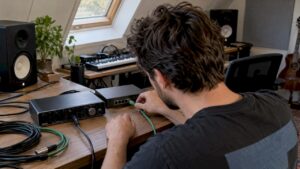
2. Audio Interface
The interface determines sound quality, latency and I/O flexibility. When budgeting, consider the number of simultaneous inputs, conversion quality (A/D and D/A) and connectivity (USB, Thunderbolt, Dante).
- Entry level (€100-€400): 2-4 inputs, latency for small sessions, fine for singer-songwriter setups.
- Mid (€400-€1,200): 8-16 inputs, better converters, lower latency and often ADAT/wordclock.
- Pro (€1,200+): high-end converters, lots of I/O, redundancy and network audio (Dante/MADI).
3. Microphones
Microphones depend heavily on the application. A basic collection can include a good condenser microphone, a dynamic vocal microphone and a few instrument microphones.
- Entry level (€80-€300): Reliable condenser and dynamic mics for everyday use.
- Middle (€300-€1,000): Better capacitors with higher sensitivity and less noise.
- Pro (€1,000+): vintage-style condensers, ribbon mics and high-end studio stacks.
4. Monitors and Headphones
Monitoring determines whether a mix translates to other listening environments. Investing in good nearfield monitors and accurate headphones pays off.
- Monitors (per pair): entry €150-€400, mid €400-€1,200, pro €1,200+.
- Headphones: high-impedance studio models €80-€400.
With “studio equipment budget plans,” one still deserves extra attention to monitor positioning and acoustic correction – cheap speakers sound more expensive when they are in the right place in a well-treated room.
5. Storage and Backup
Sufficient and reliable storage is crucial. SSDs for OS and samples, large HDDs or NAS systems for archives and backup. Also consider cloud backups for important projects.
- NVMe SSD (OS/samples): €80-€400
- HDD/NAS storage (2-20 TB): €80-€1,000+
- Cloud backup subscriptions: variable
6. Acoustic Treatment
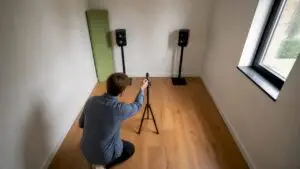
Acoustics directly affect the accuracy of mixing decisions. Simple measures are often very effective: bass traps, reflection panels and diffusers.
- DIY bass fels/panels: €50-€200 each
- Professional treatment (small control room): €1,000-€5,000
- Full studio acoustic package: €5,000+ depending on space and requirements
7. Cables, Tripods and Other
Cables and accessories should not be underestimated: good quality cables and solid stands prevent interference. Budget for this: €200-€1,000 depending on the setup.
Practical Sample Budgets
Below are examples of concrete budget allocations for three common studio types. These examples are guidelines: prices vary by brand and market situation.
1. Entry-level Studio (Total €2,000-€4,000)
- Computer (basic DAW laptop or desktop): €900
- Audio interface (4-in): €250
- 2 monitors (entry-level pair): €300
- 1 condenser microphone: €150
- Headphones and accessories: €150
- Basic acoustic treatment (DIY panels): €200
- Storage and backup: €200
For those doing mostly podcasts or singer-songwriter recordings, this is often sufficient. Later you can upgrade to a better interface or monitors.
2. Mid-Range Project Studio (Total €6,000-€12,000).
- Computer (more cores, NVMe, 32-64 GB RAM): €2,000
- Audio interface (8-12-in, better converters): €1,000
- Monitors (mid-range): €800-€1,200
- Microphone set (condenser + dynamic + instrument): €1,000
- Acoustic treatment (professional advice + panels): €1.000-€2.000
- Storage/NAS: €500-€1,000
This setup supports larger sessions, sample-based production and serious video editing.
3. Professional Studio / Broadcast (Total €15,000-€60,000+)
- Workstation (16+ cores, extensive I/O): €4,000-€10,000
- High-end audio interface / converters: €3,000-€15,000
- Monitors and monitor controller: €3,000-€10,000
- Vacuum or vintage microphones and preamps: €5,000+
- Complete acoustic renovation: €5,000-€30,000+
- Redundant storage and network (10G/RAID/NAS): €2,000-€10,000
For broadcast and high-end music production, redundancy, reliability and accuracy are essential. This is where one pays for longevity and service.
Smart Savings Strategies
A limited budget does not mean sacrificing quality. There are many gains to be made with smart choices.
1. Prioritize by signal path
Investing in the components that directly affect the signal (microphone, preamp, converters and monitors) often yields more audible gains than more expensive cables or fancy accessories.
2. Used and Refurbished
Professional gear often holds its value well. Used interfaces, monitors and microphones can save a lot of money. Pay attention to service history and warranty. I4studio and other specialized vendors sometimes offer refurbished systems with warranty, which is a safe option.
3. Modularity and scalability.
A scalable approach works well: start with a powerful computer and later add additional I/O via ADAT or Dante. This avoids writing off large equipment that later turns out not to be needed after all.
4. DIY Acoustics
Making bass traps and absorption panels yourself is often inexpensive and effective. Diffusion and complex problems may require professional help. A combination is usually the best approach.
5. Leasing and financing
For larger investments, leasing or deferred payment can be attractive. This spreads costs and allows production to start earlier at a professional level, while upgrades remain possible over time.
Budget Allocation Method (Practical Percentages).
A simple method of determining priorities is to work with percentages of the total budget. This makes choices concrete and transparent.
- Computer & Storage: 30-40%
- Audio Interface & I/O: 15-25%
- Monitors & Monitoring Chain: 10-20%
- Microphones & Preamps: 10-20%
- Acoustics: 5-15%
- Cables, accessories, contingencies: 5-10%
These percentages are guidelines; a mixing engineer will want to spend more on monitoring, while a video editor will invest more on GPU and storage.
Case Study: How I4studio Helps with Budget Planning
I4studio supplies audio, video, rendering and broadcast computers and assists customers in matching hardware to workflows. In practice, the approach looks like this:
- Intake and analysis: customer describes goals, DAW, plugin usage and desired I/O. I4studio makes a technical analysis of bottlenecks.
- Customized recommendations: Based on that analysis, the customer receives different configurations (entry, mid, pro) with clear cost and performance comparisons.
- Complete advice: In addition to the computer, I4studio advises on interfaces, storage, network and acoustic solutions. This prevents incompatibility and suboptimal choices.
- Support: After-sales support and optimization (BIOS/OS tuning, DAW settings, latency optimization) ensures an immediate return on investment.
For many makers, this approach saves time and money: unnecessary purchases are avoided and critical parts are chosen appropriately.
Installation, Maintenance And Future Resilience
A purchase is the start of a life cycle. Maintenance and smart documentation make extensions and repairs easier.
- Documentation: Keeping track of projects, plugin licenses and hardware serial numbers prevents problems during migrations.
- Periodic maintenance: SSD health checks, interface firmware updates and monitor calibration keep quality up to date.
- Spares and redundancy: For broadcast work, redundancy of power, storage and I/O is crucial.
- Modularity: Opting for expandable interfaces and network audio makes future upgrades cheaper.
Checklist For Purchasing Decisions
- Have key workflows been analyzed and documented?
- Which component is the biggest bottleneck (CPU, I/O, storage)?
- Which parts are indispensable from day one and which can be purchased later?
- Is there room and plan for acoustic improvement?
- Is there a backup strategy (on- and offsite)?
- Have service and support options been explored (warranty, vendor support)?
- Are there options for leasing or phased purchase?
Tip: Small investments in workflow optimization (for example, a faster NVMe for samples or a latency-optimized audio interface) often yield greater productivity gains than aesthetic upgrades.
Practical Examples And Comparisons
An experienced music producer who regularly works with sample-heavy libraries is usually more likely to invest in RAM and fast NVMe storage. A filmmaker focuses on CPU cores and GPU power for rendering. A podcaster would rather invest in a quality microphone and low-latency interface than an expensive GPU.
A concrete comparison: a €2,000 computer with 8 cores, 32 GB of RAM and 1 TB of NVMe often gives more productivity in audio workflows than a €3,000 machine with higher GPU power but slower storage subsystem. Therefore, it is important that hardware choices match the actual workload.
Common Mistakes In Budget Planning
- No allowance for future growth – too tight a budget for expansions.
- Starting from brand name rather than specifications – not every expensive monitor is necessarily better for a specific space.
- Underinvest in acoustics – poor reference environment renders expensive monitors useless.
- Forgetting backup and redundancy – loss of projects due to lack of backup is common.
When to Call in Professional Help?
Professional consulting services are recommended when the studio is intended for client work, broadcast or when the investment is substantial. An expert reduces risk, helps with integration and provides tuning and calibration support.
I4studio offers such an expert approach: from custom workstations to advice on network and audio architecture and acoustic solutions. For many clients, the extra investment in consulting proves to pay for itself through fewer faulty purchases and a faster operational studio.
Conclusion
Effective studio equipment budget planning requires more than just adding up costs: it requires an understanding of work processes, clear priorities and a long-term vision. By focusing on signal path, scalability and acoustics, and using smart savings strategies such as refurbished gear or phased purchases, one can build a studio that is both functional and future-proof.
Professional vendors like I4studio can help make choices, put together appropriate workstations and offer support. With a good plan and the right partners, a studio budget comes into its own to the fullest extent – for novice creators and experienced professionals alike.
Frequently Asked Questions
What is the minimum amount one should set aside for a usable home studio?
For a basic, usable home studio for vocals and light production, a budget of about €2,000-€4,000 is realistic. This includes computer, audio interface, monitors/headphones, a good microphone, basic acoustics and storage. Exact choices depend on the workflow.
Is it smart to buy a used audio interface?
Yes, provided the interface is in good condition and firmware update is still available. Second-hand can save a lot of money. Important to check for defects, service history and compatibility with current DAW and drivers.
Which is more important: better monitors or better microphones?
It depends on the priority. For recording, the microphone is more critical; for mixing and mastering, monitors are more important. In many studios, balancing budgets between the two produces the best results.
How much should one invest in acoustic treatment?
For a small control room, an initial investment of €1,000-€3,000 is often sufficient to achieve audible improvements. For larger or professional rooms, this can be considerably higher. DIY solutions can reduce costs without sacrificing much quality.
When is it time to upgrade the computer over other hardware?
If the DAW crashes frequently, latency is high, or plugin-locked situations prevent efficient work, it signals that the computer is the bottleneck. An upgrade of CPU, RAM or fast NVMe storage then often provides immediate productivity gains.