



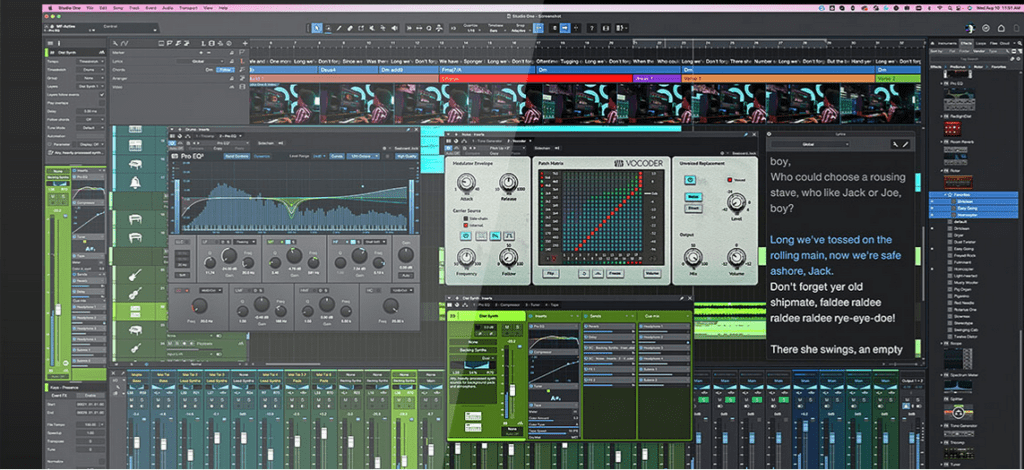
The most personal upgrade to date: studio one 6
Subtle (and not-so-subtle) improvements to the user interface are combined with powerful customization features to free your mind for music and stay focused.
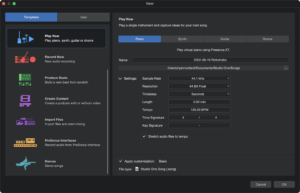
Smart Templates
Get to work faster.
The new Smart Templates provide essential toolsets for the tasks to be performed, such as basic recording, mixing voices, mastering an album and setting up a live show. With one click, you play an instrument or produce a podcast. The handy drop zone lets you easily import audio, video and MIDI files. Some templates even come with interactive tutorials.
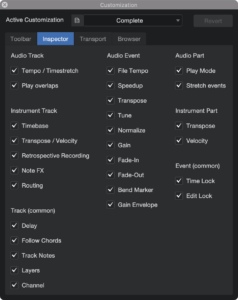
Customization Editor
Only the tools you need.
The new customization editor provides a convenient and easy way to show or hide almost all tools and features. Changes are applied immediately, allowing you to show or hide each feature as needed to create a streamlined, focused workflow for the task at hand.
Leading integration of song lyrics
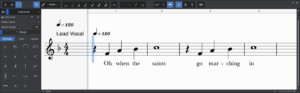
Add lyrics to your scores, songs, productions and live performances.
Whether you are creating lead sheets with the Score Editor or adding lyrics to guide your audio productions, you will always find a use for the lyrics track. Lyrics can even be transferred to the Show Page for use during rehearsals or long performances.
EXCLUSIVE TO THE PROFESSIONAL EDITION!
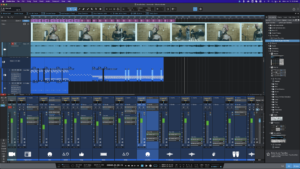
Overall video Track in studio one 6
A new way to add sound to images.
The brand new Global Video Track offers an intuitive video workflow thanks to the familiar drag-and-drop functionality that Studio One has made famous. Need to make a quick edit or streamline your podcast workflow? No problem. Basic editing functions for the Video Track are also available.
PROFESSIONAL EDITION EXCLUSIVE!
Track Presets
Save and recall snapshots of your favorite track setups.
Take the efficiency of your workflow to a new level! Save any aspect of a particular track or channel for immediate recall, even for multiple selected tracks/channels. Track Presets store parameters such as track delay, time-stretch, follow chords and channel parameters such as volume, pan, inserts, send assignments and more! Track Presets can even be applied to existing channels.
EXCLUSIVE TO THE PROFESSIONAL EDITION!
Advanced collaboration with PreSonus Sphere
Online collaboration.
Studio One 6 deepens the integration between your Studio One sessions and your PreSonus Sphere Workspaces with convenient sharing options directly from the drop-down menu. With PreSonus Sphere Workspaces, you can archive sessions and invite others to collaborate on them… even friends who are not yet PreSonus Sphere members or even Studio One users!
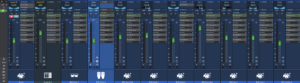
Advanced mixer with Fader Flip
Supercharged mixing.
Control FX/Bus sends, sidechains and Cue Mix sends from the main faders. Right-click on the desired send and select “Flip” to control the entire send mix for the selected bus from the channel faders. Unassigned channels can be hidden or activated at will.
EXCLUSIVE TO THE PROFESSIONAL EDITION!
Alternative panning modes
Flexible panning options for stereo channels.
You can now choose between balance, dual or binaural panning for each stereo channel. The new panner pop-up editor offers great pan control, a context menu to switch between modes, plus specific controls for each mode. Basic balance control remains available in all mixer views, as well as a standard pan control for external hardware controllers.
Mixer Channel Overview
Targeted views for individual channels.
The new channel view provides a single consolidated view of all channel parameters, including input controls, inserts, sends and Cue Mix sends for the selected channel.
If you pin the channel view anywhere on a screen, it automatically follows the channel selection. Channel Overview is an ideal way to quickly and intuitively work on the sound of a single channel in multiple plug-ins, without having to open a special plug-in editor.
EXCLUSIVE TO THE PROFESSIONAL EDITION!
Updated Home page and much more!
Studio One’s Home page is now even more flexible. Organize your Songs, Projects and Shows in custom folders so you can put all files related to a single artist or production in one convenient place. Pin favorites documents and view all your shared PreSonus Sphere documents in a single folder.
Producers and mixing engineers working with multiple artists can now manage and create a unique Artist Profile preset for each client. Each profile includes name, genre, website and an image – all embedded as ID3 tags when exporting a mixdown for streaming or digital download.
Other notable additions:
NEW! Sends on FX channels, allowing the output signal to be sent from one effect to another.
NEW! Sidechain audio input for virtual instruments
NEW! Bus, FX and Cue Mix sends now have the option to link panning to the channel’s pan control. Cue Mix sends provide independent link options for Volume and Pan.
NEW! Micro display buttons for third-party plug-ins
NEW! Track and channel icons
NEW! Spot option for Events provides a number of options for positioning Events on the timeline based on event attributes such as start/end points or their original timecode position.



