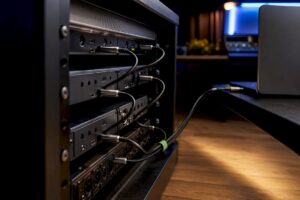
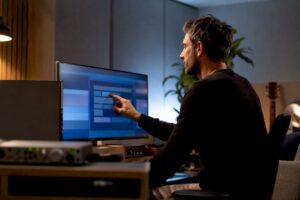
DAW hardware recommendations are crucial for anyone doing serious music production, sound design or post-production. Poor hardware choices cause frustration: choppy tracks, long sample library load times and unstable drivers. Therefore, this article focuses on concrete, hands-on advice for CPU, memory, storage, audio interfaces, monitoring and studio environment-so that one builds or purchases a stable, future-proof DAW setup.
What falls under “DAW hardware recommendations”?
DAW hardware recommendations mean advice on which physical components and peripherals are best suited to digital audio workstations (DAW). That includes the computer (desktop or laptop), audio interface and converters, studio monitors, headphones, MIDI controllers, as well as the room itself: acoustic treatment, power supply and cabling. Good recommendations combine performance, stability and budget with the user’s specific workflow.
The core components of a DAW PC.
A stable DAW PC consists of a number of core components. Below are clear guidelines for each component, with examples for different usage scenarios.
CPU – the engine of the session
The CPU determines how many synths, virtual instruments and plugins run in real time. For audio, single-core performance is important, but so is multi-core when working with many tracks and offline bouncing.
- Budget / bedroom producer: modern 6-8 cores (e.g. AMD Ryzen 5 or Intel Core i5). Sufficient for small projects and basic sampling.
- Project studio / hybrid user: 8-12 cores (AMD Ryzen 7 or Intel Core i7). Good balance between price and storage capacity of tracks and plugins.
- Professional mixing/mastering/post-production: 16+ cores (AMD Ryzen 9 / Threadripper or Intel Core i9). With heavy sample libraries and large mixes, more cores pay for themselves.
- Laptop options: Apple Silicon (M2 Pro/Max/Ultra) or Intel/AMD high-end mobile CPUs. Apple Silicon offers powerful single- and multi-core performance with excellent energy efficiency-suitable for on-the-road sessions.
RAM – enough memory for samples and plugins
RAM prevents sample libraries and memory-intensive plugins from having to be constantly exchanged with disk. One chooses depending on workflow:
- Basic handyman: 16 GB DDR4/DDR5 is minimum for small projects.
- Serious producers: 32-64 GB for larger sample libraries and multiple virtual instruments simultaneously.
- Film and sound effects/orchestral: 64-128+ GB, especially with high-res libraries and multiple open patches.
Storage – speed and organization
Storage is often the bottleneck with large sample libraries. Speed and sufficient capacity are essential.
- OS and DAW: NVMe SSD (preferably PCIe 4.0 on desktops) of 500 GB to 1 TB for fast load times.
- Sample/scratch drive: 1-4 TB NVMe SSD for sample libraries and active projects.
- Archiving and backup: larger SATA SSDs or external HDDs (RAID or NAS) for storage and backup. For professional workflows, a RAID 1 (mirror) or a NAS with redundancy is recommended.
- Streaming: for large orchestral libraries, it is smart to use multiple NVMe drives, or external Thunderbolt drives for direct streaming.
Motherboard and connectivity
A good motherboard offers sufficient connectors and reliable Thunderbolt/USB controllers. Important are:
- Multiple M.2 slots and PCIe lanes (for DSP cards and NVMe-RAID)
- Thunderbolt 4/USB4 for external audio interfaces and high-speed storage
- stable audio clock optional additions such as word clock
GPU – when is a video card needed?
For pure audio production, integrated graphics chip is often sufficient. For video production, real-time rendering of plugins with GPU acceleration or working with video in the DAW, a decent GPU (NVIDIA RTX or AMD Radeon series) is a good investment.
PSU, cooling and case
A reliable power supply (PSU) and good cooling contribute directly to stability. Use quality PSUs (80 Plus Gold or better), ample ventilation and for high-end builds consider custom air or AIO liquid cooling to prevent thermal throttling.
Audio-specific hardware
The audio interface and converters are the heart of sound quality. These components determine latency, dynamic range and connectivity.
Audio interfaces: what to look out for
Key criteria include driver stability, performance (latency), I/O number and type of connectivity (Thunderbolt, USB-C, PCIe).
- Low-latency drivers: RME and Universal Audio are known for stable drivers and low ASIO latency.
- Thunderbolt vs USB: Thunderbolt offers higher bandwidth and lower latency; especially recommended for larger I/O systems. USB-C/USB 3.2 is fine for many setups, especially if driver quality is good.
- Converters and preamps: high-quality AD/DA converters and transparent preamps improve recording quality. In professional mixing and mastering rooms, investing in better converters pays off.
Digital clocking and synchronization
In larger setups with multiple converters and digital devices, a stable word clock or master clock (e.g., a dedicated clock device) is crucial to reduce jitter and synchronize time code.
DSP acceleration and plugins
Some interfaces and systems (such as Universal Audio’s Apollo series) offer built-in DSP for UAD plugins. This relieves load on the host CPU and can be very useful for large plugin-rich mixes. One considers DSP when many vintage emulations and complex processing are needed.
Monitoring and acoustics
Quality of monitoring and acoustic treatment dramatically influence decisions during mixes. Even the best monitors give poor results in a poorly treated room.
Studio monitors and placement
- Choose monitors that fit the size of the room: small nearfields for small rooms, larger midfields for professional control rooms.
- Position monitors and listening position in an equilateral triangle and avoid reflections at the first reflection points.
- Subwoofer? Only when controlled with proper layer absorption and crossover settings.
Headphones and reference mixes
Good closed and open headphones are indispensable: closed for recording, open for mix reference. In addition, one deserves a “real world” reference (cheap consumer speakers or earbuds) to test how a mix sounds outside the studio.
Acoustic treatment
Bass traps, first-reflection panels and diffusion improve sound and accuracy. I4studio offers consultation and custom acoustical solutions that respond precisely to the space and desired budget, useful for producers who don’t want to puzzle with materials and placement themselves.
Peripherals and control surfaces
Physical control increases speed and creativity. MIDI controllers, faderboards and DAW control surfaces speed up workflows and provide tactile feedback that mouse/keyboard does not offer.
- MIDI keyboard (25-88 keys) depends on workflow; weighted keys for piano playing, synth keys for beatmakers.
- Control surfaces with physical faders make mixing more intuitive-handy with automation and quick adjustments.
- Preamps and external compressors/eqs can add character that plugins don’t always replicate exactly.
Four sample setups with concrete specifications
To make DAW hardware recommendations tangible, one gives four typical configurations: budget, project studio, professional studio and mobile setup.
1) Budget/Home Studio (hobby, podcasts, singer-songwriter)
- CPU: 6-core AMD Ryzen 5 or Intel Core i5
- RAM: 16 GB
- Storage: 1 TB NVMe (OS/DAW) + 2 TB SATA for archive
- Audio interface: 2-in/2-out USB interface with good preamps
- Monitors: Nearfields 5-6 inches
- Extra: basic acoustic panels and good closed headphones
2) Project studio (producer, beatmaker, small recording)
- CPU: 8-12 core Ryzen 7 / Core i7
- RAM: 32 GB
- Storage: 1 TB NVMe for OS, 2 TB NVMe for samples
- Audio interface: Thunderbolt or high-end USB with 8 I/O
- Monitors: 6-8 inch nearfield or small midfield
- Additional: MIDI controller, small outboard preamp
3) Professional studio (mixing, mastering, film)
- CPU: 16+ cores (Ryzen 9/Threadripper or Core i9)
- RAM: 64-128 GB
- Storage: NVMe RAID for samples, separate NVMe for OS/DAW
- Audio interface: 16+ I/O Thunderbolt/PCIe with high-quality converters
- Monitors: Midfield monitors + subwoofer, accurately calibrated
- Extra: dedicated word clock, DSP accelerator, attended acoustic treatment
4) Mobile setup (on-location recording, live flow)
- Laptop: Apple MacBook Pro with M2/M3 Pro/Max or high-end Windows laptop
- RAM: 32 GB (if possible)
- Storage: fast internal SSD + portable Thunderbolt NVMe
- Interface: bus-powered compact Thunderbolt/USB interface
- Extra: portable monitors, quality microphone and good cable bag
DAW optimization: practical tips
Even with good hardware, suboptimal configuration can limit performance. Some pragmatic steps that one implements immediately:
- Setting audio buffer: low buffer during recording (64-256 samples), higher buffer for mixing.
- Use ASIO or Core Audio drivers and choose stable driver implementations.
- Avoid background processes: disable sleep, automatic updates, cloud-sync during sessions.
- Split sample libraries across multiple disks to avoid I/O congestion.
- Freezing or bouncing CPU-intensive tracks during mixing.
- Regular firmware and driver updates, but test first on a test project before opening crucial sessions.
Purchase advice: build your own or a turnkey solution?
Choosing between a home-built DAW PC and a professionally pre-built machine depends on time, expertise and need for support.
- Build it yourself: often cheaper and easy to customize; requires technical knowledge and time for compatibility testing.
- Prebuilt at specialized vendors: typically provides extended warranty, optimized OS and driver configurations, and professional support-perfect for professionals who value uptime and support. I4studio offers customized audio and video workstations that have already been tested for major DAW projects and can also advise on proper acoustic handling and in-studio installation.
Future-proofing and expandability
A sustainable investment focuses on modularity. A motherboard with additional PCIe slots, Thunderbolt support and sufficient RAM slots makes later upgrades easier. For audio interfaces, one can choose unit models that are expandable with ADAT or MADI as the I/O range grows.
Common mistakes and how to avoid them
- Underbudgeting for storage: SSD speed and capacity are often underestimated. Large sample libraries require fast NVMe drives.
- Wrong choice of interface: cheap interfaces with bad drivers can cause more problems than they save.
- No attention to acoustics: expensive monitors without treatment often yield misleading results.
- No backup strategy: regular backups on external drives or NAS and off-site backups prevent nightmares in the event of data loss.
Why professional help is sometimes wiser
For studios making money from recording or post-production, downtime is costly. Professional vendors like I4studio help with:
- Custom workstations tested with DAW software and plugin sets
- Installation of reliable drivers, audio routing and system optimization
- Acoustic consultancy and installation for accurate monitoring conditions
- Long-term support and service contracts for minimal downtime
Conclusion
DAW hardware recommendations are not one-size-fits-all. The right combination of CPU, RAM, fast storage, a reliable audio interface and good monitoring depends on workflow and stable support. For hobbyists, affordable, fast NVMe SSDs and 16-32 GB of RAM often go a long way. For professionals, high-core CPUs, 64+ GB of RAM, Thunderbolt interfaces and professional acoustic treatment pay off in reliability and time savings.
Those who are unsure which route is the best fit may benefit from a consultation process: vendors such as I4studio offer configuration advice, pre-build systems optimized for DAW use, and acoustic solutions that provide immediate measurable improvements to monitoring and recording. With the right hardware approach, tracking and mixing frustration is a thing of the past.
Frequently Asked Questions
Which CPU is best for a DAW?
The best CPU depends on the workflow. For many projects, a modern 8-12 core (Ryzen 7/Core i7) is sufficient. For heavy orchestral libraries and high-track-count mixes, choose 16+ cores (Ryzen 9/Threadripper or Core i9). For mobile workflows, Apple Silicon offers an excellent mix of single- and multi-core performance.
How much RAM does one really need for music production?
16 GB is the minimum for light use. For serious production and sample-heavy projects, 32-64 GB is recommended. Film and orchestral work may require 64-128 GB.
Is Thunderbolt really necessary for an audio interface?
Thunderbolt is recommended for high I/O numbers and when one needs to do a lot of simultaneous streaming. For smaller setups with a few channels, USB-C/USB 3.2 is often sufficient, provided the drivers are stable.
Which is more important: a fast CPU or fast SSD?
Both are important, but the priority depends on the workflow. For CPU-intensive synths and mixes, the CPU is critical. For large sample libraries and load times, a fast NVMe SSD is essential. Ideally, one should invest in both.
When is professional acoustic treatment really necessary?
Once one seriously mixes or masters, acoustic treatment pays for itself. Small corrections (bass traps, first reflection panels) immediately deliver better balance and reliability in mixing decisions. I4studio can help with analysis and customized solutions for any room.