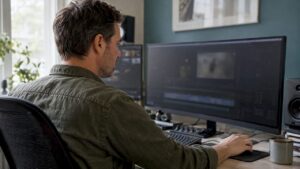
A heavy plug-in chain or dozens of recorded tracks can quickly bog down a DAW; that’s why DAW computer comparison is more than just CPU clock speed checking. The right combination of processor, memory, storage and audio interface determines whether a session runs smoothly or ends up full of crackles and full buffers. This article helps audio professionals, musicians and content creators systematically compare so they choose a future-proof studio workstation that fits their workflow.
Why a Targeted DAW Computer Is Important
Audio production is all about real-time performance and reliability. A general office PC can handle documents just fine, but audio workloads have different requirements: low latency, stable drivers, consistent I/O and lots of concurrent computations for plugins and virtual instruments. Comparing DAW computers is about understanding how components work together under real workloads – not just benchmarks on paper.
Important pain points to avoid:
- Unexpected audio dropouts and crackling during recordings
- Unable to run enough tracks or plugins simultaneously
- Slow loading of sample-based instruments
- Limited expandability for larger projects
Key Components To Compare
When comparing DAW computers, there are a number of components that consistently require attention. Below is a detailed explanation of each component and practical recommendations for various workflows.
CPU – More Than Clock Speed Only
The processor determines how many simultaneous computations are possible. Modern DAW workloads benefit from both high single-core performance (for latency-sensitive tasks and some plugins) and multiple cores (for parallel plugin processing, mix buses and rendering).
Recommendations:
- Entry-level: 6 cores / 12 threads (e.g. Ryzen 5) – suitable for small projects and home studio.
- Mid-range: 8-12 cores – good for extended sessions with many virtual instruments.
- Professional: 16+ cores or high-clock 8-cores (depending on DAW) – ideal choice for heavy mixing, tuning and post-production workflows.
- Laptops: choose the latest Intel H-series or AMD Ryzen H-series; Apple Silicon (M1/M2/M3) offers excellent per-watt performance and low latencies for macOS users.
Practical tip: some DAW plugins (such as convolution reverb or certain synths) scale better with cores than others. One should test beforehand which plugins in the workflow demand the most from the CPU.
RAM – Fast, Sufficient Capacity
RAM is crucial in sample-based instruments and large multitrack projects. Orchestra-quality sample libraries can use tens to hundreds of gigabytes when loading multiple libraries simultaneously.
- Entry: 16 GB – reasonable start for basic projects and limited sample usage.
- Mid: 32 GB – recommended for serious producers who use a lot of sample instruments and effects.
- Pro: 64 GB or more – needed for extensive scoring, film/post-production and large sample libraries.
Pay attention to RAM speed and latency; especially with AMD platforms, faster RAM can make a noticeable difference in real-world DAW tasks.
Storage – NVMe SSDs For Fast Load Times
Load-times and streaming of samples benefit tremendously from fast storage. A SATA HDD is unacceptable as a primary location for sample libraries or the active project directory.
- OS & DAW: 500 GB NVMe SSD – for fast boot up and DAW loading.
- Sample Libraries: 1 TB+ NVMe or fast SATA SSD, depending on budget and size of libraries.
- Archive & Backups: external 4-10 TB HDD or NAS for long-term storage.
Practical tip: put the OS/DAW and sample streaming libraries on different disks whenever possible. That prevents I/O bottlenecks during heavy streaming.
Audio Interface & Drivers
The audio interface is the link between hardware and DAW. Stability of drivers and I/O latency are often more important than raw computing power.
- Choose interfaces with low-latency drivers (ASIO on Windows, Core Audio on macOS).
- Check number of inputs/outputs and simultaneous I/O one needs.
- Professional units (e.g., RME, Apogee) often offer better stable performance and AD/DA quality.
For live recording or broadcast, redundancy and synchronization (word clock, ADAT, MADI) is relevant; one compares best based on connectivity and driver support.
GPU – When Is a Strong Video Card Useful?
For pure audio work, a high-end GPU is rarely necessary. For content creators who also do video editing, color grading or 3D rendering, a powerful GPU can save significant time.
- Audio-only: integrated GPU or basic discrete card is sufficient.
- Audio + video: choose NVIDIA/AMD cards with hardware acceleration for encoding/decoding (NVENC, Quick Sync).
- GPU-accelerated plugins and visualizations benefit from more VRAM and CUDA/Metal support.
Cooling, Power Supply and Build Quality
Stable performance requires good cooling and a reliable power supply. Thermal throttling can reduce performance in sessions and cause inconsistent behavior.
- Provide CPU cooling with sufficient capacity (air cooler or AIO liquid) for high corecount CPUs.
- Choose a PSU of 80+ Gold or better with enough headroom for upgrades.
- Quiet cooling is important in recording environments – go for enclosures with good noise isolation and moderate fan speeds.
Connectivity and Expandability
When comparing DAW computer, one also pays attention to ports and expansion slots: Thunderbolt, USB-C, PCIe slots for DSP cards, M.2 slots for additional NVMe SSDs and expandability for future I/O.
- Thunderbolt 3/4: essential for many professional audio interfaces and external DSP units.
- Multiple USB ports: controllers, MIDI devices and external drives.
- PCIe slots: useful for additional audio cards or DSP acceleration cards.
Operating system and DAW compatibility
One should check that the hardware chosen is compatible with the desired DAW and plugins. macOS works very well with Logic Pro; Windows offers widest compatibility with plugins and hardware; Linux is possible for specialized users but often requires more configuration.
Important: Some plugins and audio hardware only support specific OS versions or drivers; when comparing, consider this.
DSP Offload – External Processors
Some workflows use external DSP (such as UAD Accelerators or Waves SoundGrid) to reduce CPU load. When working with many DSP-based plugins, support for them is a deciding factor when comparing systems.
How One Measures Performance Objectively
Too often people base a purchase on specifications rather than real-world testing. There are better, tangible ways to compare DAW performance.
DAWBench and Targeted Benchmarks.
DAWBench is a well-known suite for measuring the maximum amount of plugins per buffer-size/CPU. It provides a comparable standard and helps to simulate real workloads.
Real-World Tests
Run systems a typical project load: lots of tracks, reverbs, synths and sample instruments. Compare at different buffer sizes (64, 128, 256 samples) and sample rates (44.1 kHz, 48 kHz, 96 kHz).
Measuring Latency
Practical measurement with tools or by recording while monitoring directly through the interface (direct monitoring) clarifies whether latency is acceptable for tracking.
Stress Tests For Storage and Memory
Streaming large sample libraries test for sustained throughput tells if disk I/O is becoming the bottleneck. Memory-stress tests reveal problems with unstable modules or incorrect speeds.
Practical Comparison Checklist
A simple checklist helps during the comparison process:
- Define the workflow (tracking, mixing, scoring, video editing).
- Note most important DAW and plugins; check compatibility.
- Compare CPU architecture: cores, threads, single-core score.
- Check RAM capacity and ability to expand.
- View storage solutions: NVMe for OS/DAW, separate drive for samples.
- Review audio interface drivers, I/O and connectivity.
- Measure real-world performance with DAWBench or your own project test.
- Check cooling, PSU, noise level and physical footprint.
- Provide support and warranty (crucial for professional users).
Concrete Recommendations Per Budget and Workflow
Here are practical building suggestions and recommendations for typical user groups. These examples help in comparing options and estimating price/quality.
Budget Home Studio (Hobbyist / Podcaster)
- CPU: 6-core modern CPU (e.g. Ryzen 5 or Intel i5)
- RAM: 16 GB
- Storage: 500 GB NVMe for OS/DAW + 2 TB HDD for storage
- Audio Interface: 2-4 in/outs with stable drivers
- Usage: simple multitrack recording, podcasts, light mixing
Project Studio / Producer (Serious Home Studio)
- CPU: 8-12 cores (Ryzen 7/9 or Intel i7/i9)
- RAM: 32 GB
- Storage: 1 TB NVMe for OS/DAW + 1-2 TB NVMe/SATA SSD for samples
- Audio Interface: 8+ ins, ADAT option, low latency drivers
- Extra: proper monitor setup and acoustic treatment
Professional Studio / Post Production
- CPU: 16+ cores or dual-CPU setup for extreme parallel workloads
- RAM: 64 GB or more
- Storage: multiple NVMe’s in RAID or fast NAS for collaborations
- Audio Interface: high-channel count, redundancy, SMPTE/word-clock
- Support: on-site support and SLAs are valuable-this is where I4studio’s solutions often come in handy
Mobile Producers (Laptop Workstation)
- Apple Silicon (M1/M2/M3) or Intel/AMD H-series with high single-core performance
- RAM: 16-32 GB (depending on whether M-series or Windows laptop)
- Storage: 1 TB NVMe (or fast external NVMe via Thunderbolt)
- Audio Interface: compact Thunderbolt or USB-C interface
- Note thermal throttling and battery time during long sessions
DAW Specific Considerations
Different DAWs have subtle requirements and optimizations. When comparing DAW computer, one should always consider how the DAW scales with cores and which plug-ins are used the most.
- Pro Tools: often sensitive to AAX compatibility and hardware control surfaces.
- Logic Pro: optimal on macOS/Apple Silicon; less relevant on Windows.
- Ableton Live: benefits from high single-core performance during live performances.
- Reaper: very efficient and lightweight; can run on more modest hardware.
Video, Rendering and Hybrid Workflows
When audio and video are merged into one workflow, the equation changes. Video editing often requires GPU acceleration and fast I/O for high resolutions.
- Choose GPU with sufficient VRAM for 4K/8K workflows.
- Fast NVMe stacks reduce scrubbing lag and render times.
- Consider hardware encoders (NVENC, Quick Sync) for real-time exporting.
Installation, Maintenance and Acoustics
The right computer package is only as good as the environment in which it runs. Sound engineers know that acoustics, monitor positioning and cable management are as important as the hardware itself.
I4studio delivers not only computers for audio and video, but also custom advice for studio setups and acoustic solutions. That means: hardware installed in an environment that actually delivers reliable results.
Common Mistakes When Comparing
- Focus on single benchmark score rather than real-world DAW tests.
- Forgetting that drivers and firmware contribute enormously to stability.
- No consideration of future expansion needs.
- Undervalue audio interface quality in favor of CPU specs.
- Wrong priority to GPU for audio-only setups.
Decision-making Process: How One Makes a Final Choice
A practical roadmap for an informed purchase:
- Make a list of typical projects and the maximum one needs.
- Run DAW-specific tests (real sessions) on candidates or request demo units.
- Check compatibility of drivers and external hardware.
- Rate service, warranty and on-site support capability.
- Choose the machine with the best combination of performance, stability and expandability – not just the highest specs.
I4studio helps with each of these steps: from putting together appropriate hardware to installation and acoustic advice. For many professionals, that support is the difference between a good-sounding set-up and a production stop.
Case Study: From Home Studio To Project Studio
A professional drummer started with a basic PC (6 cores, 16 GB RAM) and noticed latency at 32+ tracks with multiple convolution reverbs. After evaluation, it was decided to upgrade to a 12-core system with 64 GB RAM, two NVMe drives (OS + samples) and a high-end audio interface with Thunderbolt. Result: buffer size could be reduced during tracking, virtual drum libraries load faster and mix renders went from 30 minutes to 12 minutes.
Such concrete improvements show why one should carefully conduct a DAW computer comparison based on real workflows rather than just specifications on paper.
Frequently Asked Questions
How important is single-core performance for audio?
Single-core performance remains important for latency-sensitive tasks and some plugins that do not scale well with multiple cores. The ideal CPU combines strong single-core performance with enough cores for parallel tasks.
Is macOS better than Windows for DAW use?
Both operating systems have their advantages. macOS is very stable with Logic Pro and Apple Silicon offers excellent efficiency. Windows offers the widest hardware compatibility and flexibility. The choice depends on the DAW and plugins used, as well as personal workflow preferences.
How much RAM is really needed for sample-based libraries?
For light to medium libraries, 32 GB is often sufficient. For large orchestral libraries and complex scoring workflows, 64 GB or more may be necessary. It is wise to invest in expandable RAM if future usage grows.
Does a powerful GPU make a difference for audio workloads?
For pure audio work, usually not. For video editing, real-time visualizations and GPU-accelerated plugins, however, a strong GPU is recommended. One compares systems for combined audio-video tasks when relevant.
What does a specialty vendor like I4studio provide?
I4studio offers customized systems for audio, video, rendering and broadcast, plus advice and support for studio design and acoustics. For professionals seeking reliability and service, it can save time and frustration.
Summary
Proper comparison of DAW computers requires understanding real-world workflows, not just specification comparisons. Important factors include the right balance between CPU cores and single-core performance, sufficient and fast RAM and NVMe storage, reliable audio interfaces and decent cooling and power supply. For hybrid audio-video workflows, the GPU plays a bigger role.
One performs best real-world tests (such as DAWBench) and checks compatibility with drivers and plugins. Investing in support and acoustic optimization – services in which I4studio specializes – increases the likelihood that the chosen machine will actually deliver what it promises.
By systematically comparing these technical points, one avoids expensive repurchases and builds a workplace that is smooth, stable and future-proof.