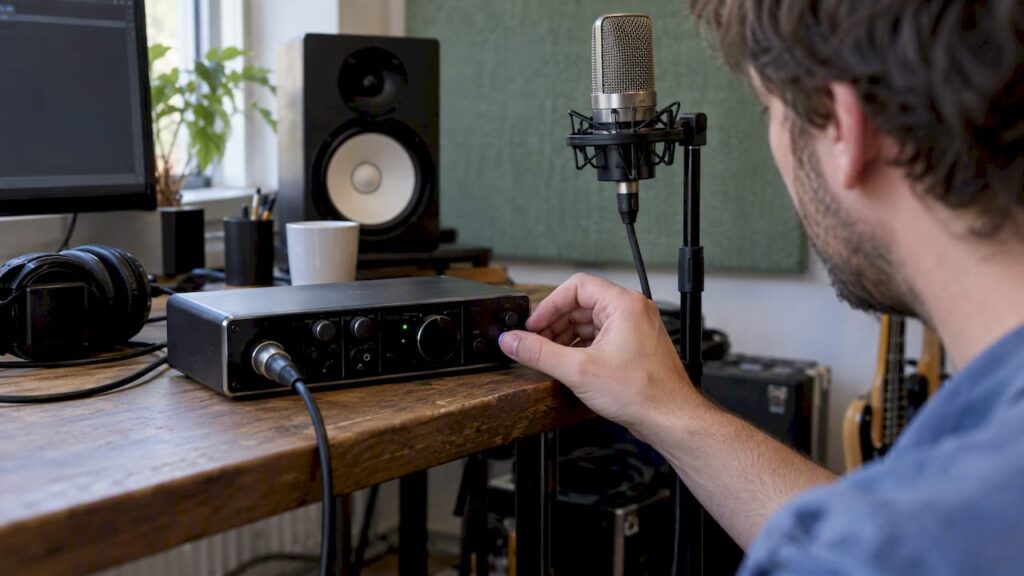
Phantom power is a DC voltage that is transmitted to a microphone via an XLR cable to power condenser capsules. The common standard is called P48 and supplies 48 volts, with a tolerance that is slightly wider in practice. Connect the microphone first, and only then turn on the phantom power. For sensitive microphones, always check the manufacturer’s instructions. At i4studio, this is one of the basic principles we advise our customers on.
Briefly:
- P48 provides a nominal 48 volts, but the voltage typically ranges between 44 and 52 volts; therefore, check the specifications of the microphone and interface.
- Condenser microphones usually require phantom power, while dynamic microphones do not; passive ribbon microphones can be damaged, especially when you connect cables while the power is on.
- Plug in the microphone with the power off, turn it on only after that, and turn it off again before unplugging the cable.
- On mixing consoles with a single switch for all channels, ribbon microphones may receive power unintentionally; check your setup when combining different types of microphones.
- If there is no signal or you hear a popping sound, first check the cable and connector, and only then adjust the settings on your interface.
Table of contents
- How Phantom Power Works Technically
- Why 48 volts is the industry standard
- Which microphones require phantom power
- Step-by-step: safely turning phantom power on and off
- Practical home studio tips for cables and settings
- When should you seek professional advice?
- Equipment and advice for your recording setup
- Frequently Asked Questions
- Sources
How Phantom Power Works Technically
An XLR cable has three pins: pin 1 is the shield (ground), and pins 2 and 3 carry the balanced audio signal. Phantom power supplies DC voltage to both pin 2 and pin 3, measured relative to pin 1. Because this voltage is the same on both signal wires, the difference between pin 2 and pin 3—and thus the audio signal itself—remains unaffected. It is precisely this principle that makes an explanation of balanced audio so relevant: the alternating current of the audio signal and the direct current of the power supply coexist without interfering with each other.
This invisibility to the audio signal also explains the name. Equipment that does not use phantom power simply does not notice it, as if the power supply were not there—hence the word “phantom.” Neumann and other manufacturers describe this as the core of the design.
A few key technical points:
- Power is supplied through two resistors of approximately 6.8 kΩ, one per signal wire.
- A condenser microphone typically draws 3 to 4 mA of current.
- The standard allows for a maximum current draw of approximately 10 mA, as described on Wikipedia.
- The voltage itself, P48, has a nominal value of 48 volts.
Why 48 volts is the industry standard
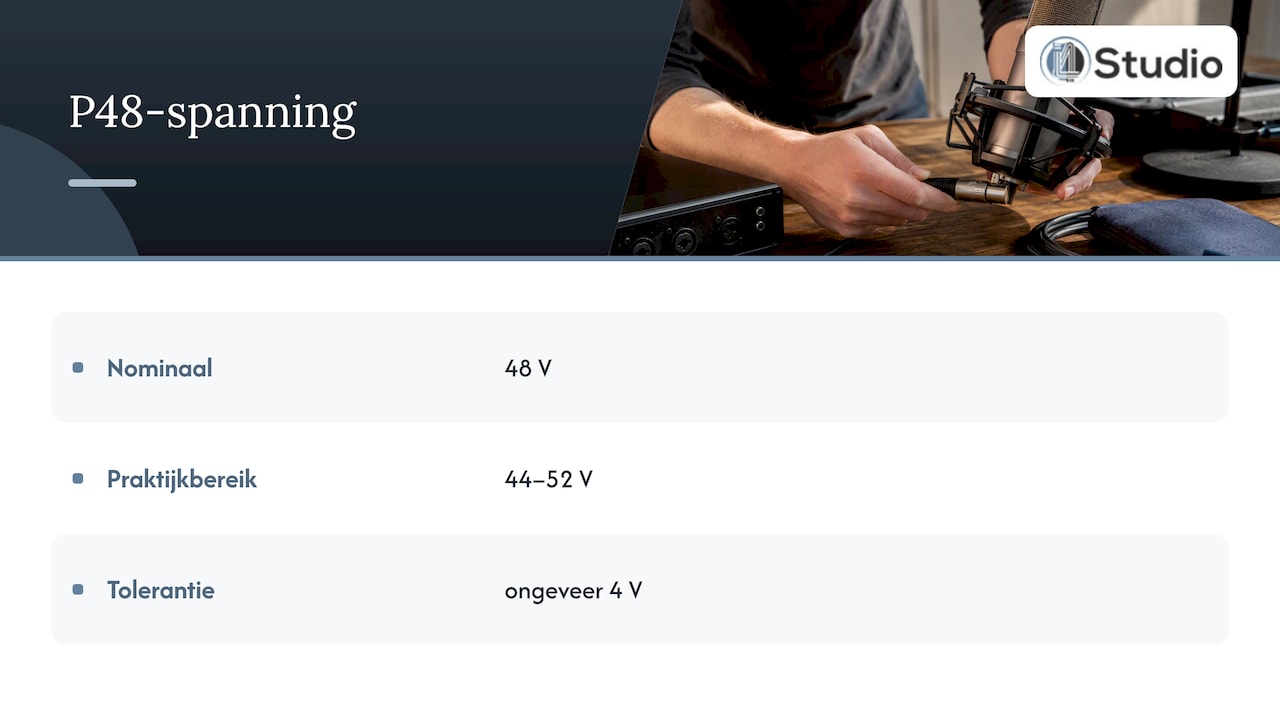
P48 is a common type of phantom power. P48 has a nominal voltage and corresponding tolerances.
In practice, the voltage is usually between 44 and 52 volts—that is, 48 V with a tolerance of approximately 4 volts—and the current is limited by the two 6.8 kΩ resistors to a safe maximum, according to Wikipedia. The P48 voltage may vary within the specified tolerance. If in doubt, check the specifications of your equipment and microphone.
Power is typically supplied through two resistors. Check the specifications of your interface to see how the manufacturer describes the phantom power.
Which microphones require phantom power
Not every microphone requires phantom power, and with some microphones, it’s actually better not to use it. The rule of thumb depends on the type of capsule.
- Condenser microphones almost always require phantom power: the capsule uses a polarized diaphragm that requires voltage to function.
- Dynamic microphones, such as many vocal microphones used for live performances, do not require power and are normally not affected if phantom power is turned on.
- Passive ribbon microphones can be vulnerable to phantom power, especially in cases of incorrect wiring or hot plugging, as Dpamicrophones points out.
- Active ribbon microphones, on the other hand, sometimes do require a small amount of power to operate their internal electronics.
If you’re unsure about your microphone, always check the manufacturer’s specifications before turning on phantom power. A condenser microphone like the sE Electronics Z5600A II clearly states this in its documentation, and that’s the standard you should follow with every purchase.
Step by Step: How to Safely Turn Phantom Power On and Off
Taking a few extra seconds to be careful can prevent unnecessary damage to your microphone or interface. Follow these steps every time you connect or disconnect a microphone.
- First, connect the microphone to the XLR input, with phantom power still turned off.
- Check the microphone type and level settings before proceeding.
- Only then should you turn on phantom power on your interface or mixing console.
- Follow the reverse order when disconnecting: first turn off phantom power, then disconnect the cable.
Hot plugging—that is, connecting or disconnecting a cable while phantom power is already active—can cause a brief voltage spike. That spike can damage sensitive components, especially in ribbon microphones, as Neumann explains in its knowledge base.
If you’re using a mixing console with a single global P48 switch for all channels, be extra careful when connecting condenser microphones and ribbon microphones at the same time. Individual switches per channel give you more control and prevent you from accidentally exposing sensitive microphones.
Pro tip: If you don’t get a signal or hear a loud pop when you turn it on, check the cable and connector first before assuming the interface is the problem.
Practical Home Studio Tips for Cables and Settings
- Use high-quality, balanced XLR cables with effective shielding.
- Whenever possible, connect your microphone directly to your audio interface, without any intermediate equipment.
- Avoid patch bays unless they are specifically designed to pass phantom power, as unsuitable models can block the power supply or cause a short circuit, as described by Lectrosonics.
- Check the documentation to see how phantom power is controlled on your audio interface.
If you’re not getting a signal, first check the cable, then the connector, and only then the phantom power setting itself. If you hear static or a pop when turning it on, check the cable, connector, and settings.
When should you seek professional advice?
At i4studio, we build custom studio PCs and recording setups, and phantom power is a recurring consideration in that process. As soon as you use multiple types of microphones at the same time—such as a combination of condenser and ribbon microphones on the same mixing console—proper patching suddenly becomes less straightforward.
Complex setups involving multiple interfaces, external preamps, or older equipment with non-standard power specifications require someone who can oversee the entire signal chain. If you’re unsure about the compatibility of your microphones with your current interface, or if you want a setup that’s designed to be error-proof, feel free to ask for advice before you invest.
— Harold

Equipment and advice for your recording setup
We supply microphones and audio interfaces, and we also help you plan the entire setup. Our specialization in custom-built studio PCs and acoustic solutions means you can come to us for more than just individual components.

Browse our selection of microphones and audio interfaces for equipment that reliably supports phantom power, or contact us for advice on acoustic panels and setting up a well-equipped home studio. If you’re unsure about your setup, check out our studio PCs starting at €1,099 for a stable, low-latency foundation.
Frequently Asked Questions
What is phantom power?
Phantom power is a DC voltage transmitted to a microphone via an XLR cable to power condenser capsules. The standard voltage is P48, rated at 48 volts, with a tolerance of approximately 44 to 52 volts, as described on Wikipedia.
What is a phantom?
In this context, “phantom” refers to the invisibility of the power supply to equipment that does not use it. The DC voltage travels along the same pins as the audio signal without affecting that signal, as Lewitt Audio explains, citing Neumann’s explanation.
Does every microphone need phantom power?
No, only condenser microphones and some active ribbon microphones require phantom power. Dynamic microphones operate without power and are not normally affected by it, whereas passive ribbon microphones can actually be sensitive to it.
Can phantom power damage my microphone?
Connect the microphone first, and only then turn on the phantom power. If in doubt, consult the manufacturer’s instructions. Hot plugging can cause damage due to a brief voltage spike, especially with passive ribbon microphones, as noted by dpamicrophones.com.
Does phantom power also work with older equipment?
The P48 voltage can vary. If in doubt, check the specifications of your equipment.