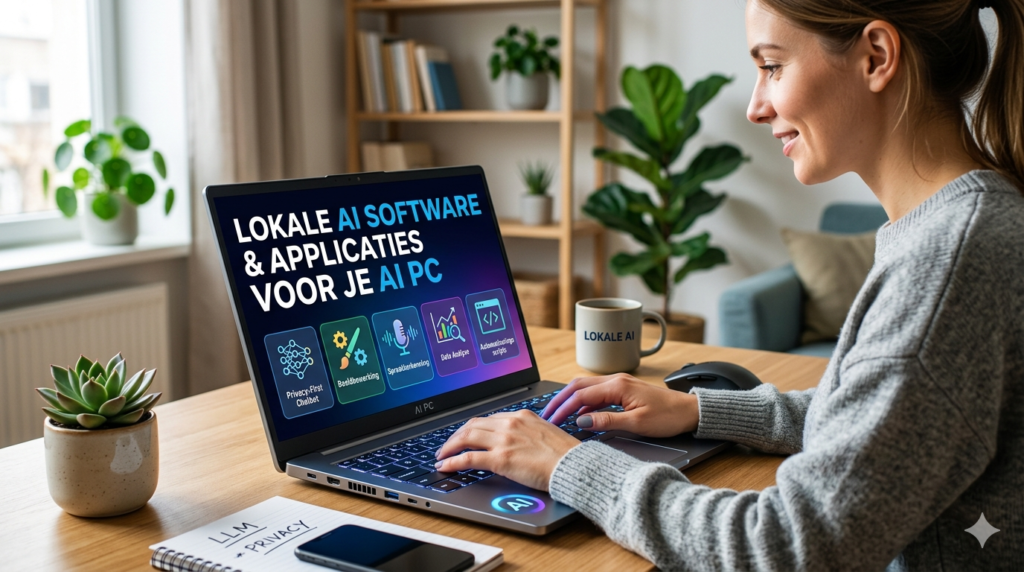
On a dedicated AI computer, people run applications and software specifically designed to run heavy AI models locally (i.e., without internet or cloud costs). Because these computers have a powerful video card (GPU) and lots of working memory, they can perform tasks that a normal PC would bog down on.
Here is an overview of the most popular software and applications people use, broken down by category:
1. Talking with AI & Text Generation (Offline LLMs).
Instead of ChatGPT (which sends your data to OpenAI), people run open source language models (such as Llama 3, Mistral or Phi) entirely on their own PCs.
Ollama: The most popular “background software. It allows you to download and boot the latest AI models on your own hardware with one simple line of code.
LM Studio / AnythingLLM: These are wonderful, easy-to-use programs (interfaces) that are strikingly similar to ChatGPT. You link them to Ollama and can instantly chat offline, upload and summarize documents (PDFs), or write code.
What for? Analyzing privacy-sensitive business documents, programming without the Internet, or building a personal AI assistant that doesn’t resell your data.
2. Image and Video Generation (AI Art).
Generating highly valued images and videos locally requires brute GPU power.
Stable Diffusion (via WebUI or ComfyUI): This is the absolute king of local image generation. ComfyUI is a sophisticated interface that lets you build complex “workflows” to generate images, change faces (deepfakes), or turn sketches into photorealistic art.
Fooocus: A much simpler interface for Stable Diffusion, made especially for people who want the quality of Midjourney, but for free and offline on their own PC.
What for? Concept art for games, marketing materials, photo editing, interior design and animating videos.
3. Audio & Music Production
AI is used extensively by musicians and podcasters for restoration and creation.
UAD Console / LUNA (Universal Audio): As we discussed earlier, software that uses DSP or local computing power to distort vocals and instruments in real time with analog heat.
Ultimate Vocal Remover (UVR): A fantastic open source program that uses AI to split a complete music track into separate tracks: vocals, drums, bass and melody.
What for? Isolating vocals for remixes, cleaning up poorly recorded podcast audio, or generating AI background music.
4. Development & Data Science (For the Techies).
People who train AI models or build software themselves.
Python / PyTorch / TensorFlow: The programming languages and libraries in which almost all of the world’s AI is written. Developers use this to “fine tune” (adapt to their own data) models.
VS Code (Visual Studio Code) with Continue or Tabby: These are open-source alternatives to GitHub Copilot. It is an AI assistant in your code editor that makes suggestions based on an LLM running on your own computer.
What for? Training AI to recognize patterns (e.g., analyze medical scans), or write software code at lightning speed.
5. Daily use (AI PC integration).
Software that uses the NPU (the economical AI chip) in the latest processors by default.
Adobe Premiere Pro & Photoshop: Use local AI for features such as Generative Fill (expand backgrounds) or Auto Reframe (automatically crop videos for TikTok).
Topaz Gigapixel AI / Video AI: Software that uses the video card to upscale old, blurry photos or low-resolution videos to razor-sharp 4K or 8K.
🛠️ Quick Guide: Your Local AI Software Dashboard
| What do you want to do? | Most Popular Local Software | What do you need? |
| Offline Chat & PDF Scanning | Ollama + LM Studio | Lots of RAM (32GB+) & CPU/GPU |
| AI Image Generation | Stable Diffusion (ComfyUI / Fooocus) | Strong GPU (NVIDIA RTX, 12GB+ VRAM) |
| Code Writing & Programming | VS Code + Continue / Tabby | Fast NVMe SSD & CPU |
| Vocal Isolation & Audio Cleaning | Ultimate Vocal Remover (UVR) | CPU or GPU support |
| Photo & Video Upscaling to 4K | Topaz Gigapixel AI / Video AI | Powerful GPU & NPU |