




Avid Pro Tools | MTRX Studio: The Central Hub for Your Entire Studio
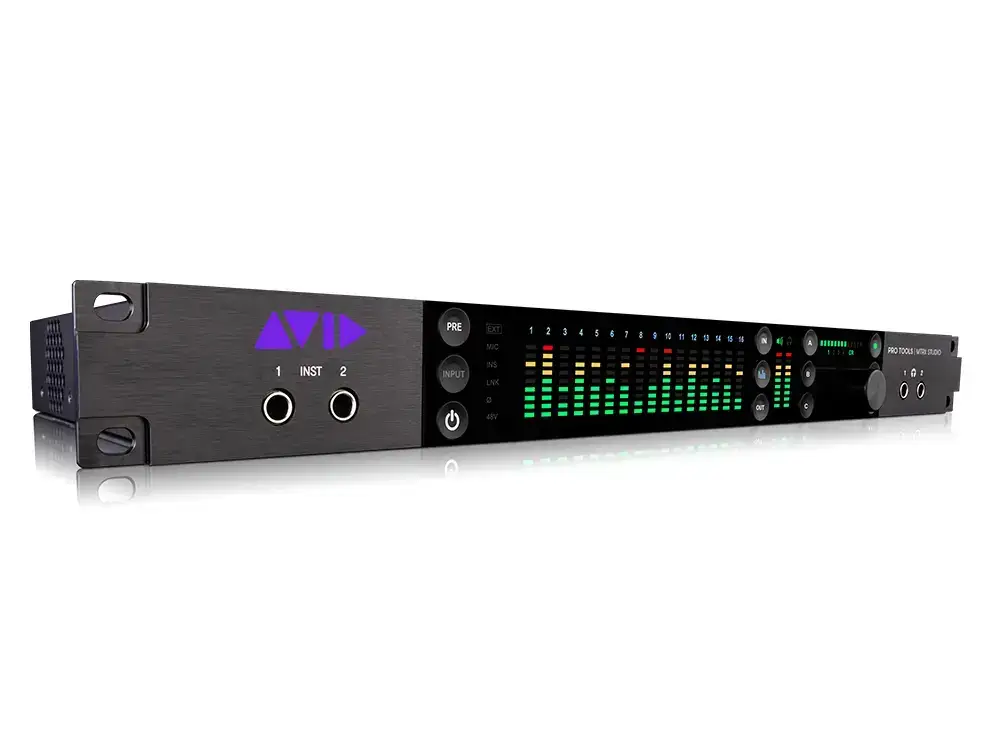
In the demanding world of audio recording and post-production, flexibility is key. The Avid Pro Tools | MTRX Studio is designed to meet that demand by combining an impressive amount of I/O and routing capabilities into one compact rack design. Whether you’re working on complex film scores, commercial voiceovers or high-end music productions, this interface streamlines your entire workflow. It replaces multiple separate devices by combining high-quality conversion, monitor management and signal routing into one interface.
Most important features
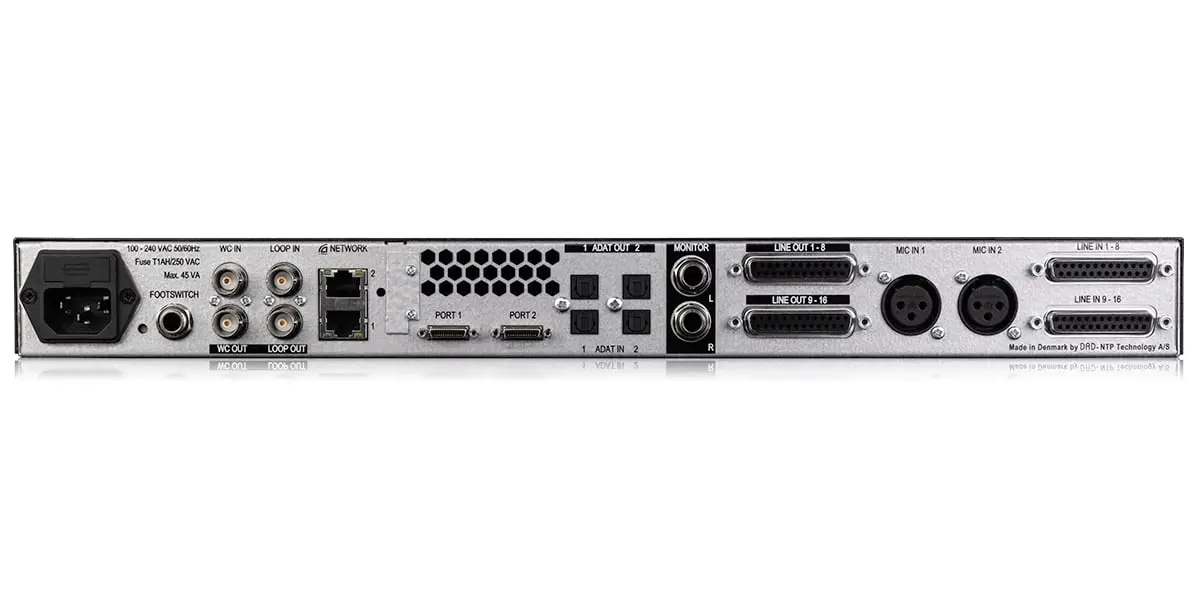
Comprehensive I/O configuration: Features 18×18 analog I/O, including two crystal-clear microphone preamps and two front instrument inputs.
Dante & DigiLink Connectivity: Integrate effortlessly with IP-based networks via 64-channel Dante and connect directly to Pro Tools | HDX or Native via dual DigiLink ports.
Advanced Monitor Control: Manage everything from stereo to 7.1.4 Dolby Atmos setups with built-in SPQ speaker processing for calibration and room correction.
DADman Software: Get full control of your routing and monitor section with the powerful DADman software, which lets you patch any input to any output.
Low Latency Monitoring: Experience the immediacy of hardware-based monitoring, essential for artists during the recording process.
Premium Conversion: using the renowned DAD (Digital Audio Denmark) converters for a transparent and detailed soundstage.
Why choose the Avid Pro Tools | MTRX Studio?
Choosing the MTRX Studio is an investment in a future-proof studio. Its greatest strength lies in its versatility; you can reconfigure your entire studio without plugging in cables, simply by loading a preset into the software. For studios making the transition to immersive audio, this is the most cost-effective and reliable way to control a full Dolby Atmos monitor environment.
At i4studio, we recommend the MTRX Studio to professionals who want a tidy, powerful and reliable setup. The interface eliminates the need for external monitor controllers and complex patchbays, leaving you more time for what really matters: creating top-quality audio.
Technical specifications
Frequently asked questions (FAQ)
1. Do I need a Pro Tools | HDX system for the MTRX Studio? No, although the interface excels in an HDX environment via DigiLink, you can also integrate it with other systems via Dante or ADAT, provided you use the right hardware adapters.
2. What is the advantage of built-in SPQ processing? This allows you to apply room-correction EQ and delay directly to the interface. This means that your monitor system is always perfectly calibrated, no matter what software you use on your computer.
3. Can I control the microphone preamps remotely? Yes, via the DADman software you can control the gain, phantom power and other settings of the preamps completely digitally from your listening position.
4. Is this interface suitable for smaller project studios? Sure. Due to its 1U size and the fact that it replaces multiple devices (preamps, converter, monitor controller), it is an ideal space-saving solution that still delivers “big studio” performance.
5. How many Dante channels does the MTRX Studio support? The interface supports 64 channels of Dante I/O (at 48 kHz), making it ideally suited for complex network setups and integration with other Dante-enabled gear.
Works perfectly with :

Reviews
There are no reviews yet