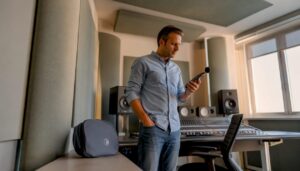
A DAW is the heart of any home studio: the right home studio software determines how smoothly recordings run, how creatively one can work, and how professional the end result sounds. For audio and video professionals, hobby producers and content creators, choosing the right combination of DAW, plugins and utilities is at least as important as good microphones and a fast computer.
Why the right home studio software is essential
Software makes equipment useful. Without a DAW and appropriate plugins, an audio interface, microphone or audio PC remains just hardware. With the right software, ideas are captured, edited, mixed and prepared for publication. Not only sound quality counts: stability, workflow, compatibility and latency determine whether a session runs smoothly or is full of frustrations.
For professionals, time is money. A stable setup and efficient workflow software saves hours in post-production. For musicians and creators without a studio engineering background, ease of use and smart presets are often more important than an endless list of features.
Types of software every home studio needs
1. DAW(Digital Audio Workstation).
The DAW is the core: the program in which recording takes place, MIDI is programmed and mixing is done. Some commonly used options:
- Pro Tools: industry standard for recording and post-production, strong in collaboration and Avid ecosystem (AAX plugins).
- Logic Pro: popular on Mac for songwriting and composition; lots of built-in instruments and effects.
- Ableton Live: favorite of producers and live performers thanks to session view and workflow focused on creation.
- Reaper: very light, affordable and extremely configurable; ideal for people who want control without breaking the budget.
- Cubase and Studio One: strong all-rounders with extensive MIDI and notation features.
2. Virtual Instruments and Sample Libraries.
From realistic orchestral libraries to synths and drum kits, virtual instruments give a home studio additional capabilities without live musicians. Popular choices:
- Kontakt and various third-party libraries (strings, piano, choirs).
- Serum, Massive, Sylenth for electronic sound design.
- Superior Drummer and Addictive Drums for realistic drumming.
3. Plugins for mixing and mastering
EQ, compression, reverb and mastering chains are often performed with plugins. Brands such as FabFilter, Waves, iZotope and UAD offer tools that are critical to professional sound.
4. Audio restoration and mastering software.
For post-production and restoration, tools like iZotope RX are indispensable: noise removal, click/pop removal and spectral editing. For mastering, Ozone is a popular all-in-one suite.
5. Video and synchronization software
For video productions, compatibility with video files and timecode is important. Premiere Pro, DaVinci Resolve and Final Cut Pro are often used alongside audio DAWs; for audio synchronization, use AAF/OMF export or direct EDL import.
6. Streaming and podcasting software
OBS Studio, Streamlabs and RodeCaster software make livestreaming and podcasting practical. For podcast workflow, there are also tools such as Hindenburg and Descript (with transcription and AI tools).
How does one choose the right DAW and plugins?
Define the goal
A good choice starts with the purpose: recording bands, electronic production, podcasts or video post-production? For live recording of bands and large studio sessions, Pro Tools is often tops. For beats and creative loop-based production, one quickly falls for Ableton or FL Studio. Reaper is a smart choice for those who want to customize a lot and spend little.
Compatibility and system requirements
Pay attention to the operating system (Windows, macOS, Linux), plugin formats(VST, AU, AAX) and hardware support. Some plugins are CPU-intensive – orchestral libraries require a lot of RAM and fast disk access (SSD or NVMe).
Workflow and interface
Some want a minimalist interface; others want elaborate mix buses and routing. Try demo versions whenever possible: a brief test with your own audio interface and favorite plugins often shows if the workflow fits.
Budget and scalability
There are excellent free and cheap tools (e.g. Reaper with cheap license, free plugins and Ambience reverbs) that can be expanded later with paid libraries and plugins. Keep in mind future extensions such as additional tracks, sample libraries and plug-in collections.
Comparison of popular DAWs – decision aid
Pro Tools
- Advantages: industry standard, excellent audio editor, good collaboration tools, strong integration with Avid hardware.
- Disadvantages: price, licensing and update policies, less flexible for creative beat-making.
- Ideal for: studio recording, post production, audio for film/TV.
Logic Pro
- Advantages: excellent value-for-money on Mac, lots of virtual instruments, good MIDI tools.
- Cons: only on macOS, less suitable for Avid workflows.
- Ideal for: singer-songwriters, composers, producers on Mac.
Ableton Live
- Advantages: unique session view, instant creative and performative, strong MIDI and clip automation.
- Cons: Traditional editing may take some getting used to for tape recording.
- Ideal for: electronic music, live performers, producers who want to test ideas quickly.
Reaper
- Advantages: extremely lightweight and configurable, affordable license, broad platform support (including Linux).
- Cons: Less “out-of-the-box” content, slightly steeper learning curve for beginners who want GUI customization.
- Ideal for: anyone with a budget-conscious focus and need for performance/tailored settings.
Studio One and Cubase
- Studio One: modern workflow, drag-and-drop, good integration of mastering and project management.
- Cubase: strong MIDI and notation features, popular with composers and game audio makers.
Plugins and effects: what to look out for
Formats and compatibility
Plugins come in different formats. VST works on Windows/macOS, AU is macOS-specific and AAX is required for Pro Tools. Make sure your favorite plugins are available in the correct format.
CPU vs. DSP
Some high-end plugins run on external DSP (e.g., UAD accelerators) and offload the CPU. This can be crucial when using heavy emulations and high number of instances.
Workflow tips for plugin management
- Use plugin sets by genre or project (vocal chain, drum-mastering chain).
- Register presets and note settings that work for specific voices/instruments.
- Keep a balance between stock plugins and external tools: stock plugins are often better optimized and stable.
System requirements and computer optimization
A home studio requires not only the right software, but also a computer that runs stable and performs. Audio production has different priorities than gaming or general use: low latency, plenty of RAM and fast disk space are essential.
Key hardware features
- CPU: Multicore performance helps with plugins and synths; single-core clock power is important for real-time performance.
- RAM: 16-64 GB depending on sample libraries; orchestral libraries require a lot of memory.
- Storage: NVMe SSD for OS and DAW, additional SSDs for sample libraries. Quick load times reduce frustration.
- Audio interface: Good drivers (ASIO on Windows), low jitter and stable clocks are crucial.
- Network and backups: backup disks and/or NAS for project files; cloud backup as an additional layer of security.
Tips for optimization
- Use ASIO drivers on Windows for low latency.
- Set buffer size to
64or128samples during recording, increase to256–1024during mixing to save CPU. - Disable unnecessary background processes, especially during sessions.
- Use separate disks for OS/DAW and samples to reduce I/O contention.
For those who don’t want to tinker with hardware optimization, I4studio offers custom-built audio and video computers configured for minimal latency and maximum stability. They advise on component selection depending on workloads (e.g. large orchestral libraries vs. plugin-intensive EDM projects) and also provide installation and tuning support.
Practical workflows and templates that save time
1. Defaults and templates
A good template includes routing, bussing, standard plugins and a drum and vocal chain. This starts a session right away in the right flow. For vocals, for example:
- Input track with gain staging.
- Vocal bus with de-esser, light compression and conservative EQ.
- Aux-returns for reverb and delay with send-levels set.
2. Track naming and color coding.
Consistent naming and color coding speeds navigation, especially in large sessions. Use prefixes such as VCL_ for vocals, BD_ for bass drums, FX_ for effects.
3. Voice exports and cooperation
Export voices in 24-bit/48kHz or whatever project format the partner requires. For film and video, tune sample rate and timecode with the director or video editor. Use cloud services or physical hard drives for large sample libraries and voices.
Specific setups by target audience: examples and recommendations
Singer-songwriter / home-recording
- DAW: Logic Pro (Mac) or Reaper (Windows/macOS).
- Plugins: standard EQ/compressor, a good reverb (Valhalla/stock), a de-esser.
- Hardware: single large-diaphragm condenser, simple preamp or interface with good pres.
- Workflow tip: take multiple comp takes and use comping tools in the DAW.
Beatmaker / electronic producer
- DAW: Ableton Live or FL Studio.
- Plugins: synths (Serum, Massive), drum samplers, creative effectchains.
- Hardware: MIDI controller, good monitors, subwoofer for low frequencies.
- Workflow tip: work in clips and scenes; use sidechain compression to make space.
Podcaster / voice-over
- DAW: Hindenburg, Reaper or even Audacity for simple edits.
- Plugins: noise reduction (iZotope RX), limiter and EQ.
- Hardware: dynamic microphone or good condenser with pop filter and shockmount.
- Workflow tip: set a consistent sample rate and bit-depth and archive raw recordings.
Video editor / post production
- DAW: Pro Tools or Reaper; use AAF/OMF for exchange with video editors.
- Plugins: audio restoration, ambisonics tools for 3D audio, surround mastering tools.
- Hardware: powerful CPU, lots of RAM, fast GPU and I/O for video files.
- Workflow tip: sync audio immediately during recording where possible with timecode and slate.
Latency, drivers and real-time performance
Low adjustable latency is crucial in monitoring during recording. Two important concepts:
- Input latency: the time between sound and what is heard back through monitors/headphones.
- Output latency: time it takes the system to output audio.
Practical steps to reduce latency:
- Use ASIO or hardware-specific drivers.
- Set buffer size to
64or128samples before recording; increase during mixing. - Monitor directly through the interface when possible (direct monitoring) to avoid round-trip latency.
Backups, version control and archiving
Losing a project due to disk failure or corruption is a nightmare. Good habits:
- Make daily local backup and weekly off-site backup (cloud or external drive).
- Use version control: save different versions as
Project_v1,Project_v2, etc. - Archive complete sessions with samples and plugins so that one can re-render later if needed.
Licenses, updates and legality
Always use legal software licenses. Many developers offer iLok or online activation; keep license emails and account information safe. Monitor updates but test major updates on a secondary machine first to avoid compatibility issues during a critical session.
Free versus paid software – what does one choose?
Free tools are often excellent for learning and small projects. Reaper offers an inexpensive license; many plugin manufacturers offer quality plugins for free. However, for commercial releases and large projects, one often recovers on investment by using paid tools that offer more stability, support and high-quality sounds.
Future trends: AI, cloud collab and real-time audio processing
AI assistants (e.g., automatic vocal tuning, voice isolation, arrangement suggestions) are rapidly integrating into tools such as iZotope, Celemony and new services. Cloud-based collaboration and sample streaming are also becoming more important: one can now use gigantic sample libraries without downloading everything. For studios with heavy compute workloads, I4studio offers rendering and workstation solutions that can handle AI tasks and real-time processing.
Tips from an expert by experience: practical advice points
- Invest in good monitoring and a reliable audio interface first; sound originates in the ears, not just in plugins.
- Monitor gain staging: avoid digital clipping by keeping headroom (e.g., peaks around -6 dBFS).
- Get to know top tools well instead of buying hundreds of plugins and never mastering them.
- Document presets and chain settings by artist or project – saving time on follow-up recordings.
- Consider professional room tuning or acoustic treatment; hardware and software cannot solve all problems.
Why a specialized vendor like I4studio can help
For many audio and video professionals, putting together a system is a time-consuming and technically demanding task. I4studio provides custom-built audio, video and rendering computers optimized for DAW use, sample libraries and video editing. In addition, the company offers acoustic solutions and advice on studio setup – from component selection to installation and tuning. For those who want assurance that software and hardware work harmoniously together, personal advice and support is a worthwhile investment.
Conclusion
The choice of home studio software affects every step of the production process: from idea to release. A conscious selection of DAW, plugins and additional tools – tailored to purpose, workflow and hardware – not only delivers better results, but also saves time and frustration. Whether one is recording solo sessions, producing podcasts or coring movies, stability and workflow are paramount. For those who want assurance of performance and compatibility, a specialized vendor such as I4studio can help with optimized machines, advice and support.
Those who follow this roadmap – base choices on purpose, test with demos, invest in monitoring and backups – build a home studio that is both creative and reliable. With the right tools, recording and producing becomes fun and productive, and the results sound professional.
Frequently Asked Questions
1. Which DAW is best for beginners?
There is no absolute best, but Reaper is excellent for beginners on a limited budget thanks to its low cost and flexibility. Logic Pro is a strong choice for Mac users who want lots of ready-made instruments. Try demos to see which interface best suits your own workflow.
2. How much RAM do I need for sample libraries?
For basic projects, 16 GB is often sufficient. For large orchestral libraries and extensive sample sets, 32-64 GB is preferable. Use SSD or NVMe storage for fast sample loading.
3. Should one choose DSP-based plugins (UAD) or CPU-based?
DSP plugins offload the CPU and often offer high-end emulations; they are useful for intensive plugin use. CPU-based plugins are more flexible and less expensive. The choice depends on budget, desired plugins and type of projects.
4. How do you set buffer size during recording?
Use a low buffer (e.g. 64 or 128 samples) during recording for minimal latency. During mixing, you can increase the buffer to 256–1024 to conserve CPU resources.
5. Is cloud collaboration safe for large music projects?
Cloud collaboration can be secure if one uses reliable platforms and encryption. For highly sensitive projects, some opt for controlled sharing via physical disks or protected workflow ecosystems. Backup and rights management remain crucial.