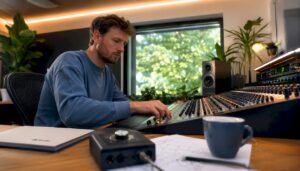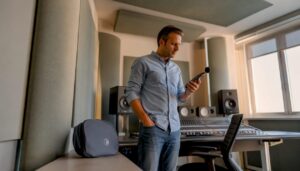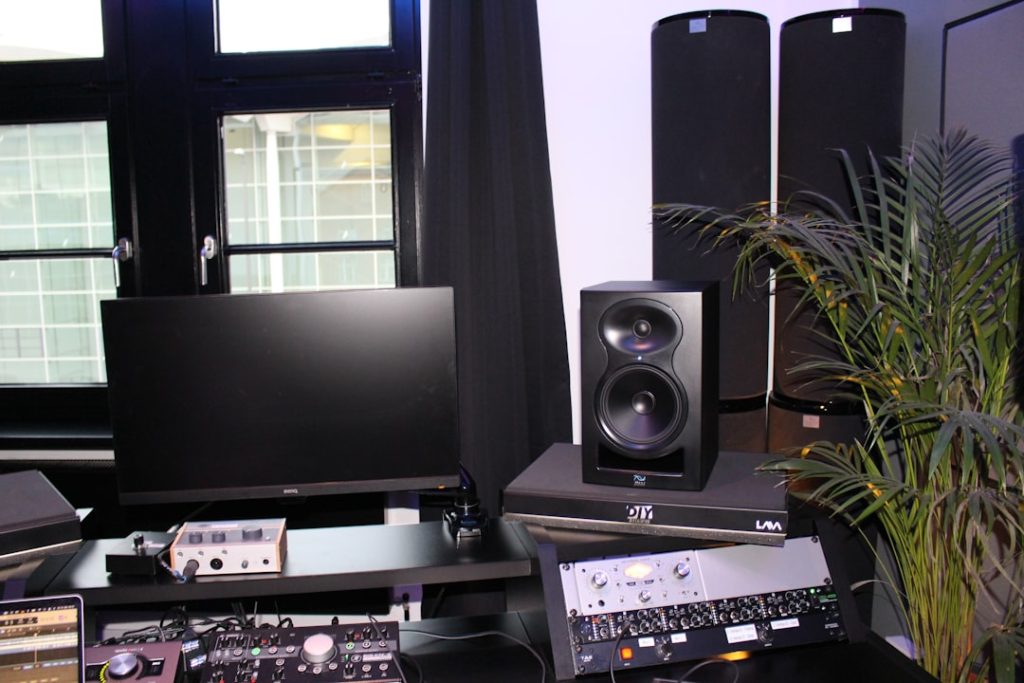
Purchasingstudio equipment requires more than just ticking off a wish list. One must consider the end goal of the studio, the acoustics of the room, the right computing power and the integration of hardware and software. This guide helps audio professionals, musicians and content creators step by step in making wise choices – from microphones and interfaces to specialized workstations and acoustic solutions.
What’s at Stake. Why a Plan Is Necessary
The first thing that strikes those looking to purchase studio equipment is that small choices have big consequences. Too weak a computer system, wrong monitor placement or a mismatch between microphone and preamp can cause hours of frustration. That’s why wise purchasing begins with planning.
Goal Setting: What Do We Want to Produce?
- Podcasts and voice-over: focus on one or more dynamic/vocal condenser microphones, simple interface and good headphones.
- Music production (bedroom producer): multitrack recording, midi-controlled instruments and hybrid workflows require an interface with multiple inputs and a stable DAW setup.
- Band/project studio: more inputs, outboard preamps and routing via patchbays; often also a dedicated control room with better monitors and acoustics.
- Video editing and broadcast: high computing power for rendering, reliable GPUs and fast storage to process media files smoothly.
Space and Acoustics Counting
A good microphone and expensive monitors lose much of their value in a poorly damped room. One should budget at least 10-20% for acoustic treatment: bass traps, absorbers and diffusers at critical reflection points.
Budget and Upgrade Path
A smart strategy is to think about an upgrade path. One can start with a solid core – a reliable computer, a quality interface and monitors – and later expand with outboard gear and better microphones. This avoids unnecessary duplication of expenses.
Essential Equipment: What Should Really Be In The Studio?
The following list covers the basic equipment found in almost every professional and semi-professional studio. Brief tips are provided for each item that will help one make better purchases right away.
Microphones: The Basis of Recording Quality
- Dynamic microphones (e.g., Shure SM7B, Sennheiser MD421): rugged, good for loud sources and vocals in less treated areas.
- Condenser microphones (large-diaphragm): more sensitive, ideal for vocal recordings and acoustic instruments in treated rooms.
- Ribbon microphones: soft top-end and warm characteristics; careful handling in wind and high SPL.
Practical tip: a good vocalchain consists not only of microphone + preamp; pop filter, shockmount and an always carefully chosen recording position also make a difference.
Audio Interfaces: The Heart Of The Digital Signal Stream
When buying studio equipment, the interface is one of the most important decisions. An interface determines latency, converters and input/output capabilities.
- Inputs/outputs: choose based on the number of simultaneous recording channels (with bands, 8+ inputs are often desirable).
- Converters and preamps: quality of AD/DA conversion and preamplification directly affect sound quality.
- Connectivity: USB, Thunderbolt and PCIe have different advantages – Thunderbolt is near real-time without much latency.
- DSP & Monitoring: some interfaces offer onboard DSP for latency-free monitoring and echo-cancelling.
I4studio often recommends choosing advanced interfaces or even dedicated audio owners with reliable drivers for demanding projects to ensure DAW stability.
Studio Monitors & Headphones: What One Needs to Know
Monitors determine the degree to which one hears errors and detail in a mix. Headphones are essential for tracking and reference but never replace correctly placed speakers in a good room.
- Nearfield monitors: for small control rooms; proper positioning and symmetry are crucial.
- Mid/large field monitors: in larger rooms for wider references.
- Studio headphones: closed for recording, open for mixing and references.
Practical tip: place monitors so that the woofers are at ear height and one forms an equilateral triangle between both speakers and the listening position. With a simple measuring microphone and room-correction software one often gets considerable improvements.
Computers and Workstations: Especially For Audio and Video
For many professionals, the computer is the nervous system of the studio. When buying studio equipment, the investment in a good machine often comes back in workflow speed and reliability.
Important specifications
- CPU: high single-core performance remains important for many DAW tasks, but multi-core helps with parallel tasks such as rendering and plugins.
- RAM: 16-32 GB minimum for music projects; 64 GB+ for heavy sample libraries and large video projects.
- Storage: fast NVMe SSDs for OS and DAW projects; NAS or RAID storage for archiving and large media files.
- GPU: more important for video rendering and real-time playback in some plugins/engines; not always critical for pure audio.
As a provider of specialized workstations, I4studio develops systems optimized for audio and video production: reliable drivers, passive cooling options, enhanced power supply and certification for popular DAWs and rendering engines. One can turn to I4studio for customization, for example, a low-latency audio workstation or a powerful render machine for 4K/8K video.
Outboard Gear: When Is It Needed?
Outboard can add warmth and character that digital emulations sometimes fail to replicate exactly. Consider:
- Preamps: for character or extra headroom.
- Compressors and EQs: hardware for tracking and summing.
- AD/DA converters: upgrades for critical mastering paths.
Tip: buy outboard when one clearly knows what characteristics one lacks in the digital workflow. Not every studio needs hardware right away; sometimes plugins and good monitoring already deliver fine results.
Cables, Stands and Other Accessories
Good cables and solid rigs reduce interference and improve daily ease of use. Invest in:
- Balanced cables (XLR, TRS) for long runs
- Strong mic stands and boom arms
- Shockmounts and pop filters
- Warm, reliable power supply and, if necessary, a UPS or power conditioner
Acoustics: The Mostly Overlooked Secret
The impact of room acoustics is greater than the difference between two microphones costing hundreds of dollars. Even a simple bass kick and correctly placed absorbers can dramatically improve mixes.
Basics
- Absorption: reduces reflections and flutter echo; useful around first reflection points.
- Diffusion: preserves sense of space without creating harsh reflections.
- Bass Straps: address low frequencies that often resonate uncontrollably.
Case in point: a producer noticed that vocals sounded “muffled.” After installing a pair of broadband absorbers and adjusting monitor position, the clarity improved significantly – without using another microphone.
Measurement and Verification
Tools such as measuring microphones and software (Room EQ Wizard, Smaart) allow one to measure frequency response and reverberation times. This makes treatments targeted: one loses less time and money on guesswork.
Workflow, Ergonomics And Reliability
A comfortable, well-organized studio increases creativity. One should pay attention to:
- Ergonomic desk and chair arrangement
- Accessible cable management
- Backup procedures: local and offsite backups (LTO, cloud, NAS)
- Up-time and redundancy for broadcast studios
In broadcast or live environments, redundancy and quick support are crucial. I4studio offers support contracts and fast replacement options for critical systems – preventing costly downtime.
Strategies When Purchasing: New Or Used?
The choice between new and used depends on risk tolerance and budget. One can save a lot of money on reliable vintage hardware, but new equipment often offers warranty and modern features.
Benefits of New
- Warranty and support
- Recent drivers and compatibility
- Better energy and sound management in modern designs
Benefits of Used
- Lower purchase price
- Unique vintage characteristics (in microphones and compressors, for example)
- Quick upgrades possible without large capital
Tip: Buy used gear from trusted dealers or ask about service history. I4studio can help review used systems and offer refurbished machines with warranty.
Common Mistakes When Purchasing Studio Equipment
One often learns most from mistakes others have made. Some common pitfalls:
- Immediately spend a lot of money on microphones and monitors without addressing the space first.
- Underestimate computer requirements: a cheap laptop can cause DP blush during heavy sessions.
- Forgot to check drivers and firmware for compatibility with the DAW and OS.
- Not thinking about cable management and power supply, creating noise and interference.
- Do not implement a backup strategy – loss of data can be disastrous.
Examples Of Studio Setups With Guide Prices
Below are concrete sample configurations for different types of users. Prices are indicative and depend on brands and options.
Starting Podcaster / Voice-over (budget-friendly)
- Microphone: dynamic (e.g., Shure SM58 or SM7B)
- Interface: 2-in/2-out USB interface with good preamps
- Headphones: closed monitor headphones
- Computer: stable laptop or desktop with 16 GB RAM
- Acoustics: 2-4 absorbers and a bass stage
Indicative budget: €800-€2,000
Singer-Songwriter / Home Studio
- Microphone: large-diaphragm condenser
- Interface: 4-in/4-out with good converters
- Monitors: nearfield monitors (e.g., 5″-8″)
- Computer: desktop with 32 GB RAM, fast NVMe
- Preamps: 1-2 nice outboard preamps for character
Indicative budget: €2,000-€6,000
Project studio / small band
- Interface: 8-16 inputs
- Monitors: larger nearfield or mid-field speakers
- Outboard: compressor, preamps, patchbay
- Computer: workstation with 64 GB RAM and fast storage
- Acoustics: complete treatment of control room
Indicatiebudget: €8.000–€25.000
Broadcast / Video Editing Workstation
- High-end workstation (multi-core CPU, large RAM, strong GPU)
- NAS/RAID for media, fast NVMe scratch disks
- Interface: multichannel with low-latency monitoring
- Redundancy: UPS and backup servers
Indicative budget: €10,000+ (depending on video resolution and rendering power required)
Checklist Before One Makes the Purchase
- Is the purpose of the studio clearly defined?
- Is there a floor plan of the room with reflection points and listening position?
- What DAW and plugins are being used – and are they compatible with the chosen hardware?
- Is there enough computing power and storage for the projects (current and within 2-3 years)?
- Are there testing opportunities or demos at the vendor?
- What are warranty and service terms, and is there local support?
- Is there an upgrade path and are components modularly replaceable?
Maintenance, Updates And Longevity
A studio is a lasting investment. Regular maintenance and smart choices extend the life of equipment:
- Monitor and schedule firmware and driver updates
- Backup schedules (automatic, multiple locations)
- Storage rotation: archiving older projects on external media
- Physical maintenance: keeping gear dust-free, periodic check-ups
For workstations, it is smart to plan mid-life upgrades: additional RAM, second NVMe drive or faster GPU are often cost-effective interventions.
How I4studio Supports Studio Equipment Purchasing
I4studio specializes in audio, video and broadcast computers and offers more than just hardware sales. Their added value is in:
- Tailored advice: customized equipment advice based on workflow and space.
- Custom builds: purpose-built workstations for low latency audio or fast video rendering.
- Acoustic solutions: design and delivery of treatments for various studio sizes.
- Support and service: installation, driver support and longer warranty periods valuable to professionals.
For many studio owners, it’s nice to work with a partner that combines both hardware and software and room know-how. I4studio can act as that point of contact – from selection advice to commissioning.
Tips From Practice
- Start with good monitoring and acoustics; one will notice more quickly which microphones and preamps are really needed.
- Test equipment in your own space; demos in showroom conditions don’t always tell the whole story.
- Talk to fellow producers and ask about their experiences with compatibility between interface and DAW.
- Plan for expansion space: additional entrances, more storage and clear space for future outboard units.
- Consider workflow: sometimes a hardware controller for mixer routing is more effective than mouse-clicking.
Frequently Asked Questions
What is most important when buying studio equipment?
Most important is a clear goal and a realistic budget that includes acoustics and computer power. A balanced investment in monitoring, interface and room handling often pays off more than just buying expensive microphones.
Is it better to choose an off-the-shelf audio workstation or put together your own?
An off-the-shelf system is quickly deployed and often tested for compatibility; putting it together yourself offers more flexibility and sometimes better price-performance. For professionals who need stability, a vendor like I4studio offers customization with certification and support – that reduces risk.
How much should one spend on acoustic treatment?
As a rule of thumb, 10-20% of the total studio budget is often recommended for acoustics. In small studios, even a modest investment for key reflection points and bass absorption can make a lot of difference.
Can a laptop be sufficient for music production?
Yes – for light to medium projects, a modern laptop with at least 16 GB of RAM and fast SSD is sufficient. For heavy sample libraries, lots of plugins or video editing, a desktop or rack workstation with more cores and expandable storage is preferable.
How does one ensure reliable backups for projects?
Multiple layers: local backups on a separate drive, mirroring to a NAS/RAID and offsite/backup in the cloud. Automatic, scheduled backups reduce the risk of data loss.
Summary
Purchasing studio equipment is a strategic choice that involves much more than buying individual components. With a clear goal, attention to room acoustics, the right computer power and a well thought-out interface and monitoring choice, one lays the foundation for lasting, professional results. One would be wise to invest in support and certification – especially for critical systems for broadcast and video – and work with experienced vendors such as I4studio who offer customization, support and acoustic expertise.
With proper planning, a clear upgrade path and attention to workflow and reliability, one can build a studio that will last for years and allow for creativity and productivity.