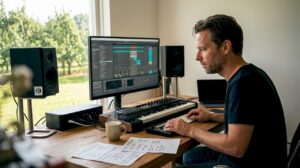
Whether you are a professional videographer or filmmaker or just starting out, choosing the right video editing software is crucial. Windows offers a range of options, each with its own unique features and capabilities.
Introduction:
Video editing is an essential part of the film and video production process. With the rise of social media, the demand for high-quality videos has never been greater. Whether you are creating content for YouTube, Instagram or any other platform, video editing software is the key to unlocking the full potential of your images.
Windows is a popular operating system for video editing for a reason. With a wide range of available options, Windows offers users a flexible and accessible solution for video editing. In this article, we look at some of the best video editing software for Windows and delve into their features and capabilities.
Best video editing software for Windows: A comprehensive guide
Adobe Premiere Pro:
Adobe Premiere Pro is one of the most popular and widely used video editing software in the world. This professional video editing software is packed with features, including advanced audio and video editing tools, a customizable workspace and support for multiple formats and resolutions.
Key features:
Advanced audio and video editing tools
Customizable workspace
Support for multiple formats and resolutions
DaVinci Resolve:
DaVinci Resolve is a powerful video editing software designed for professionals. It offers a range of advanced editing tools, including color correction and audio post-production capabilities. This software is highly customizable, and is also compatible with a range of different formats and resolutions.
Key features:
Advanced color correction and audio post-production capabilities
Highly customizable
Compatible with different formats and resolutions
Lightworks:
Lightworks is a professional video editing software designed for advanced users. It offers a range of powerful tools and features, including advanced editing and effects, support for 4K and 8K resolution and a flexible timeline. This software is ideal for filmmakers and video professionals who demand results of the highest quality.
H2: Key features:
Advanced editing and effects
Support for 4K and 8K resolution
Flexible timeline
Conclusion:
Whether you are a professional videographer or filmmaker or just starting out, Windows offers a wide range of options for video editing software. With options like Adobe Premiere Pro, DaVinci Resolve and Lightworks, users can choose the best software for their needs, whether it’s advanced audio and video editing tools, advanced color correction or high-quality results. Whatever your needs, Windows has a solution that will help you take your videos to the next level. do make sure you have a good and suitable video editing computer