

Looking for an audio system
We custom assemble compose your perfect system with us
Need help?
Get in touch with 1 of our experts
Direct Answer: Which CPU is best for music production?
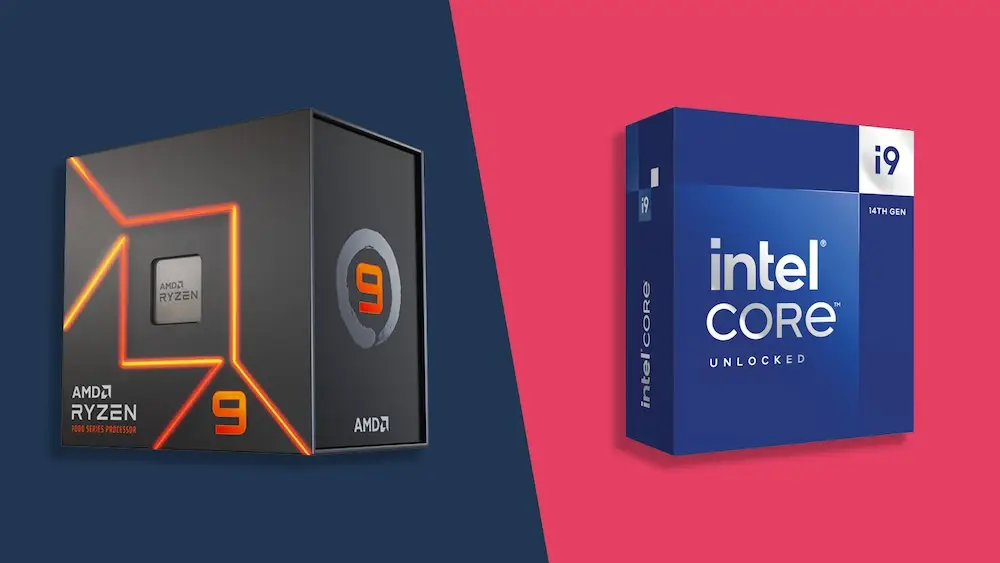
For the lowest latency (delay) in live recording, Intel (Core i7/i9) is currently the best choice due to its high single-core clock speed. For producers working with extreme plugins, heavy orchestral libraries and looking for better value for money, AMD (Ryzen 7/9) is the winner due to its superior multi-core performance and energy efficiency. But note there are still soft and hardware manufacturers that do not support AMD such as Universal Audio and Avid
1. Why the CPU is the heart of your Audio PC.
In a normal PC, the processor is important, but in an Audio PC the CPU is all-important. The processor calculates every effect plug-in, every virtual instrument and the final audio output of your DAW (Digital Audio Workstation).
If the CPU does not perform the calculations fast enough, you will suffer:
Clicks and pops in your audio.
Latency (delay between hitting a key and hearing sound).
DAW crashes on large projects.
2. Intel Core: The king of low latency?
Intel has been the standard in professional studios for years. With the latest generations (such as the i7-14700K or i9-14900K, and now the Ultra series as well), they are continuing that tradition.
Advantages of Intel for Audio:
High Single-Core Speed: Many DAW tasks (such as the audio engine itself) run on one primary thread. Intel is often just slightly faster at this, resulting in a more stable system at a very low buffer size (e.g., 32 or 64 samples).
Thunderbolt support: Many high-end audio interfaces (such as Universal Audio) use Thunderbolt. Intel motherboards often have better, native support for this technology.
Disadvantages:
Heat: Intel CPUs can get very hot. This means you need bigger (and sometimes louder) fans to keep them cool. Fortunately, we have those as standard at i4studio
Power consumption: They consume more power than AMD counterparts.
3. AMD Ryzen: The powerhouse for tough projects
AMD has caught up tremendously with the Ryzen series (such as the 7900X and 7950X). For the modern producer using 100+ tracks, AMD is often the logical choice.
Benefits of AMD for Audio:
Multi-core Dominance: For the same price, AMD often offers more “real” cores. This is ideal if you run many heavy VSTs (such as Serum, Kontakt or Omnisphere) at the same time.
Efficiency and Quietness: AMD processors are generally more energy efficient. This results in a cooler PC, so your fans don’t have to run as hard. Silence is essential in a studio.
Platform durability: AMD retains their motherboard sockets (such as AM5) longer. You can upgrade more easily in the future without having to replace your entire system.
Disadvantages:
Compatibility: Although rare, there have been minor driver issues in the past with specific USB audio interfaces on AMD platforms. Universal Audio and AVID also do not support AMD.
4. Comparison Chart: Intel vs. AMD for Producers
| Feature | Intel (14th Gen) | AMD Ryzen (7000/9000 series) |
| Best for: | Live recordings & lowest latency | Large productions & lots of VSTs |
| Single-core power | Excellent (King) | Very good |
| Multi-core power | Very good | Excellent (Winner) |
| Noise Level (Cooling) | runs slightly warmer | more efficient at this temperature |
| Thunderbolt | Native / Very stable | Available, but check your motherboard |
FAQ AMD or Intel
Is Intel better than AMD for Ableton Live? (Answer: Both are excellent, but Intel has a slight edge in latency-sensitive live sets).
How many cores do I need for music production? (Answer: at least 6 to 8 cores for an average producer).
Do AMD processors get too hot for a quiet studio? (Answer: No, modern AMD Ryzen CPUs tend to be slightly more energy efficient than Intel).
Quick Decision Aid”.
Choose Intel if: You work with Thunderbolt, do low-latency recording, and have the budget for high-end cooling. Choose AMD if: You run many plugins at once, want a future-proof system, and don’t work with Avid or Uaudio.
The new Intel Ultra CPUs are now available; they use less power and offer slightly better performance.