Tips for choosing the ideal PC configuration
4K resolution is standard for any kind of photo and video footage. Any smartphone, screen or camera shines with unprecedented image sharpness based on the resolution of 4096 x 2160 pixels.
A professional video editing program alone is not enough for 4K video editing. The PC must also be able to handle the large amounts of data. Here we look at what’s important when choosing a computer for 4K video editing.
Fast hardware reduces wait times
The higher the resolution of the video files, the more processing power is required for the video editing program to work properly. Individual components of the PC are used very intensively. Off-the-shelf computers usually have shortcomings in specific areas. To avoid long waits when editing and rendering videos, it is important to choose an appropriate configuration for video editing.
Most people think of powerful graphics cards when they think of a professional video editing PC. In reality, however, the graphics card plays a secondary role, as video editing programs primarily use the processing power of the processor. Both compression of the footage via codec and computationally intensive rendering are tasks of the processor (cpu)
The CPU sets the pace
Today’s video editing software for 4K video editing uses multi-core processors. To be sure, check the software manufacturer’s recommendation. Six processor cores are okay, eight or 12 are better, especially for multitasking. When background processes run undisturbed on another core, performance for video editing benefits. In addition to as many processor cores as possible, the CPU must have a high clock frequency and support hyperthreading. Hyperthreading optimizes the processing of individual program components. Video editing software uses the principle of hyperthreading by preparing the next frame as it is processed. For multitaskers and those who do a lot of rendering, hyperthreading is a promising option to improve performance. Provided, of course, that the technology is supported by the software.
The 12th-generation Intel Core i9-12900K processor, for example, is suitable. for 4K video editing This has 14 cores and delivers a maximum clock frequency of 5.0 GHz. So these processors offer a total of fourteen CPU cores and twenty threads for calculations.
Meanwhile, we have the 14th generation processors with 24 Core and 32 Threads it may be clear that this one again performs better and finishes video rendering faster
Also make sure you have PCIe 4.0, support which gives SSDs in particular an advantage. Selected PCIe 4.0 SSDs can read up to 7000 MB/s and write 5000 MB/s
Lots of space for caching
4k Video editing places high demands on RAM memory. When editing 4K video footage, a lot of data is stored temporarily. The more space there is, the more applications can run in parallel on the computer without failures or delays.
In 4K videos, the number of pixels has quadrupled from about two million in Full HD to about eight million. If a PC for 4K video editing needs to process efficiently, 32 GB of RAM is recommended.
If you want to start with 16 GB and upgrade later if needed, it is important to use the same memory modules from the same manufacturer for expansion. Compatibility problems may occur with different modules.
Support for graphics cores

As mentioned above, the graphics card does not play first fiddle in a 4K video editing -pc. Still, the integrated graphics unit in the processor is usually not sufficient for 4K video editing. A separate graphics card with its own graphics memory helps here: It ensures a smooth workflow. Moreover, the graphics card relieves the burden on the processor by allowing it to outsource subtasks to the GPU (Graphic Processor Unit) during PC operation.
The graphics card must provide monitor connections for the 4K signal with a refresh rate of 60 Hz. These can be DisplayPort ports from version 1.2 and HDMI ports from version 2.0. Suitable graphics cards include the NVIDIA RTX 3050, RTX 3060 or an RTX 3080 if you need a lot of performance.
Lightning-fast data access
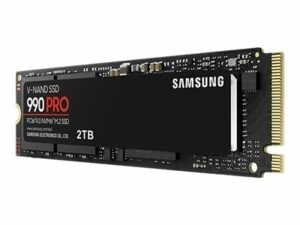
When it comes to fast loading and fast rendering,during 4K video editing, you can’t avoid flash memory. Solid state drives (SSD) are not only much faster when it comes to data access, they are also virtually silent. Mechanical hard drives with rotating disks make significantly more noise under heavy use during video editing.
An M.2 SSD with PCIe bus for the operating system and a second SSD with more capacity for the video data of the current project are ideal. This allows video editing software to run smoothly. A PCIe 4.0 SSD is also recommended for third-, fifth- and seventh-generation AMD systems, as PCIe 4.0 SSDs are up to twice as fast as PCIe 3.0 SSDs. For archiving completed videos, however, you can use an HDD, which offers significantly cheaper storage space.
Conclusion 4K video editing
The most important components of a PC for professional 4K video editing are the processor, graphics card, RAM and a fast SSD. You should not skimp on this. Which processor is ideal depends greatly on the design of the video editing software. Therefore, it is good advice to follow the software developer’s recommendation. If you regularly work on extensive video projects, a system that does not deliver optimal performance will become a major time waster
Software for 4k video editing